Frappe
Cloud
Marketplace
Frappe
Products
Insights

Installation Guide
installs
Publisher
Supported versions
Categories
E-Commerce
About
What is Cheque Manager?
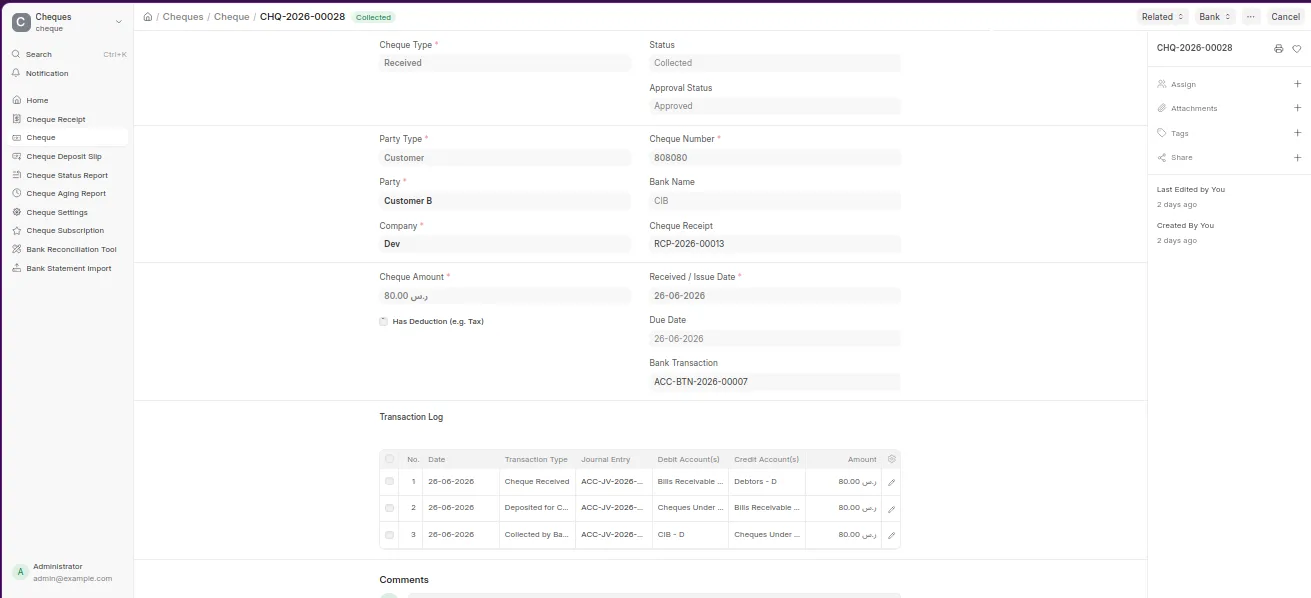
Cheque is a standalone ERPNext extension that covers the complete operational and accounting lifecycle of cheques inside a company. Whether you receive cheques from customers or issue cheques to suppliers, every stage — from the moment a cheque enters the company until it clears the bank or bounces — is tracked, logged, and accounted for automatically.
Core Workflow
Received Cheques
Cheque Receipt (سند قبض)
       ↓
Cheque (أوراق القبض)
       ↓
Cheque Deposit Slip (حافظة شيكات)
       ↓
Bank Statement Import → Auto Reconciliation
       ↓
Collected  or  Returned (Bounced)
Issued Cheques
Cheque (أوراق الدفع)
       ↓
Mark as Cleared → Dr Notes Payable / Cr Bank
       ↓
Optional: Bank Charges Entry
Key Features
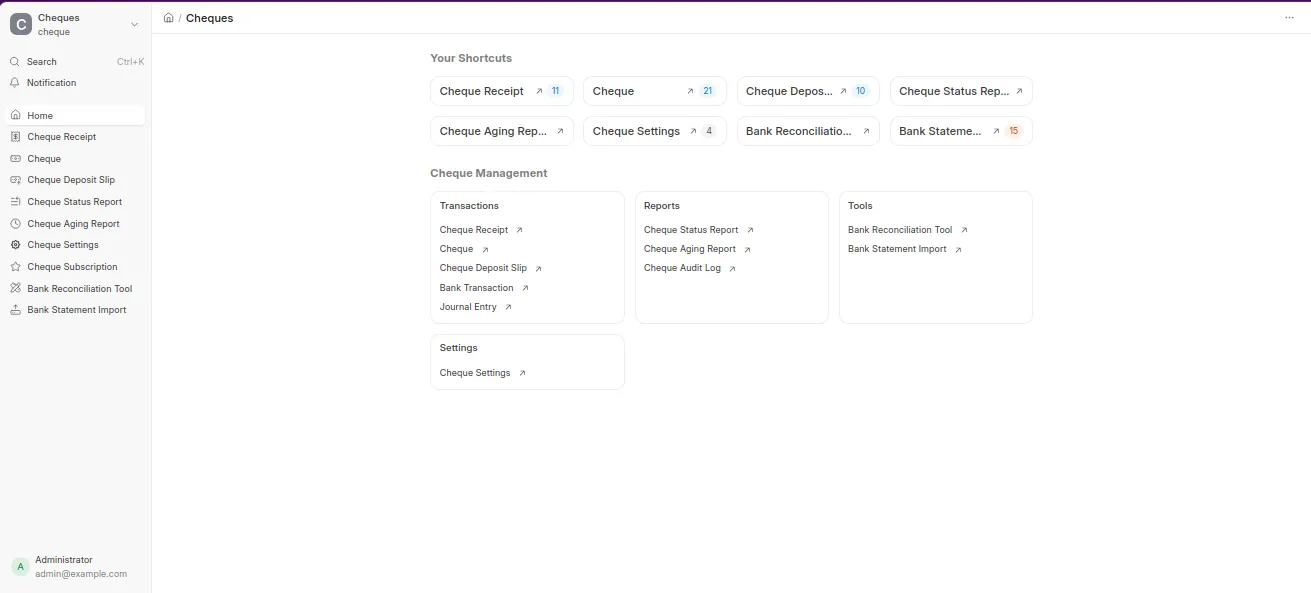
📋 Cheque Receipt (سند قبض)
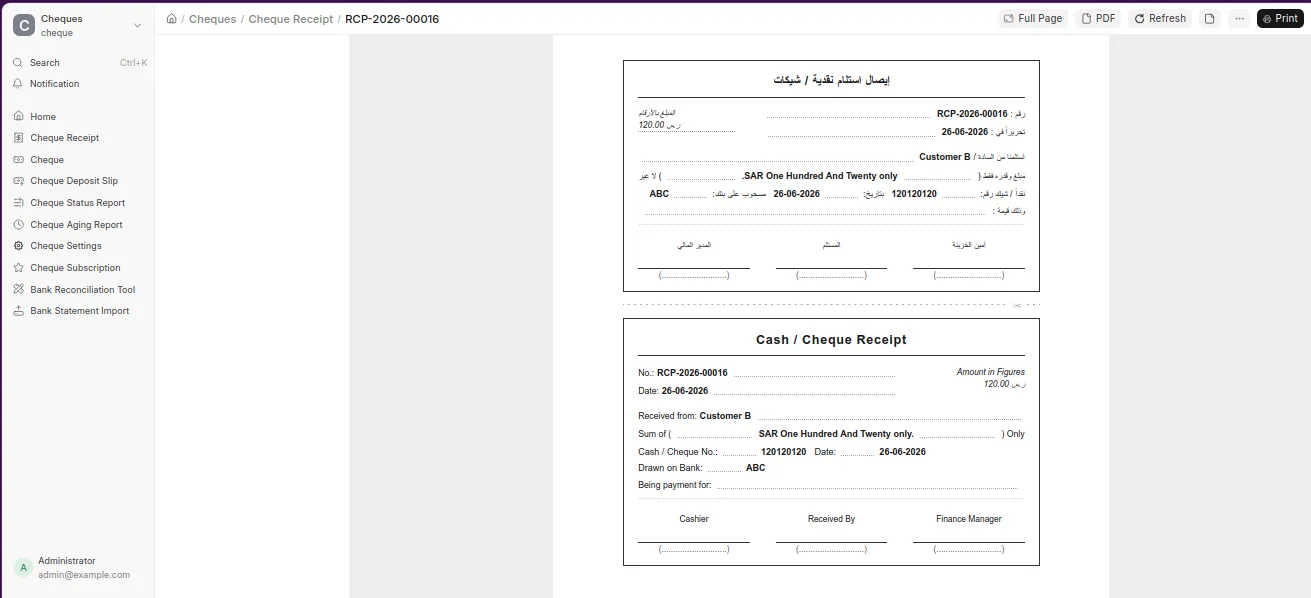
Issue a formal bilingual Arabic/English receipt voucher every time a cheque is received
Amount split into pounds and piastres dynamically
Auto-creates the linked Cheque record on submit
Printable in two copies (company + customer) on a single page
🏦 Cheque Deposit Slip (حافظة الشيكات)
Group multiple cheques into a single bank deposit batch
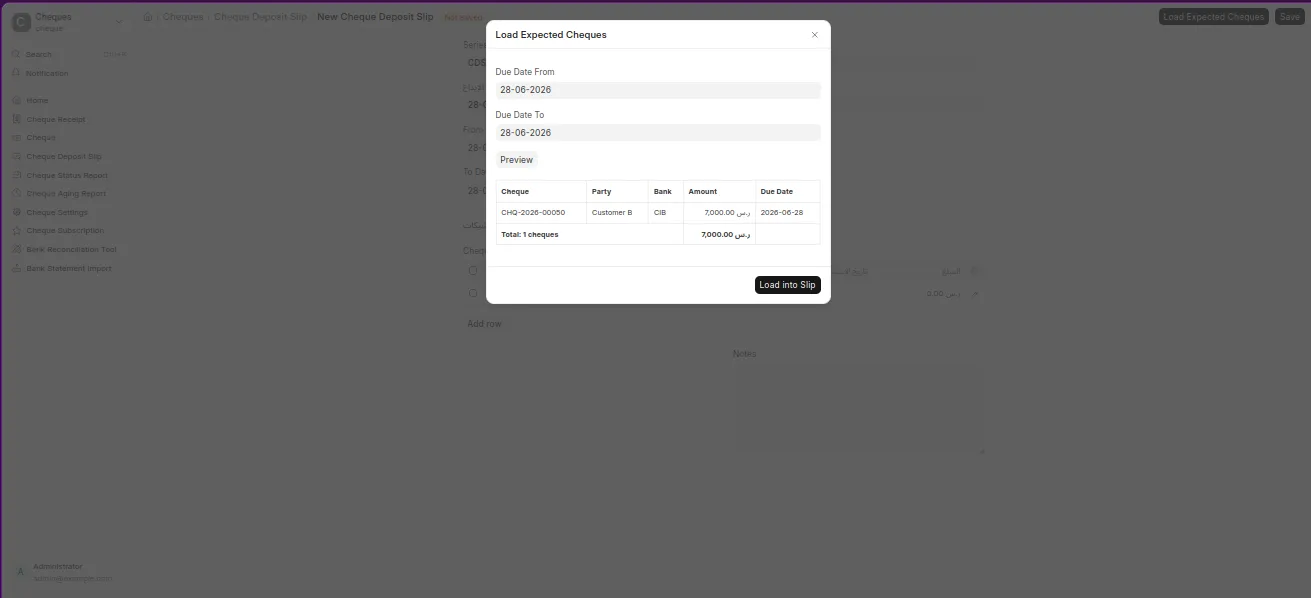
Smart "Load Expected Cheques" button — filters by company, date range, and status, excludes cheques already in another slip
Live preview of suggested cheques with total before confirming
On submit, triggers
deposit_cheque()on every cheque in the batch — no duplicated accounting logicPrints two copies (company + bank) with signature blocks
⚙️ Full Lifecycle Status Machine
Every status transition is validated and generates the correct double-entry journal:
Transition | Debit | Credit |
|---|---|---|
Receive | Bills Receivable | Customer |
Deposit | Cheques Under Collection | Bills Receivable |
Collect | Bank | Cheques Under Collection |
Return (bounce) | Bills Receivable | Cheques Under Collection |
Return to Party | Customer | Bills Receivable |
Send with Agent | Cheques Under Settlement | Bills Receivable |
Collect via Agent | Cash | Cheques Under Settlement |
Collect Direct (Agent) | Cash | Bills Receivable |
Send for Discount | Cheques for Discount | Bills Receivable |
Discounted | Bank + Discount Expense | Cheques for Discount |
Endorse | Third Party | Bills Receivable |
Issue | Supplier | Notes Payable |
Clear Issued | Notes Payable | Bank |
Bounce Issued | Notes Payable | Supplier |
Bank Charges | Bank Charges Expense | Bank |
🔄 Bank Statement Auto-Reconciliation
Hook into ERPNext's standard Bank Transaction (after Bank Statement Import)
Auto-matches
Bank Transaction.reference_number→Cheque.cheque_numberDeposit > 0 → Cheque marked Collected, Bank Transaction marked Reconciled
Bounce keyword in description/withdrawal → Cheque marked Returned
Manual reconcile button for cases where reference numbers don't match exactly
Deposit Slip status recalculates automatically: Completed / Partially Completed / Bounced / Processing
📊 Reports
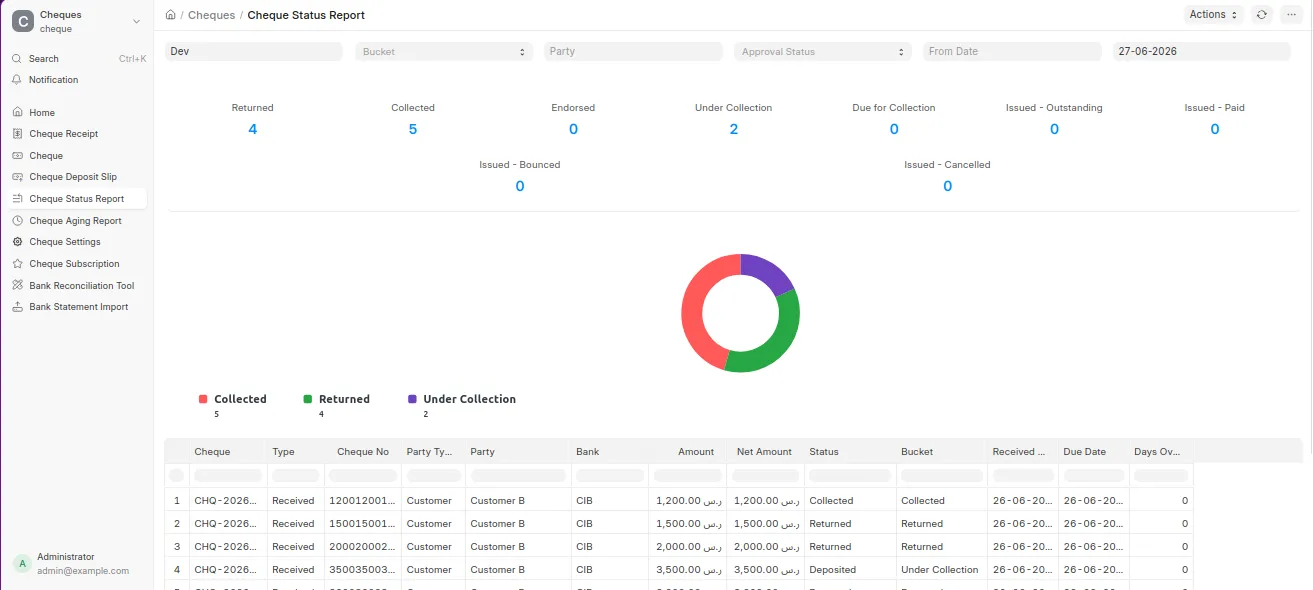
Cheque Status Report — all cheques bucketed by status (Returned, Collected, Endorsed, Under Collection, Due for Collection, Issued Outstanding/Paid/Bounced) with donut chart
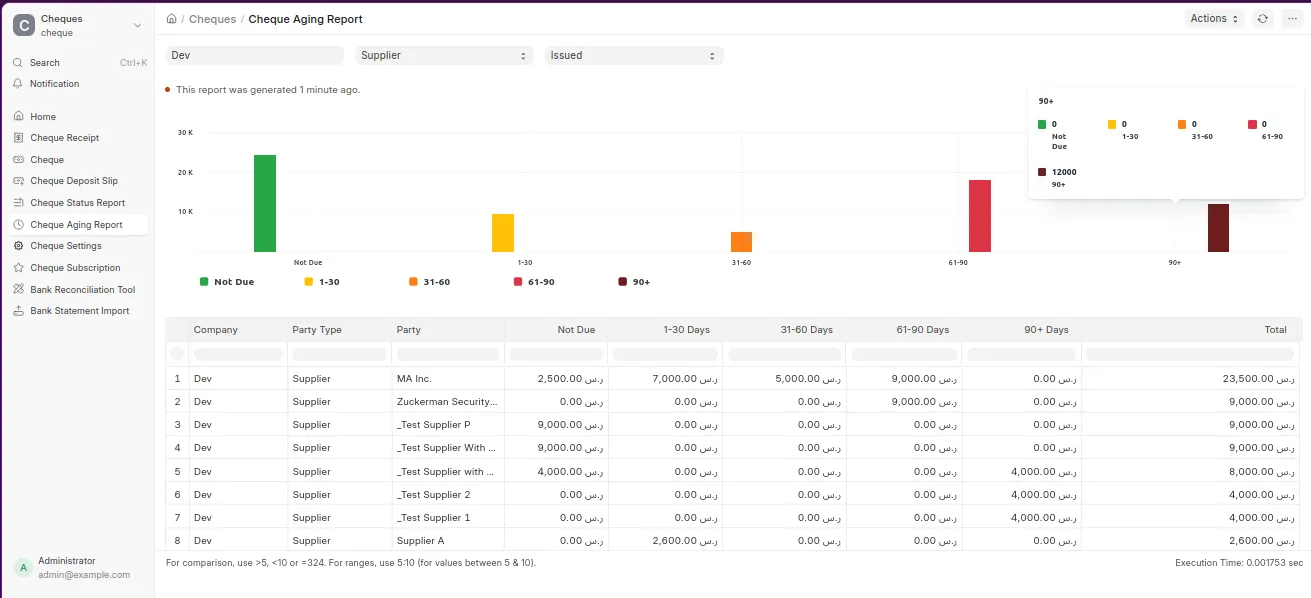
Cheque Aging Report — receivables aging by party in 0–30 / 31–60 / 61–90 / 90+ day buckets (Pro)
Cheque Audit Log — full field-level change history from Frappe's native Version system (Enterprise)
🔔 Due Date Reminders
Daily scheduled job alerts Accounts Managers of:
Cheques overdue (past due date, not yet deposited)
Cheques due today
Cheques due within 3 days
Notification delivered via Frappe's Notification Log (in-app)
🖨️ Bilingual Print Formats
Three professional print formats, each with an Arabic copy and an English copy:
Cheque Receipt (سند قبض) — single-page : Arabic copy on top, English copy below, separated by a cut line
🔐 Approval Workflow
Define an approval threshold amount per company in Cheque Settings
Cheques above the threshold are held at Pending Approval after submit — no journal entry created
Accounts Manager can Approve (triggers the JE) or Reject (with reason logged in remarks)
All status transitions blocked while a cheque is pending or rejected
Requirements
Frappe / ERPNext v15 or v16+
Python 3.10+
User Reviews
No reviews yet, be the first to review.
0.0
0 rating
More apps from

Explore more apps