Frappe
Cloud
Marketplace
Frappe
Products
Insights

Installation Guide
installs
Publisher
Supported versions
Categories
E-Commerce
About
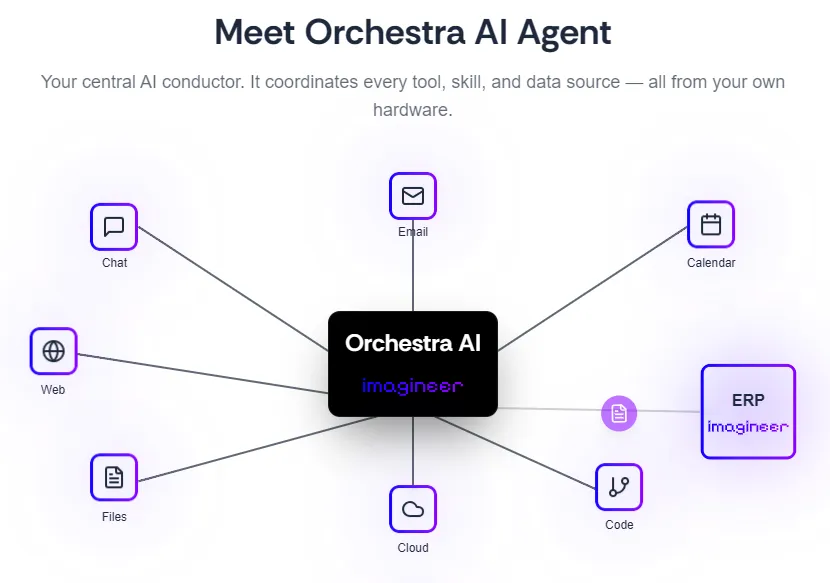
Orchestra — an AI workforce inside your ERPNext
Orchestra is more than a chatbot. It's an orchestration layer for AI work in
ERPNext: an assistant your team chats with and scheduled routines that
execute by themselves — reports drafted overnight, documents prepared before
your morning coffee, recurring checks that never forget. That's why it's
called Orchestra: the chat is one instrument; routines are the whole
ensemble.
What your team can actually do
ERPNext, end to end — list, search, create, update, submit and cancel
any DocType; run reports and server methods; check stock balances, party
ledgers, item prices; manage files. Writes go through your normal
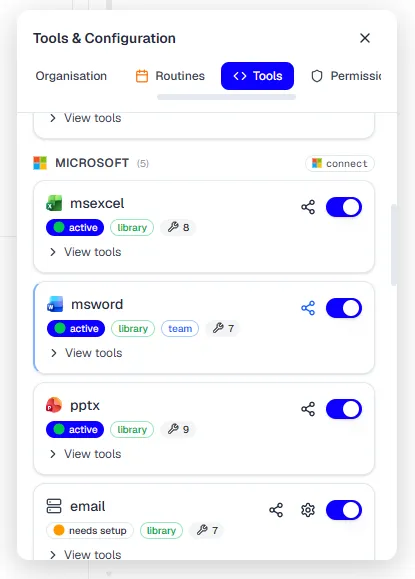
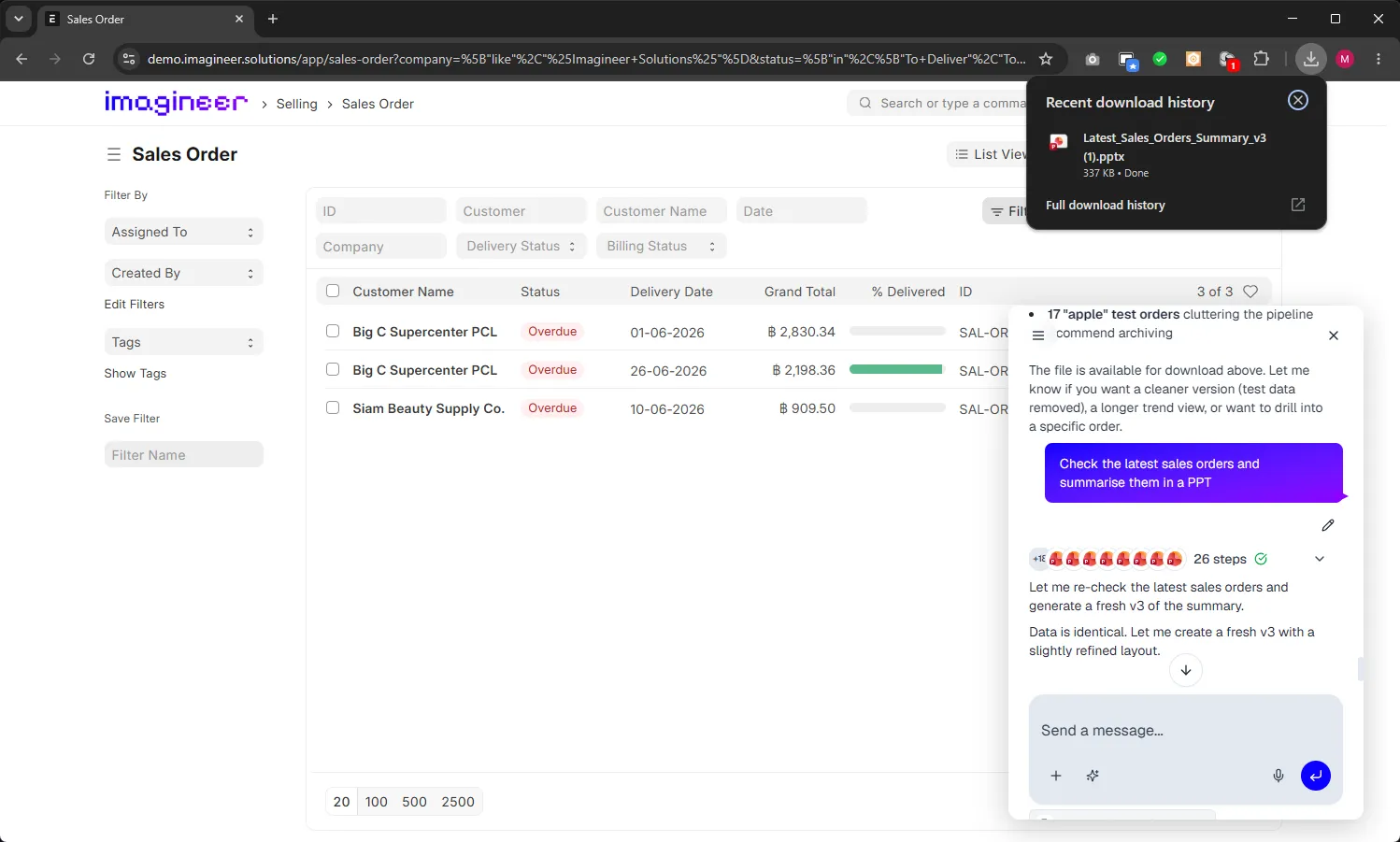
role-based permissions.Real documents, not just text — generates and edits Word, Excel,
PowerPoint and PDF files. Sales deck from live order data, a formatted
workbook with formulas, a filled PDF form — downloadable in the thread.Email built in — connect Microsoft 365, Gmail or any IMAP/SMTP
account: read, search, draft, reply and forward with attachments.Google Workspace — live-edit Docs, Sheets and Slides, and Drive
access, when connected.OneNote — deep notebook integration: browse, search, create and edit
pages as a knowledge base for the agent.Extensible via MCP — plug in any remote MCP server to grow the
toolset further.Files in, files out — attach documents and images; the agent reads
them (scanned PDFs included) and hands back finished work.
Use cases
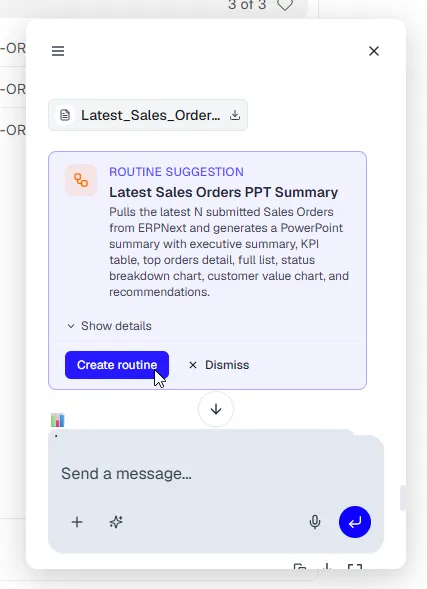
"Summarise yesterday's sales orders into a presentation" — a routine
that runs itself every morning."Which items are below reorder level?" — live stock data, instantly.
"Check my inbox and draft replies to these customer inquiries."
"Turn this supplier quote PDF into a comparison spreadsheet."
"Create the invoice for SO-2026-0142 and take me to it" — the assistant
writes the document and routes you straight to it."Every Friday, pull this week's late deliveries and email me the list" —
set once, never think about it again.
Zero-friction onboarding
No separate account needed. Install, enable, and every ERPNext user can
immediately start chatting — Orchestra creates their identity automatically
from their existing ERPNext login. Each user acts as themselves via their
own API credentials, so the AI respects your role-based permissions. If a
user later wants direct access outside ERPNext, a magic link to their email
is all it takes.
Two ways to install
Option A — this app (recommended): one install injects the launcher on
every Desk and portal page, adds an "Orchestra Settings" DocType for
enable/disable and URL config, and keeps itself clean — the chat UI is
served live from the Orchestra server, so improvements reach your site
instantly with no app upgrades.
Option B — site_config bridge: don't want to run a custom app? The same
embed works with a small loader script on your site plus an orchestra_url
key in site_config.json — see the documentation for the two-step setup.
You get the identical chat and routine features; the app simply automates
the plumbing.
Requirements
Frappe/ERPNext v15 or v16
That's it.
Setup
Install the app on your site
Reload Desk — the Orchestra launcher appears bottom-right
User Reviews
No reviews yet, be the first to review.
0.0
0 rating
Explore more apps