Frappe
Cloud
Marketplace
Frappe
Products
Insights

Installation Guide
installs
Publisher
Supported versions
Categories
E-Commerce
.webp)
About
DIGITAL SEWA
Ticketing Solution in Frappe and ERPNext complemented by the power of Voice Services.
Digital Sewa serves as a versatile extension for Frappe, ERPNext, or Custom App doc types, allowing easy configuration of Digital Sewa Tickets to track and log call records handled by agents, whether for inbound or outbound calls. The app seamlessly integrates with two leading Cloud Voice service providers, Servertel and Knowlarity, to offer robust voice call capabilities within the Frappe ecosystem.
Key Features
- Instant ticket creation upon incoming call
- Efficient ticket filtering options
- Agent creation with customizable status settings, such as On Call and On Break
- Click-to-call functionality directly from tickets
- Comprehensive call log generation for each interaction
Installation
Get the app
bashbench get-app digital_sewa {github_url} --branch version-14
Install the digital_sewa app
bash bench --site{site_name} Install-app digital_sewa
Configuration
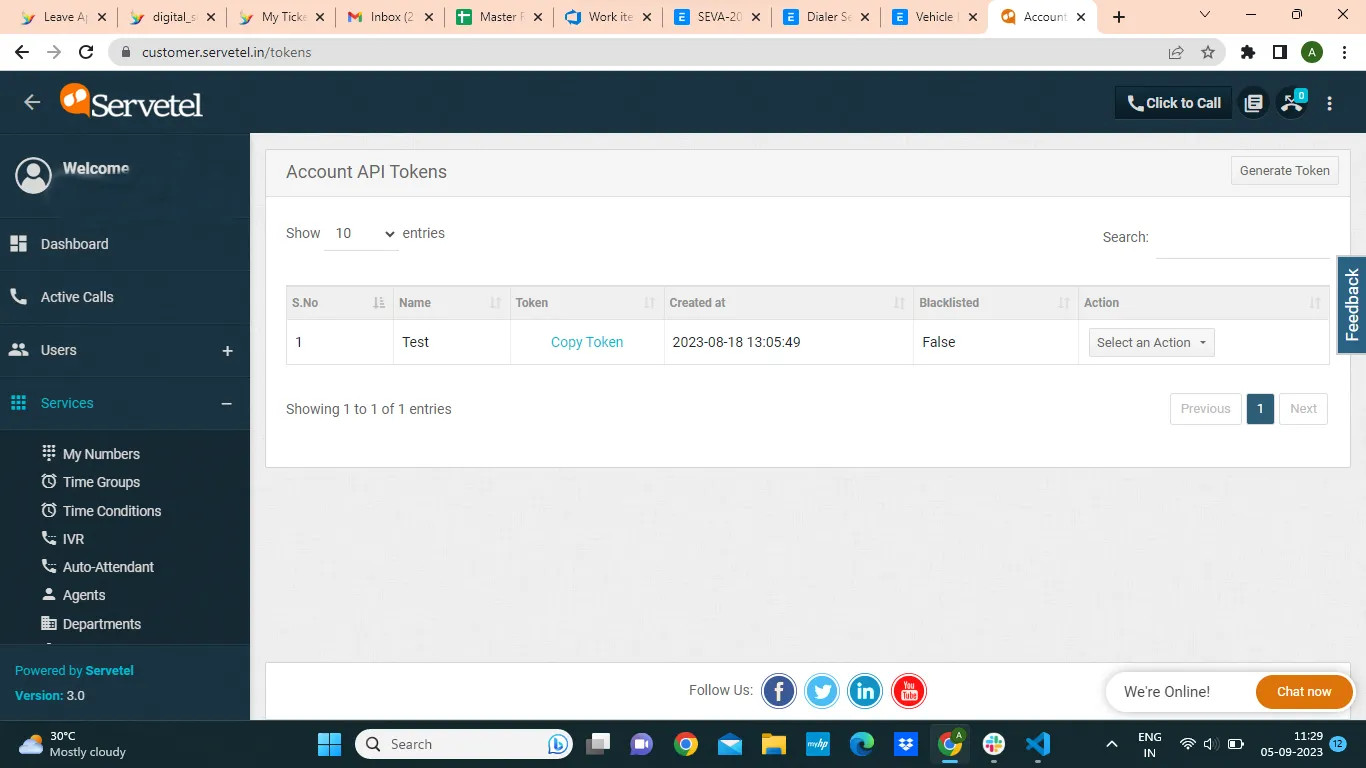
Go To Servetel

Copy the token from this location and paste it into the Dialer Settings under Authorization
.png)
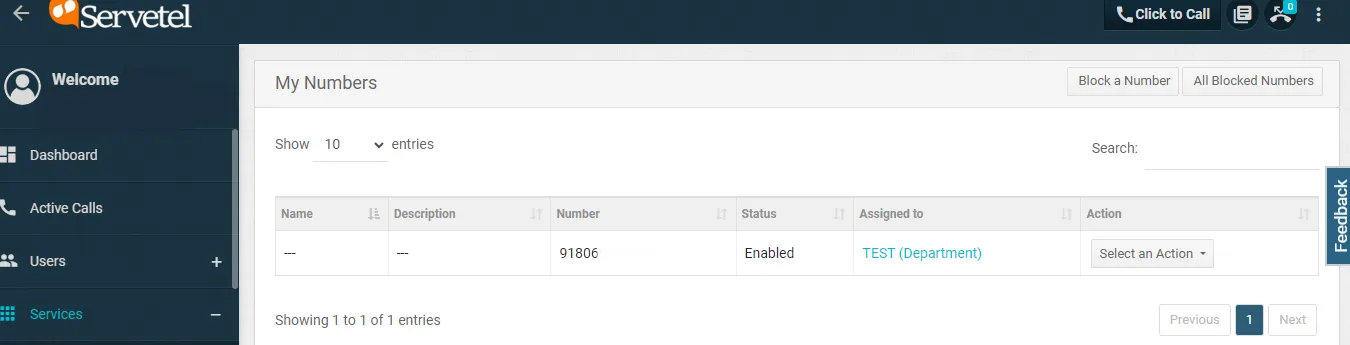
Copy the Number from My Numbers section

and paste it in caller id field
Now You can create agents in Servetel

Using the same data, you can proceed to create an agent on the ERP side

You are all set and ready to proceed
When a call is received on the caller ID, a new Digital Sewa ticket will be generated if one exists; otherwise, a new Digital Sewa ticket will be created automatically.

Logs
Break Logs

Agent Logs

Webhook Configuration

User Reviews
No reviews yet, be the first to review.
0.0
0 rating
More apps from

.png)

Explore more apps