Frappe
Cloud
Marketplace
Frappe
Products
Insights

Publisher
Supported versions
Categories
E-Commerce
About
Doftwerks NRS E-Invoicing
NRS-compliant e-invoicing for ERPNext, via the Doftwerks E-Invoice Access Point.
Transmit Sales Invoices to the Nigeria Revenue Service (NRS) directly from ERPNext. On submission, invoices are validated, signed, and transmitted through the Doftwerks E-Invoice Access Point — an NRS-accredited platform — and the returned IRN, receipt status, and verification QR code are written back onto the invoice.
Features
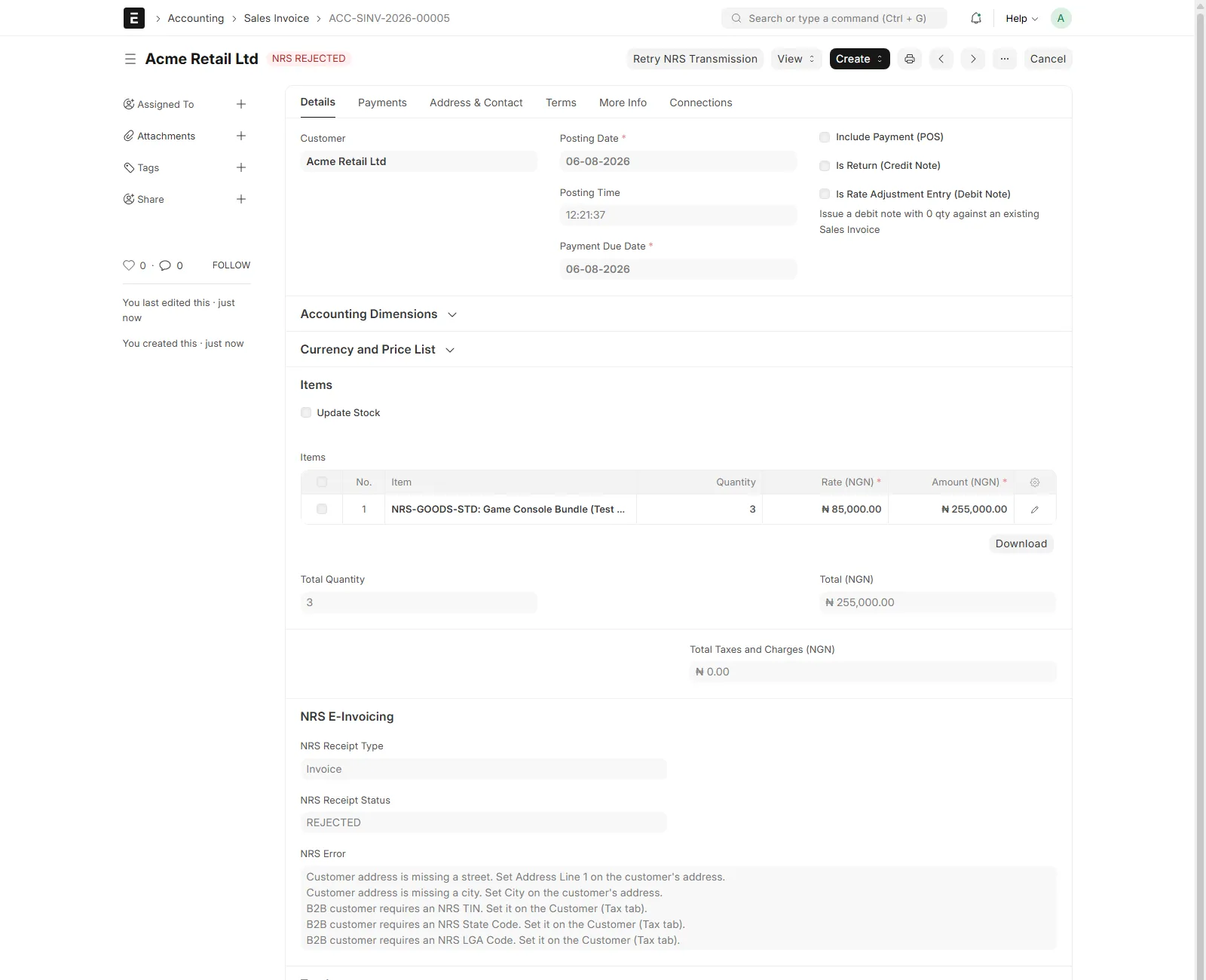
Automatic transmission on submit — with a full pre-flight check that reports all data problems at once (customer TIN, state/LGA codes, address, email, item HSN/ISIC codes) in plain language, before anything is sent.
Multi-entity by Company — each ERPNext Company maps to its own NRS credentials and supplier profile. The entity is determined by the invoice's Company; there is nothing to select and nothing to get wrong.
Credit and debit notes — returns transmit as NRS credit/debit notes automatically, referencing the original invoice's IRN.
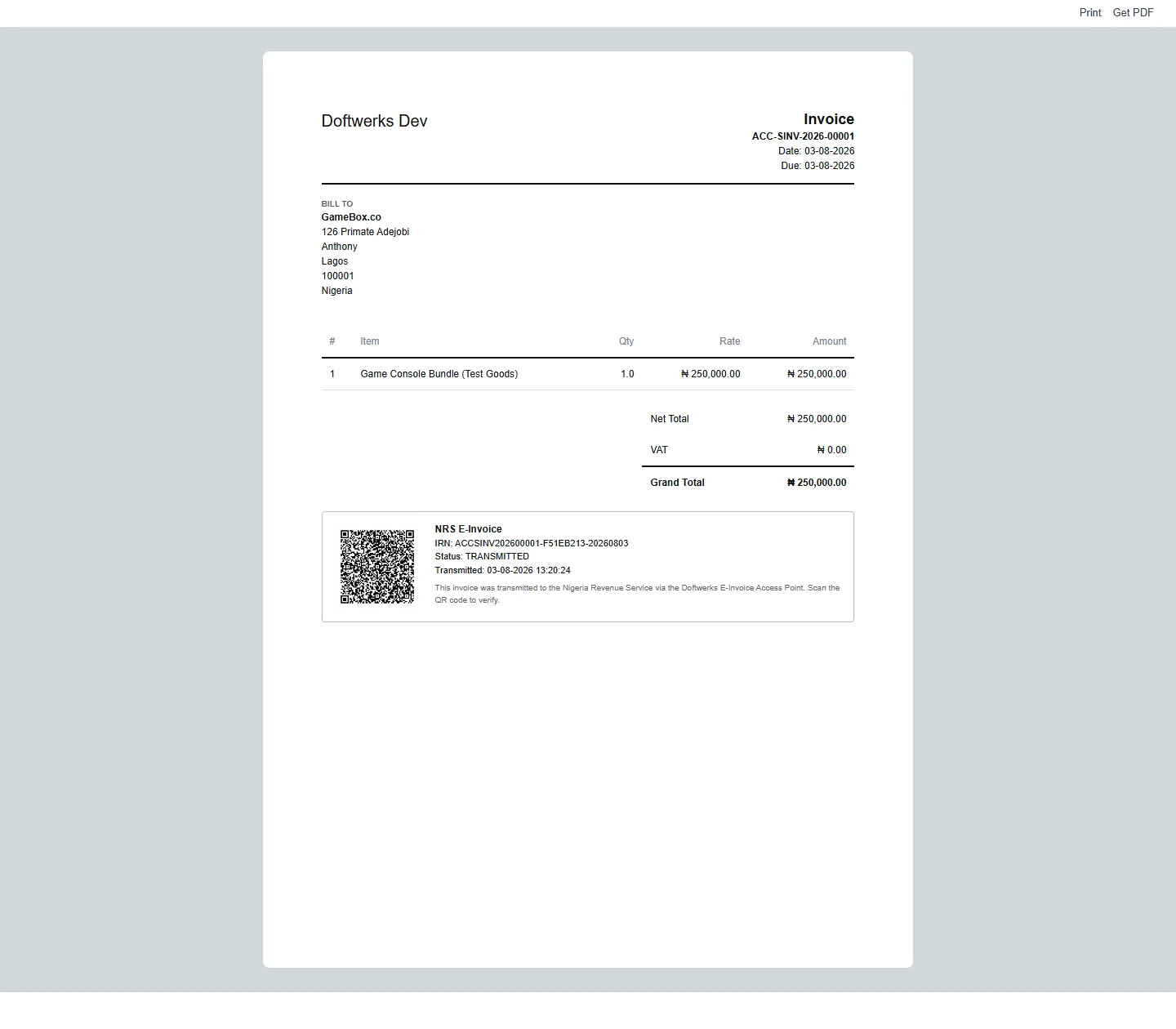
IRN, status, and QR code on the invoice — plus a ready-made "NRS E-Invoice" print format with the verification QR.
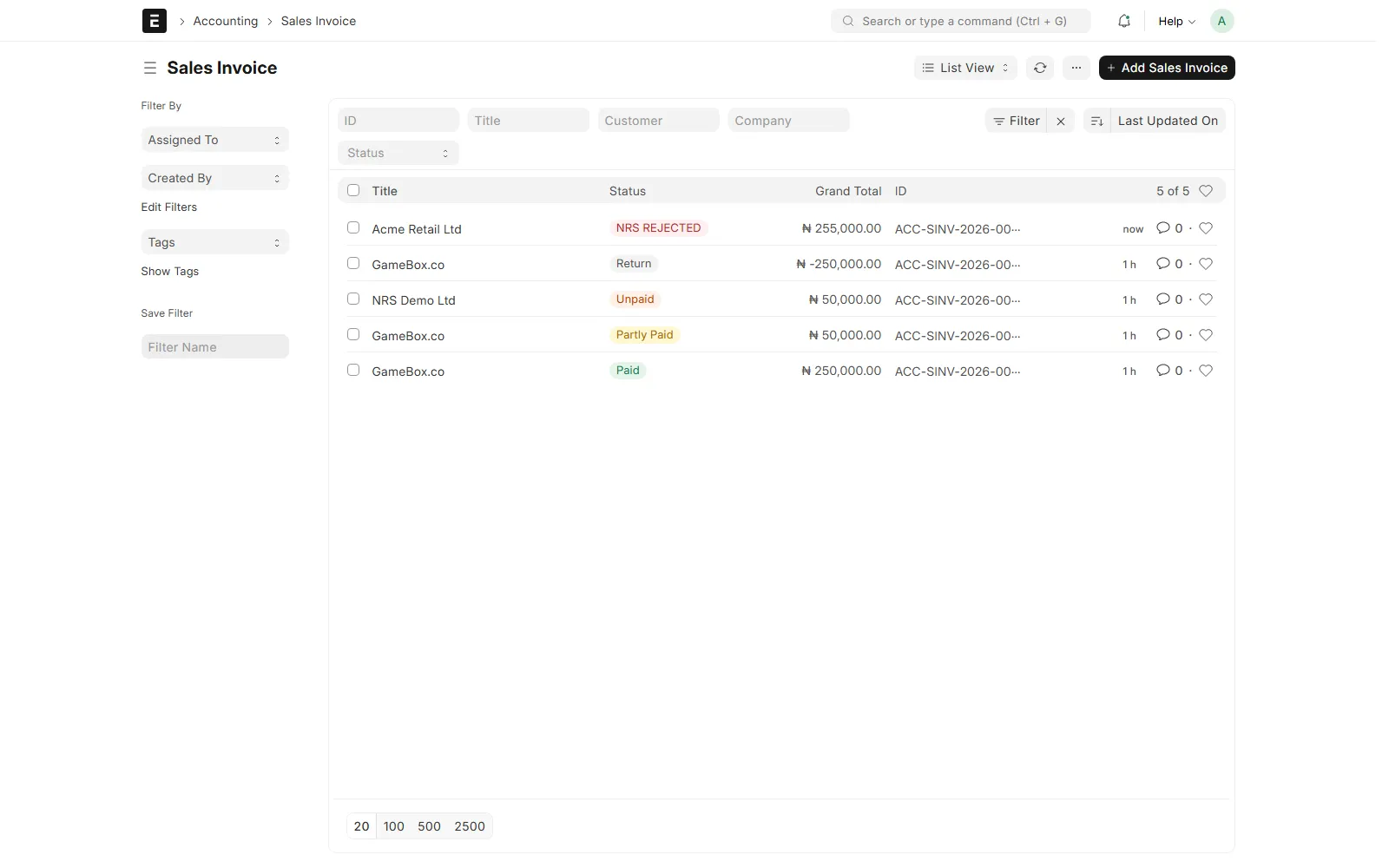
Retry from the form — rejected or failed transmissions show a retry button; rejected invoices are flagged red in the invoice list.
Payment status sync — payments and cancellations push settlement status (partial/paid) to NRS automatically.
Webhook + daily reconciliation — statuses stay in sync via platform webhooks, with a daily lookup sweep as the safety net; connectivity failures retry automatically.
Problem notifications — Accounts Managers get bell notifications when a transmission is rejected or fails.
Encrypted credentials — client secrets are stored in Frappe's encrypted Password fields, never in code or logs.
Requirements
Frappe / ERPNext version 15
Doftwerks E-Invoice Access Point credentials for each legal entity (Client ID and Client Secret). The app cannot transmit without them — to get onboarded, reach Doftwerks through the support contact on this listing or call +234 708 063 9999.
Setup
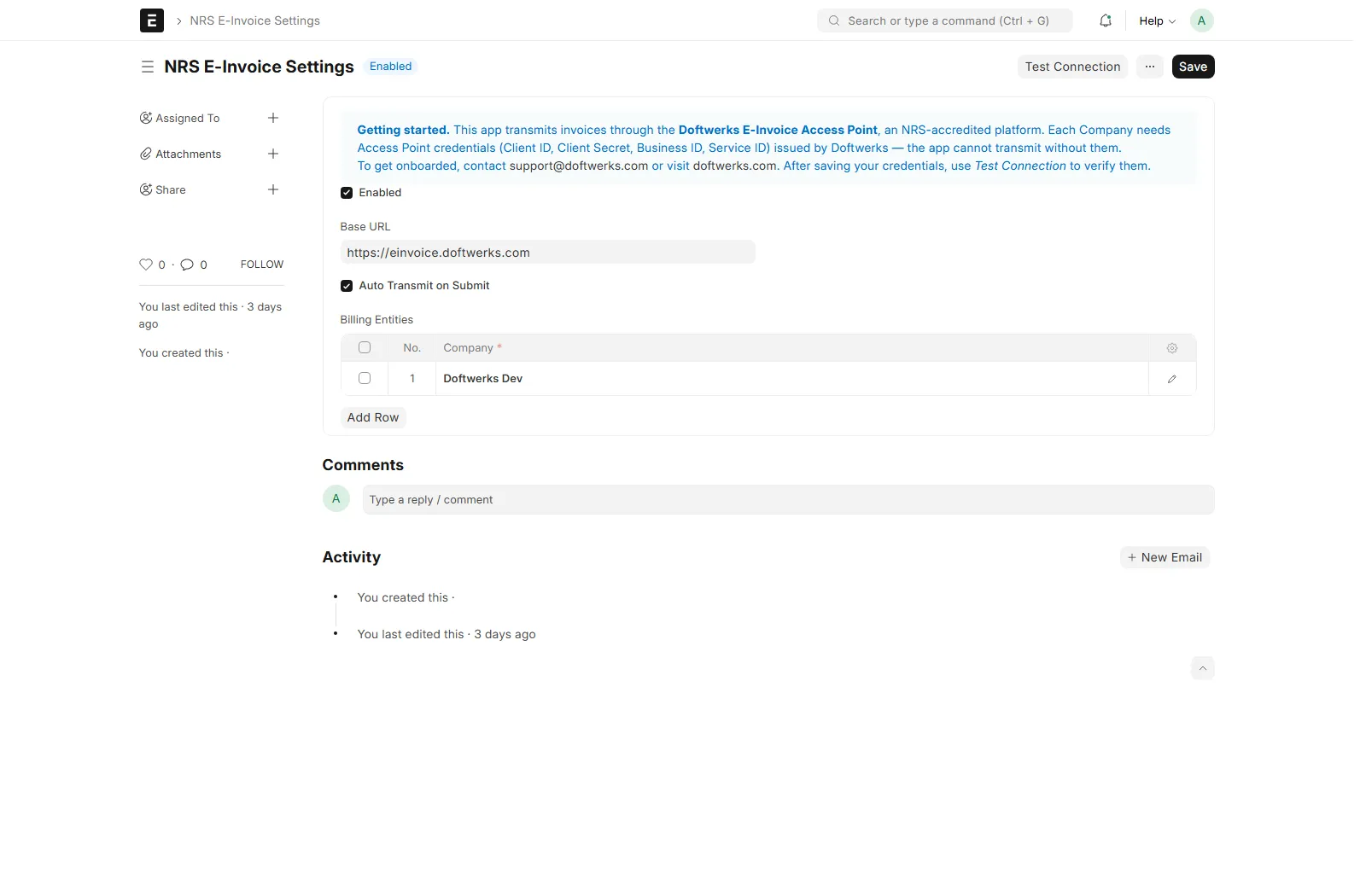
Open NRS E-Invoice Settings (search bar, or the NRS E-Invoicing tile on the Apps screen).
Under Billing Entities, add a row per Company: select the Company and enter the credentials and supplier details issued by Doftwerks.
Click Test Connection to verify the credentials against the platform.
On each Customer (Tax tab): set NRS TIN, State Code, LGA Code, and mark B2B customers. An email address and a billing address with street and city are required by NRS.
On each Item (Tax tab): set the HSN code (goods,
0000.00format) or ISIC code (services), the product/service category, the NRS tax code, and tick Is Service for service items.Tick Enabled (and leave Auto Transmit on Submit on) and save.
Ask Doftwerks to register your site's webhook address so statuses update in real time — the settings page shows it with a Copy Webhook URL button.
Submit a Sales Invoice — the NRS E-Invoicing section on the invoice shows the IRN, receipt status, and QR code. If anything is rejected, the NRS Error field explains exactly what to fix, and a Retry NRS Transmission button appears once you have.
How it works
Event | What happens |
|---|---|
Sales Invoice submitted | Pre-flight validation → transmit → IRN + status + QR written back. Failures never block submission. |
Return / Credit Note submitted | Transmits as an NRS credit note referencing the original IRN. |
Payment Entry submitted / cancelled | Settlement status (PARTIAL / PAID) pushed to NRS. |
Invoice with an IRN cancelled | Blocked — issue a Credit Note instead (NRS records cannot be cancelled). |
Platform status change | Webhook updates the invoice; a daily reconciliation sweep catches anything missed and retries connectivity failures. |
License: MIT.
Built and maintained by Doftwerks West Africa Limited, the technology practice of Stransact Chartered Accountants. Doftwerks holds dual NRS accreditation as a System Integrator and Access Point Provider.
User Reviews
No reviews yet, be the first to review.
0.0
0 rating
Explore more apps