Frappe
Cloud
Marketplace
Frappe
Products
Insights

Installation Guide
installs
Publisher
Supported versions
Categories
E-Commerce
About
Digital Signature (e_sign)
DSC digital signing platform for Frappe & ERPNext — sign documents with a hardware Digital Signature Certificate (DSC) token, fully PAdES-compliant, with a rules engine, audit trail and built-in CCA India trust store.
e_sign lets users in a Frappe / ERPNext site digitally sign PDF documents using a physical DSC USB token (PKCS#11 crypto token). The token's private key never leaves the device — a small local bridge agent performs the cryptographic signing, while the Frappe server builds a standards-compliant PAdES signature around it.
Features
Hardware DSC token signing — sign with a PKCS#11 USB crypto token; the private key never leaves the device.
PAdES-compliant signatures — PDF signatures built with [pyHanko], verifiable in Adobe Acrobat and other readers.
Rules Engine — define DSC Rules so signing requests are created automatically when a document is submitted or changed.
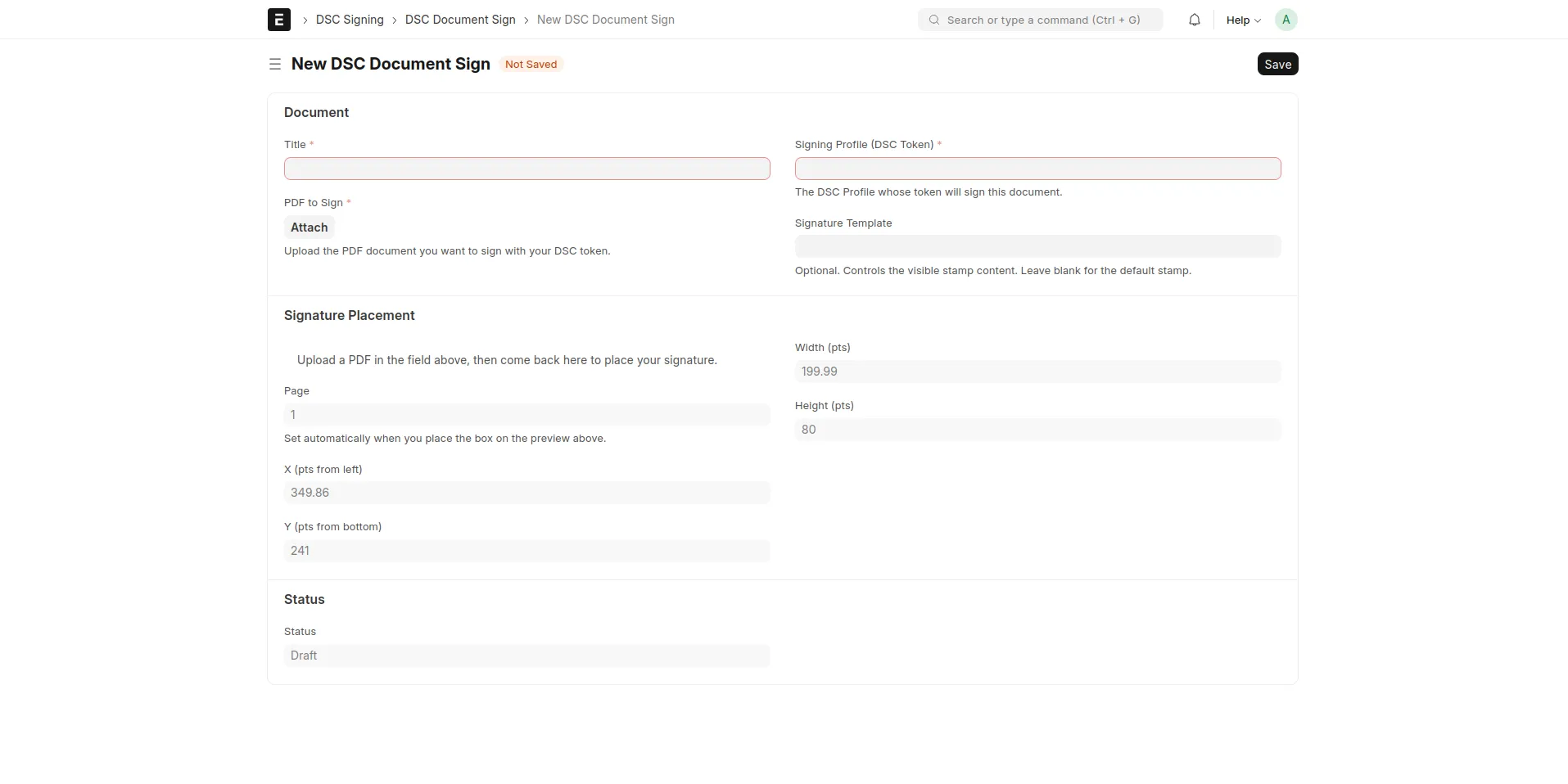
Ad-hoc document signing — the DSC Document Sign doctype lets a user upload any PDF, place the signature box by drag-and-drop, and sign it.
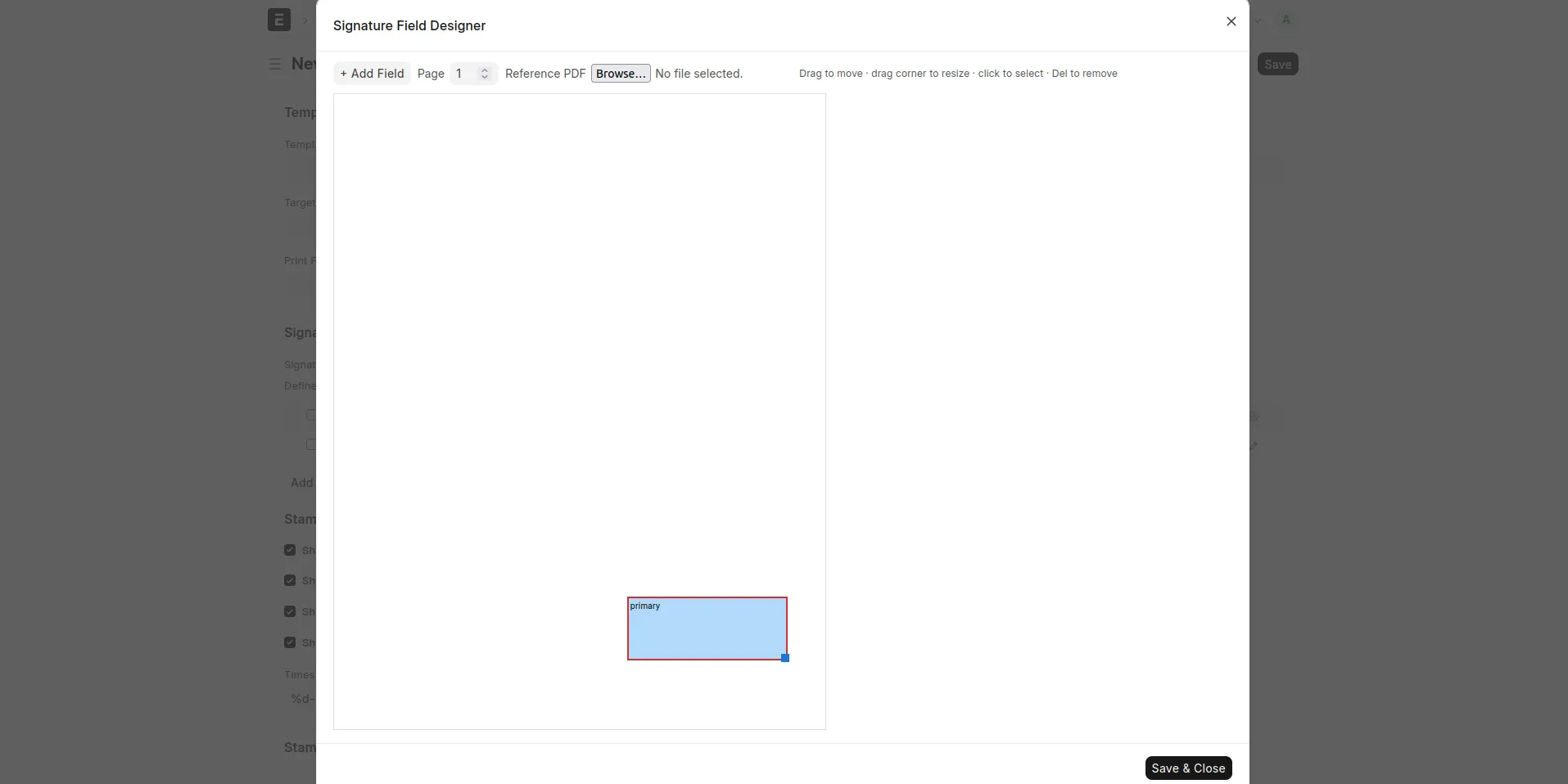
Signature templates — a visual designer for the signature stamp's position and visible content (signer name, designation, timestamp, reason, location).
Built-in trust store — ships with the full CCA India licensed-CA bundle, so Indian DSC tokens verify as trusted with zero setup; admins can add extra CAs.
Audit trail — every signing action is recorded as a DSC Audit Event, with optional signer geolocation capture.
Print & email gating — optionally block printing or emailing of documents that have not yet been signed.
Reports — sign volume, average time-to-sign, and failure-reason analytics.
Scheduled maintenance — certificate-expiry notifications, retention purging and stale-request cleanup run automatically.
How it works
Signing is a three-way handshake between the browser, the Frappe server and a local bridge agent:
A signing request is created — either automatically by a DSC Rule, or by creating a DSC Document Sign record.
The signer opens the document and clicks Sign with DSC.
The browser asks the local bridge agent for the token's certificate.
The server (
prepare_pdf_for_signing) renders the PDF, builds the PAdESSignedAttrs, and returns a hash to be signed.The browser relays the hash to the bridge agent, which signs it on the DSC token (after the user enters the token PIN).
The browser returns the signature; the server (
finalize) embeds it into the PDF, saves the signed file, and verifies it against the trust store.
The token PIN and private key never reach the server — only the final signature bytes do.
Architecture
┌──────────┐   HTTPS    ┌───────────────┐   localhost   ┌──────────────┐
│ Browser  │──────────▶│ Frappe server │              │ Bridge agent │
│ (Desk)   │◀──────────│  (e_sign app) │              │ (DSC token)  │
└────┬─────┘            └───────────────┘              └──────┬───────┘
     │                                                        │
     └───────────── localhost HTTPS (127.0.0.1:<port>) ───────┘
e_sign/— the Frappe app (Python + JS): doctypes, signing engine, rules engine, APIs, reports.dsc_bridge/— the desktop bridge agent (Go), talks PKCS#11 to the DSC token and exposes a localhost HTTPS endpoint. Builds for Windows and macOS.
Requirements
Frappe Framework v15+ (ERPNext optional)
Python 3.10+
Python packages (installed automatically):
pyhanko[image-support],asn1cryptoA PKCS#11-compatible DSC USB token + its vendor driver, on each signer's machine
The bridge agent installed on each signer's machine (Windows)
Currently, our application supports Windows only. Support for macOS and Linux will be added in future releases.
Installation
The after_install hook adds an is_dsc_signed custom field to the File doctype and ships the DSC Administrator, DSC Signer and DSC Auditor roles as fixtures.
Each signer additionally installs the bridge agent on their workstation — see docs/bridge-agent.md.
Quick start
Configure — open DSC Settings and review the agent port, hash algorithm and location-capture options.
Register a token — create a DSC Profile for each DSC token and certificate.
Pair the agent — create a DSC Agent Registration, generate a pairing code, and enter it in the bridge agent.
Sign a document — either:
create a DSC Rule so a doctype is signed automatically, or
create a DSC Document Sign record, upload a PDF, place the signature, and click Sign with DSC.
Full walkthrough: docs/getting-started.md.
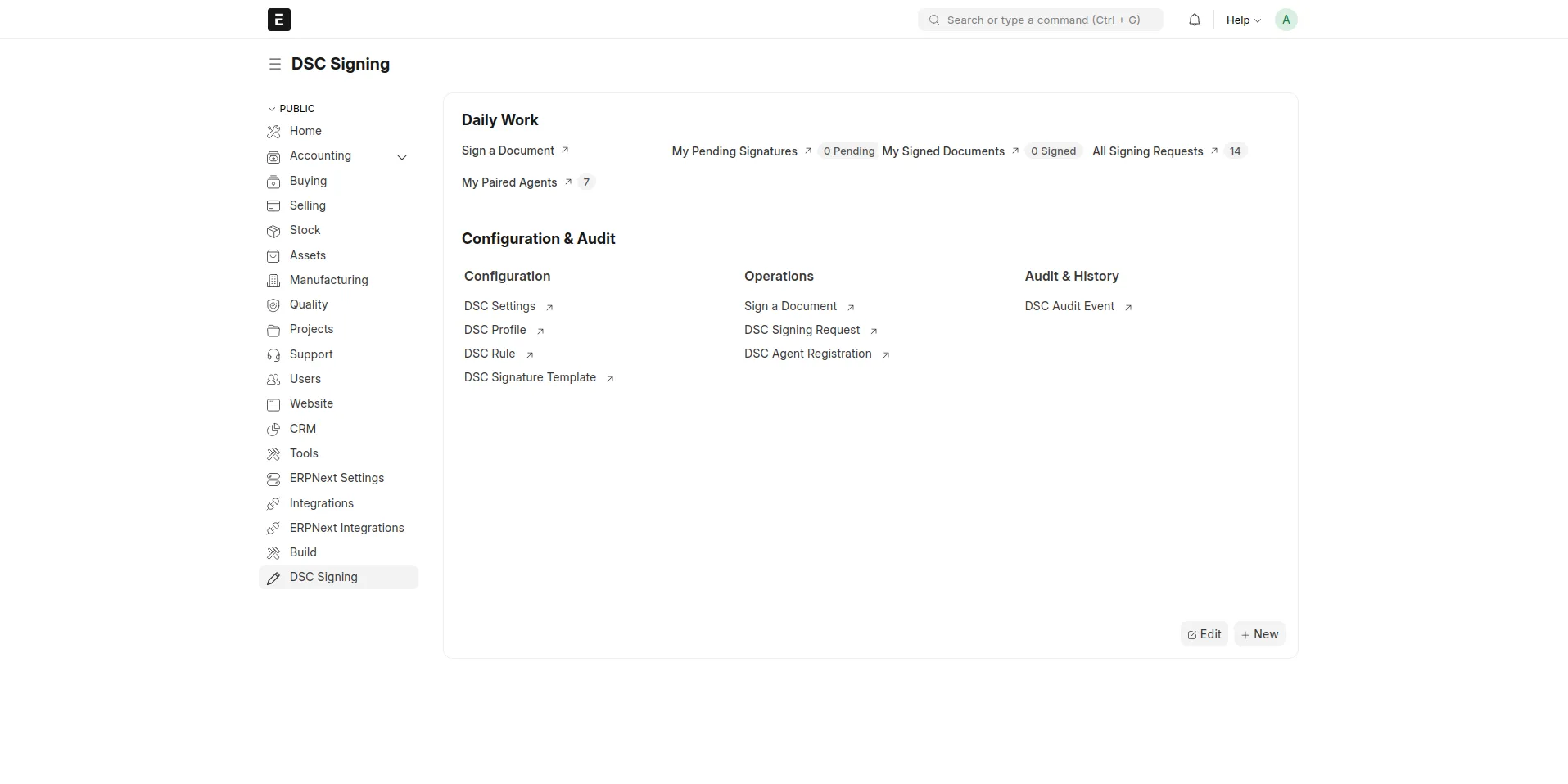
Doctypes
Doctype | Purpose |
|---|---|
DSC Settings | Single — global configuration |
DSC Profile | A registered DSC token + certificate, with an allowed-users list |
DSC Rule / DSC Rule Condition | Auto-create signing requests for a doctype |
DSC Signature Template / DSC Signature Field | Stamp layout & visible content |
DSC Signing Request | One signing operation and its lifecycle |
DSC Document Sign | Ad-hoc: upload a PDF, place the signature, sign |
DSC Agent Registration | Pairs a desktop bridge agent to a user |
DSC Audit Event | Immutable audit-log entry |
Roles
DSC Administrator — full configuration, all signing requests, trust store.
DSC Signer — signs documents assigned to them.
DSC Auditor — read-only access to requests and audit events.
Trust store
Signature verification trusts two merged sources:
Built-in —
cca_india_trust_bundle.pem, shipped in the app, containing every CCA India licensed CA. Always on, no setup.Custom — an optional PEM bundle an admin uploads in DSC Settings → Custom CA Trust Store Bundle, for trusting additional CAs (e.g. a private CA).
See docs/trust-store.md.
Documentation
Full documentation lives in docs/ and is published as a site via MkDocs:
pip install mkdocs-material
mkdocs serve     # preview at http://127.0.0.1:8000
Contributing
This app uses pre-commit for formatting and linting:
cd apps/e_sign
pre-commit install
Tools: ruff, eslint, prettier, pyupgrade.
License
See license.txt.
</content> </invoke>
User Reviews
No reviews yet, be the first to review.
0.0
0 rating
Explore more apps