Frappe
Cloud
Marketplace
Frappe
Products
Insights

Installation Guide
installs
About
Make Frappe Desk look — and sound — like yours
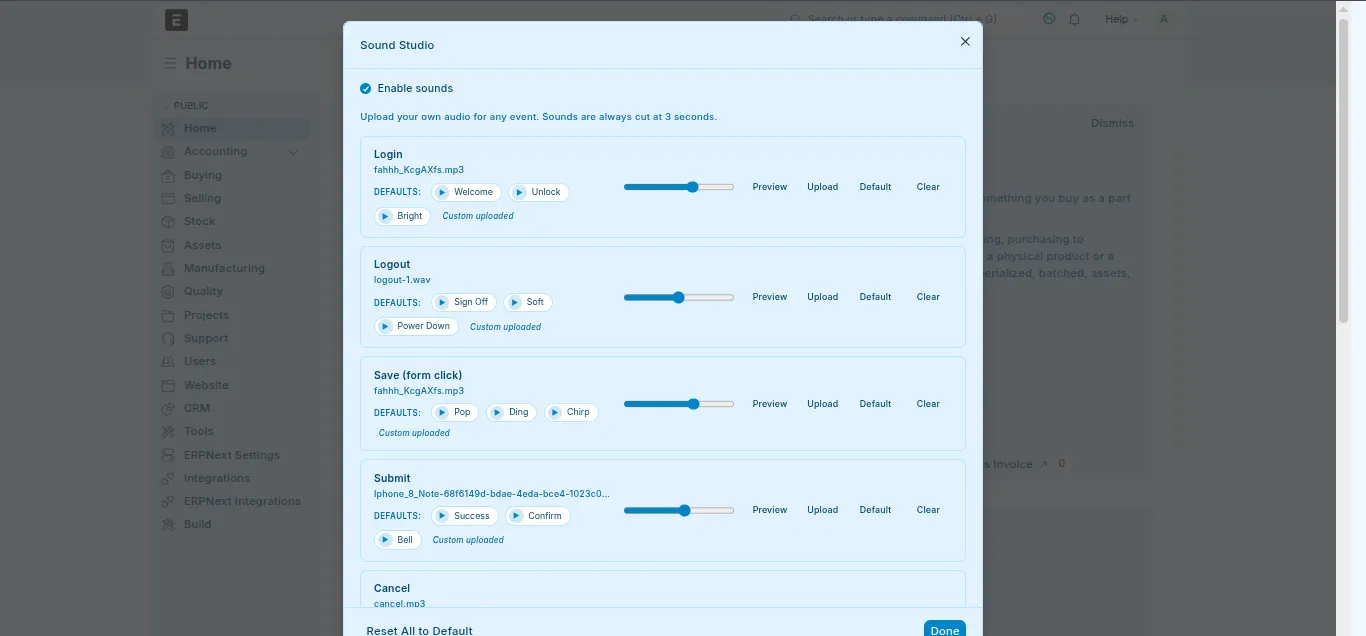
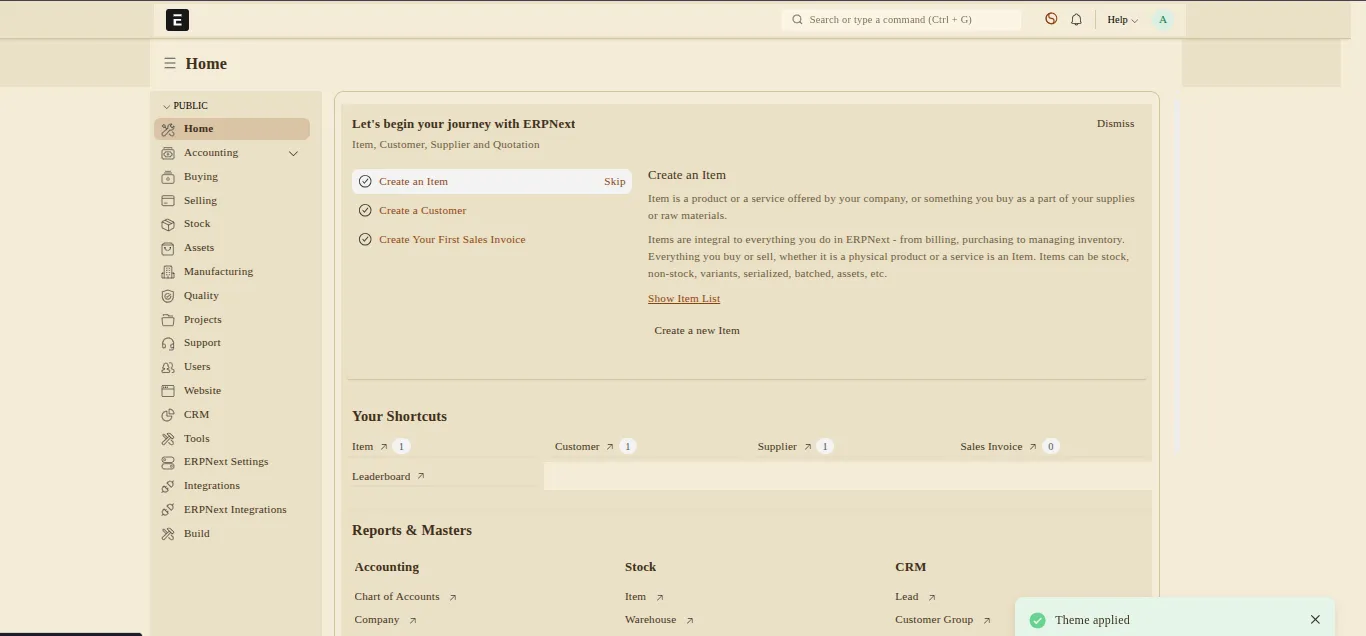
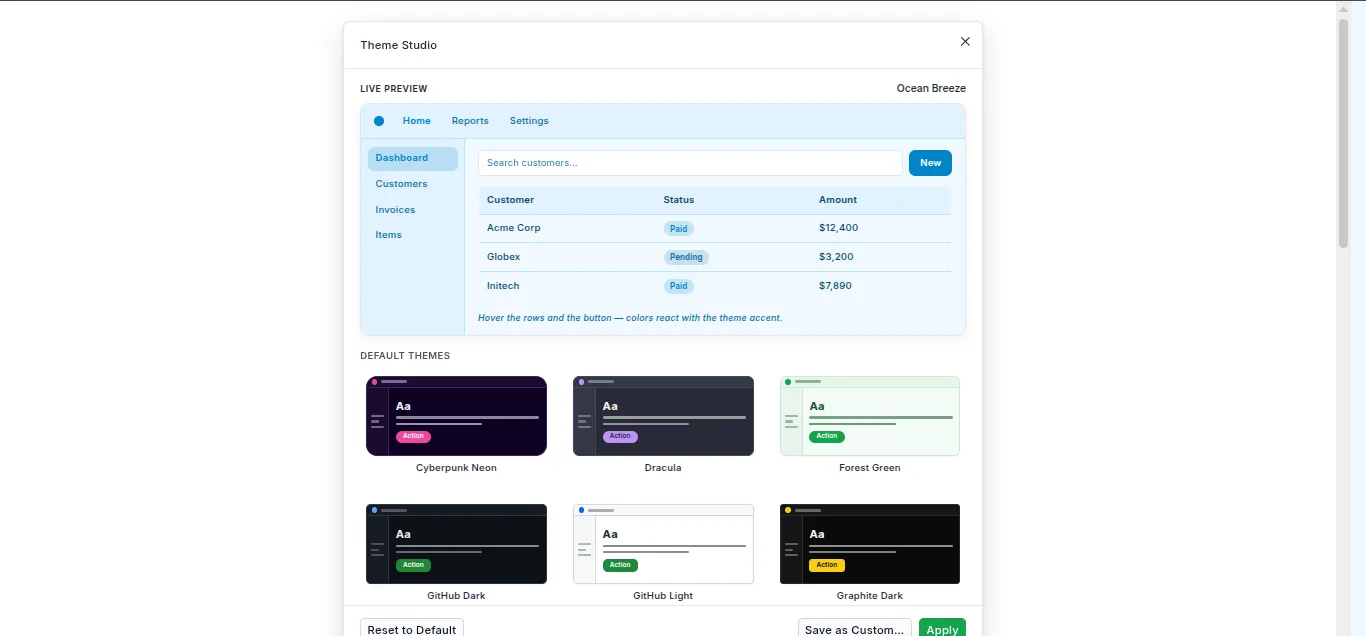
Stop staring at the same grey Desk every day. Fintheme & Sounds gives every user their own theme and their own audio palette — pick from 17 bundled themes, tune the colors live, and assign a custom sound to every save, submit, login, and notification.
See it in action
Click the circle-half icon in the navbar. A gallery of themes opens — pick one and the Desk repaints instantly. Open the user dropdown → Sound Settings and assign your own beep to every event. No reload, no restart, no bench command.
What you do → What the app does
You do | The app does |
|---|---|
Click a theme card in the gallery | Repaints the entire Desk via CSS variables — first paint themed, no flash |
Drag a slider in the live editor | Pushes the change to the page behind the dialog in real time |
Hit Save Custom Theme | Validates WCAG-AA contrast, then stores it privately (or shares it with the team) |
Click a sound preset chip | Saves it to your profile and plays the next time that event fires |
Drop an | Stores it as a File, caps playback at 3 seconds, plays at your chosen volume |
Click Reset to Frappe Default | Wipes your preferences — next page load is stock Frappe |
No core file edits. No per-site CSS hacks. No shared theme that everyone is stuck with.
Built for real-world Desks
Per-user, not per-site. Every user picks their own theme and their own sounds — finance can run High Contrast while sales runs Cyberpunk Neon, on the same site.
Marketplace-clean. Zero changes to Frappe core. Every preference lives in app-owned DocTypes (
User Theme Preference,User Sound Preference,Theme Definition).First paint themed.
boot_sessioninjection means the Desk loads in your theme — never a flash of unstyled UI.WCAG contrast guard. Custom themes are validated for AA contrast on
text/bg,text/surface, andbutton-text/button-bgbefore save — you can't ship an unreadable theme by accident.3-second sound cap. Every audio clip is hard-capped at 3 seconds regardless of file length — no runaway 30-second loops on every save.
Cache-safe. Bootinfo is invalidated on every preference write, so changes survive logout / login round-trips.
Quick setup
Nothing to configure. Install the app and:
The theme switcher icon appears in the navbar.
Sound Settings appears in the user dropdown.
17 default themes ship as fixtures on install.
8 WCAG-AA-validated palettes are one click away under Curated Palettes.
That's it — open the Desk and the buttons are there. Full setup details and screenshots are in the in-repo README.
Who is this for?
Teams that want every user to personalize the Desk without admins editing CSS for each request.
Accessibility-conscious sites that need contrast-validated themes and audible event feedback.
Long-session users (finance, support, ops) who want a Desk that's easy on the eyes after eight hours.
Developers who want to drive theme/sound changes from custom buttons, hooks, or scripts via whitelisted Python + JS APIs.
For developers
Whitelisted Python entry points (get_available_themes, set_active_theme, save_custom_theme, get_user_sounds, set_user_sound, …) plus window.openThemeSwitcher(), window.openSoundStudio(), ThemeManager.applyTheme(), and SoundManager.applyMapping() on the client. The same pipeline the navbar buttons use is open to your code.
About the bundled sounds
Every one of the 36 bundled audio files is an original tone synthesised from scratch using only the Python standard library — no recordings, no samples, no third-party audio. They carry no external license or attribution requirement and ship under the same MIT license as the app. Retune them by editing tools/generate_sounds.py and re-running the script.
Requirements
Frappe v15 · Python 3.10+ · MariaDB 10.6+ (InnoDB) · Modern browser with HTMLMediaElement (Chrome / Firefox / Edge / Safari 14+).
Open & supported
MIT licensed. Issues, questions, and feature requests welcome on the GitHub repository.
User Reviews
No reviews yet, be the first to review.
0.0
0 rating
Explore more apps