Frappe
Cloud
Marketplace
Frappe
Products
Insights
Installation Guide
installs
Publisher
Supported versions
Categories
E-Commerce
About
Notes, docs and project plans, right inside ERPNext
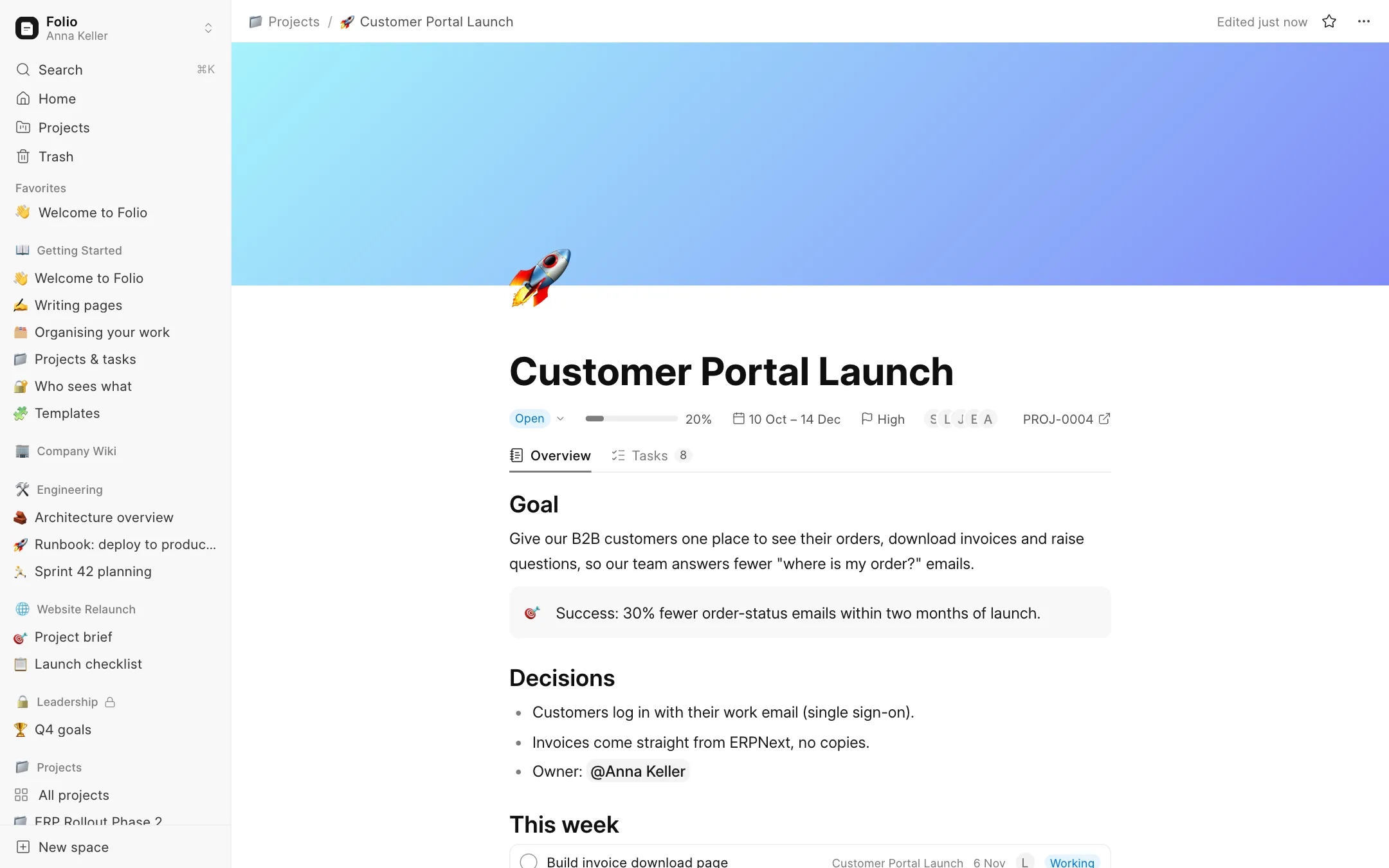
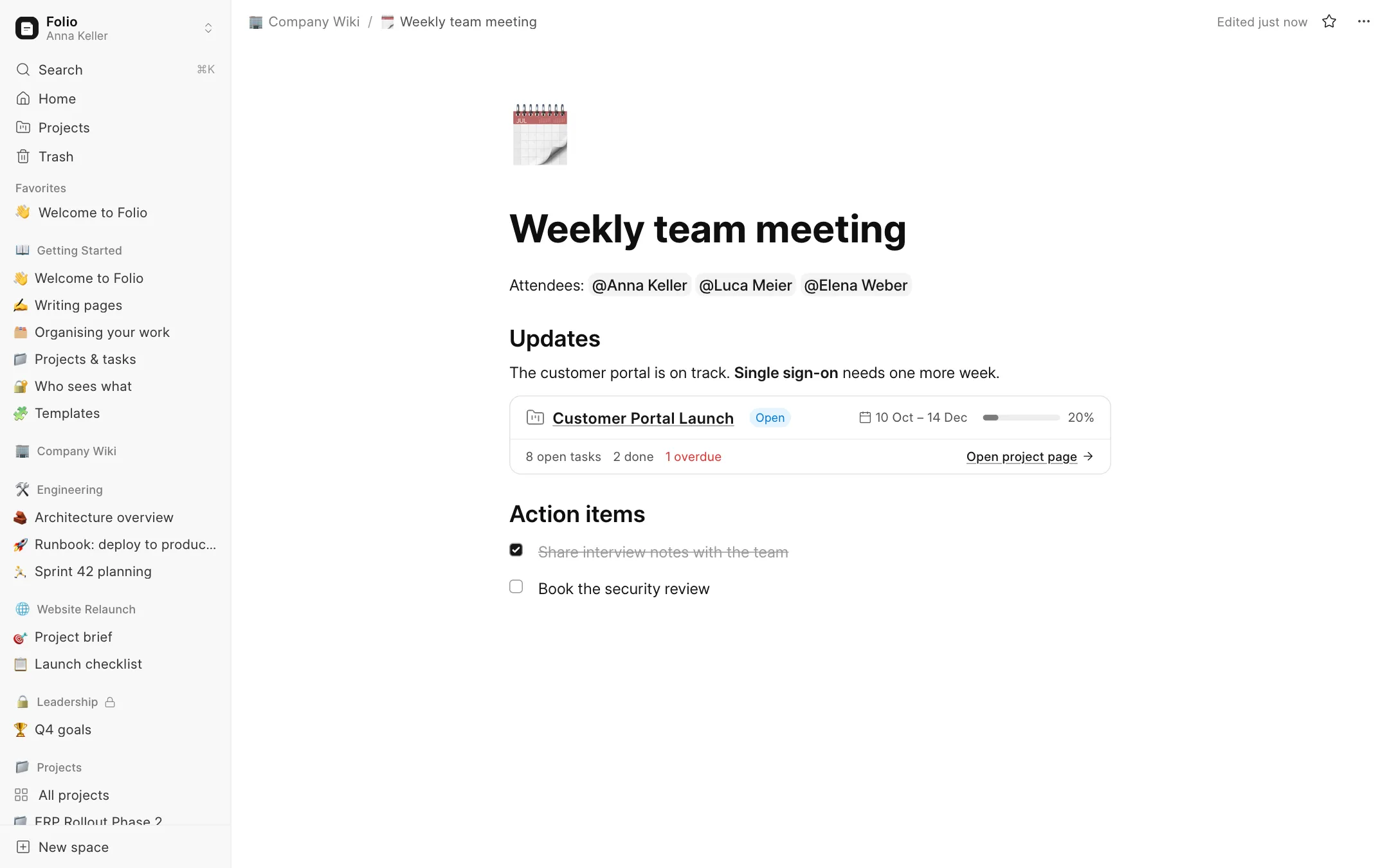
Folio is a Notion-style workspace built as a native Frappe app. Your team writes pages, plans projects and tracks tasks in one place, and every project and task in Folio is the real ERPNext record. Nothing is copied, nothing is synced, and the same people see the same things as in ERPNext.
Why Folio
Most teams on ERPNext keep the project plan in a Google Doc, the tasks in ERPNext and the meeting notes in someone's inbox. Folio puts all three in one place, on top of the data you already have.
Pages that feel like Notion
Nested pages, drag and drop, favourites, emoji icons and covers
/menu for any block: headings, checklists, callouts, code, tables, images, sub-pagesMarkdown shortcuts, a formatting toolbar, @mentions
Autosave, edit-conflict warnings, version history with restore, and a trash
⌘K search across every page you're allowed to see
Projects and tasks, live from ERPNext
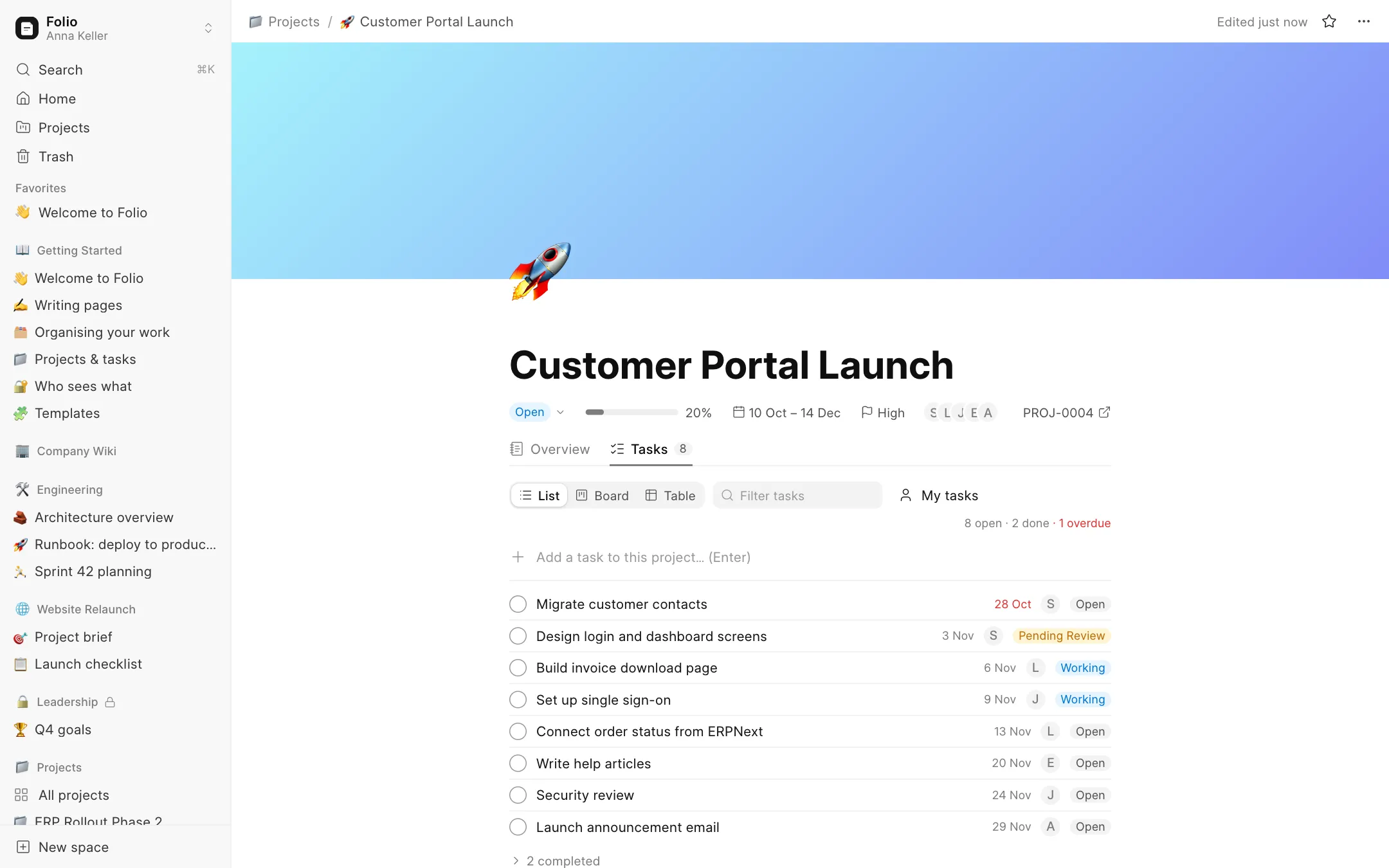
Every ERPNext Project gets its own page: a live header (status, progress, dates, priority, team) plus a free-form Overview
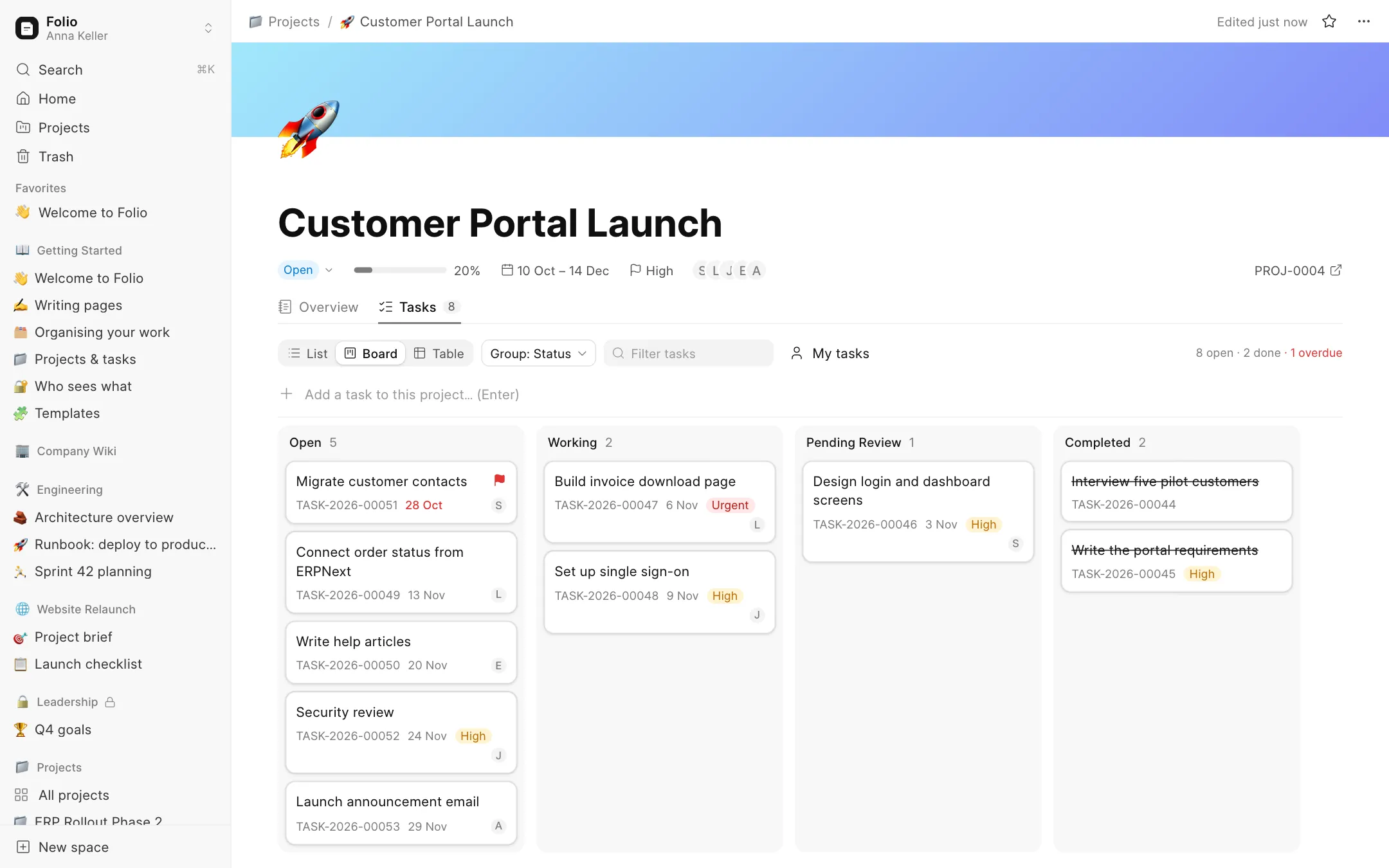
Tasks as a list, a Kanban board (group by status, assignee or priority) or a sortable table
Drag a card to change status or reassign. It updates ERPNext immediately
Overdue tasks are flagged; ERPNext's own validation messages are shown if a change is refused
All projects view: status, progress, open and overdue tasks, as a table or a board
/taskin any page creates or links a real ERPNext Task;/projectdrops in a live project card
Permissions you already know
Folio has no separate user system. It uses Frappe users, roles and User Permissions.
Spaces (e.g. Company Wiki, Engineering, Leadership), open or private, with Full Access / Can Edit / Can View members
Project pages follow ERPNext's Project permission exactly: if someone can't see a project in ERPNext, they won't find its page in Folio
Get started fast
Folio installs a Getting Started space with a 5-minute tour, guides, and templates for meeting notes, project briefs and weekly plans.
Requirements
Frappe v16
ERPNext is optional: without it you get pages and spaces; with it you also get projects and tasks
Open source under the MIT license.
User Reviews
5 stars
%
4 stars
%
3 stars
%
2 stars
%
1 star
%
•
Reply
•
Reply
5.0
2 rating
Explore more apps