Frappe
Cloud
Marketplace
Frappe
Products
Insights

Publisher
Supported versions
Categories
E-Commerce
About
FrapNexus
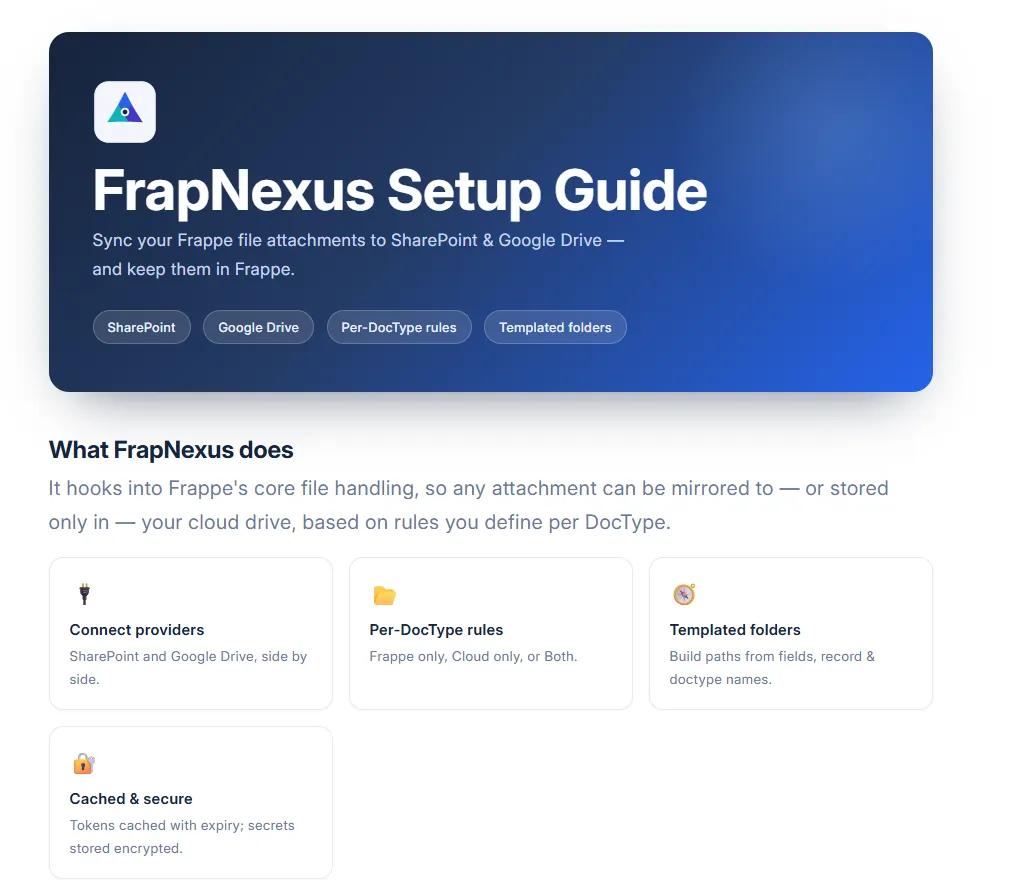
Sync your Frappe file attachments to SharePoint & Google Drive — and keep them in Frappe.
Overview
FrapNexus extends Frappe's built-in file handling so that whenever a file is attached to a record, it can be transparently uploaded to SharePoint or Google Drive in addition to — or instead of — Frappe's local storage. You decide, per DocType, where files live and how their cloud folder structure is named.
It works by overriding Frappe's core File document class, so it applies to every attachment field across your site without touching your other apps.
Features
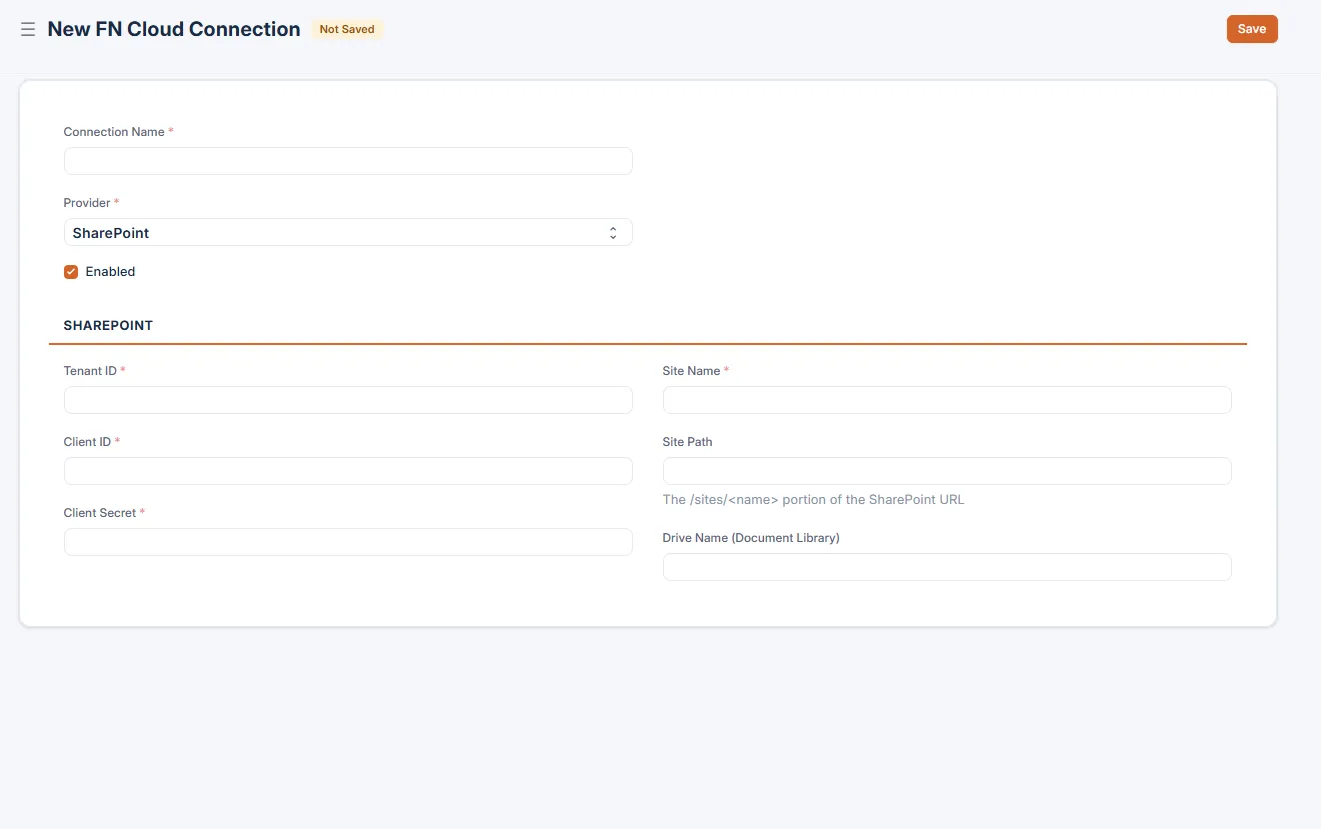
🔌 Multiple providers — Connect SharePoint (via Azure AD app) and Google Drive (via service account) side by side.
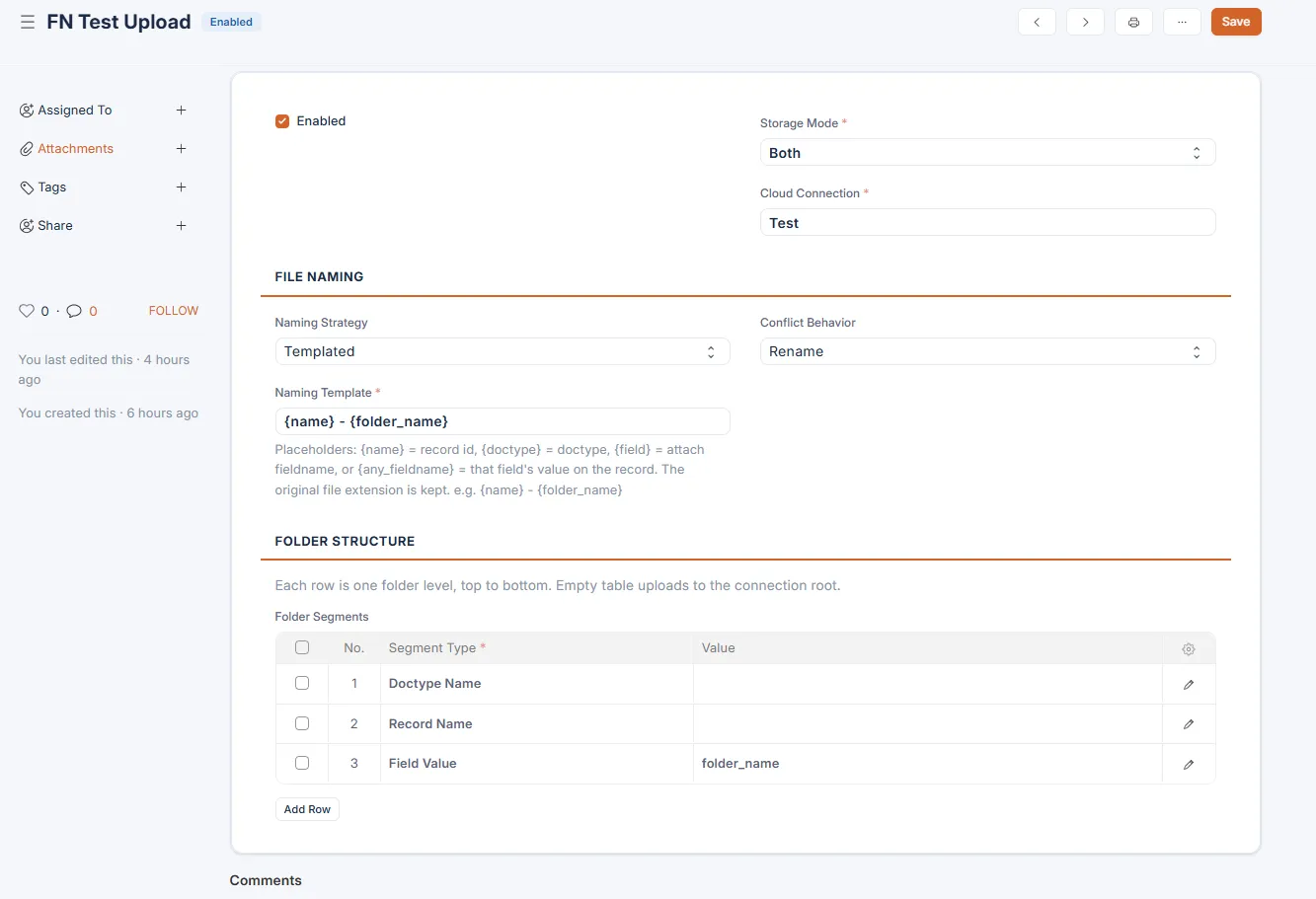
📂 Per-DocType rules — Choose
Frappe only,Cloud only, orBothfor each DocType.🧭 Templated folder paths — Build cloud folders from static text, field values, the record name, or the DocType name — with a live path preview in the form.
🏷️ Flexible file naming — Keep original filenames or apply a template like
{name}-{field}.⚔️ Conflict handling — Rename, replace, or fail on duplicate filenames.
🔐 Cached credentials — Tokens are cached with expiry so connections stay fast.
🧭 FrapNexus workspace — Installed on the desk home with shortcuts to every doctype and the guide; visible to System Manager by default.
🎨 Modern, branded forms — Every FrapNexus form ships with a clean, on-brand UI and inline guidance.
How it works
 Attach a file ──▶ Frappe File (overridden) ──▶ FN Upload Rule for the DocType?
                                                  │
                          ┌───────────────────────┼───────────────────────┐
                          ▼                        ▼                       ▼
                    Frappe only               Cloud only                 Both
                  (stock behaviour)      (push to cloud, file_url    (disk write +
                                          points at the cloud)        cloud mirror)
The cloud destination and folder path come from the FN Upload Rule matched to the attachment's target DocType, resolved against the linked FN Cloud Connection.
Roles & access
System Manager can create and manage FN Cloud Connections and FN Upload Rules (folder structure) — this is the default role for all FrapNexus DocTypes.
Any user can attach files: connection lookup, rule matching and folder creation run server-side in the background, so no extra permissions (or exposure of credentials) are needed.
Technical Notes
FrapNexus overrides the core File DocType class (override_doctype_class) — intentionally and minimally. Cloud-only storage must send the upload to SharePoint/Google Drive instead of writing it to local disk, and Frappe performs that disk write inside File.save_file() during before_insert, where it can't be intercepted via doc_events or post-save hooks. FrapNexus therefore overrides only save_file() to apply the matched FN Upload Rule, and delegates to super().save_file() for Frappe only storage and every other File operation.
User Reviews
No reviews yet, be the first to review.
0.0
0 rating
Explore more apps