Frappe
Cloud
Marketplace
Frappe
Products
Insights

Installation Guide
installs
Publisher
Supported versions
Categories
E-Commerce
About
Friendly ERP
Useful ERP Add-ons and features
Features
Multilevel BOM Creator
What This Feature Helps You Do
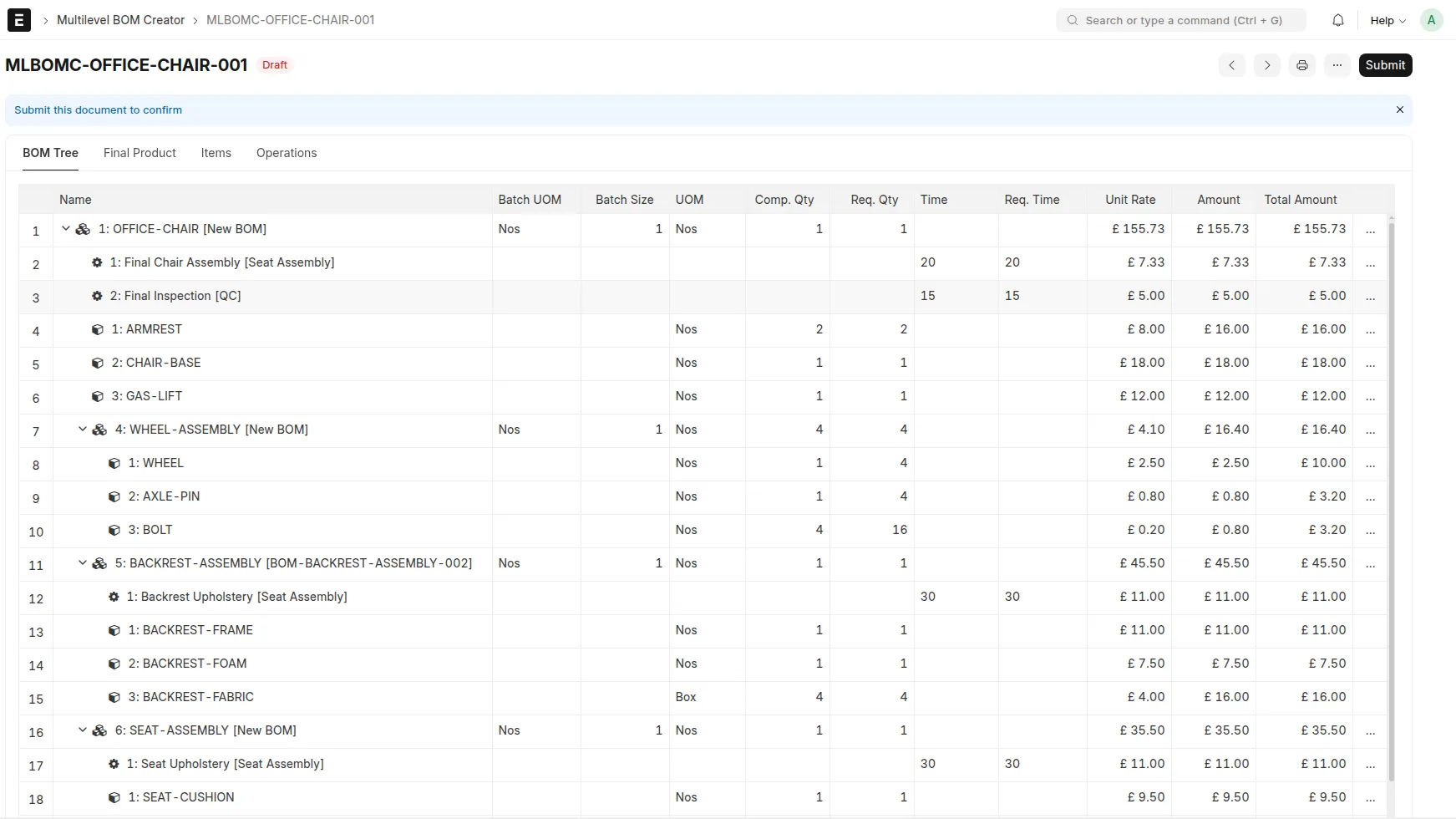
If your team creates complex multi-level BOMs, this feature helps you: - Build complete BOM structures faster in one place. - Reuse existing BOMs as sub-assemblies. - Add operations and view estimated quantity, time, and cost impact before finalizing. - Generate and submit child-to-parent BOMs automatically from the same screen.
Multilevel BOM Creator provides the following functionality:
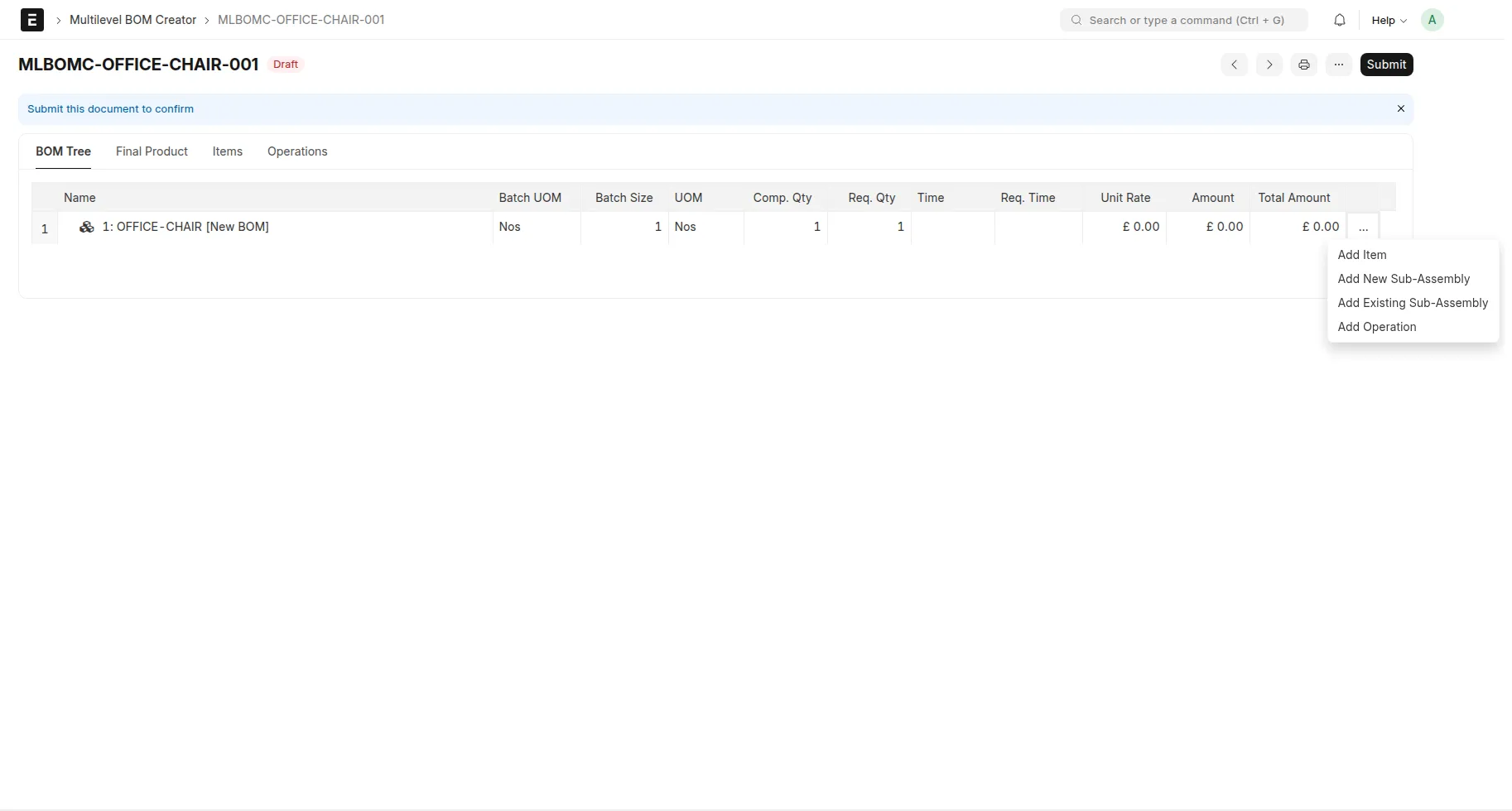
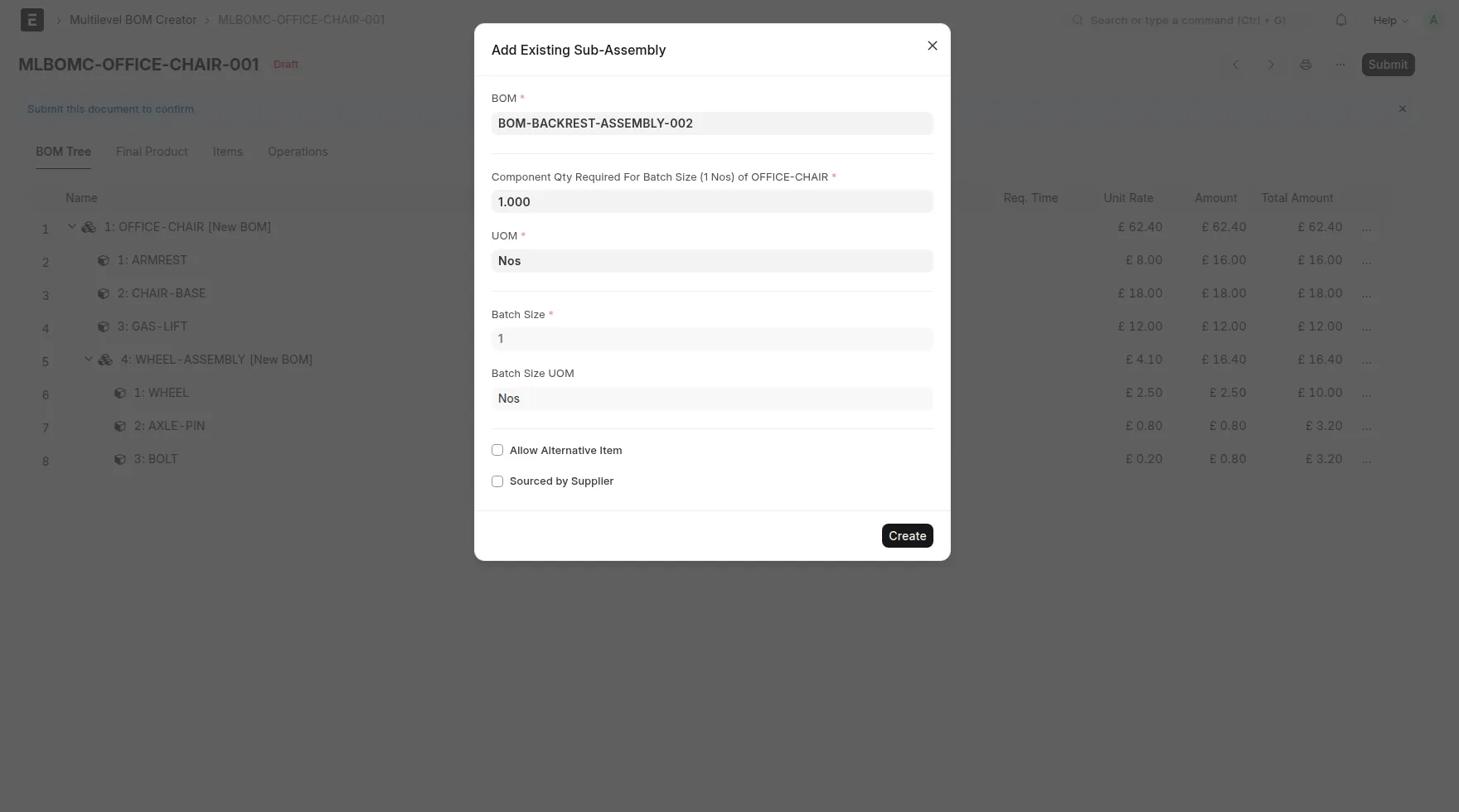
It gives a tree-based structure to define:
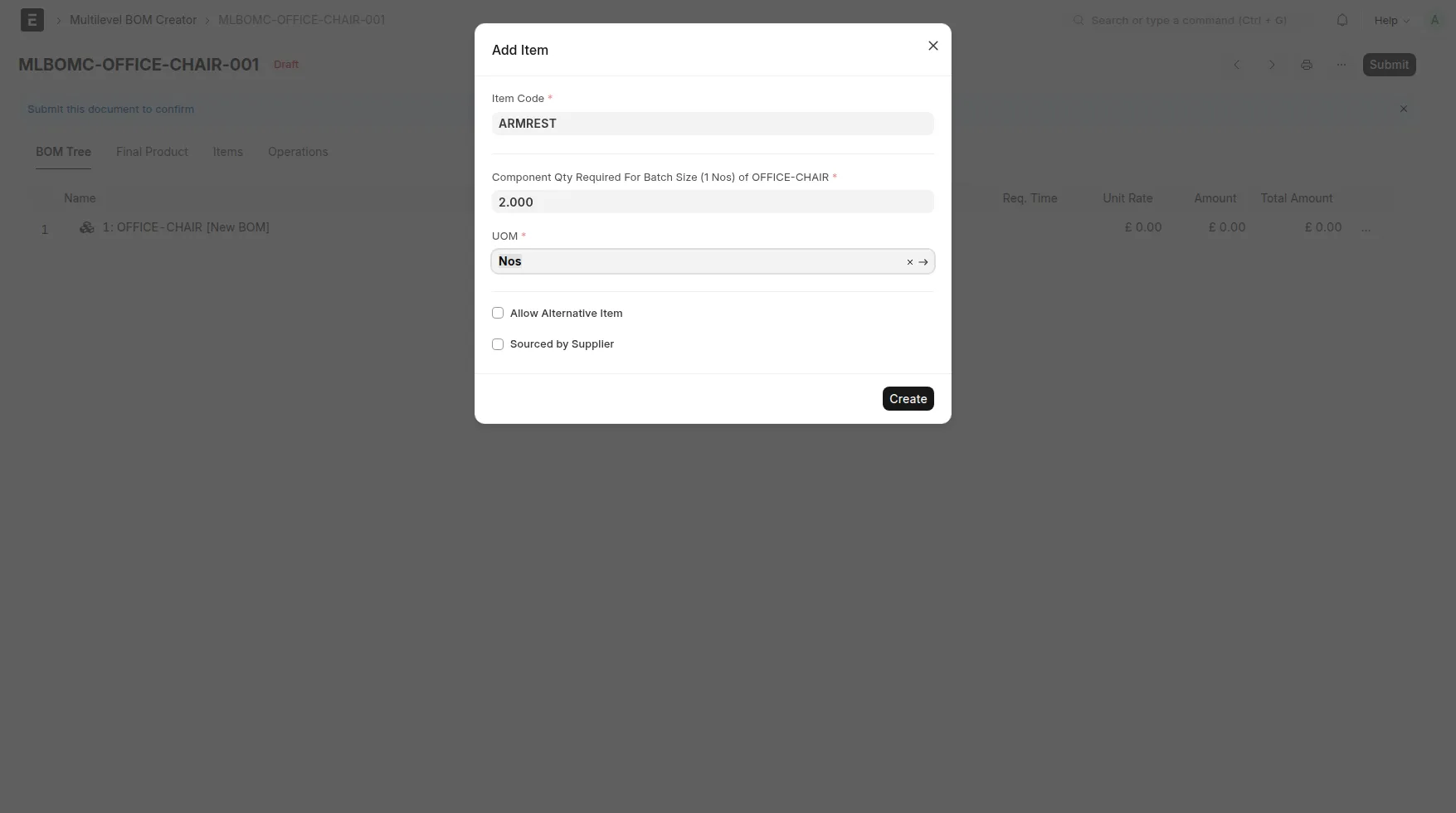
Raw material items
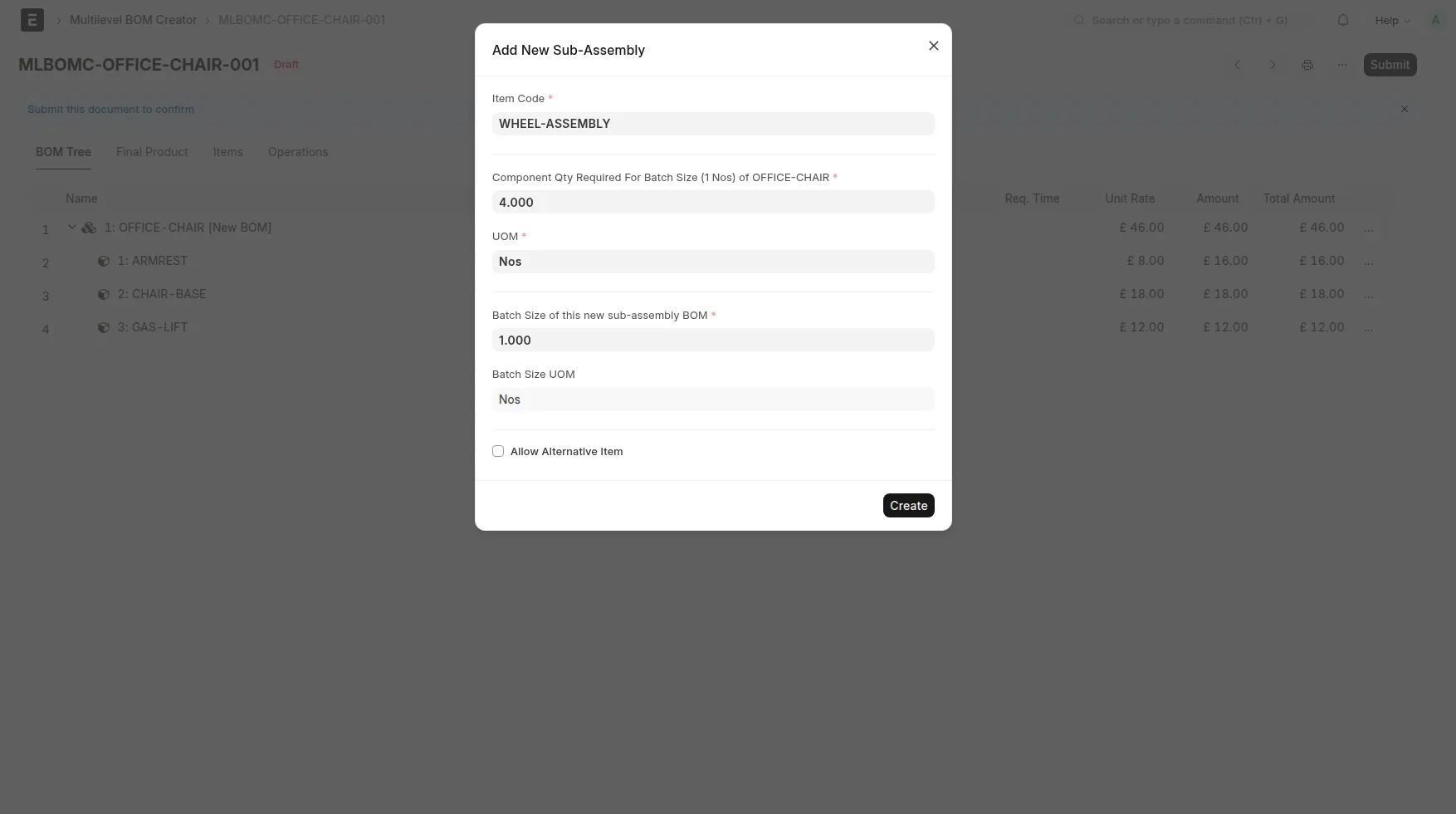
New sub-assemblies
Existing sub-assemblies (from already submitted BOMs)
Operations (including projected sub-operations)
Duplicate BOM action lets you copy existing BOM structure as editable nodes inside tree.
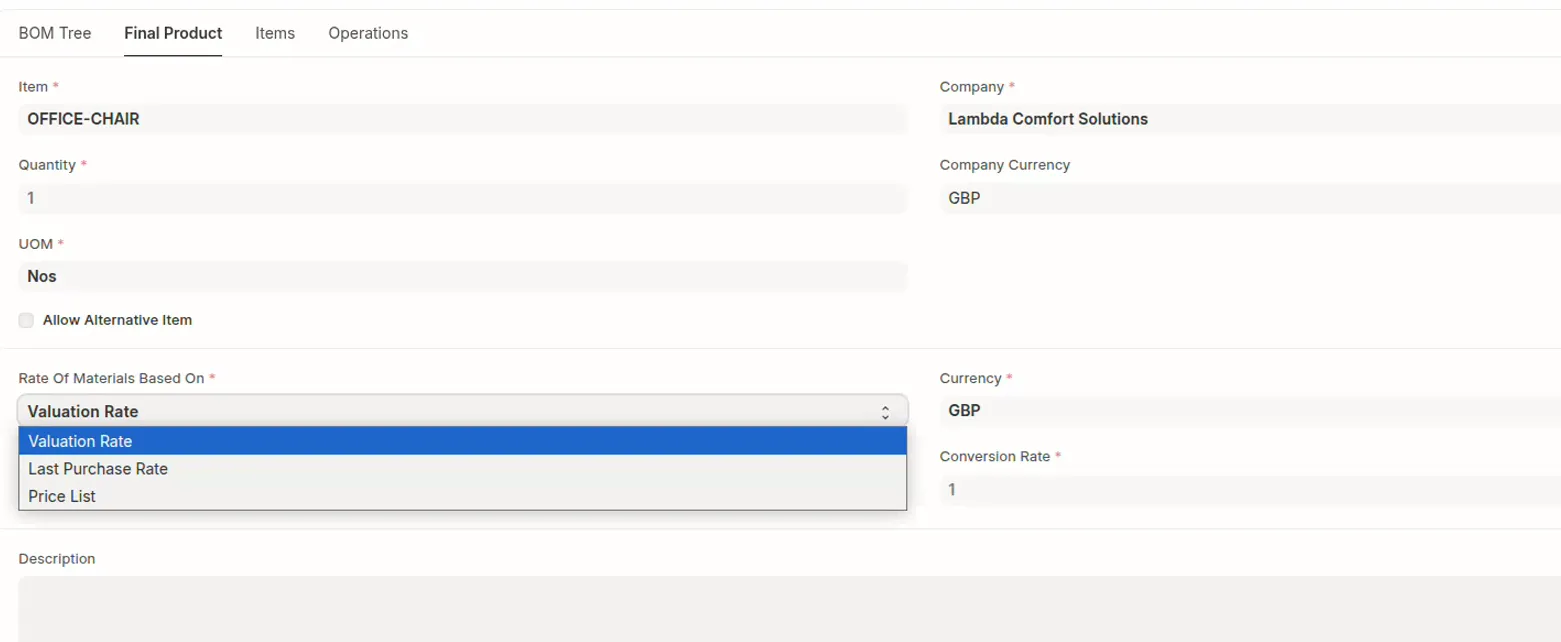
Costing respects ERPNext material rate basis settings (Valuation/Last Purchase/Price List).
When you submit the document, the app creates all missing BOMs from the lowest level upward and links them back to the creator record.
Typical User Flow
Create a new
Multilevel BOM Creator.Select final product item, company, quantity, and currency/rate settings.
Add child items, sub-assemblies, and operations in the BOM tree.
Review required quantities, required times, and cost rollups.
Submit the creator document to create BOMs.
Documentation
https://github.com/imorphr/friendly-erp/blob/main/docs/multilevel-bom-creator-introduction.md
Support
Publisher: iMORPHr Ltd.
Email: [email protected]
User Reviews
No reviews yet, be the first to review.
0.0
0 rating
More apps from

Explore more apps