Frappe
Cloud
Marketplace
Frappe
Products
Insights

Installation Guide
installs
Publisher
Supported versions
Categories
E-Commerce
About
Gate Pass Management
Control every material movement at your gate.
Every factory, warehouse and distribution centre has a control point that ERPNext does not model: the gate. Goods arrive or leave hours, sometimes days, before the matching ERPNext document exists, and the gap is usually filled by a paper register, a spreadsheet or a WhatsApp photo.
Gate Pass Management closes that gap. It records what physically crosses your gate and reconciles it against the ERPNext documents you already use, so the receipt, the delivery and the audit trail all agree.
Safe by design
A Gate Pass is a control document, not a stock document. It never writes a Stock Ledger Entry, never touches valuation and never creates a GL Entry. That is what makes it safe to install on a live ERP.
What you can do
Inward and outward in one document. Pull items from Purchase Orders, Subcontracting Orders, Stock Entries (transfers), Delivery Notes and Sales Invoices, handle returns, and track returnable movements such as tools, dies and cylinders that must come back.
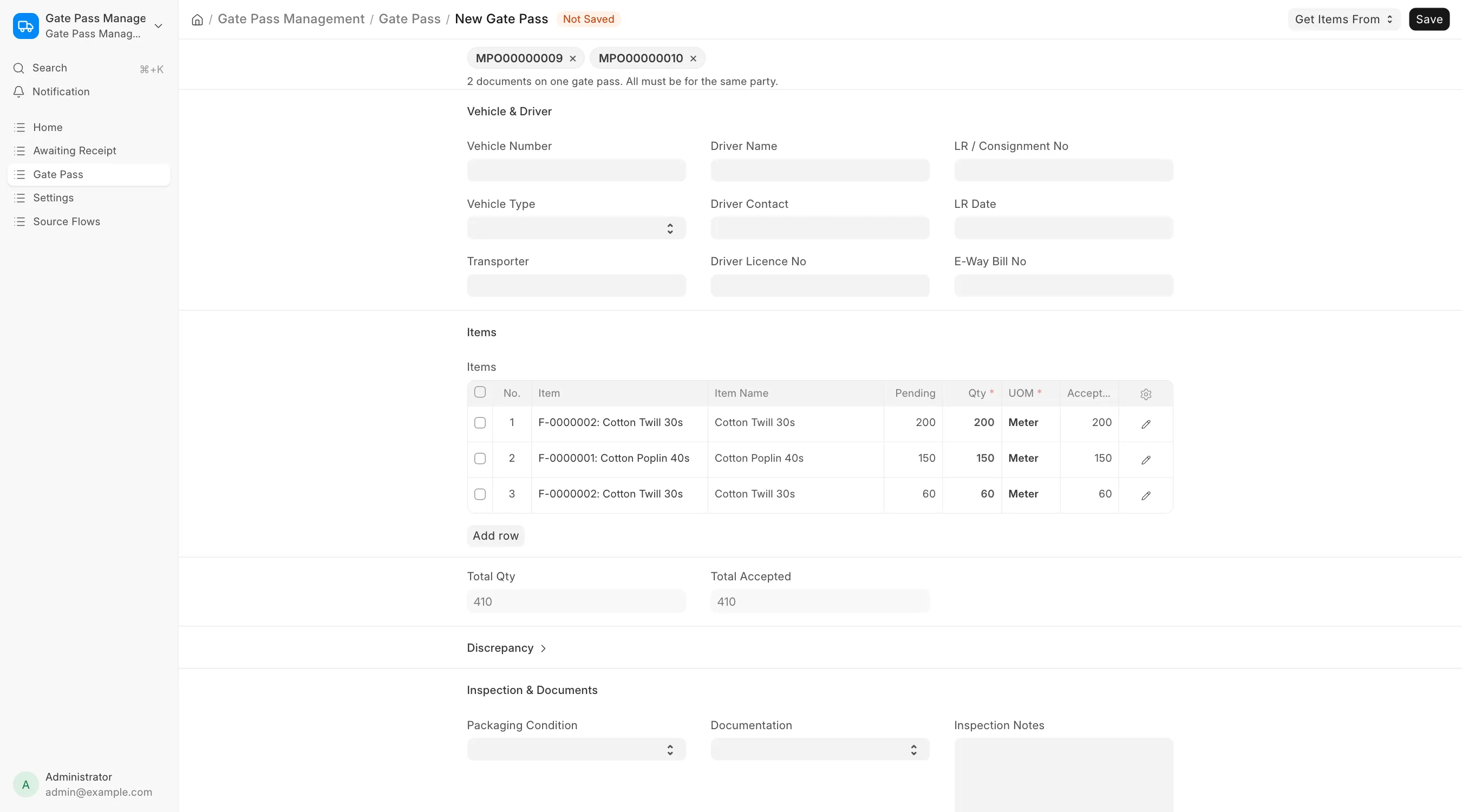
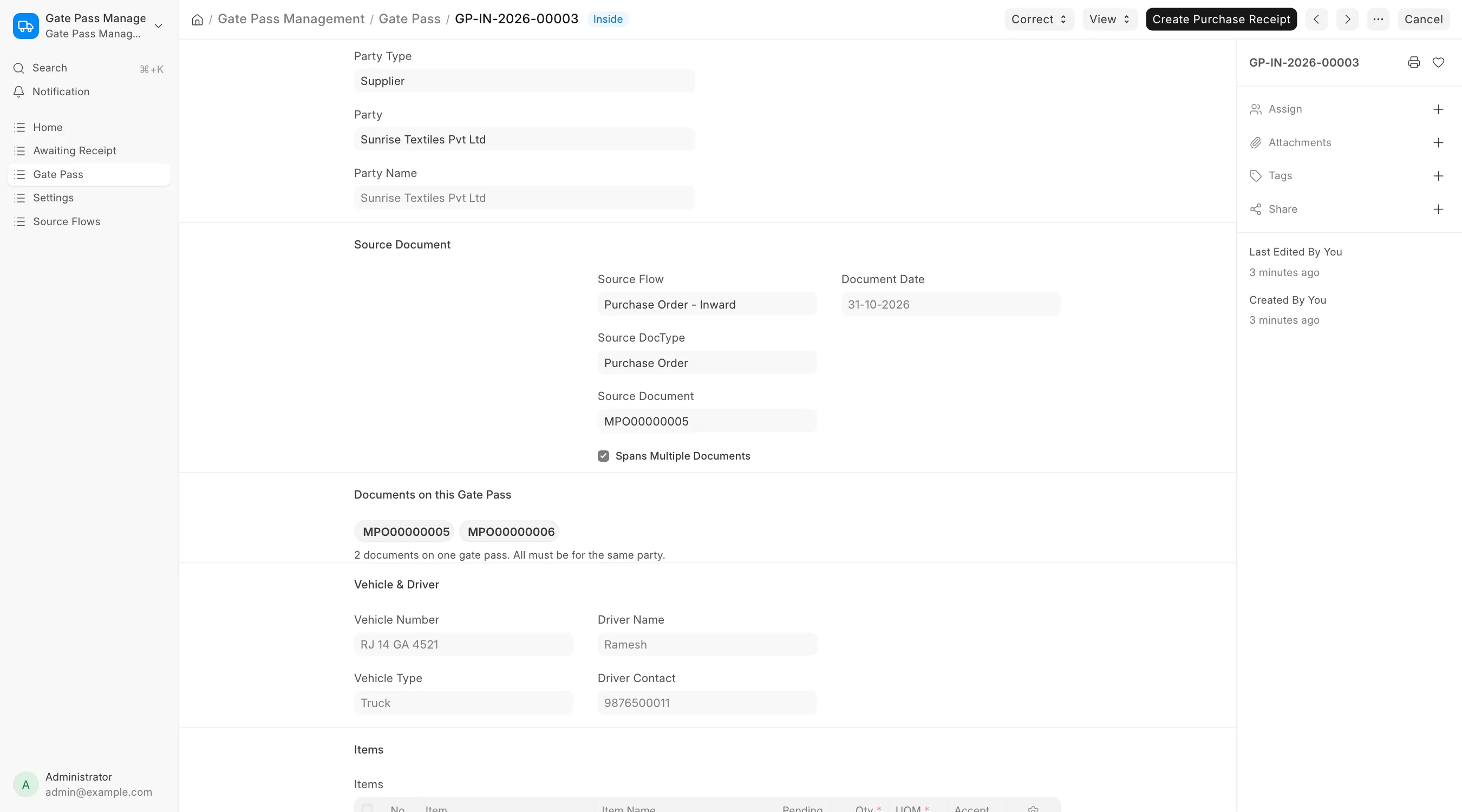
One truck, several orders. Put more than one document from the same party on a single gate pass. A document from a different party, or one already on the pass, is refused, so quantities are never counted twice. On a draft, remove a document again with one click.
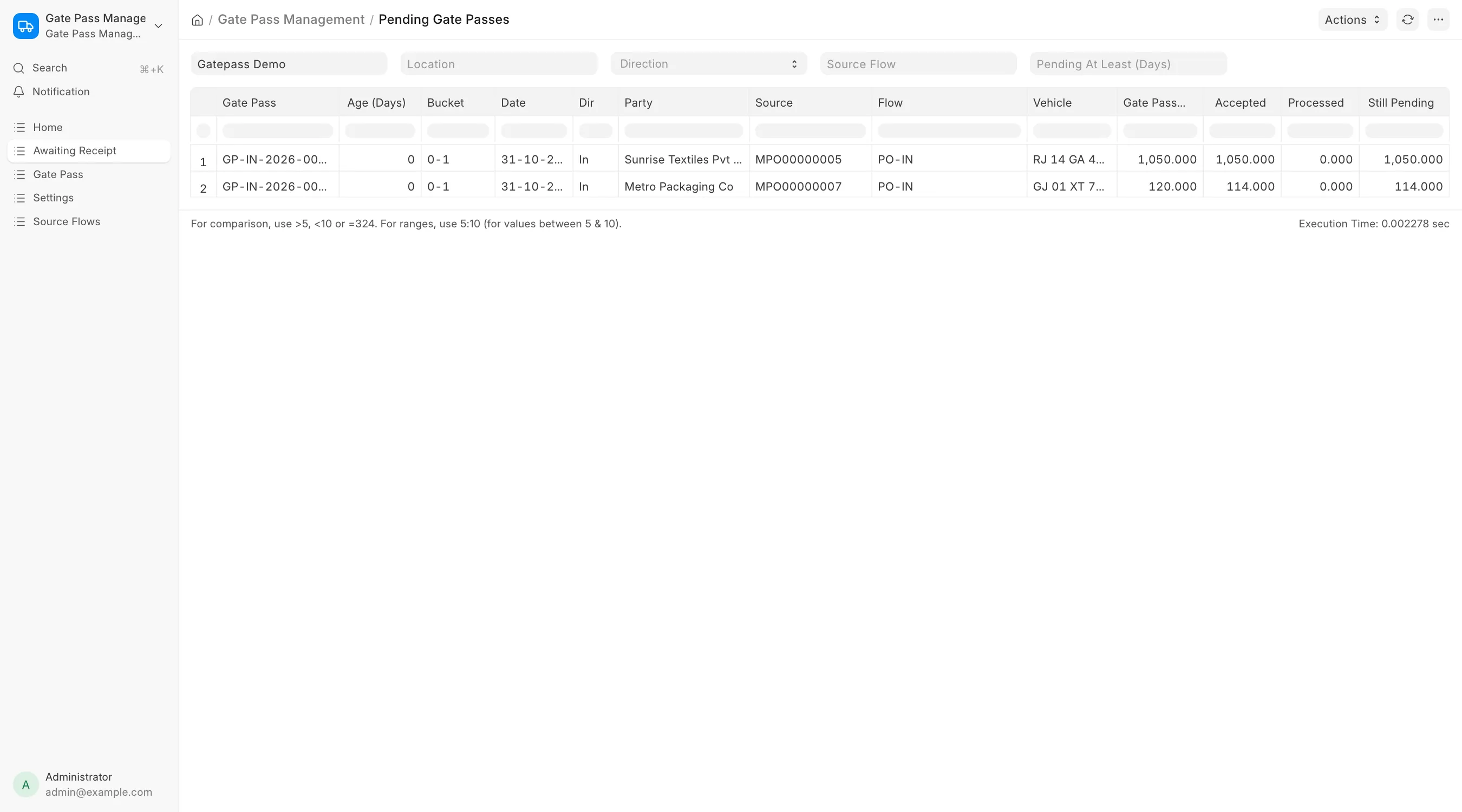
Only what is still open. The picker leaves out orders that have already been fully gate-passed (a setting you can switch off), so the guard sees only what can actually arrive.
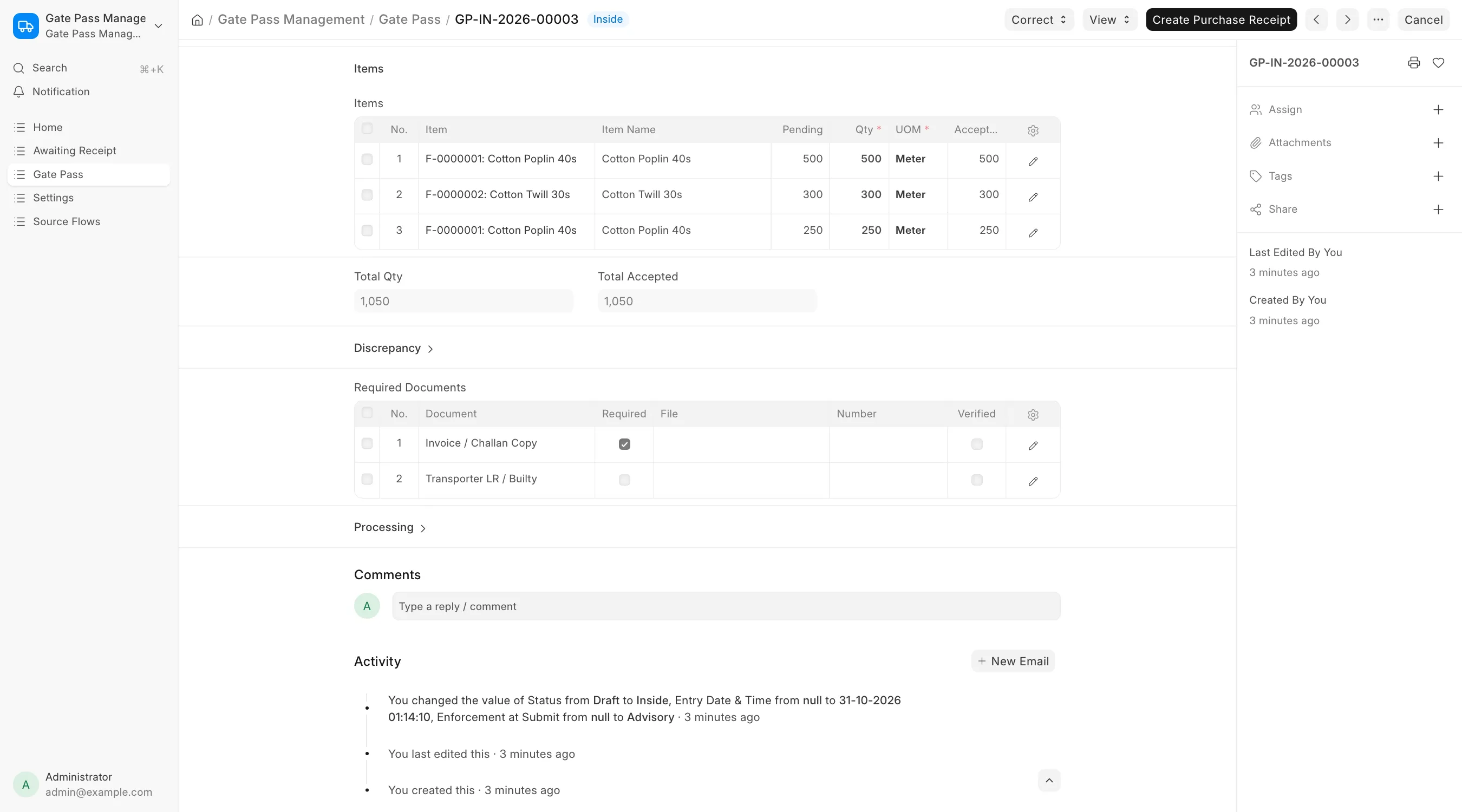
Count what actually arrived. Record shortage, damage and rejection at the gate, by reason and by liable party. The accepted quantity, not the paperwork quantity, flows into the receipt. Damaged and rejected goods go to the rejected warehouse automatically. Whether a shortage is also booked as rejected stock is a setting you choose.
Create the ERPNext document from the gate pass. One button creates the Purchase Receipt, Subcontracting Receipt, Stock Entry or Delivery Note, with one receipt per source order. Quantities, party, cost center and e-way bill number carry across.
Know why it moved. 15 ready-made purposes (Purchase Delivery, Sales Dispatch, Repair and Maintenance and more). A purpose only appears for the direction it fits, and picking one pre-fills the pass type.
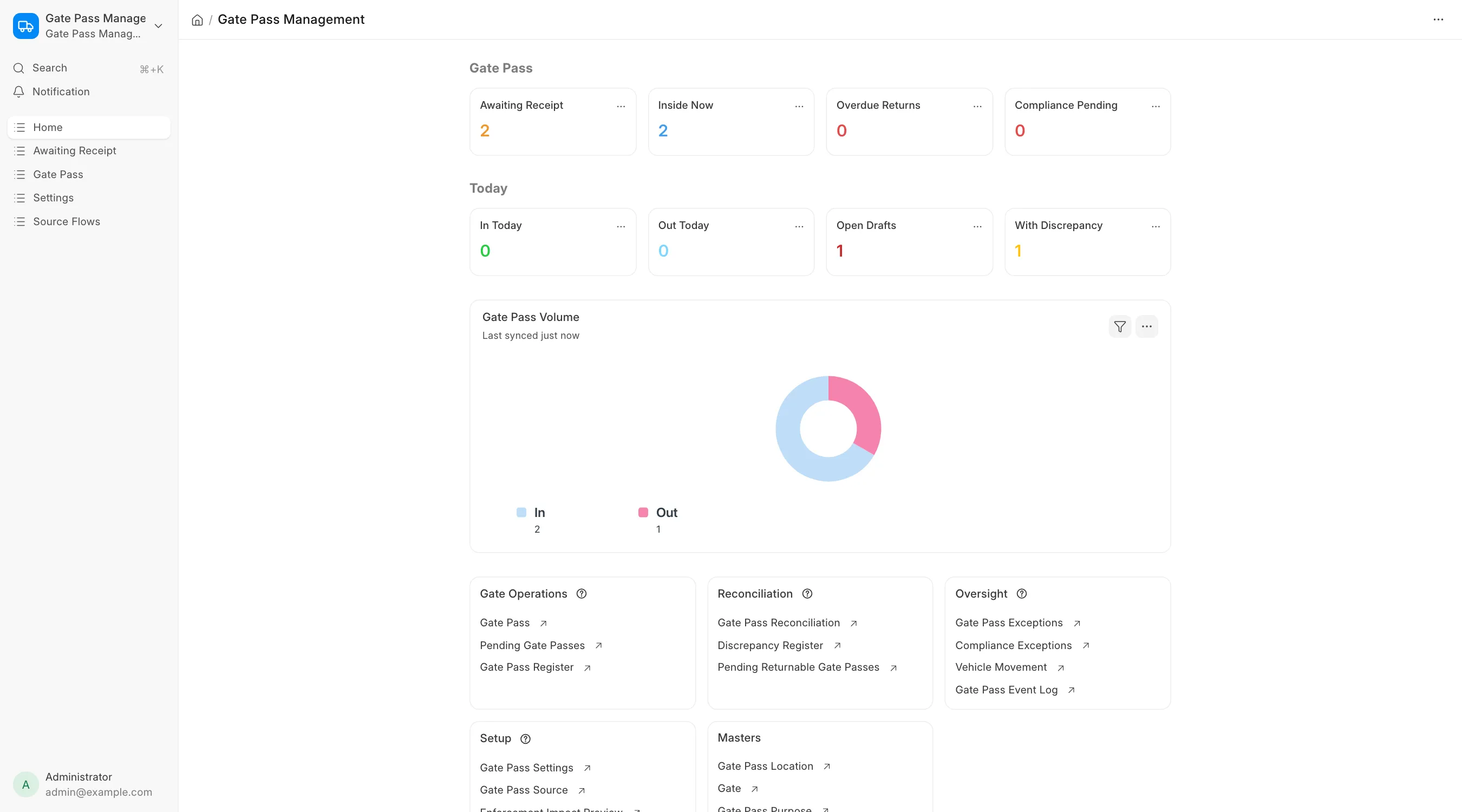
Returnable material. See what went out and has not come back, overdue first.
Accurate partial passes. Every row remembers the source line it draws on, so partial gate passes chain correctly across many passes and many receipts. Two operators working the same order at the same moment cannot both slip through.
Statutory compliance (India, optional)
When the India Compliance app is installed, the gate can block dispatch until the E-Invoice (IRN) and E-Way Bill exist, using the thresholds in your GST Settings. Without it, these checks simply stay off and everything else works as normal. The compliance framework is jurisdiction-neutral, so other countries can plug in their own checks.
Configurable, not forked
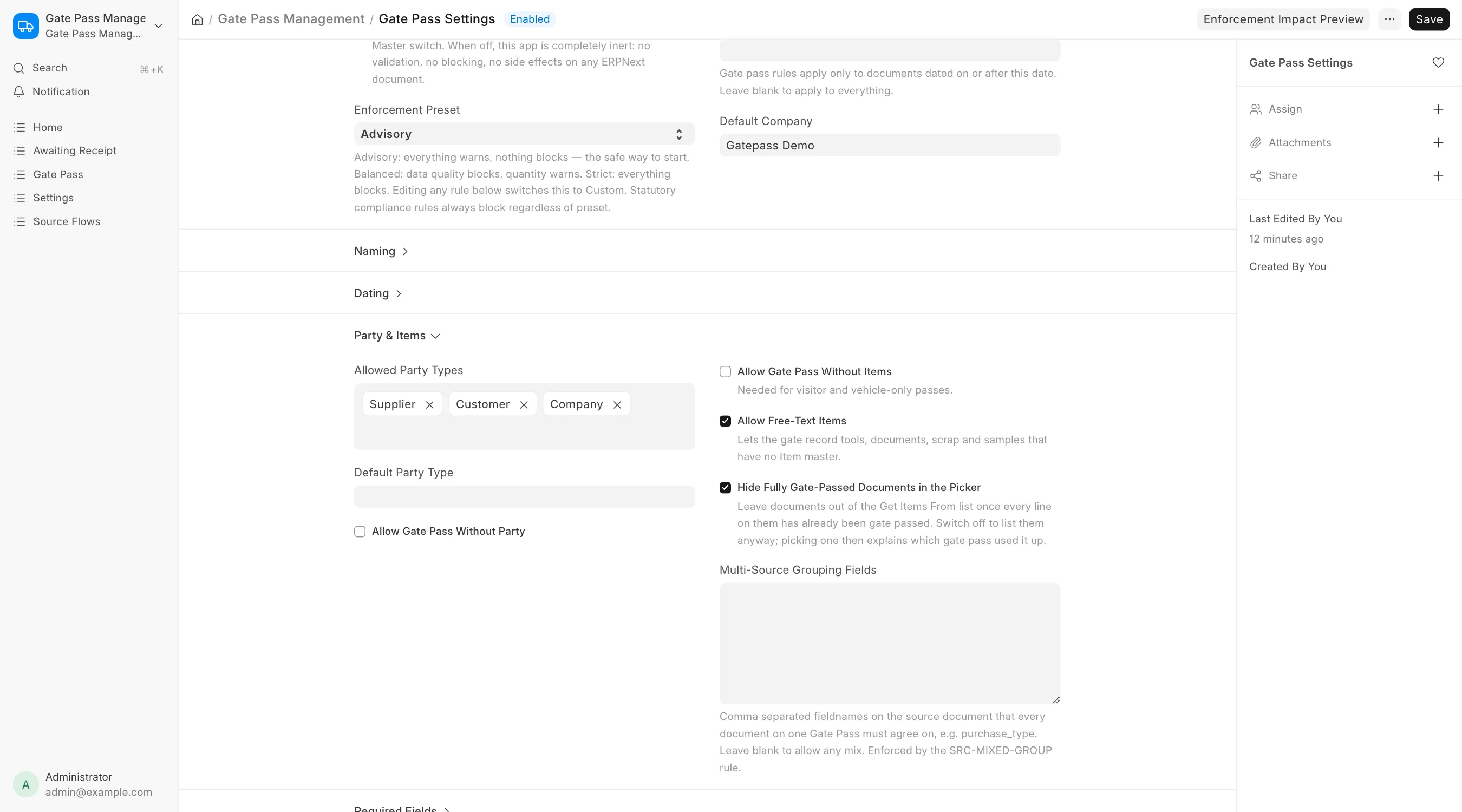
60 business rules, each set to Block, Warn or Ignore: globally, per flow and per role.
12 ready-made flows that ship as data you can duplicate and edit.
A separate numbering series for inward and outward passes.
Limit which party types can be used, and limit each party's address and contact to that party's own.
Restrict who can see what by flow, location, gate and company.
No customer-specific logic is built into the app.
Safe to adopt
The app starts in Advisory mode: everything warns, nothing blocks. Tighten rule by rule, using the Enforcement Impact Preview report, which replays your own history against a candidate configuration and shows exactly what would have been stopped. Statutory rules stay at Block unless you relax them deliberately, on the record.
Reports
Pending Gate Passes, Gate Pass Register, Gate Pass vs Document Reconciliation, Discrepancy Register, Pending Returnable Gate Passes, Vehicle Movement and Turnaround, Gate Pass Exceptions, Compliance Exceptions and Enforcement Impact Preview.
Roles
Role | What it can do |
|---|---|
Gate Pass Operator | Security staff: create and submit gate passes |
Gate Pass User | Stores and purchase: also create the ERPNext documents |
Gate Pass Manager | Cancel, amend, correct timestamps, override where allowed |
Gate Pass Auditor | Read-only, including the full event log |
Auditable by construction
Every state change, post-submit correction, warning and override is written as an event that no role can edit or delete, including System Manager. Every error carries a trace ID you can follow from the screen to the log.
Your first gate pass in five minutes
Install the app. It seeds the flows, rules, roles and purposes, so a fresh install works with no setup.
Create a Gate Pass Location and a Gate, and give your security staff the Gate Pass Operator role.
Open a new gate pass, press Get Items From, and choose a Purchase Order.
Add the vehicle and driver, confirm what actually arrived, and submit.
Press Create Purchase Receipt.
Requirements
Frappe v16 and ERPNext v16. India Compliance is optional: install it to turn on the E-Invoice and E-Way Bill checks.
Support
Built and maintained by Auriga IT.
User Reviews
No reviews yet, be the first to review.
0.0
0 rating
Explore more apps