Frappe
Cloud
Marketplace
Frappe
Products
Insights

Installation Guide
installs
Publisher
Supported versions
Categories
E-Commerce
About
Passkeys for Frappe
Phishing-resistant, passwordless sign-in for Frappe and ERPNext.
A passkey leaves nothing to phish, reuse, or leak: your server never receives the private key, and the browser signs only for your site's real domain. The Website link on this page has a short, illustrated explainer: Why passkeys are safer, and when they aren't.
This app adds WebAuthn / FIDO2 passkeys to any Frappe site. Users sign in with the fingerprint, face, screen lock, or security key they already use for their Apple, Google, and Microsoft accounts. Administrators decide how hard to push adoption, and any app can require a passkey before a sensitive action runs.
It uses only sanctioned hooks and whitelisted endpoints, with no monkeypatching. One codebase serves Frappe v15 and v16.
Key features
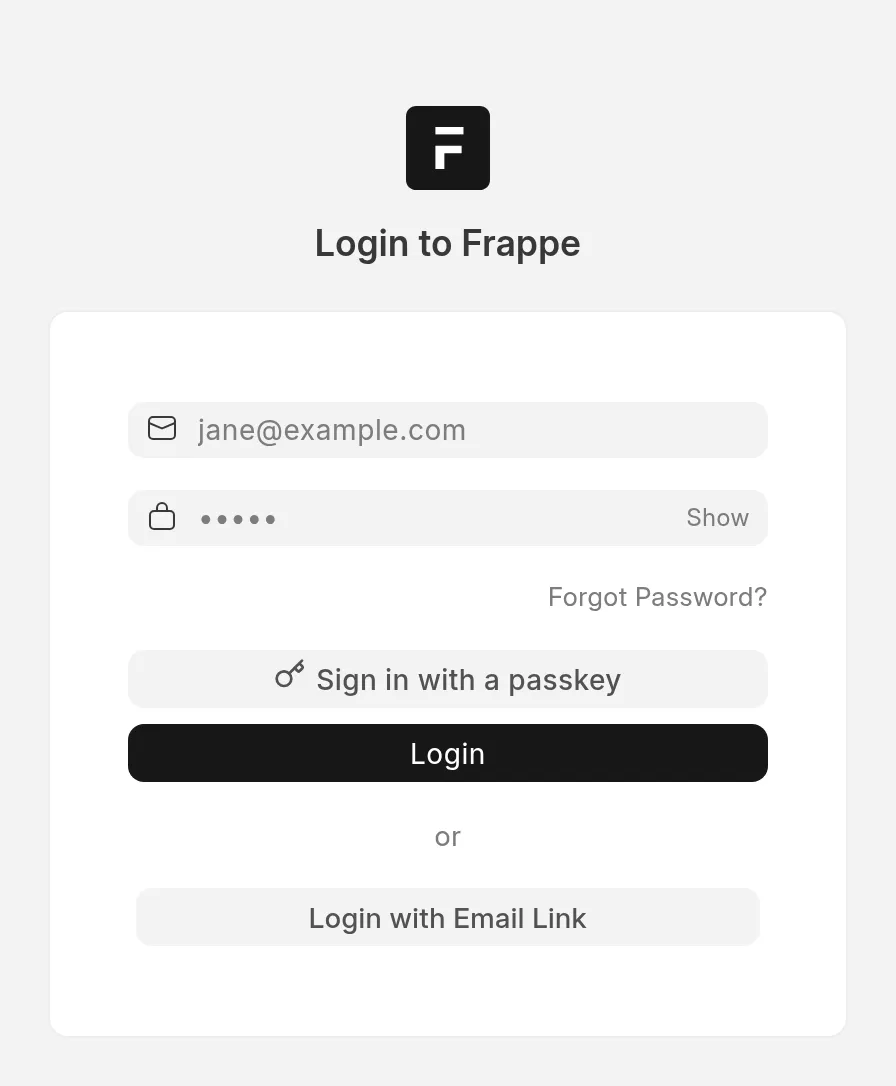
Passwordless login. Passkey autofill in the username field, a "Sign in with a passkey" button, and cross-device sign-in by scanning a QR code with a phone.
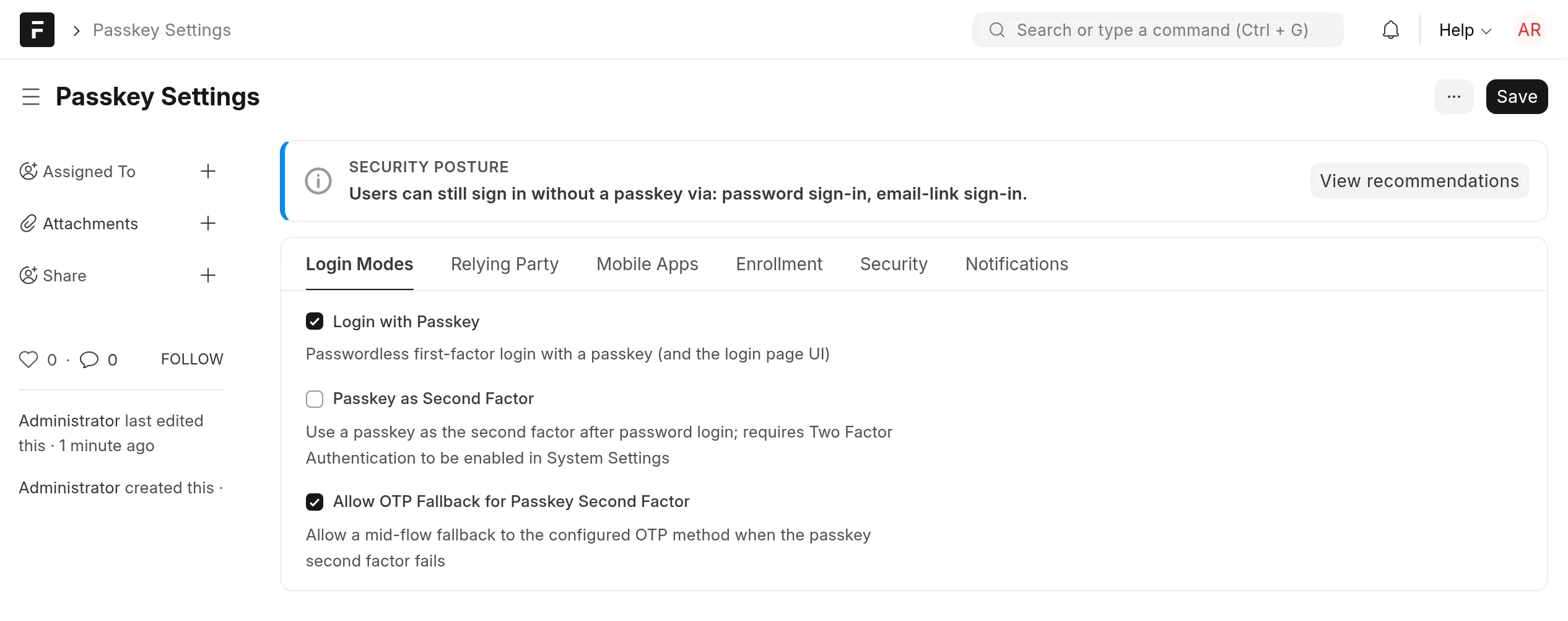
Passkey as a second factor. A passkey step after the password, built on Frappe's own two-factor flow. Users can fall back to a one-time code if the site allows it.
Confirmation for sensitive actions. Decorate any whitelisted method with
@passkey_protectedand it runs only after a fresh passkey confirmation. Each confirmation is single-use, expires in about three minutes, and is bound to the user, the session, the action, and the argument values you choose. This suits approvals such as releasing a bank payment.Enrollment nudges and enforcement. Prompt users without a passkey to create one, or require enrollment from selected roles or from everyone, with grace sign-ins before the prompt blocks. Phone and QR enrollment is always offered.
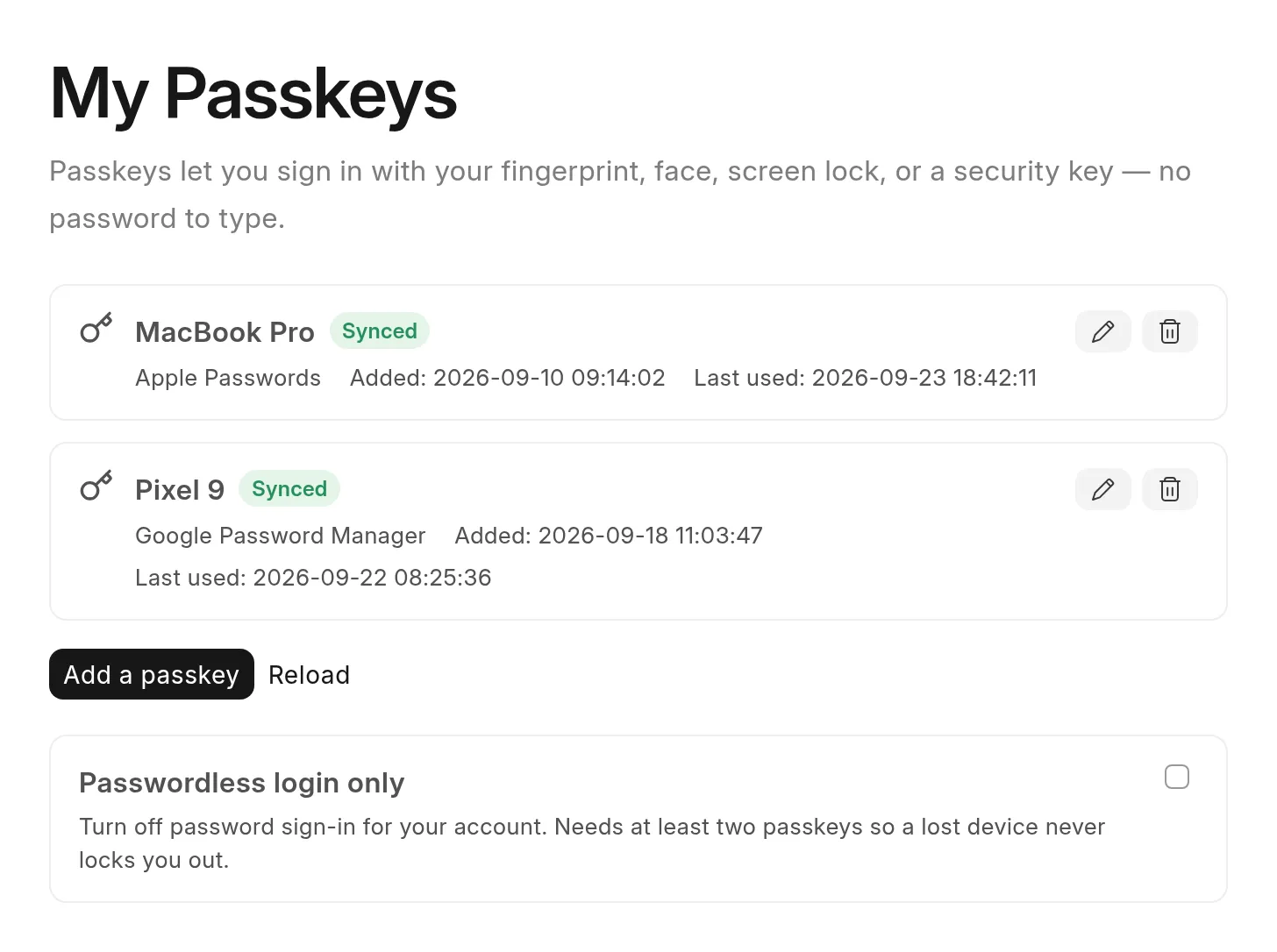
Self-service management. Users add, rename, and remove their passkeys at
/passkeys, and can switch their own account to passkey-only sign-in.Admin tools. A security-posture panel on Passkey Settings lists the remaining ways to sign in without a passkey and how to close each one. System Managers exempt, reset, and recover users from Desk.
Native mobile apps. Serves Android Digital Asset Links and the iOS
apple-app-site-associationfile so a native app shares the site's passkeys.Custom UIs. Build your own screens with the
frappe.passkeys.headlessJavaScript API, or call the REST endpoints from a native or single-page app.
Secure by default
Every login mode ships off. Passwordless sign-in and action confirmations require user verification (a PIN or biometric). A cloned passkey is caught by its signature counter, and its owner is emailed. Relying Party ID and origins come from pinned configuration, never from request headers. Endpoints are rate-limited, and an account set to passkey-only sign-in cannot remove its last passkey.
Getting started
Adding the app does not enable anything. Before you turn on a login mode, set the site's host_name (or an explicit Passkey RP ID) and check the Relying Party ID and origins shown in Passkey Settings. Changing the RP ID later invalidates every enrolled passkey. As with any authentication change, try it on a staging site first.
Supported versions
Frappe v15: v15.108.0 and newer
Frappe v16: v16.18.3 and newer
Documentation
The Documentation link on this page covers install and upgrade notes, every Passkey Settings field, and the security model: what the app enforces, what it trusts, and residual risks.
Roadmap
Next: Secure Payment Confirmation (SPC) for @passkey_protected actions. The browser shows the payee and amount in its own dialog, and the signature covers them. SPC works today in Chrome and Edge (desktop and Android); elsewhere the current confirmation flow is the fallback.
License
MIT
Made for the Frappe community. Engineered at Andrometiq.
User Reviews
No reviews yet, be the first to review.
0.0
0 rating
Explore more apps