Frappe
Cloud
Marketplace
Frappe
Products
Insights
Publisher
Supported versions
Categories
E-Commerce
About
Take Pine Labs payments without leaving ERPNext
Stop copying invoice numbers between systems and marking invoices paid by hand. Pinelabs Fin puts Pine Labs payments one click away from any invoice — and writes the Payment Entry for you the moment the customer pays.
See it in action
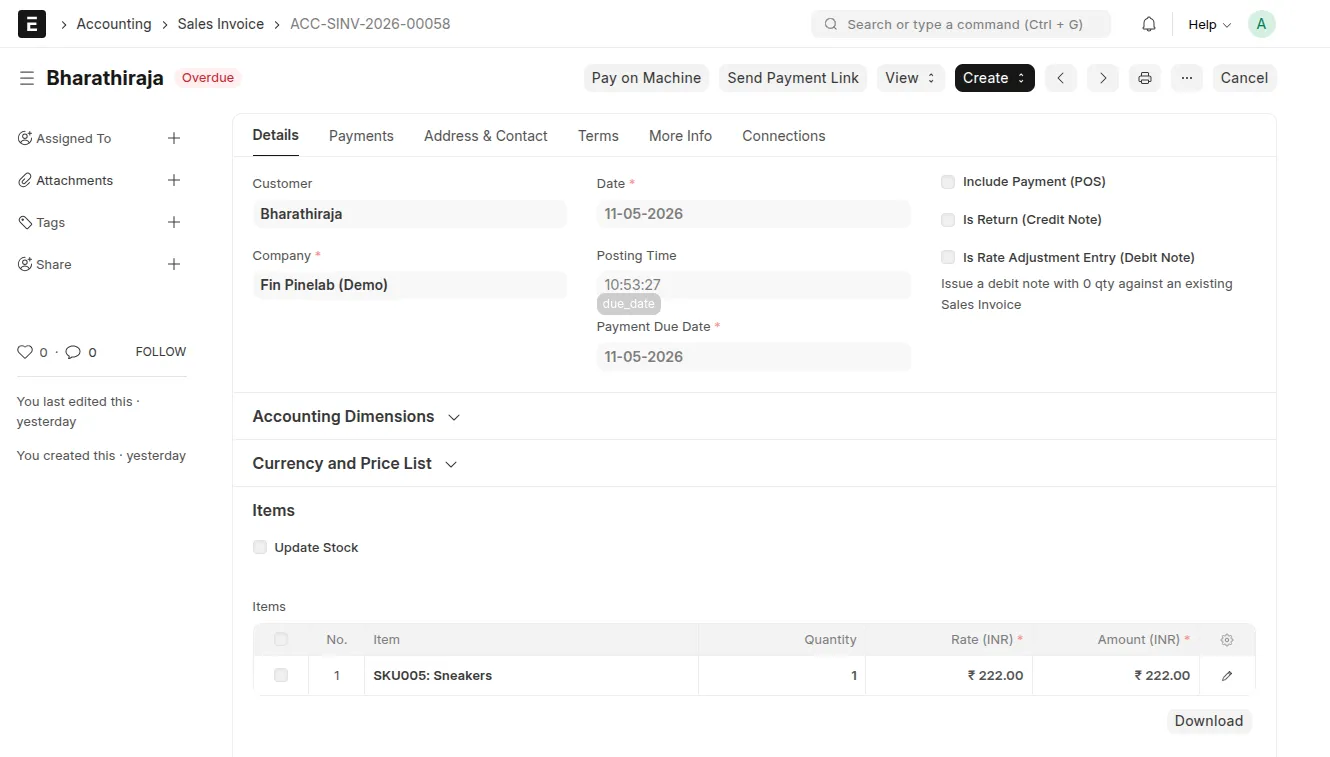
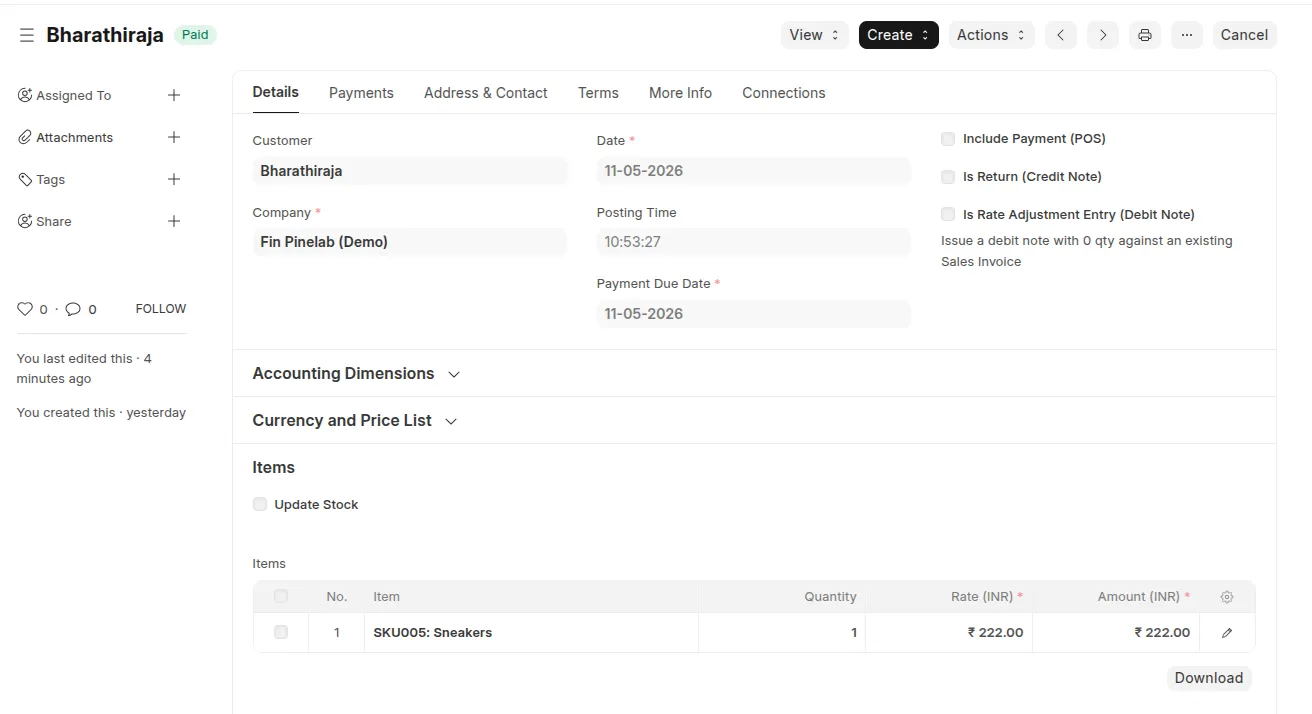
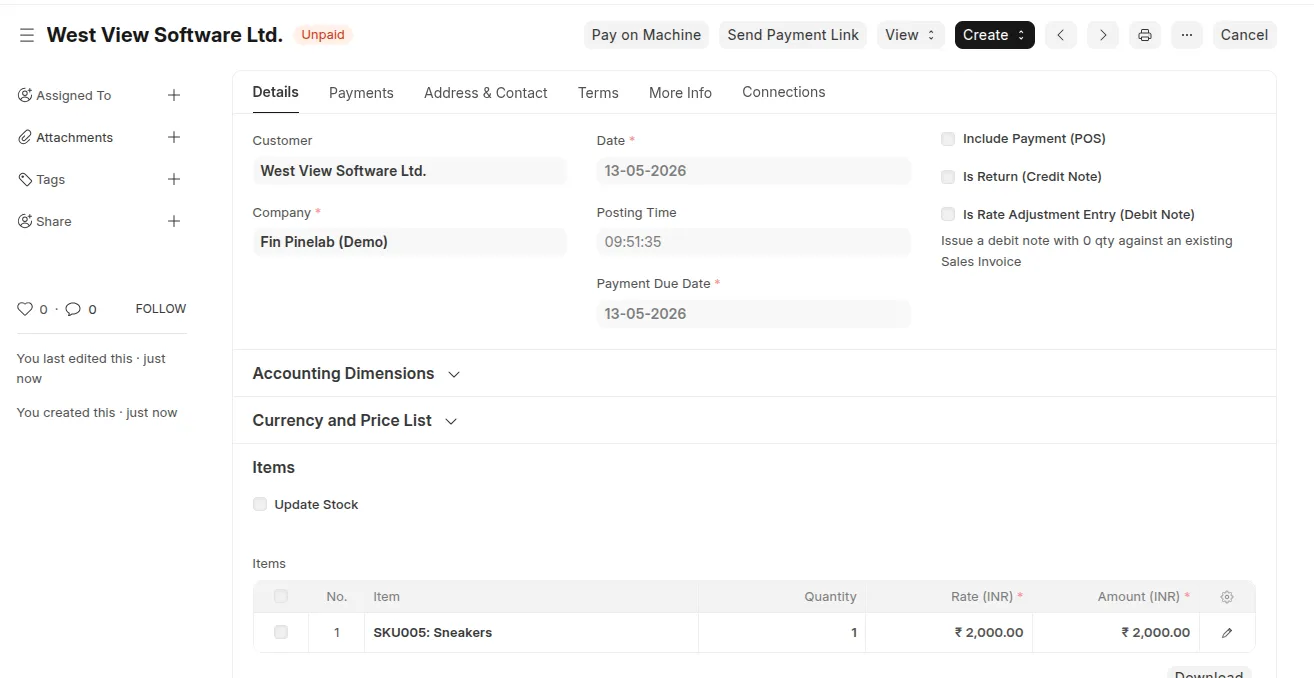
Open any submitted invoice. Two buttons appear: Pay on Machine and Send Payment Link. Click one. The customer pays. The invoice flips to Paid on its own.
What you do → What the app does
You do | The app does |
|---|---|
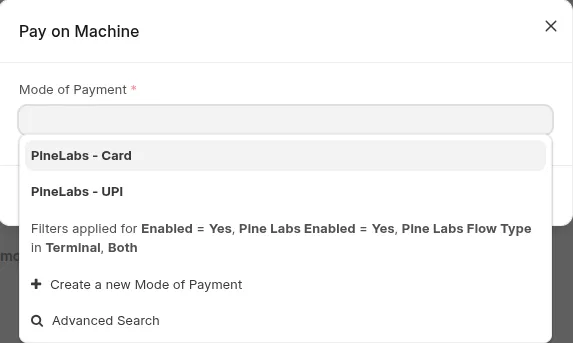
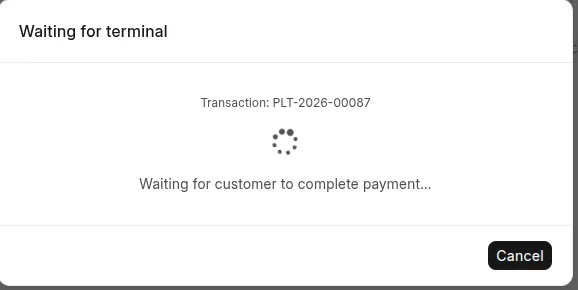
Click Pay on Machine, pick Card or UPI | Pushes the bill to your Pine Labs Cloud terminal; customer taps/scans |
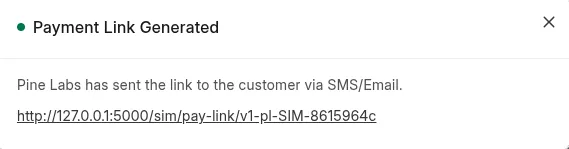
Click Send Payment Link | Generates a Plural hosted link, delivered by SMS + email automatically |
Nothing — just wait | Creates & submits the ERPNext Payment Entry, marks the invoice Paid |
Open the Pinelabs Transaction record | See the full request/response, status, and any error — every attempt, in one place |
No manual reconciliation. No settlement-report matching. No double entry.
Built for real-world billing
Two flows, one record. Terminal and payment-link both funnel into a dedicated Pinelabs Transaction doctype —
INITIATED → PENDING → SUCCESS / FAILED / CANCELLED.Marketplace-clean. Zero custom fields on Sales Invoice, POS Invoice, Payment Entry, Customer, Contact, or Mode of Payment.
Fail-fast. Account-mapping and customer-resolution are checked before the customer is ever charged — misconfiguration surfaces as a clear error, never a stuck payment.
Never lose a payment. A webhook plus a 1-minute reconcile job means a dropped callback still finalizes the invoice.
Multi-terminal. Route automatically to the right device by user, warehouse, or POS profile.
Works beyond invoices. Sales Invoice, POS Invoice, Payment Request natively — and any custom payable doctype via a single API flag.
Quick setup
Everything lives in one place — Pinelabs Settings:
Add your Pine Labs machine credentials (from your onboarding email).
For payment links, add your Plural API credentials and webhook secret.
Map a default account on each PineLabs Mode of Payment.
Pick which doctypes show the buttons under Payable Documents.
That's it — open a submitted invoice and the buttons are there. Full step-by-step configuration with screenshots is in the in-repo setup guide.
Who is this for?
Retail & counter sales taking card/UPI on a Pine Labs terminal against an ERPNext invoice.
Phone / remote orders that need a hosted payment link sent to the customer.
Finance teams tired of manually reconciling Pine Labs settlements to invoices.
Developers who want to trigger the same flows from custom buttons, server hooks, or scripts via whitelisted Python + JS APIs.
For developers
Three whitelisted entry points (initiate_terminal_payment, initiate_payment_link, check_terminal_status) plus frappe.pinelabs.* JS helpers that open the same UI the built-in buttons use. A per-call flag controls Payment Entry creation, so custom doctypes are first-class too.
Requirements
Frappe v15 · ERPNext v15 · Python 3.10+ · MariaDB 10.6+ (InnoDB). A Pine Labs Cloud merchant account; Plural credentials for the payment-link flow.
Open & supported
MIT licensed. Issues, questions, and feature requests welcome on the GitHub repository.
User Reviews
No reviews yet, be the first to review.
0.0
0 rating
Explore more apps