Frappe
Cloud
Marketplace
Frappe
Products
Insights

Installation Guide
installs
Publisher
Supported versions
Categories
E-Commerce
About
Introduction
Portal Theme is a customizable theming framework for Frappe and ERPNext portals. It is designed to simplify UI customization by allowing themes and styles to be managed through DocTypes instead of modifying core files or rebuilding assets.
This release focuses on making portal customization easier for both technical and non-technical users by providing:
Runtime CSS injection Dynamic color variable generation Centralized and upgrade-safe theme management
Target Users
Developers
Developers can use Portal Theme to manage portal UI changes in a clean and maintainable way. It eliminates the need for repeated asset builds or core file overrides and supports scalable theming across multiple portals or clients.
Portal Admins / Business Users
Portal admins can create and manage color themes without writing code. Branding changes such as primary colors, background colors, and accent colors can be applied directly from the UI.
Key Capabilities
Inject custom CSS at runtime Create reusable color themes using variables Manage portal styling from DocTypes Avoid changes to core or standard files Maintain consistency across portal pages
How It Works
Step 1: Inject Custom CSS (Developer Oriented)
Navigate to the Theme Template DocType
Add the CSS you want to apply to the portal
Save the document
The added CSS is injected into the system during runtime. This means:
No asset build is required No server restart is required Changes are applied immediately
This is useful for layout adjustments, custom components, UI fixes, or portal-specific styling that should not affect the core system.
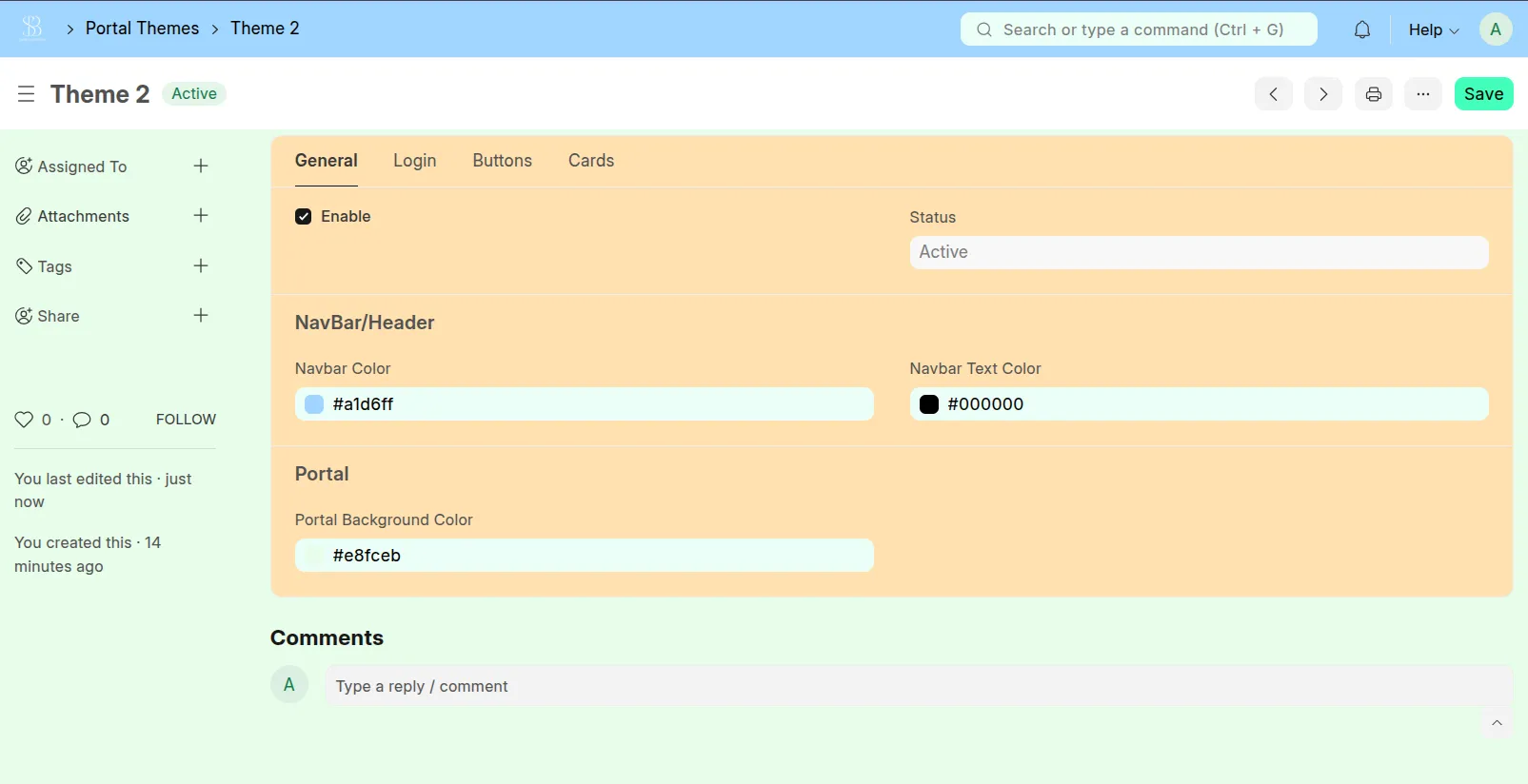
Step 2: Create and Apply Color Themes (Portal Admin Oriented)
Navigate to the Portal Theme DocType
Define the color combinations you want to use
Click on the Add Variable button
The system automatically generates a complete set of color variables
These variables can then be used throughout the portal design
This approach allows portal admins to:
Apply branding easily Maintain consistent colors across pages Change themes without developer involvement
Benefits
Reduces dependency on developers for UI changes Improves maintainability and upgrade safety Enables faster branding and customization Supports multiple themes for different portals or clients Keeps UI logic and styling clearly separated
Recommended Use Cases
Vendor and supplier portals Customer self-service portals Subscription or SaaS-based portals Multi-tenant applications requiring different branding
Future Enhancements
Planned improvements include:
Predefined theme presets UI preview before applying themes Dark and light mode support Export and import of theme configurations
Conclusion
Portal Theme provides a structured and user-friendly approach to portal theming in Frappe and ERPNext. By separating styling from core logic and enabling runtime customization, it improves both developer productivity and portal user experience.
User Reviews
5 stars
%
4 stars
%
3 stars
%
2 stars
%
1 star
%
•
Reply
•
Reply
5.0
2 rating
Explore more apps