Frappe
Cloud
Marketplace
Frappe
Products
Insights
Installation Guide
installs
Publisher
Supported versions
Categories
E-Commerce
About
PreciVault 🔐
PreciVault is a secure and user-friendly app built on the Frappe framework to help you store, manage, and organize your passwords. It uses strong encryption to keep your data safe while providing modern features like:
🔑 Password generation
🧠 Auto-fill support
🔄 Multi-device syncing
🧭 Simple and clean UI
🕒 TOTP Authenticator Support
🚀 Installation
You can install PreciVault in your ERPNext bench using the Frappe Cloud.
📸 How to Use
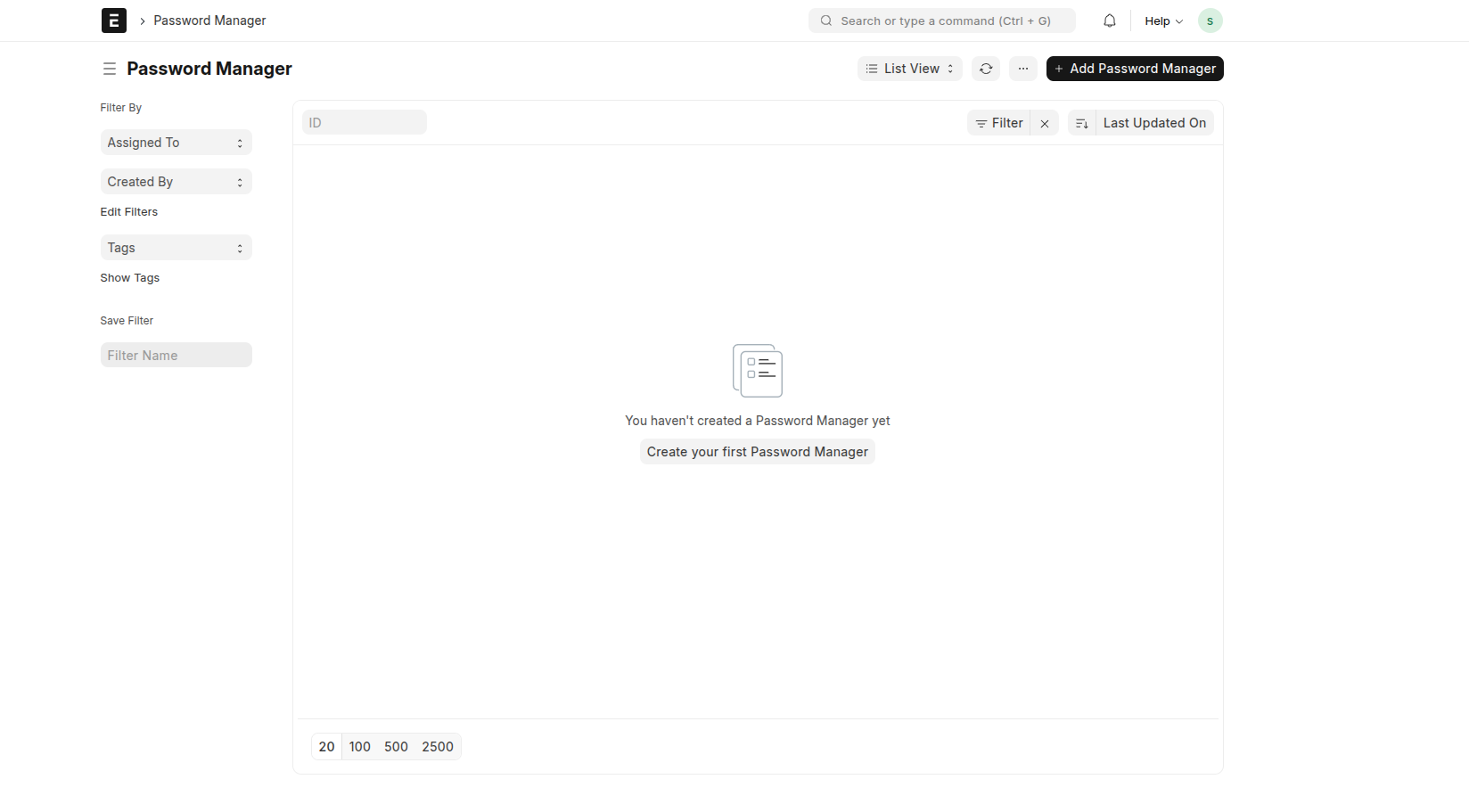
Step 1: Search for Password Manager
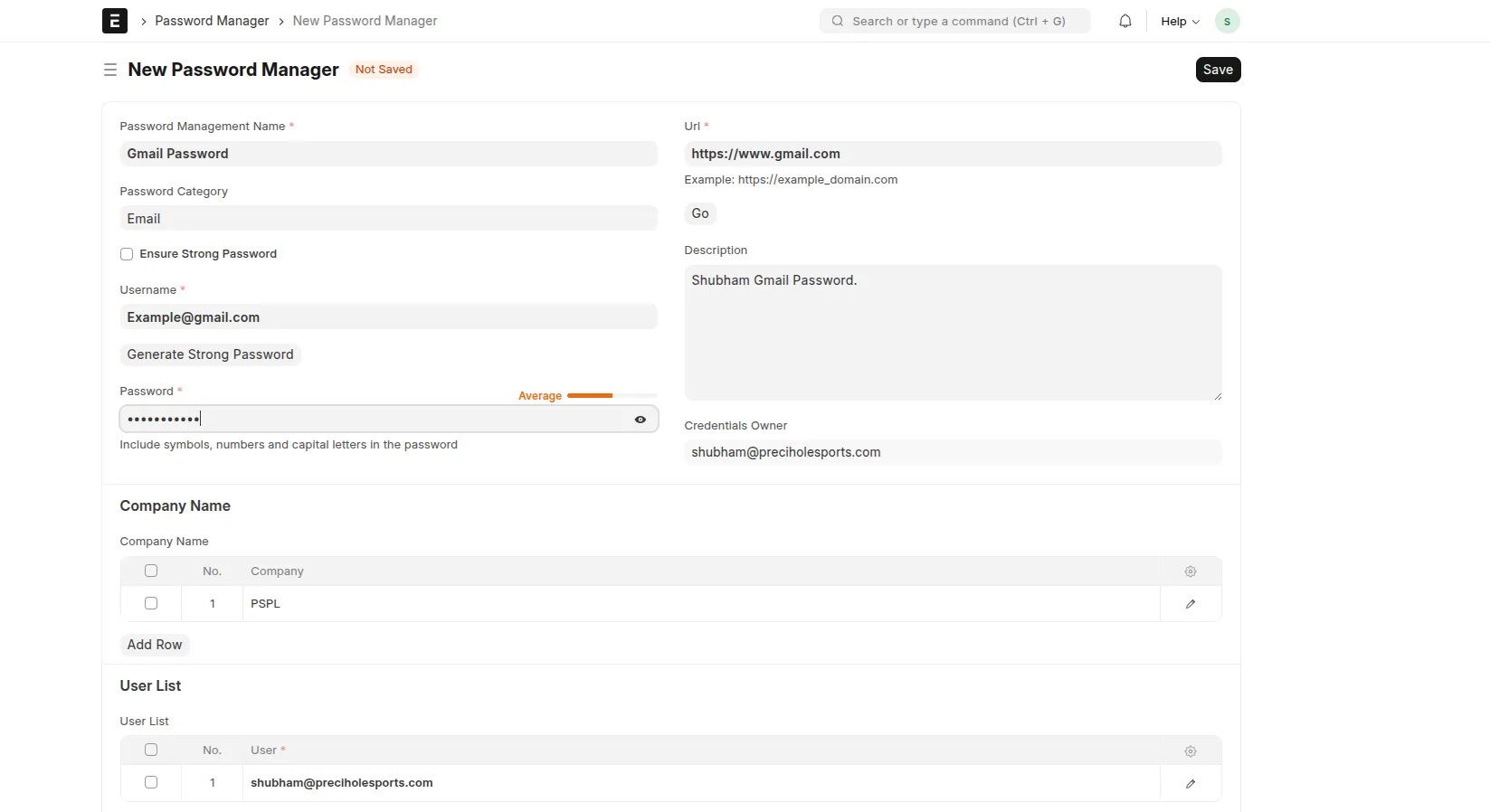
Go to the search bar and open the Password Manager DocType.
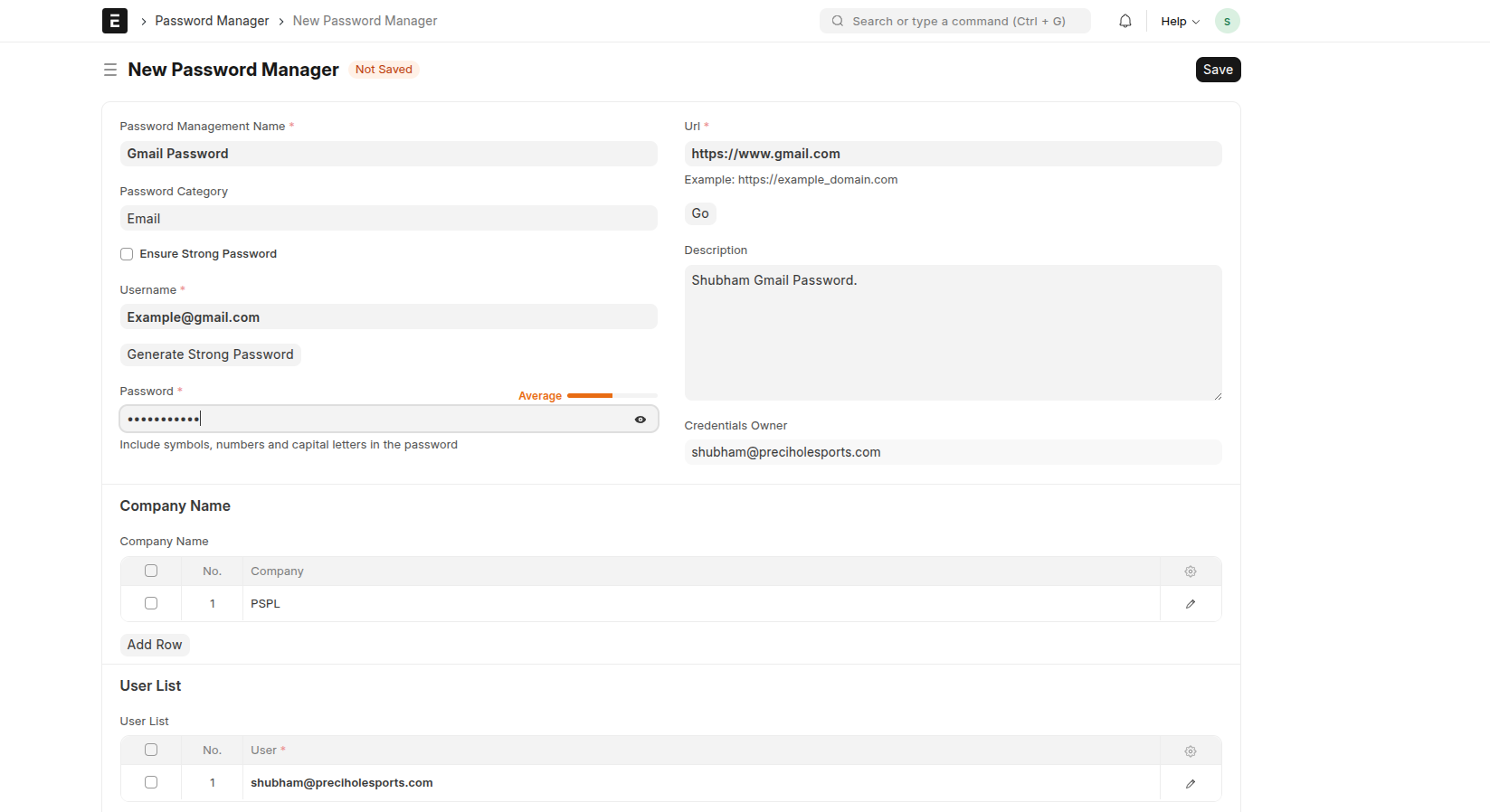
Step 2: Add Your Credentials
Enter your password-related details such as: - Website / Application name
- Username
- Password
Then click Save.
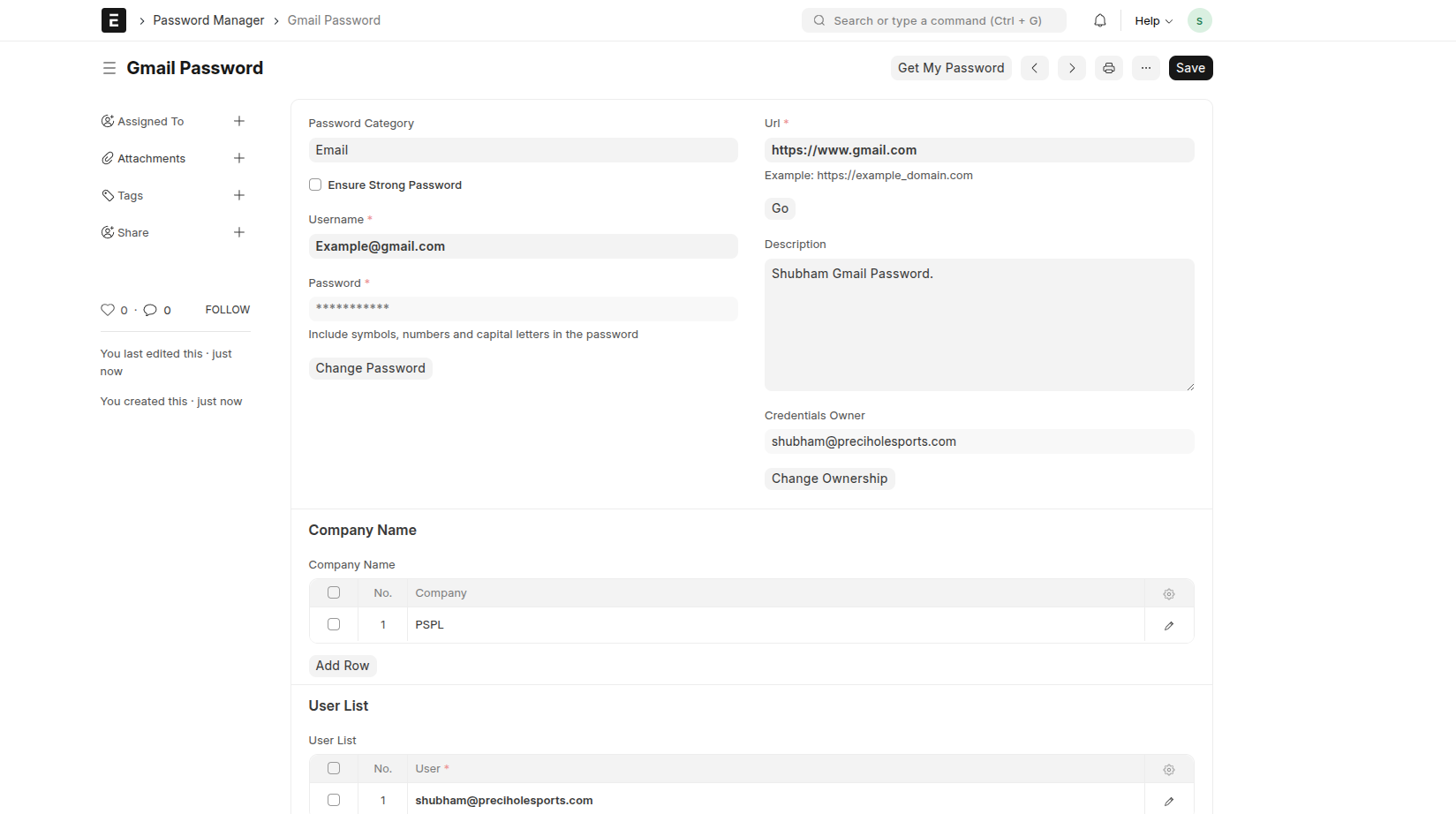
Step 3: Saved Document View
After saving, your document will look like this.
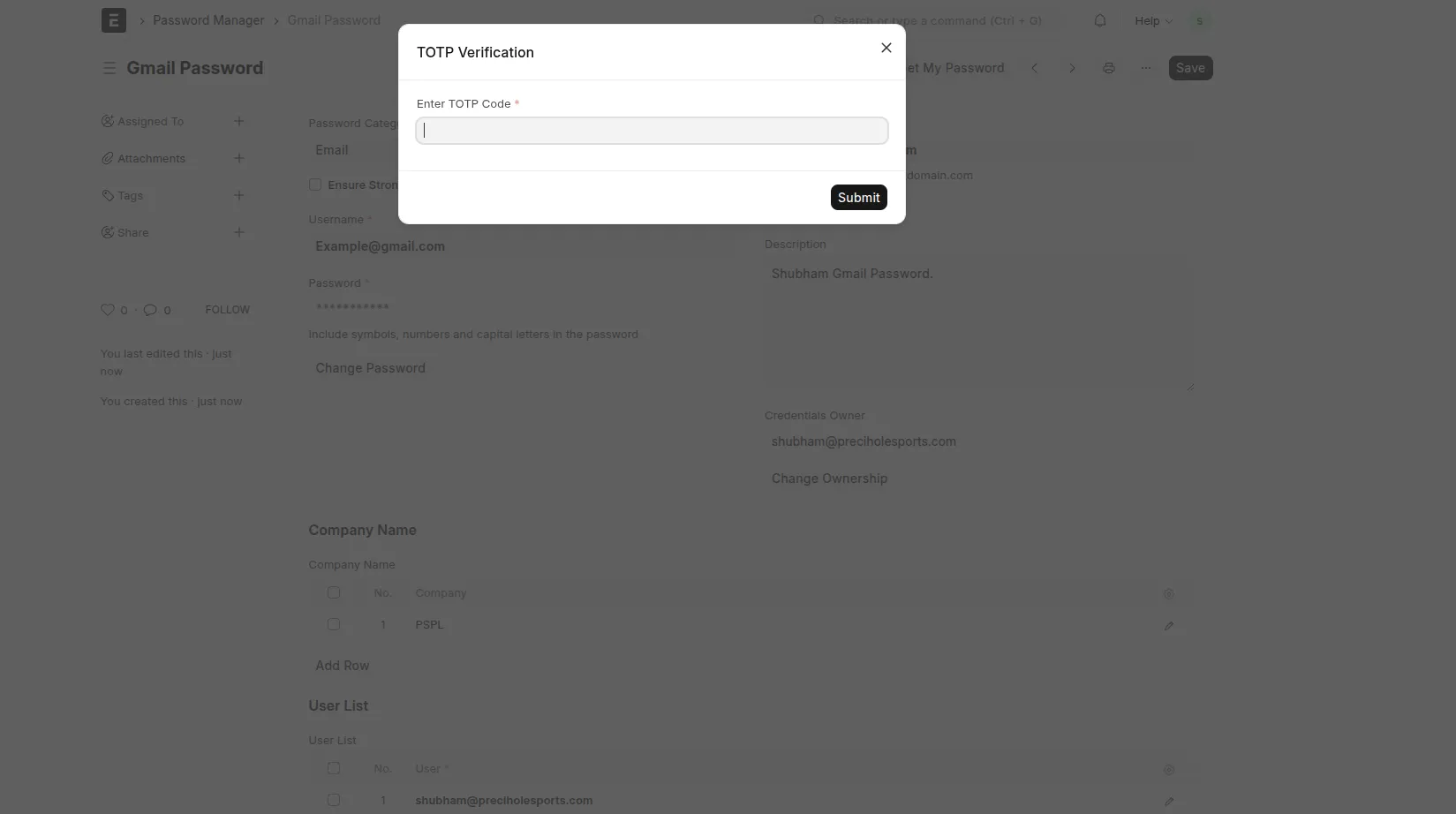
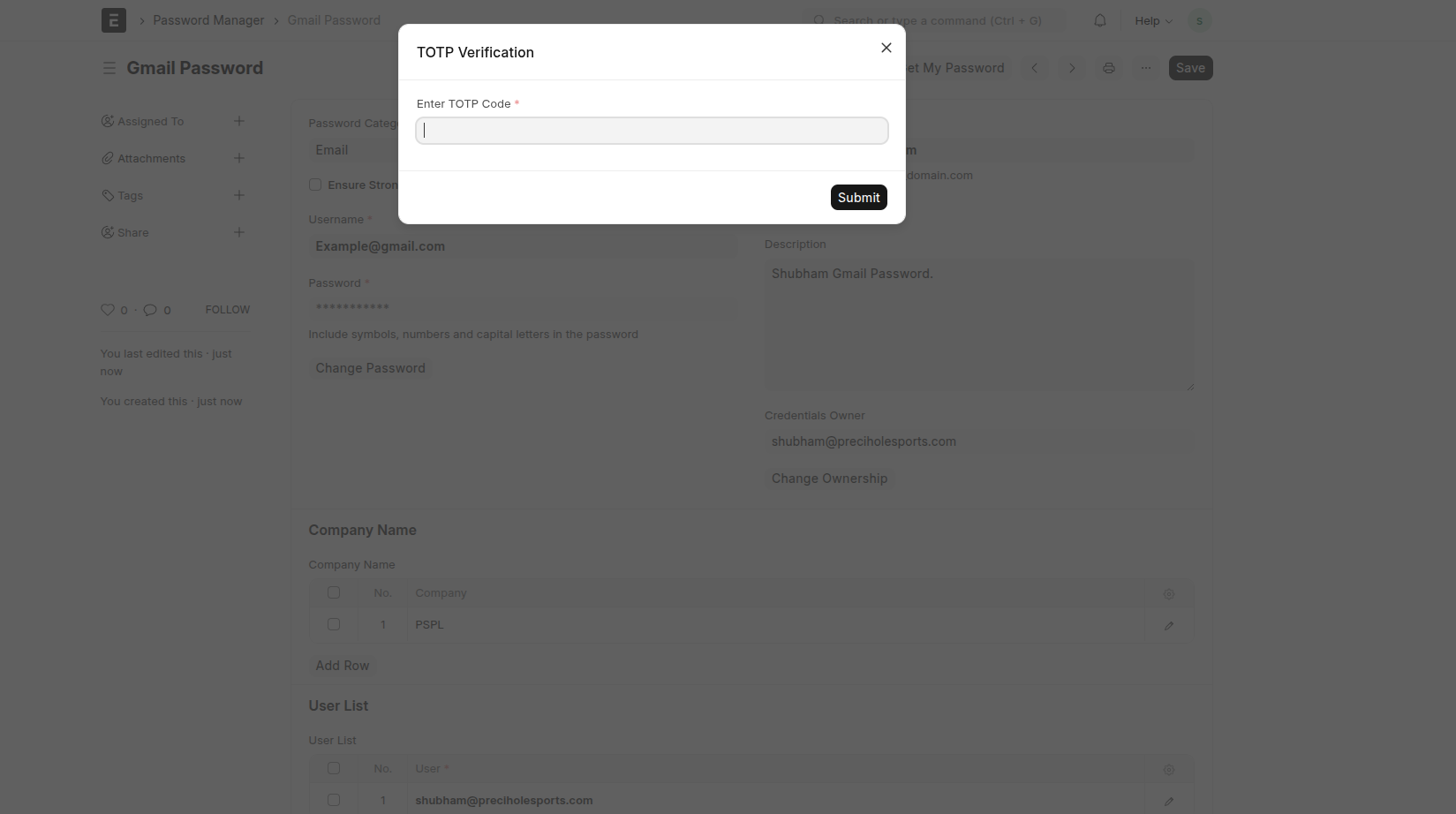
Step 4: View Your Password
Click on the "Get My Password" button.
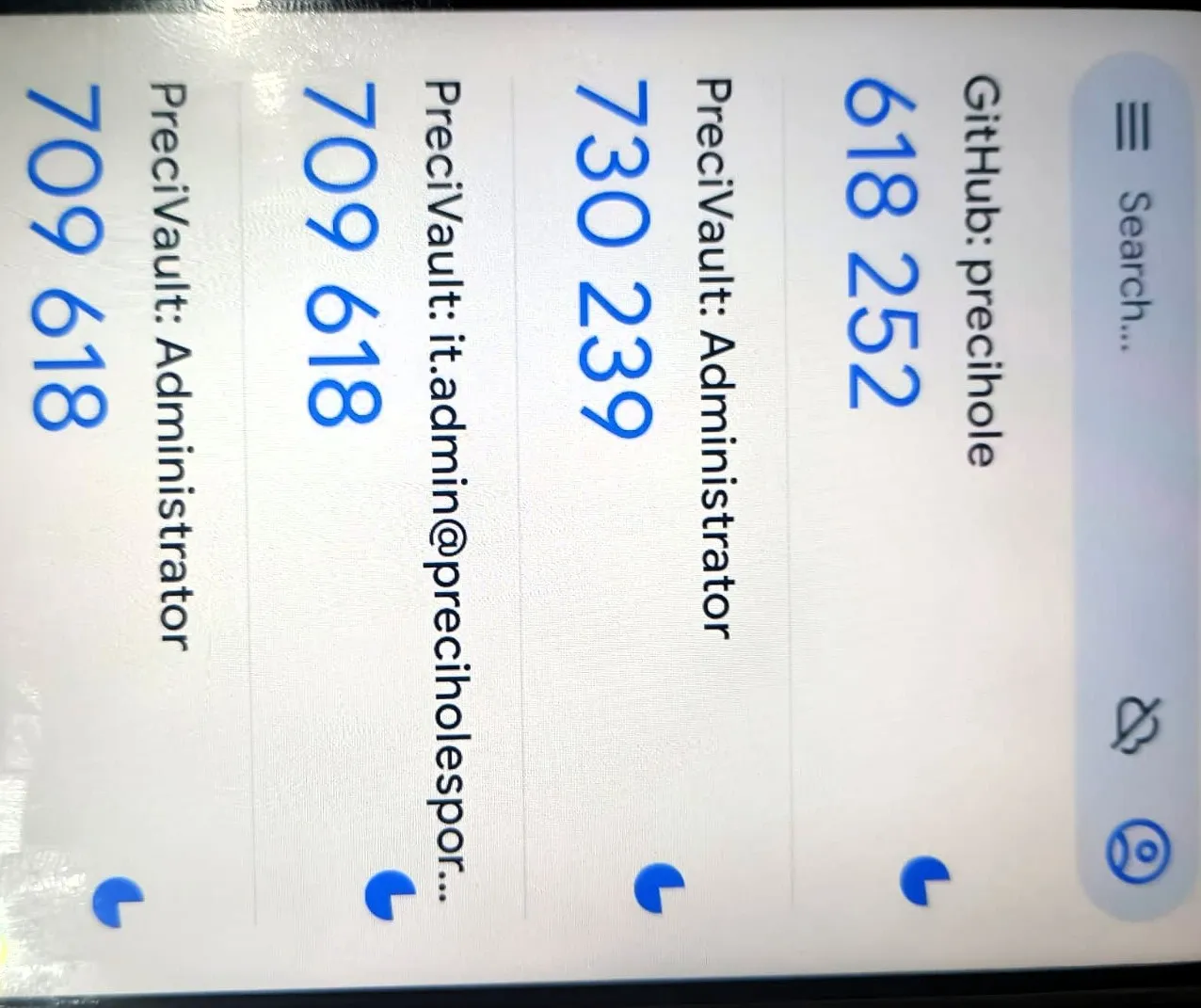
Enter your TOTP code to securely retrieve your password. you will get your totp in "Google authenticator" app see in Step 6.1 .
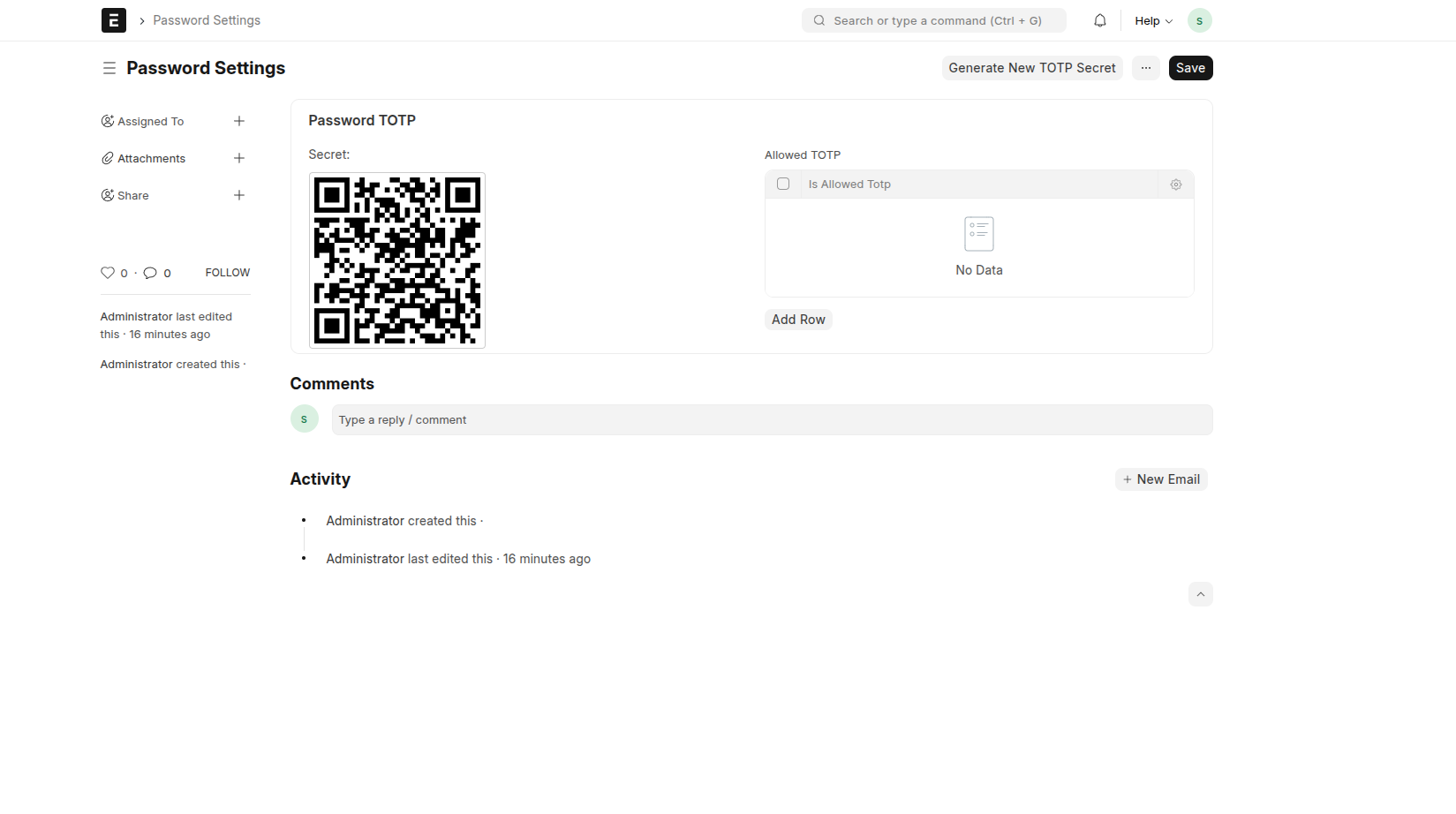
Step 5: Open Password Settings (Admin Only)
Log in with the Administrator account and open the Password Settings DocType.
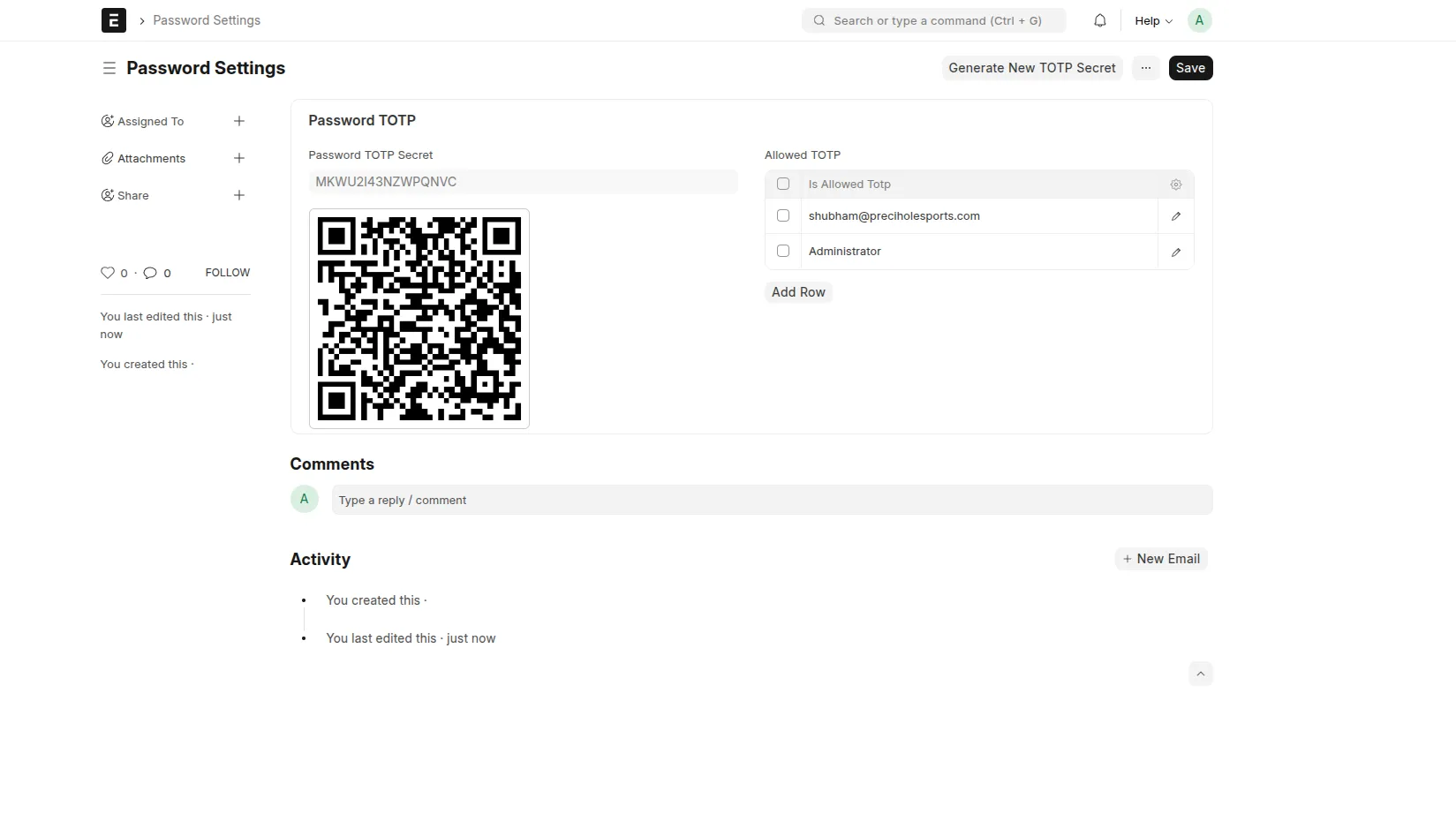
Click on "Generate New TOTP Secret".
⚠️ Only the Administrator can perform this action.
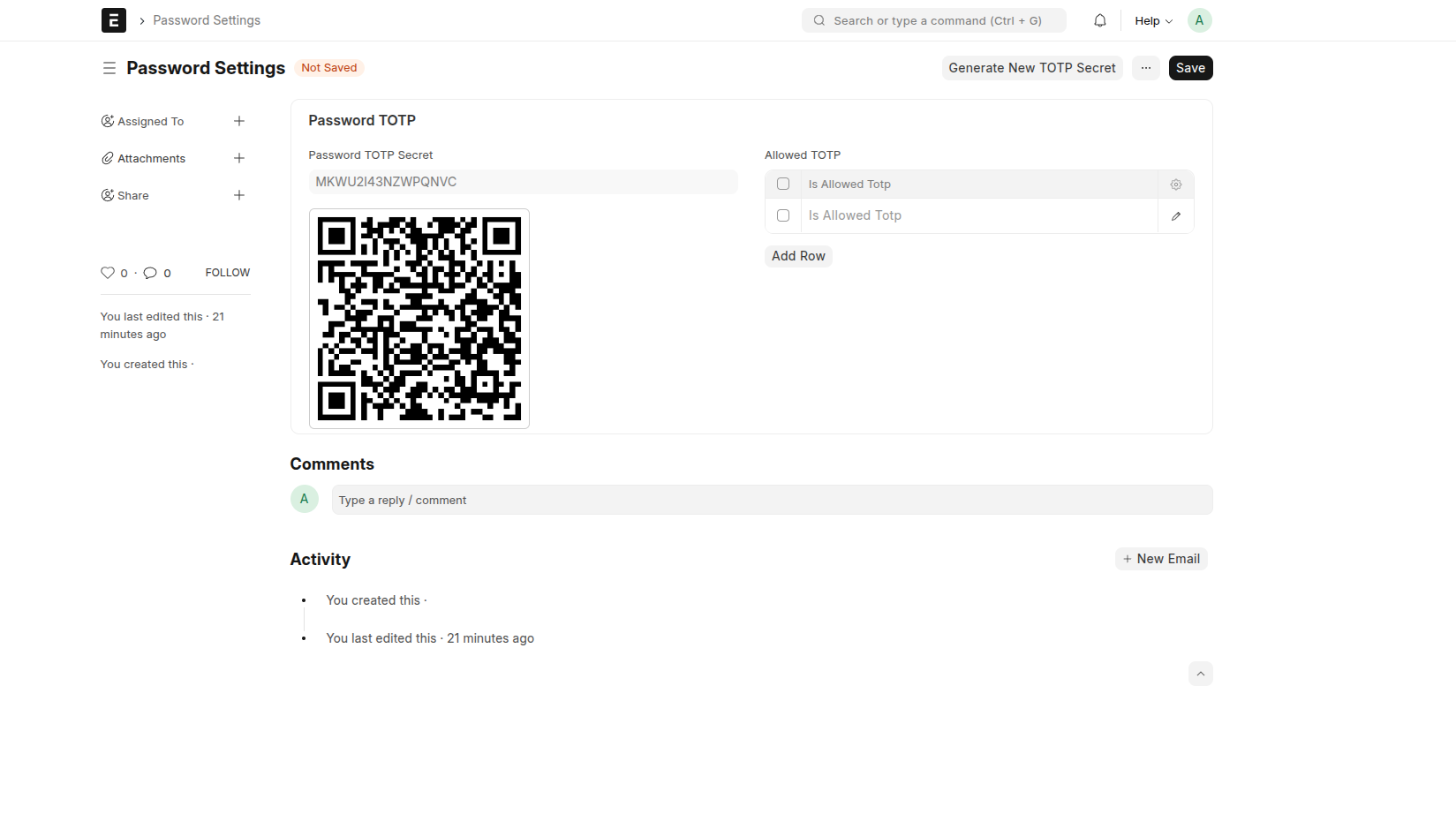
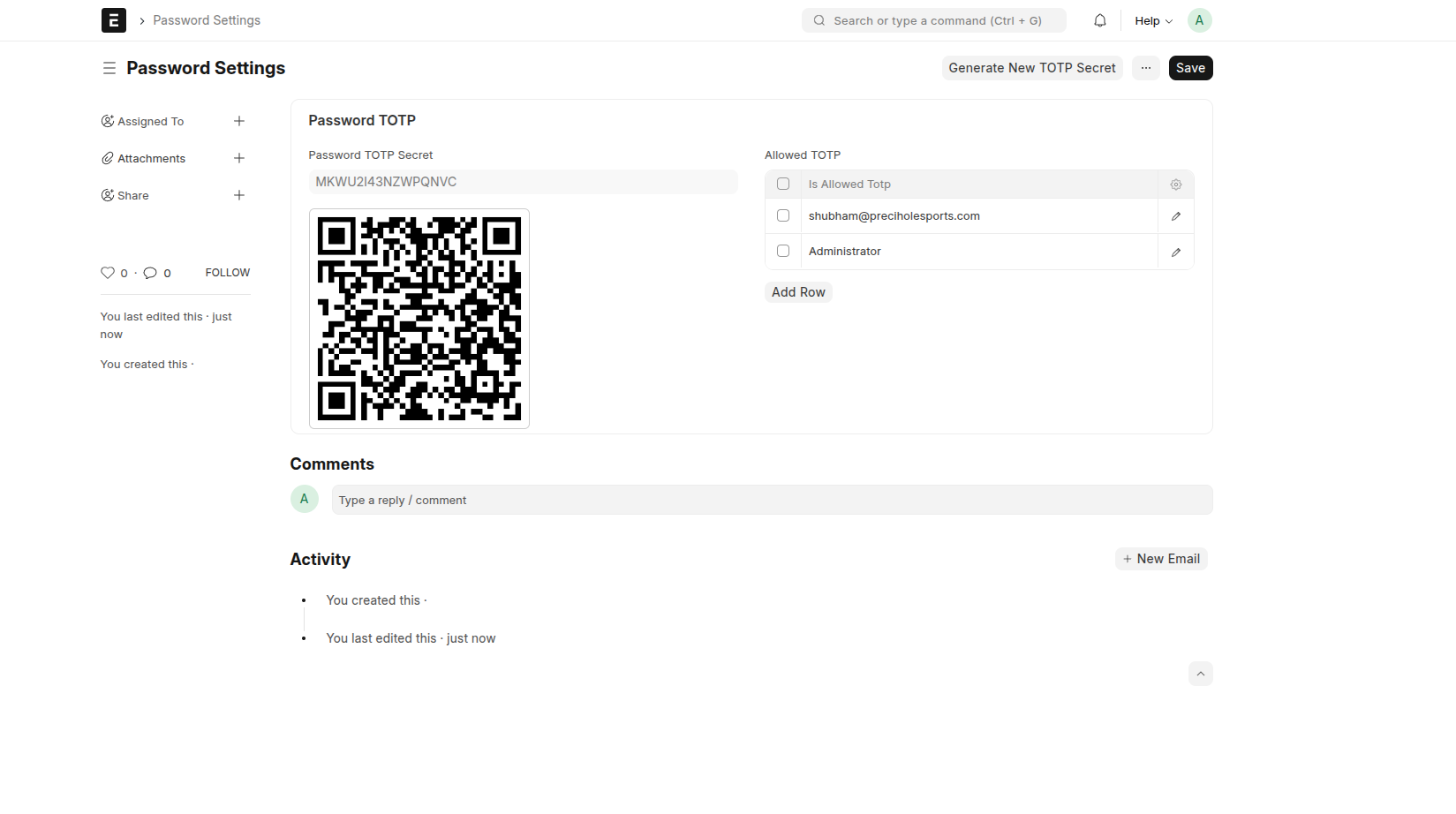
Step 6: Setup TOTP (Google Authenticator)
After generating the TOTP secret: - A QR code will appear
- Scan it using the Google Authenticator app or any TOTP app
📱 Download Google Authenticator:
- Android: Download the app from the Google Play Store
- iOS: Download the app from the Apple App Store
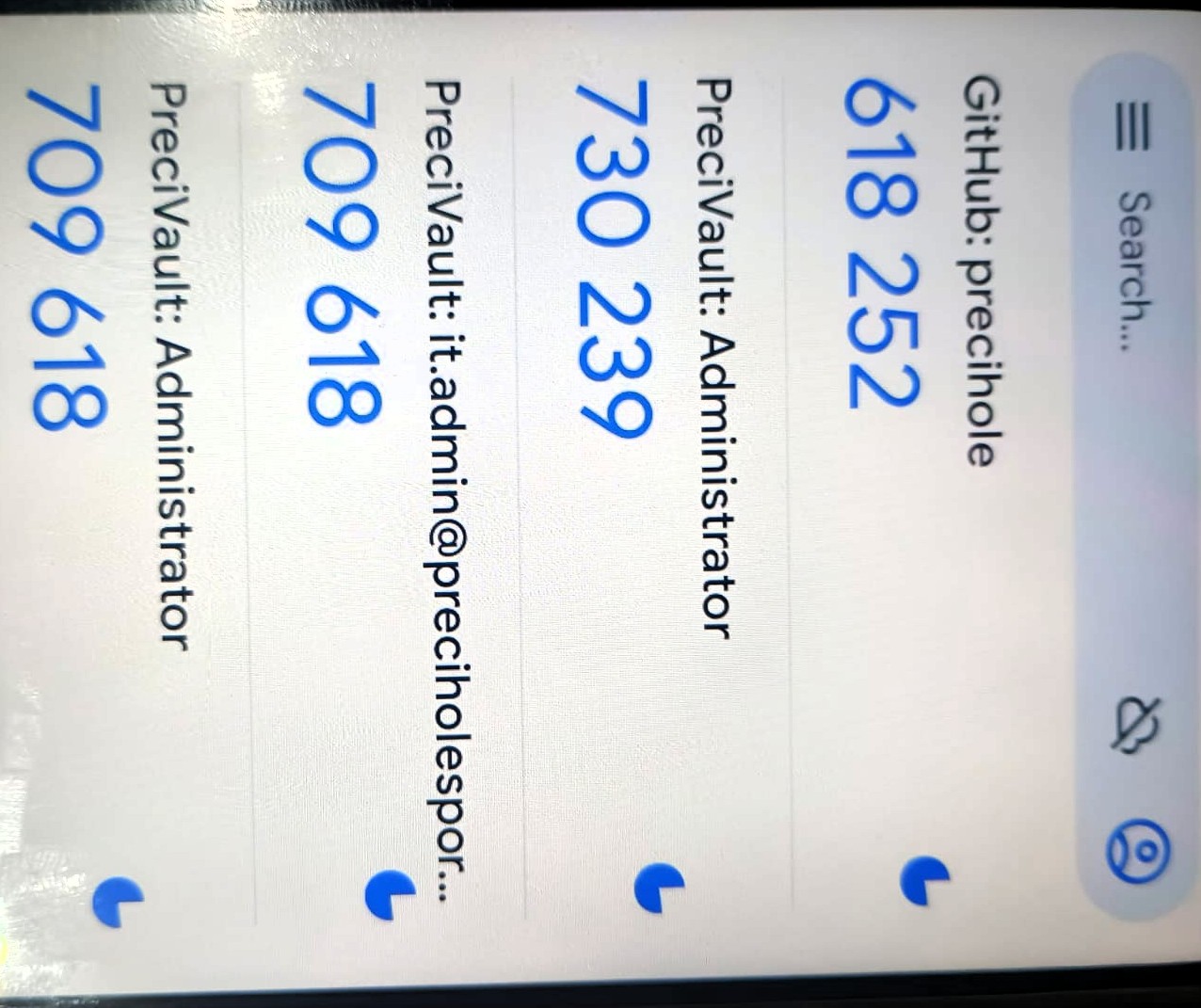
Step 6.1: View 6 Digit TOTP from google authenicator app and put totp in "Password Manager" doctype when you want to chagne password or view password.
Step 7: Allow TOTP Access to Users
In the Allowed TOTP field: - Add user email IDs
- Only those users can view the QR code
By default: - Only Administrator has access
- Only Administrator can add/remove users
User Reviews
No reviews yet, be the first to review.
0.0
0 rating
Explore more apps