Frappe
Cloud
Marketplace
Frappe
Products
Insights
Publisher
Supported versions
Categories
E-Commerce
About
Stop retyping the same values. Fill a form once, keep the parts you want, and reuse them whenever you create a similar document. It works on standard DocTypes, with no developer needed.
What you can do
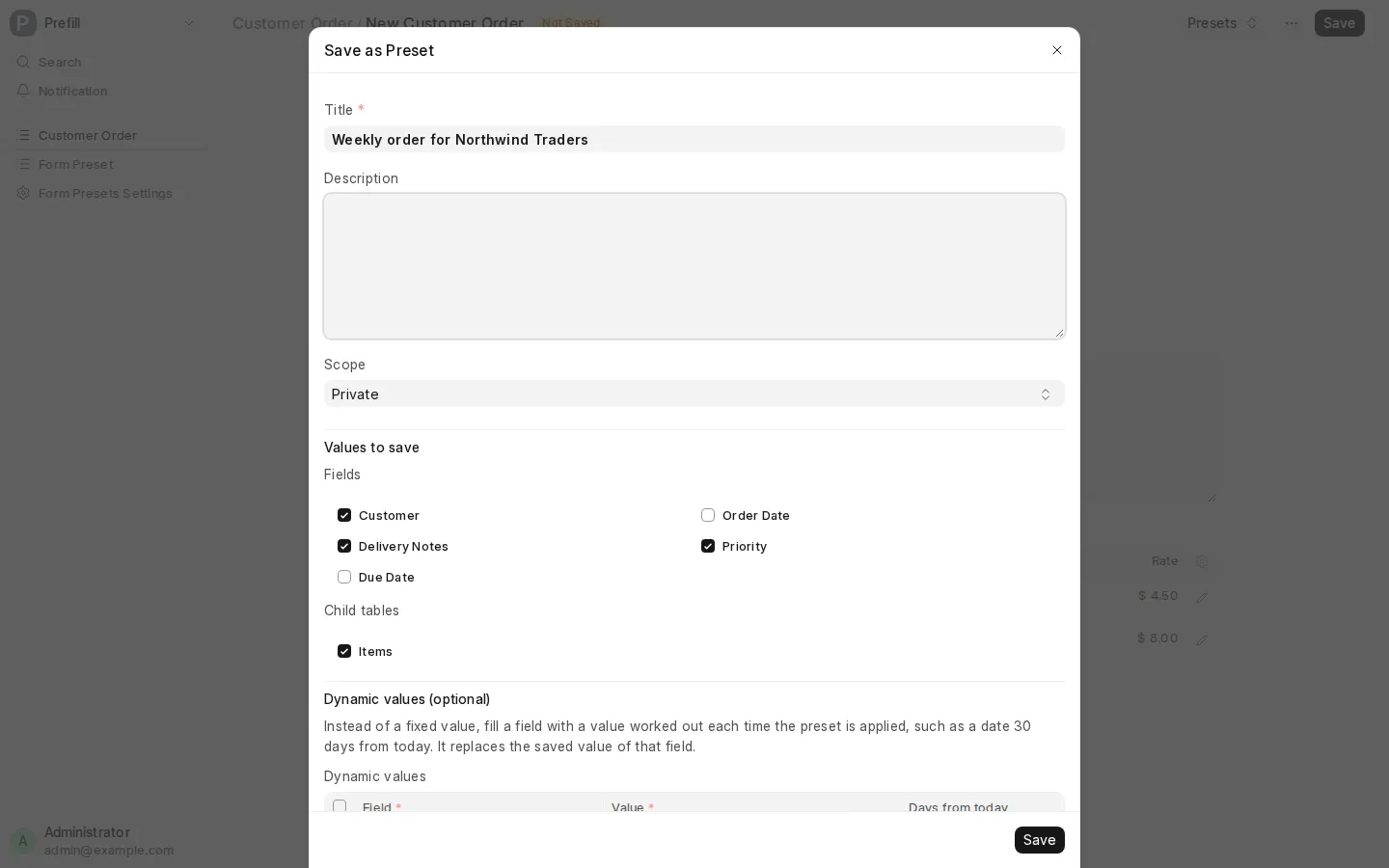
Save any form as a preset, choosing exactly which fields and child tables to keep
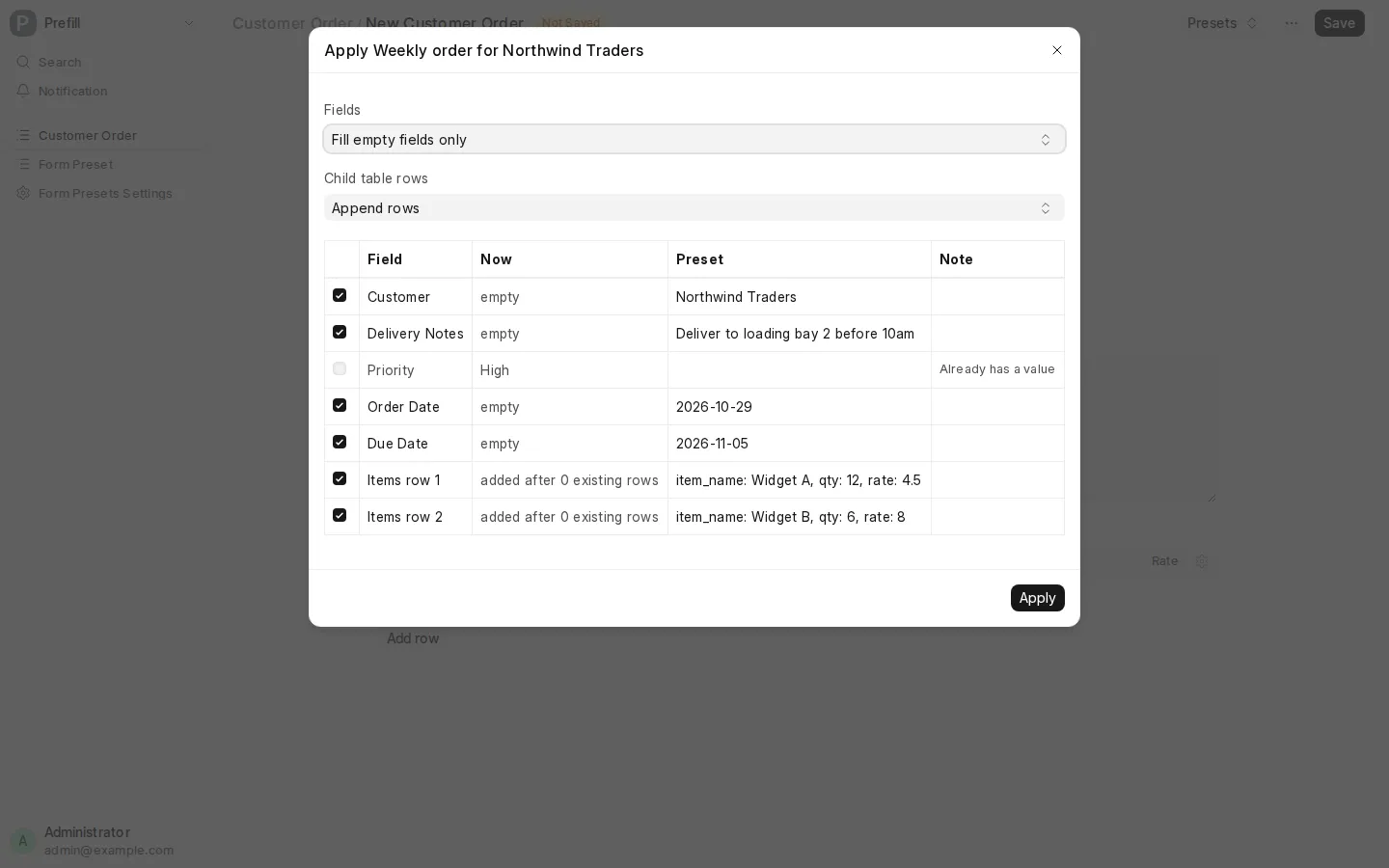
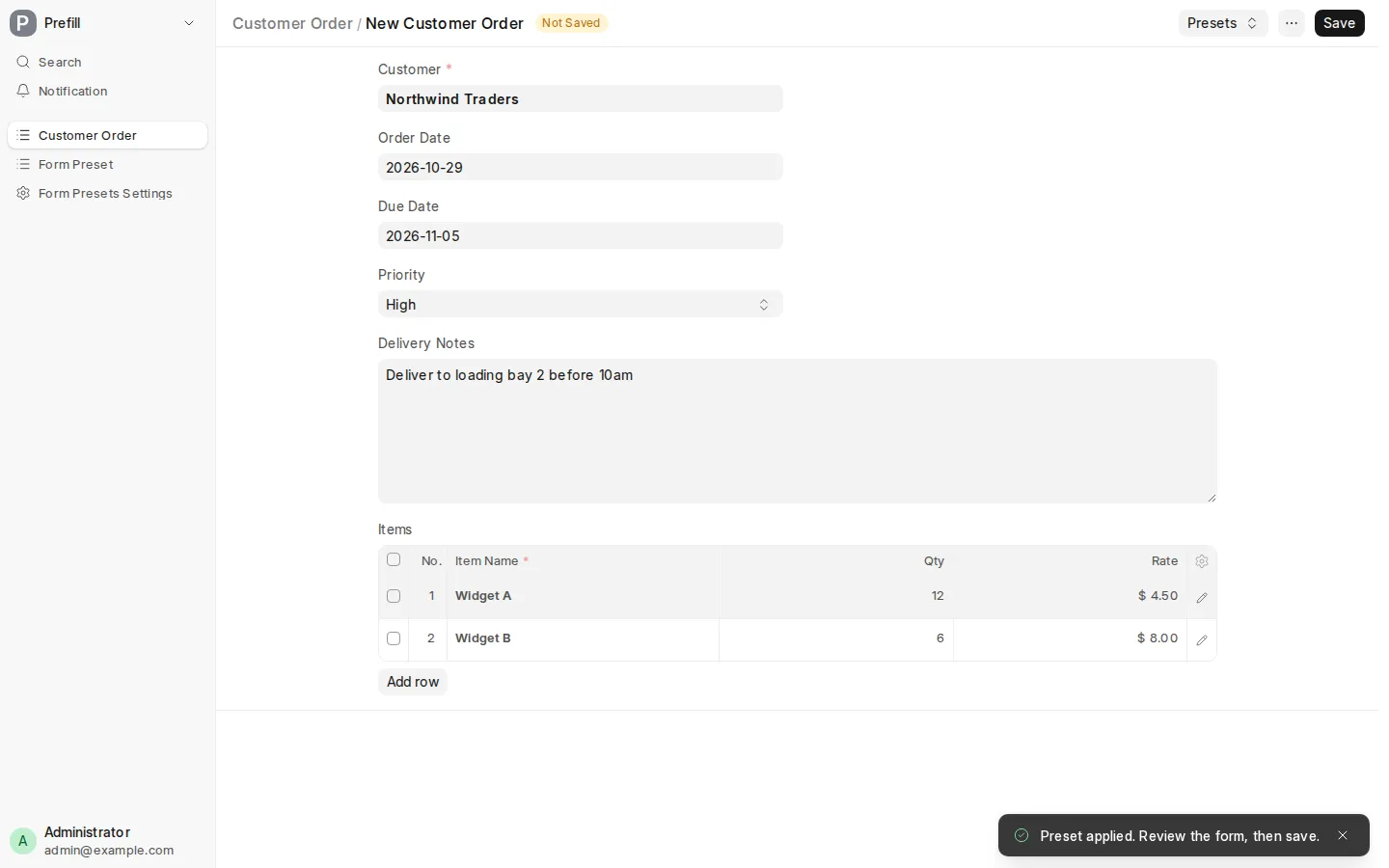
Apply a preset to a new or draft form from a Presets button
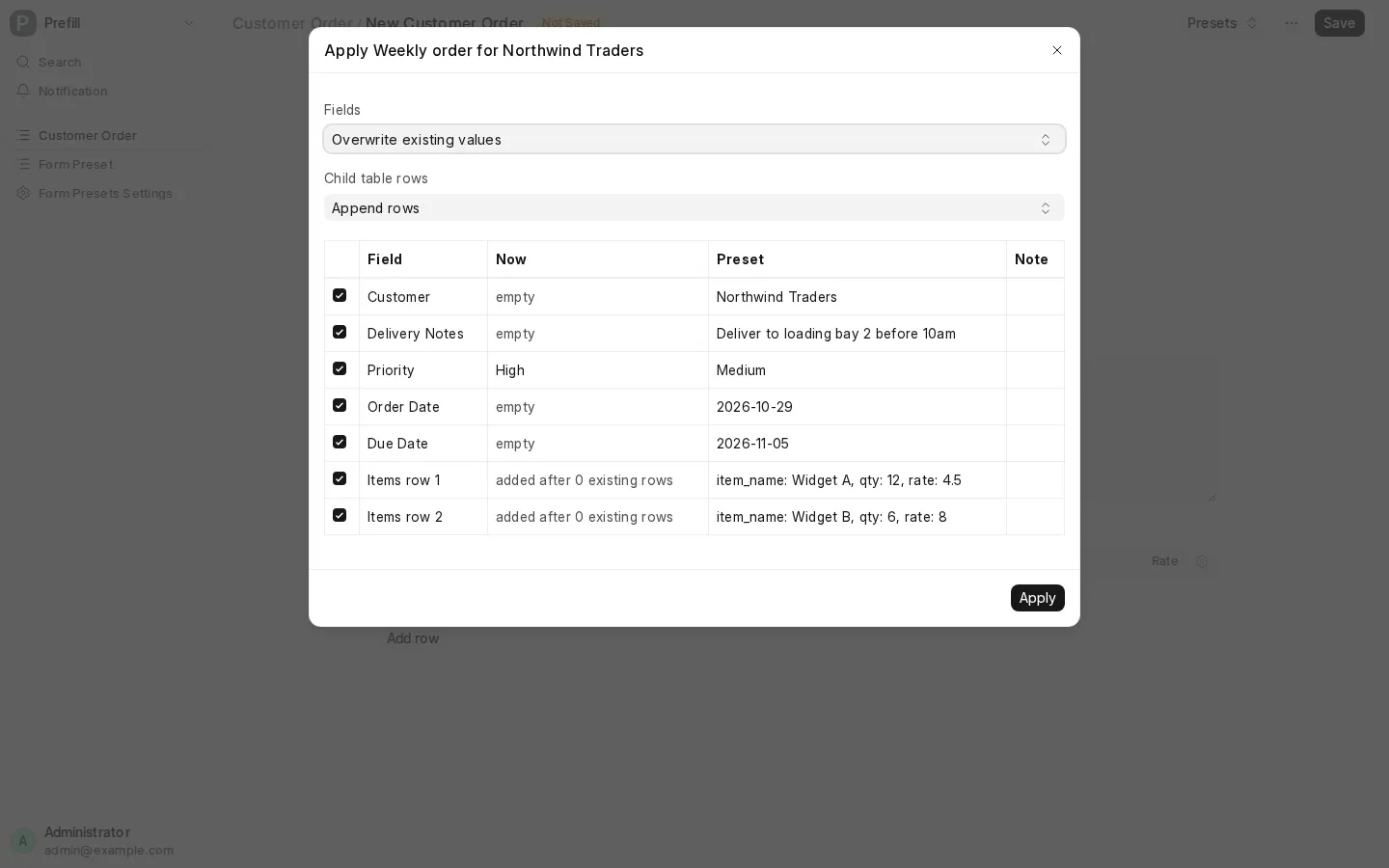
Preview before anything changes: every field is listed with its current and new value, every child row with the values it would add, a checkbox on each, and a reason next to anything that cannot be filled
Fill only the empty fields, or overwrite existing values
Add the preset's rows to a child table, or replace the rows already there
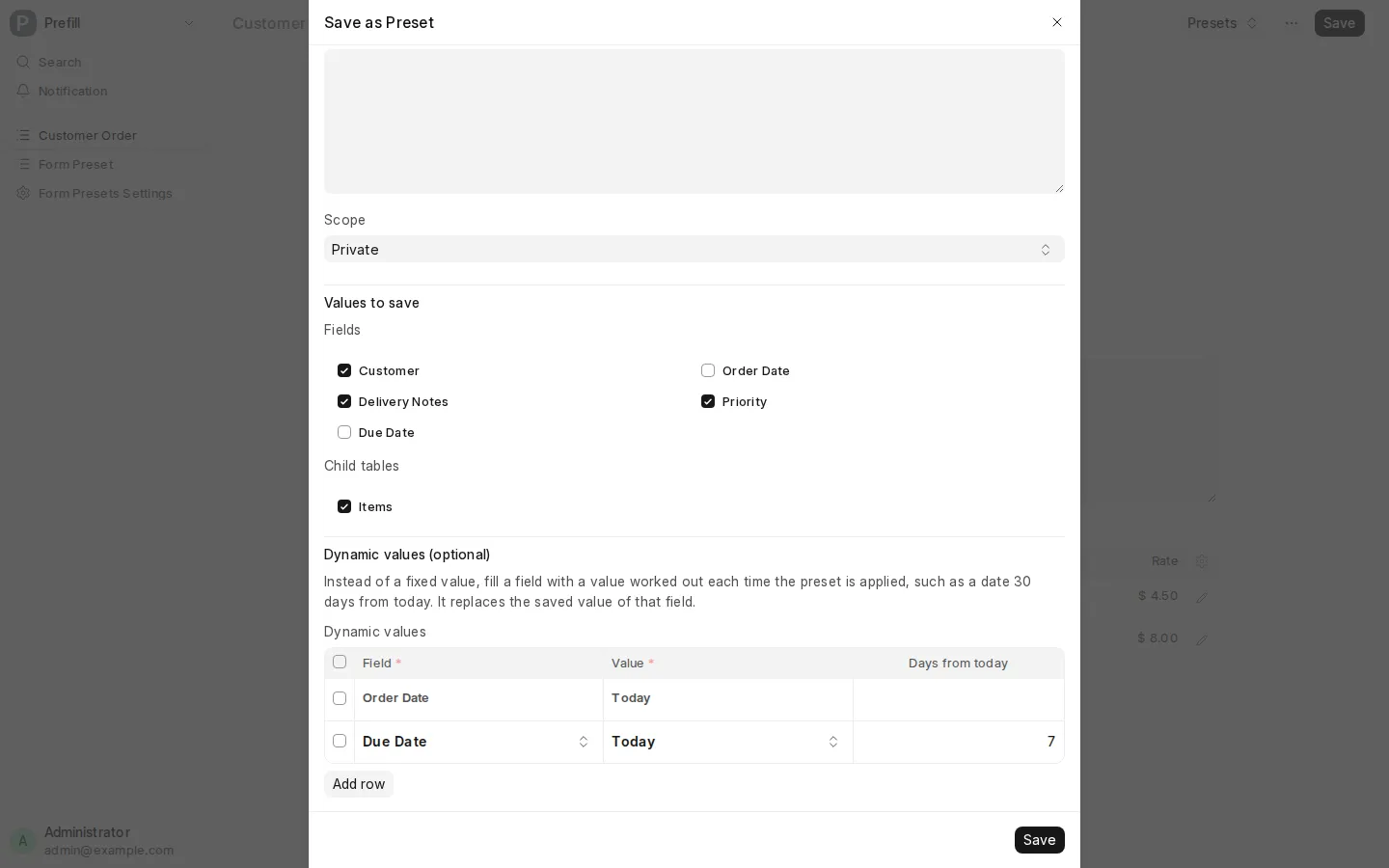
Make dates and users dynamic: today plus a number of days, the first or last day of the month, the current user or the default company, worked out each time the preset is applied
Keep a preset private, share it with chosen users or roles (with optional edit rights), or offer it to everyone
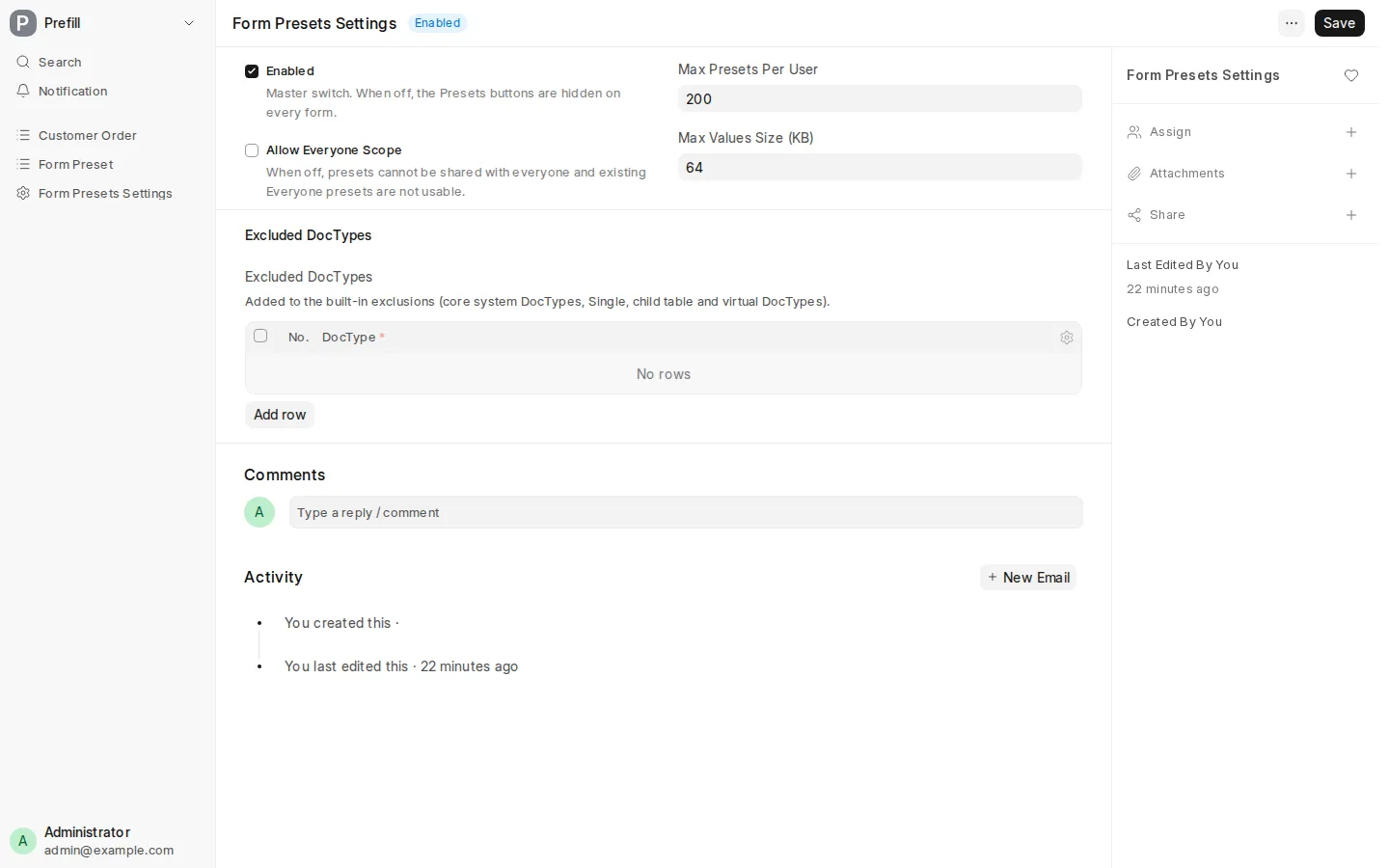
Manage limits and excluded DocTypes from one settings page
Safe by design
Applying a preset only fills the form on screen. You save the form as usual, so every normal validation and permission still applies
Presets never keep passwords, attachments, read-only fields, fetched fields or fields you are not allowed to read
Users need read access to a DocType to see or use its presets (System Managers can see all presets)
Submitted and cancelled documents cannot be filled
Values from a preset are skipped, with the reason shown, when a linked record or a select option no longer exists
Good to know
Works on the desk, on any standard DocType. System DocTypes, single DocTypes and child tables are left out
Everyone-wide sharing is off until an administrator turns it on
User Reviews
No reviews yet, be the first to review.
0.0
0 rating
More apps from


Explore more apps