Frappe
Cloud
Marketplace
Frappe
Products
Insights

TaxJar Integration
Manage US sales tax lifecycle from sales tax computation to return filing.
Installation Guide
17
installs
Publisher
Email
[email protected]Supported versions
Version 16, Nightly
Categories
Free
E-Commerce
About
TaxJar Integration for ERPNext - US sales tax
Features
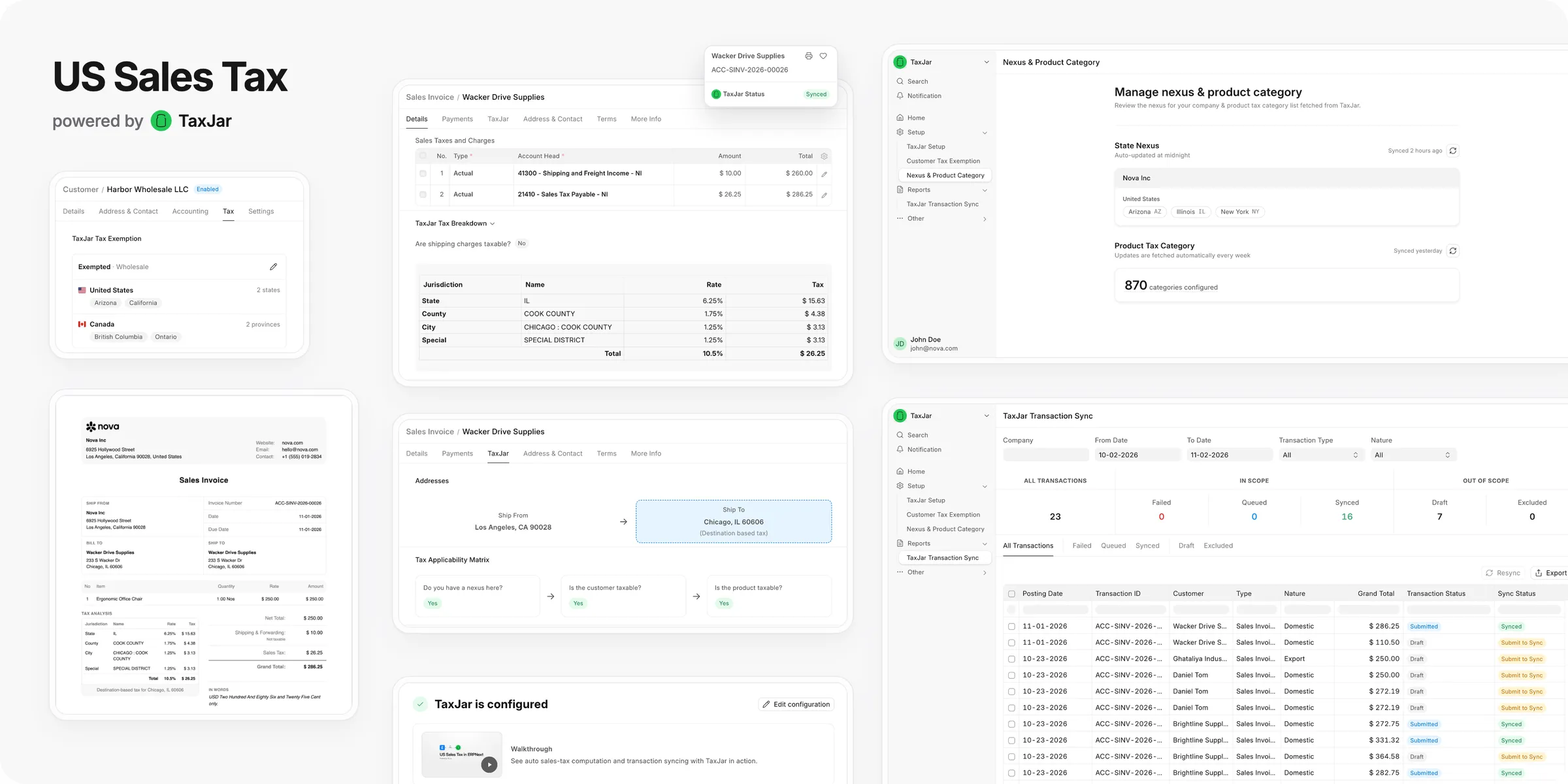
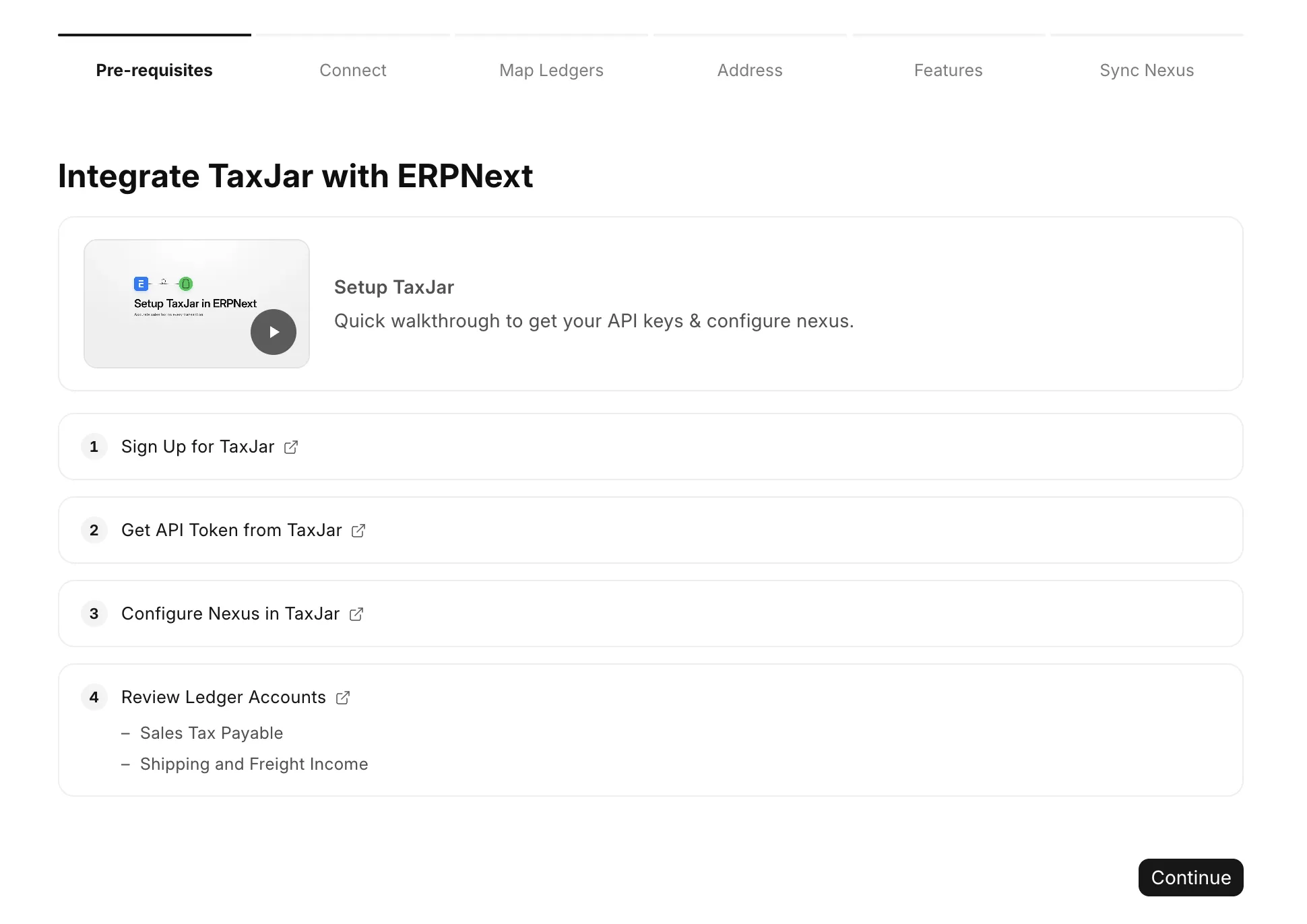
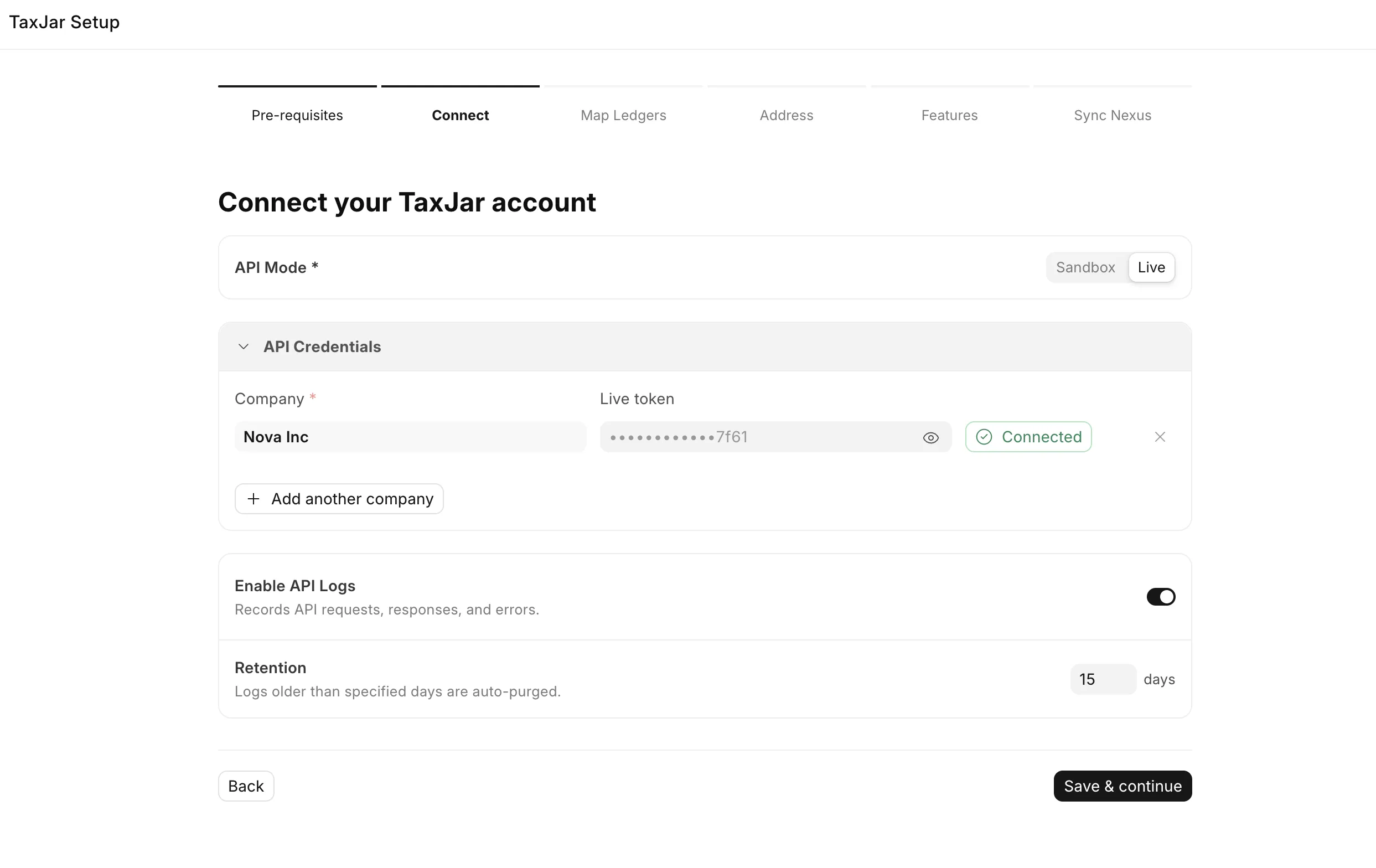
- Guided setup. Six steps connect each company to TaxJar. You do not edit a settings form.
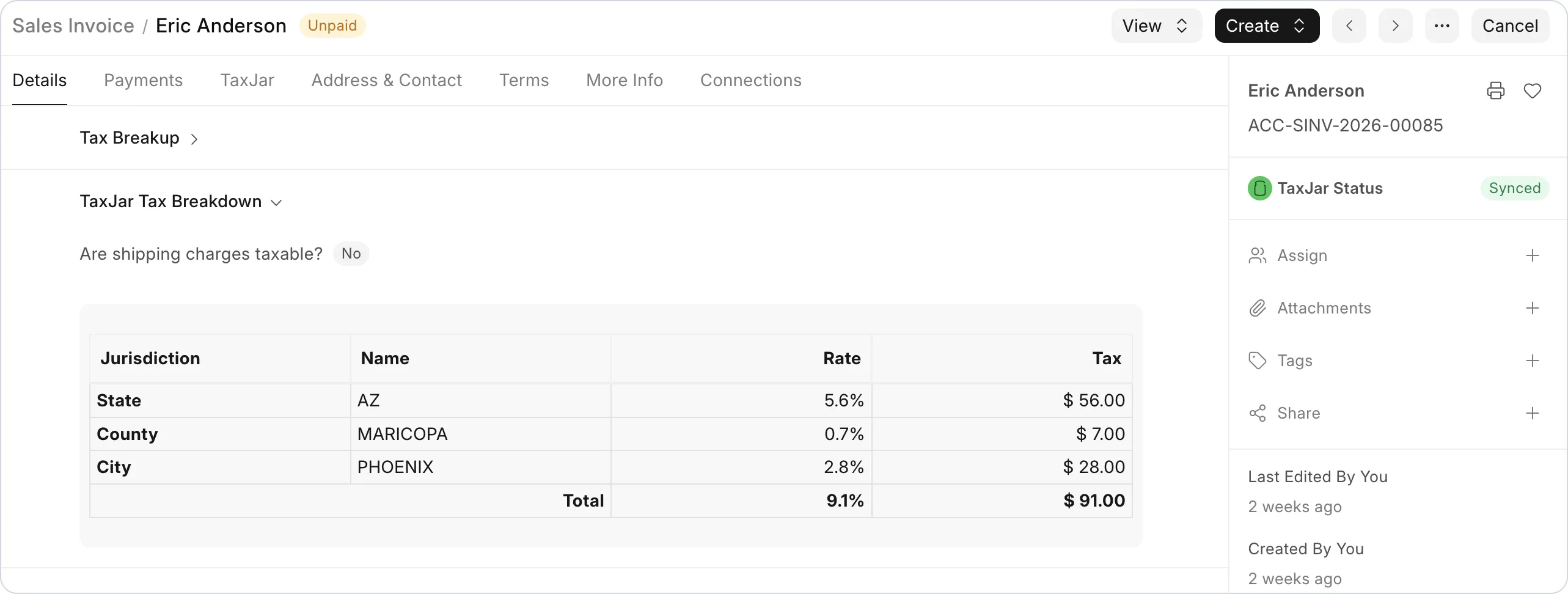
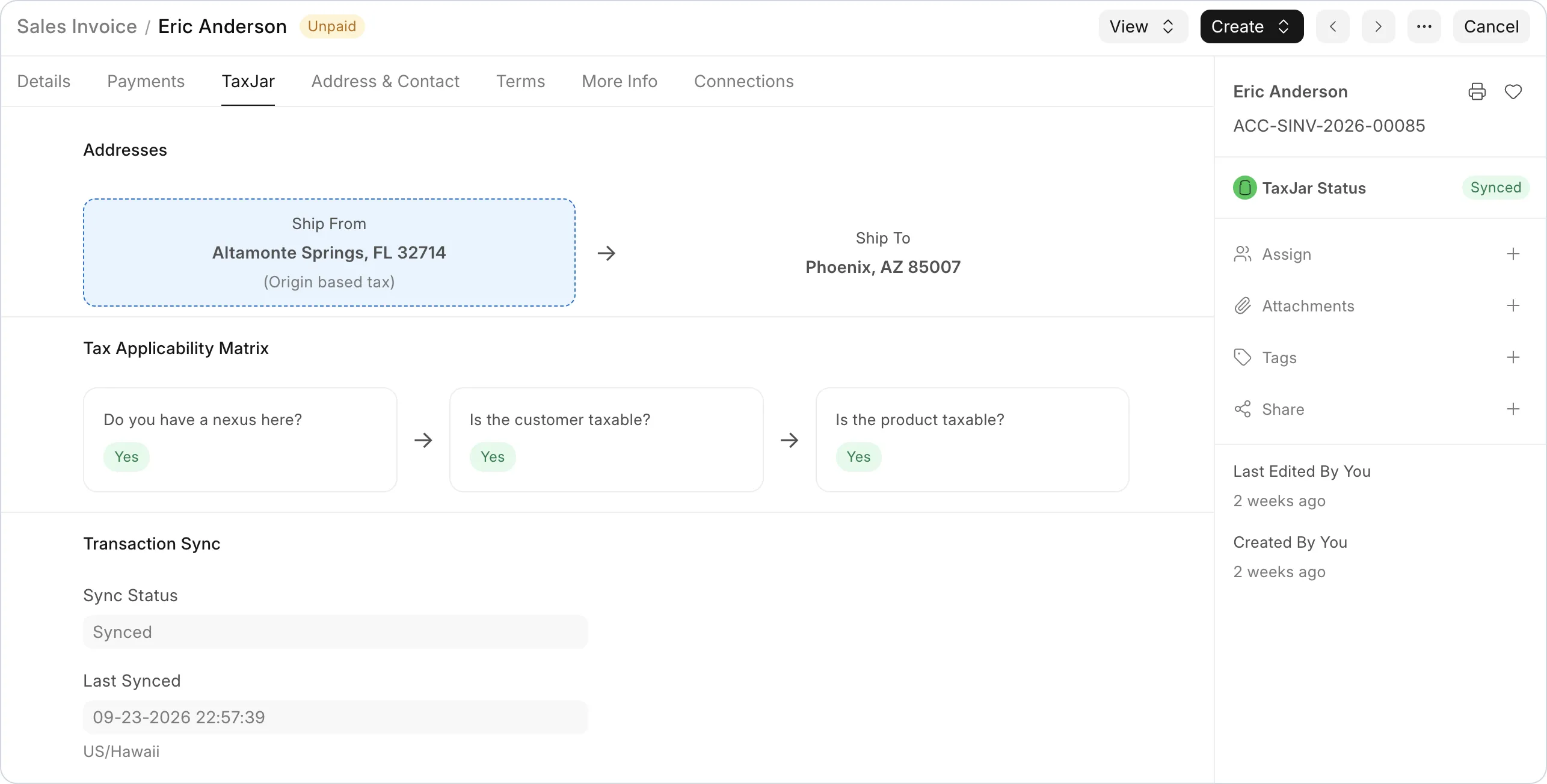
- Sales tax on each save. The app calculates the tax on Quotation, Sales Order and Sales Invoice when you save a draft.
- Transaction sync. The app sends submitted invoices and credit notes to TaxJar. It deletes them in TaxJar when you cancel them.
- More than one company. Each company has its own API token, ledgers, address and features.
- Nexus from TaxJar. The app reads your nexus states from TaxJar and updates them each day.
- Product tax categories. You set a TaxJar category on each item, for example clothing or food.
- Customer exemptions. You set exemptions on one customer or on many customers. The app sends them to TaxJar.
- Period close. The TaxJar Transaction Sync page shows the sync status of each invoice and credit note.
- API log. Each request to TaxJar and its response go into the TaxJar API Log.
Requirements
- Frappe Framework 16.50.0 or later and ERPNext 16.52.0 or later, on the
version-16branch. - Python 3.14 or later.
- A TaxJar account and an API token for each company. Sign up at app.taxjar.com.
- A company with the country "United States". TaxJar calculates US sales tax only.
Installation
Run these commands in your bench folder:
bench get-app --branch version-16 https://github.com/frappe/taxjar_integrationbench --site <site-name> install-app taxjar_integrationbench --site <site-name> migrate
Get started
- Open the TaxJar app from the ERPNext apps screen.
- Click Go to guided setup experience → in the blue banner.
- Complete the six steps: Pre-requisites, Connect, Map Ledgers, Address, Features and Sync Nexus.
- Set a product tax category on each item.
- Make a sales invoice and save it. The app adds a Sales Tax row with the amount from TaxJar.
User guide
With this app, you can:
- prepare the TaxJar account, the API token and the ledgers,
- complete the guided setup,
- set nexus states, product tax categories and customer exemptions,
- submit, return and cancel invoices,
- close a period before TaxJar AutoFile files the return,
- find and fix problems with the TaxJar API Log,
- give users the correct roles.
Development
Server tests
The server tests need a site with ERPNext and this app installed.
bench --site <site-name> set-config allow_tests truebench --site <site-name> run-tests --app taxjar_integration
Client tests
The client tests check the desk scripts. They use Vitest and need Node.js 24 or later. They do not need a site.
npm cinpm test
Static checks
The CI runs the Frappe Semgrep rules and the app convention checks:
python scripts/audit_conventions.py
Dependencies
pyproject.tomlholds the Python dependencies. The app has nosetup.py.requirements.txtis a stub for older tools. Do not add dependencies to it.
Contributing
- Fork the repository.
- Make a branch from
develop. - Add or update the tests for your change.
- Run the server tests and the client tests.
- Open a pull request against
develop. Give the steps to reproduce the problem and the expected result.
License
MIT. Refer to license.txt.
User Reviews
No reviews yet, be the first to review.
0.0
0 rating
More apps from
Frappe Tech

Learning
Easy to use, open source learning management system

CRM
Modern and 100% open source CRM solution to supercharge your sales operations
.png)
Helpdesk
Well designed, open source ticketing system

Raven
Enterprise-first messaging platform that integrates with ERPNext

Webshop
Open source e-commerce platform

India Payroll
Please add a short description about your app here...
Explore more apps