Frappe
Cloud
Marketplace
Frappe
Products
Insights

Warehouse Item Group Rules
Restrict which Item Groups can be used in specific Warehouses in ERPNext.
Installation Guide
18
installs
Publisher
Email
[email protected]Supported versions
Version 16, Version 15, Version 14
Categories
Freemium
Extension
E-Commerce
About
Warehouse Item Group Rules is an ERPNext app that enforces inventory policies by restricting which Item Groups are allowed in specific Warehouses.
The app adds server-side validation to prevent incorrect stock placement while remaining fully upgrade-safe and backward compatible.
✨ Key Features
- Restrict Item Groups per Warehouse using configurable rules
- Enforced on all stock-impacting transactions
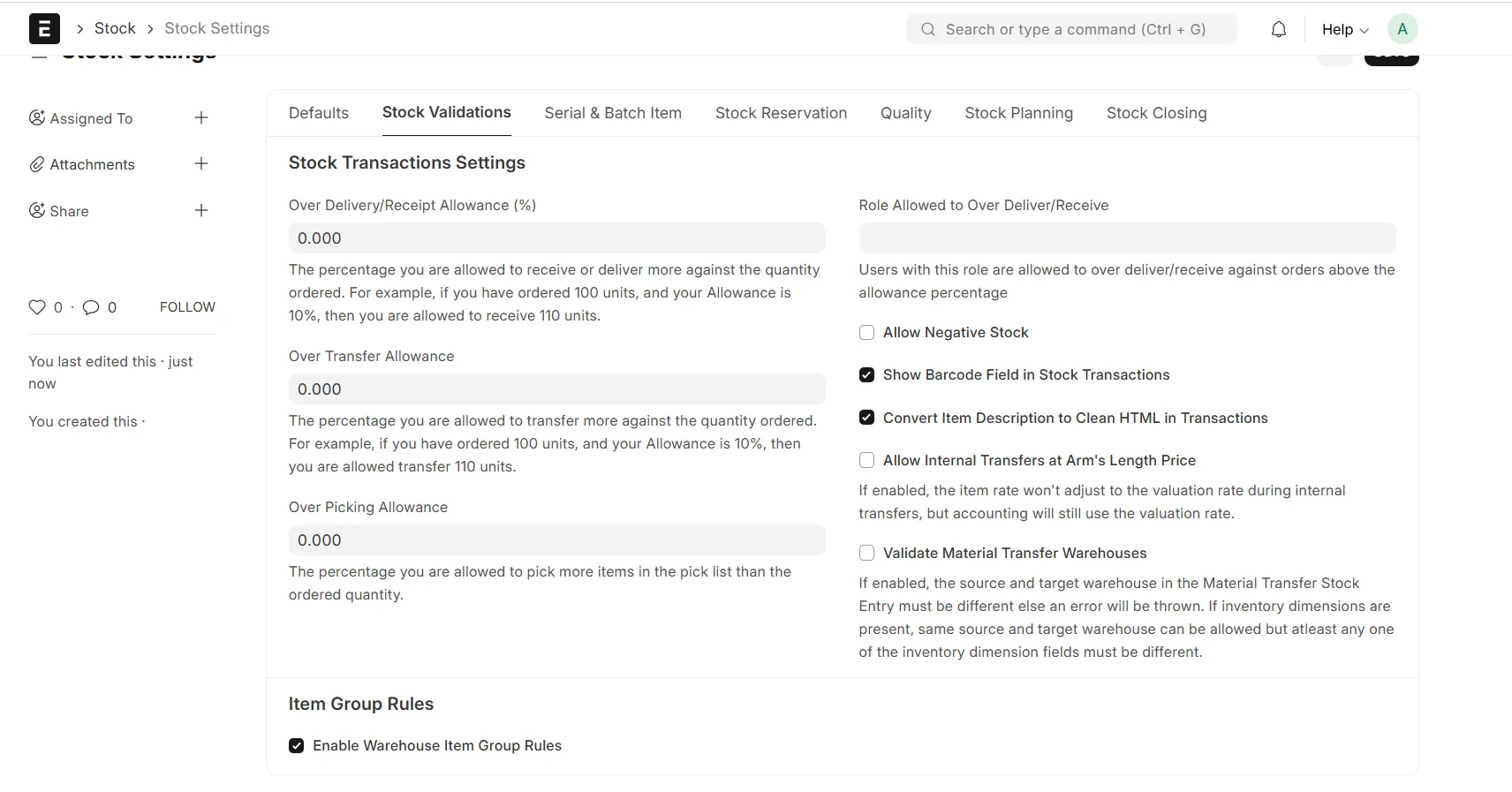
- Global enable / disable toggle from Stock Settings
- Multi-company aware
- Server-side enforcement (cannot be bypassed)
- No core overrides
- Marketplace-ready and upgrade-safe
📦 Supported Transactions
The rules are enforced on the following documents:
- Stock Entry
- Purchase Receipt
- Delivery Note
- Sales Invoice (when Update Stock is enabled)
- Purchase Invoice (when Update Stock is enabled)
- Stock Reconciliation
If a Warehouse does not have an active rule, normal ERPNext behavior applies.
⚙️ Configuration
1️⃣ Enable the Feature
Go to:
Stock Settings → Item Group Rules
Enable: - Enable Warehouse Item Group Rules
Disabling this option will temporarily bypass all rules without deleting any configuration.
2️⃣ Define Warehouse Rules
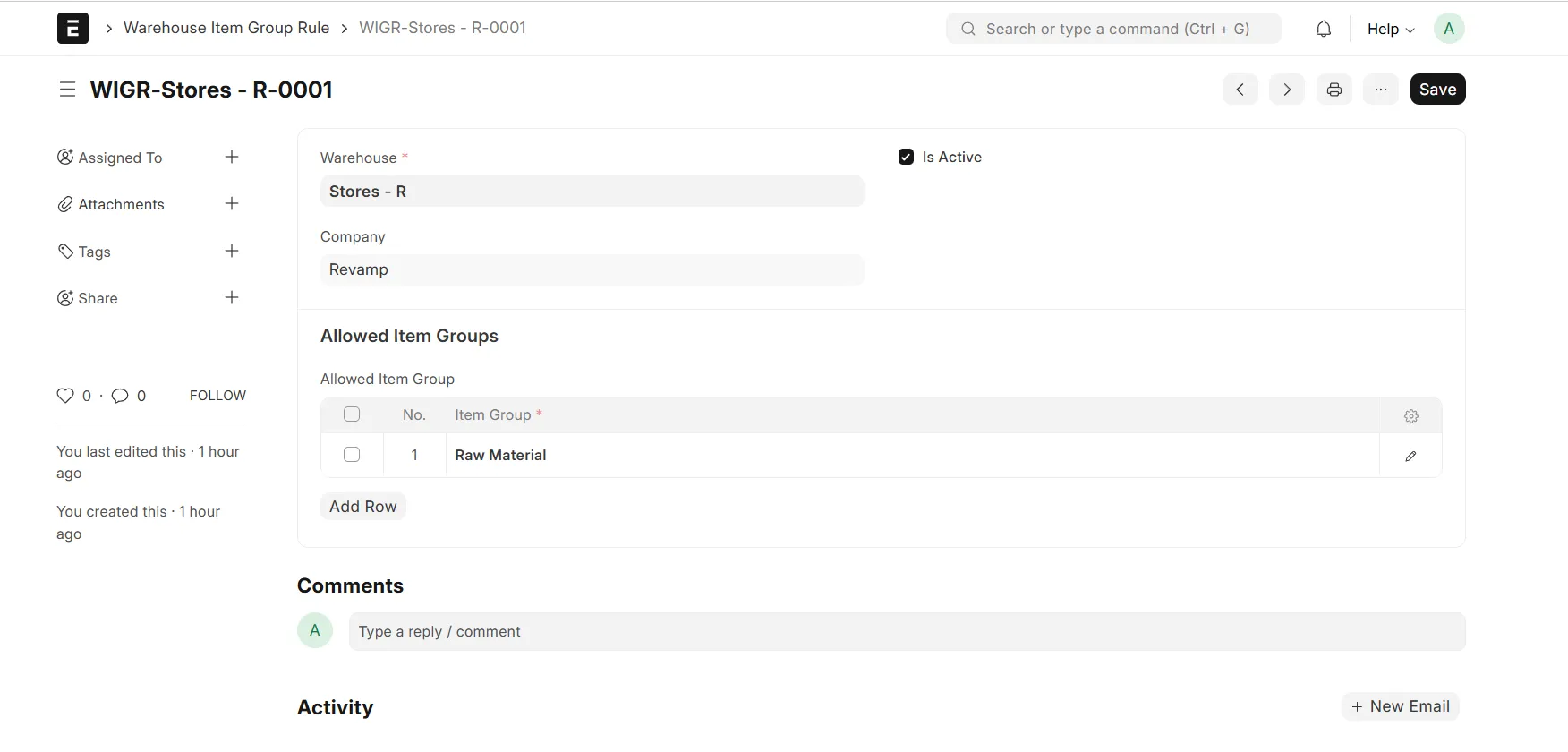
Create a new Warehouse Item Group Rule record:
- Select Warehouse
- Select Company
- Enable the rule
- Add the allowed Item Groups
Only Item Groups listed in the rule will be allowed in the selected Warehouse.
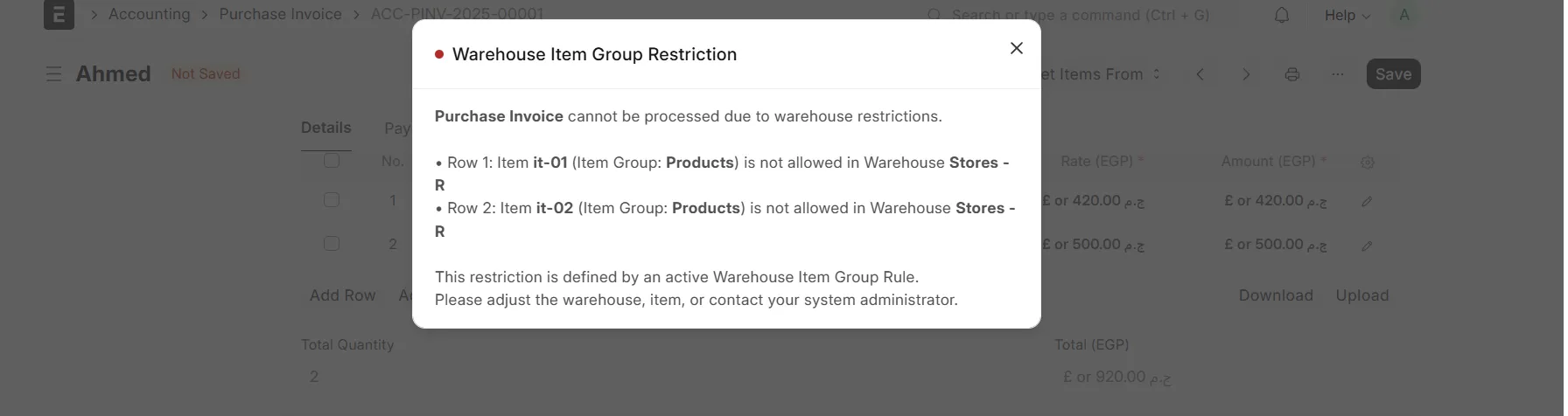
🚫 Validation Behavior
- Validation runs on beforesave and beforesubmit
- All violations are collected and shown at once
- Clear error messages indicate:
- Row number
- Item
- Item Group
- Warehouse
This allows users to fix all issues in one step.
🧠 Design Principles
- No Stock Ledger manipulation
- No core ERPNext modifications
- Uses standard Frappe hooks and Custom Fields
- Clean install and uninstall
- Safe for upgrades and migrations
🏢 Common Use Cases
- Restrict raw materials to raw material warehouses
- Restrict finished goods to FG warehouses
- Control hazardous or regulated items
- Enforce branch or operational warehouse policies
📄 License
MIT License
User Reviews
No reviews yet, be the first to review.
0.0
0 rating
More apps from
Ahmed Yousef
.webp)

Explore more apps