Frappe
Cloud
Marketplace
Frappe
Products
Insights

Installation Guide
installs
Publisher
Supported versions
Categories
E-Commerce
About
Doc Intelligence
Free, open-source, self-hosted AI-powered document analysis and ERPNext automation for Frappe / ERPNext. No plans, no limits — every feature is always on for every user.
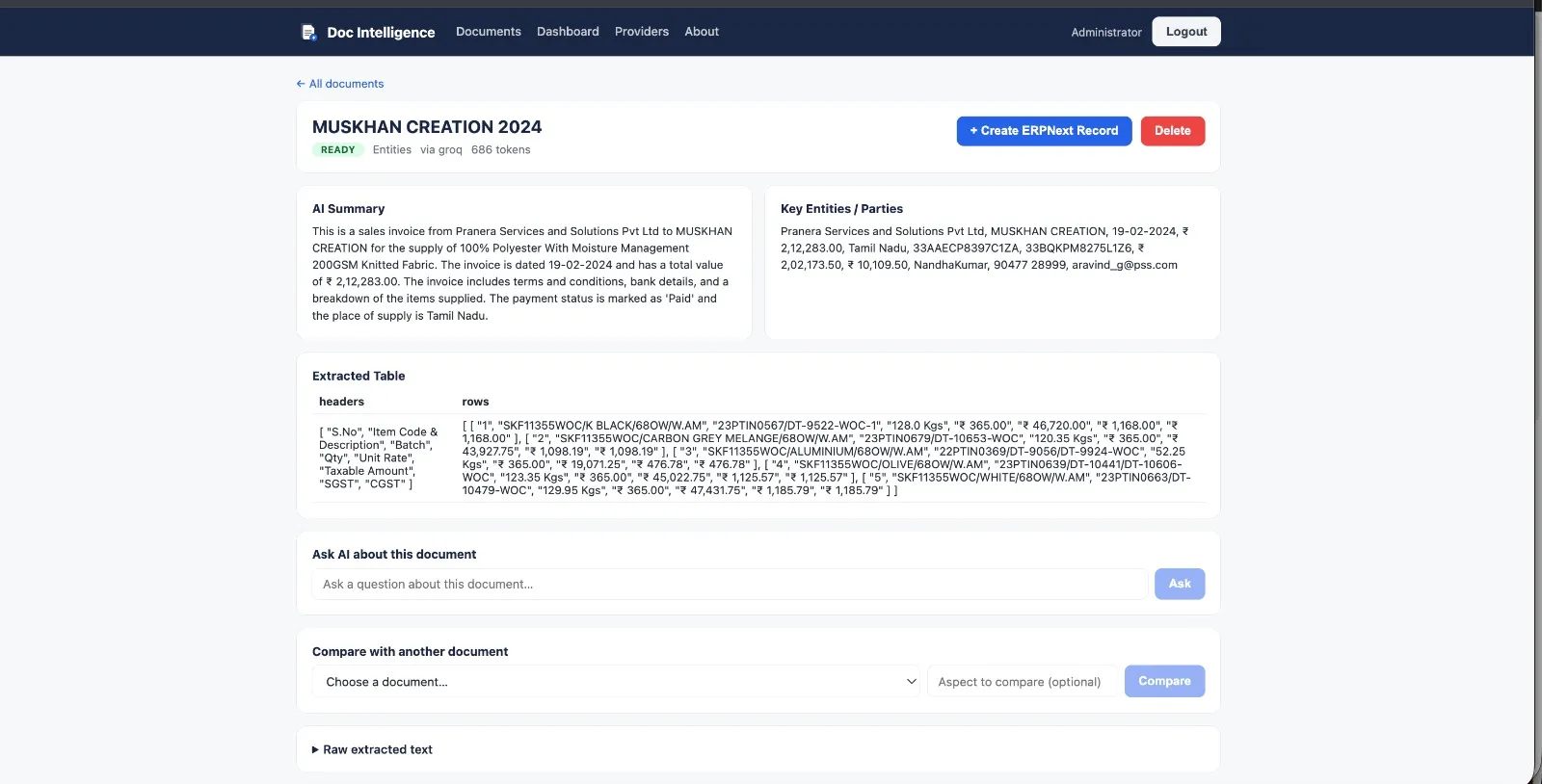
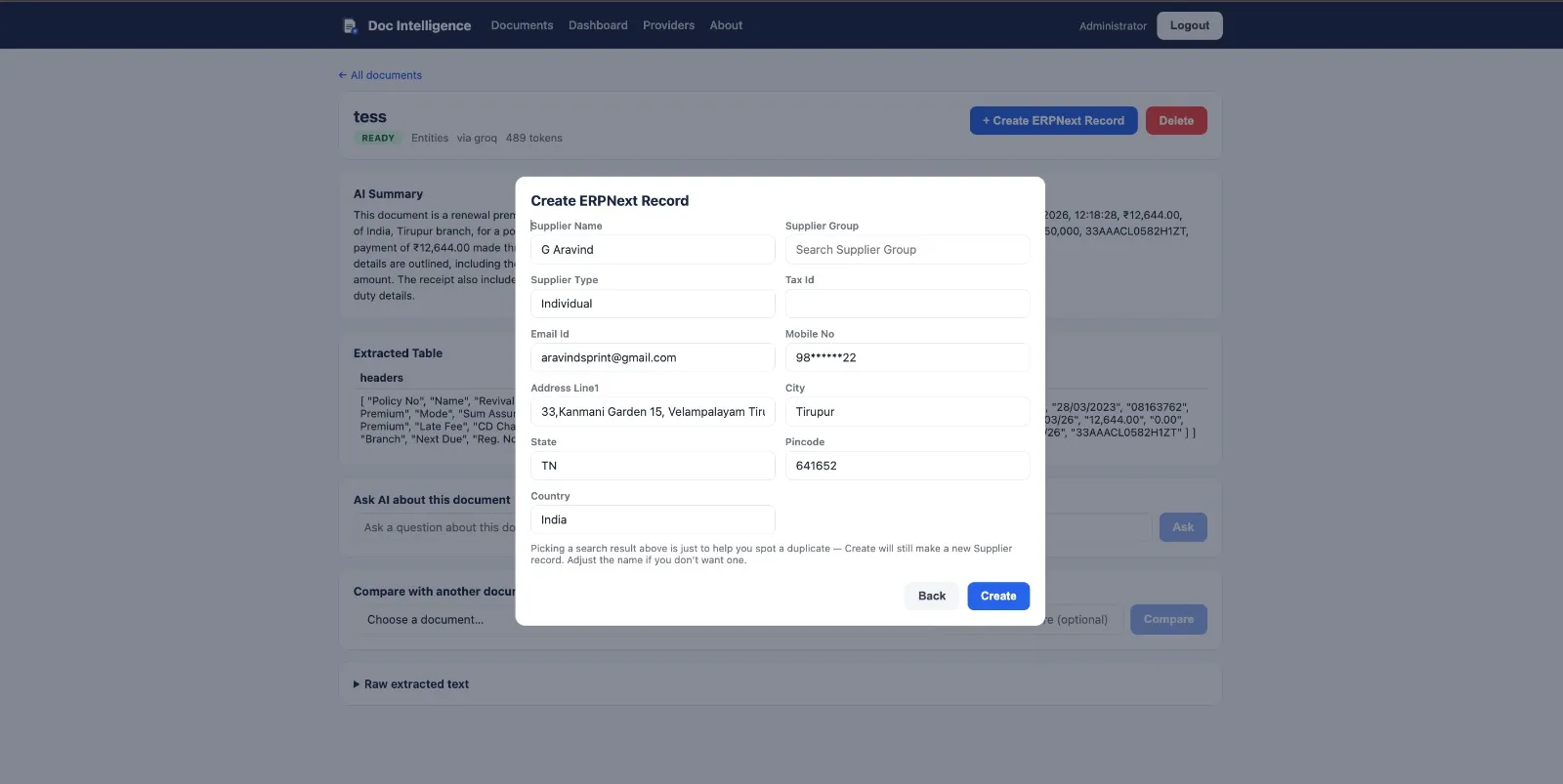
Upload a PDF, DOCX, or photo and instantly get an AI-generated summary, key entity extraction, table parsing, and unlimited Q&A. Then go further — create draft ERPNext records (Item, Supplier, Customer, Employee, Address, Quotation, Sales Order, Purchase Order, Material Request) directly from the document, or turn a supplier invoice into a draft Purchase Invoice complete with independent financial validation, fuzzy supplier matching, and duplicate-invoice detection.
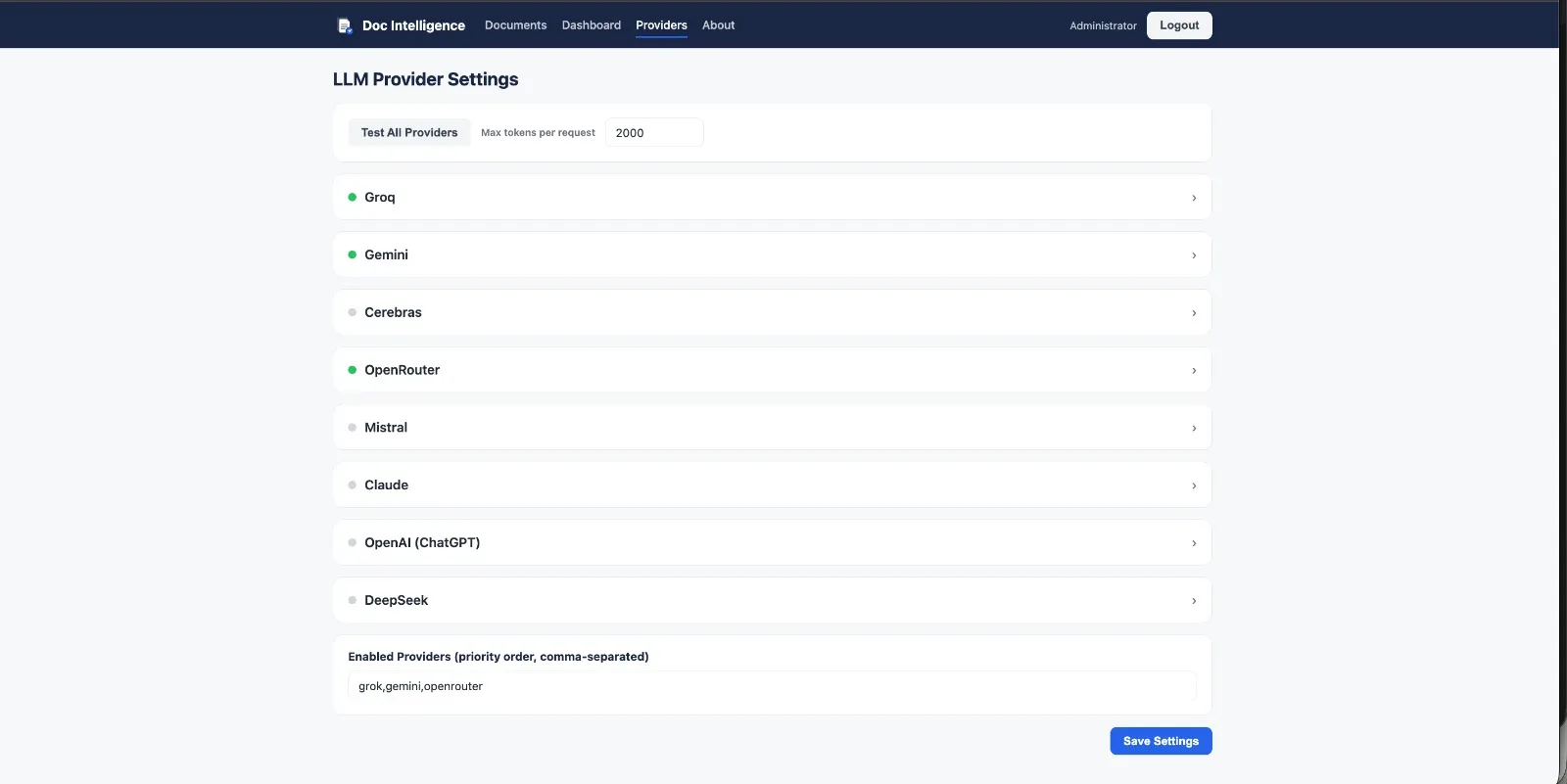
Everything is self-hosted: your documents and your API keys stay on your own Frappe site. Bring your own keys for whichever LLM providers you want — Groq, Gemini, Cerebras, OpenRouter, Mistral, DeepSeek, OpenAI, or Claude — with automatic fallback between them.
Features
Document intelligence - Analyses PDF, DOCX, and image files (JPG/PNG/WEBP/GIF via AI-based OCR) - Automatic summary, key entities/parties, dates, amounts, and clauses - Extracts and renders tabular data (e.g. invoice line items) found in documents - Answers free-text questions about any uploaded document - Compares two documents side-by-side - In-browser camera capture — single photo or multi-page (auto-combined into one PDF), from both the portal and the Desk form
ERPNext automation - Create draft Item / Supplier / Customer / Employee / Address records from a document, with fuzzy duplicate matching (exact-then-fuzzy string similarity, refuses to auto-pick when multiple records are ambiguously close) - Create draft Quotation / Sales Order / Purchase Order / Material Request from a document, with the same party-matching plus independent recalculation of line-item totals against the AI-reported total - Create a draft Purchase Invoice from a supplier invoice, with: - Independent financial validation — recalculates subtotal/tax/grand total from extracted line items and flags a mismatch beyond a 2% tolerance - Fuzzy supplier matching with ambiguity detection - Duplicate invoice detection (same bill number + supplier), with a hard server-side block unless explicitly confirmed
Platform - Multi-provider LLM routing with automatic fallback, so a rate-limited provider doesn't block processing - Provider health dashboard (24h success rate per provider) - Full REST API for integration with external systems - PWA — installable, with offline document-list caching
Architecture
Classic Frappe custom app + decoupled Vue 3 SPA:
Backend (
doc_intelligence/doc_intelligence/) — DocTypes, whitelisted REST API (api/__init__.py), the multi-provider LLM engine (llm_engine.py), the financial-validation/fuzzy-matching module (validation.py).Frontend (
frontend/) — Vue 3 + Vite + Pinia + Vue Router + Dexie (PWA offline cache), built todoc_intelligence/public/doc_intelligence_app/and served at/doc-intelligence.Legacy Desk Pages (
di-dashboard,di-provider-settings) work alongside the SPA if you prefer working from inside Desk.
See DEPLOY.md for build/deploy steps.
First-Time Setup
Go to
/doc-intelligence/provider-settings(System Manager only)Expand a provider and paste in an API key — Groq, Gemini, Cerebras, Mistral, and DeepSeek all have usable free tiers
Click Save Settings → Test All Providers
Add that provider's id to Enabled Providers, e.g.
groq,gemini,cerebrasGo to
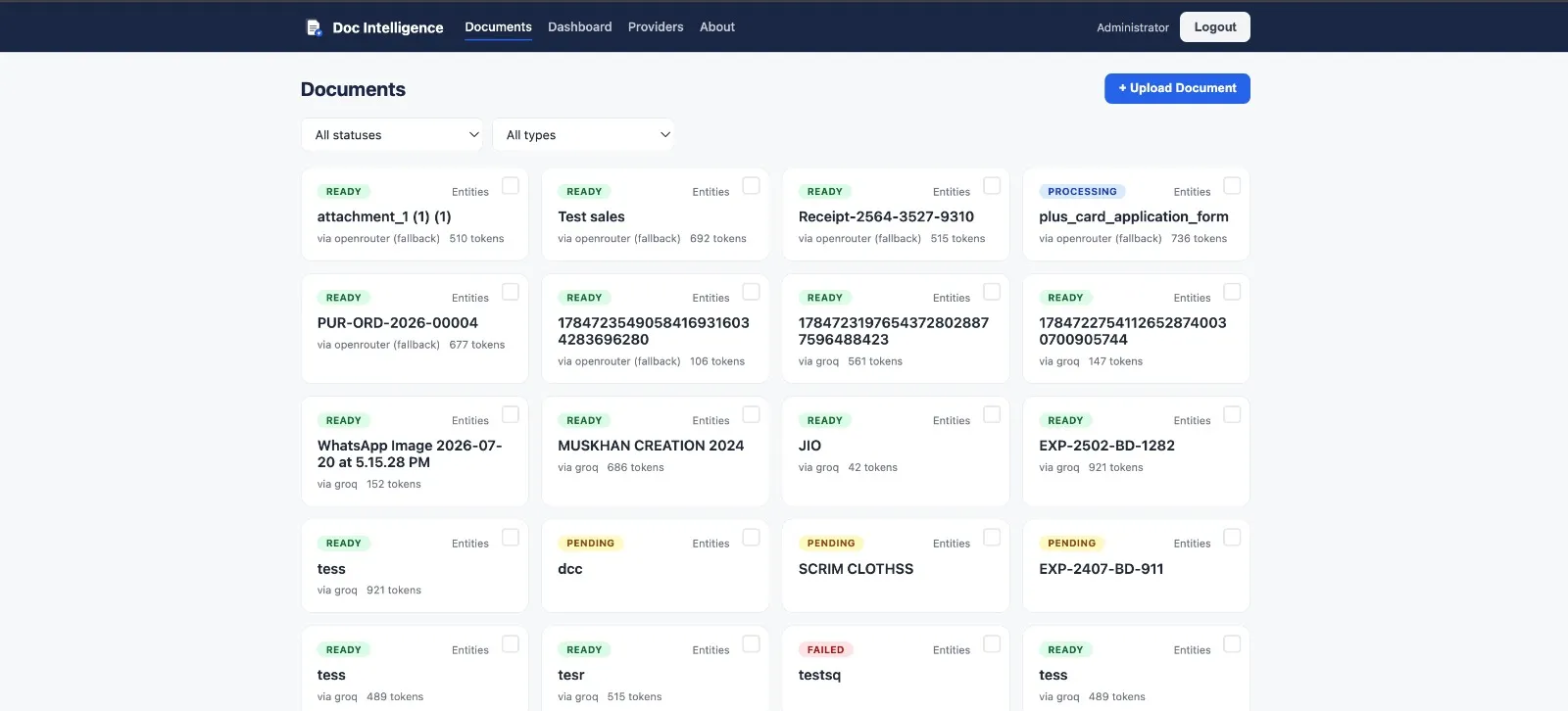
/doc-intelligence/home→ Upload DocumentWait for status = Ready, then try Ask a Question, Compare, and Create ERPNext Record
License
MIT — see LICENSE.
User Reviews
No reviews yet, be the first to review.
0.0
0 rating
More apps from

Explore more apps