Frappe
Cloud
Marketplace
Frappe
Products
Insights

Installation Guide
installs
Publisher
Supported versions
Categories
E-Commerce
About
Getting Started
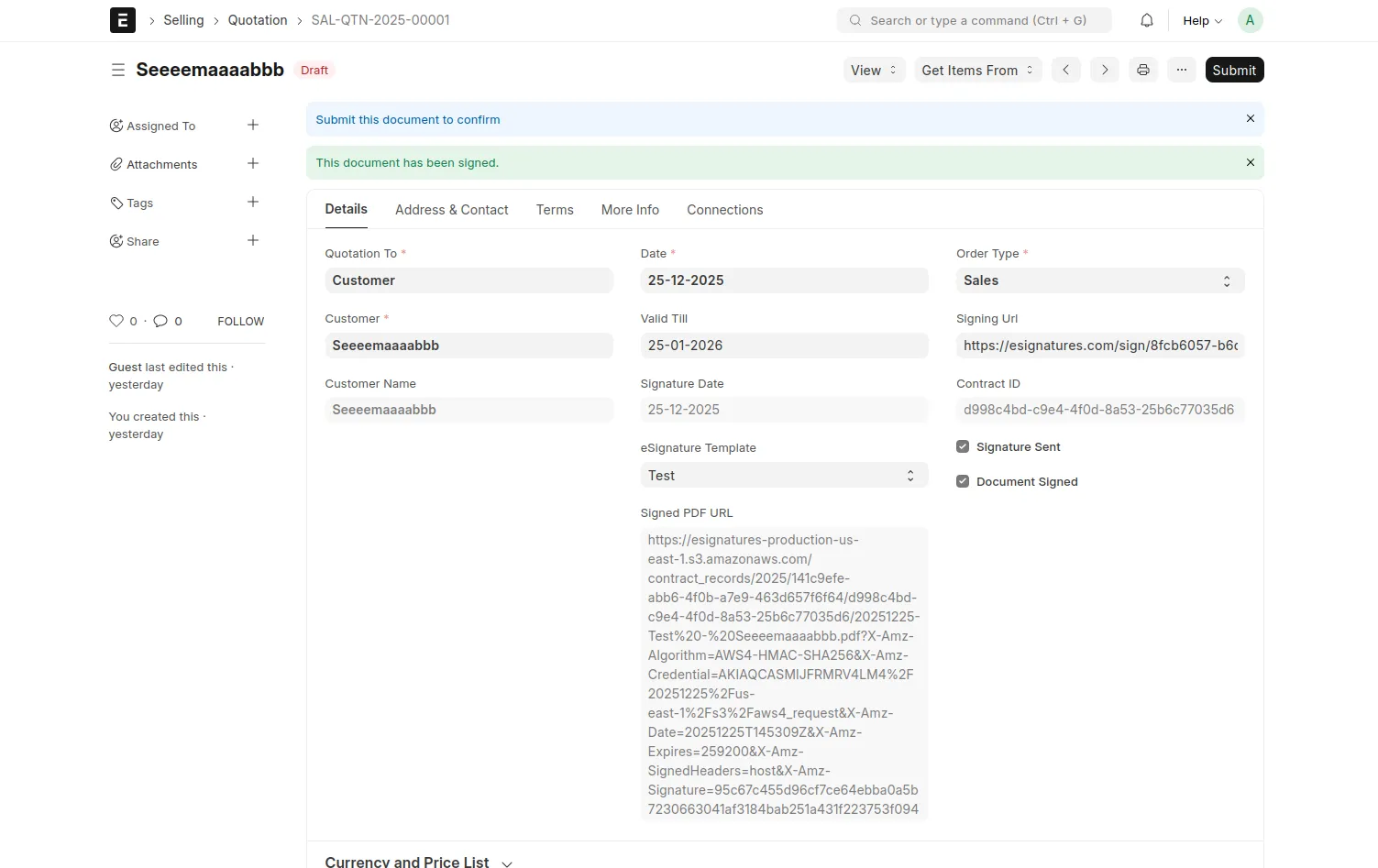
Follow these steps to quickly set up Esignatures in ERPNext:
Create free account
→ https://esignatures.io/signup
Get API Token
→ Dashboard → Automation & API → Copy "Your Secret token"
ERPNext Setup
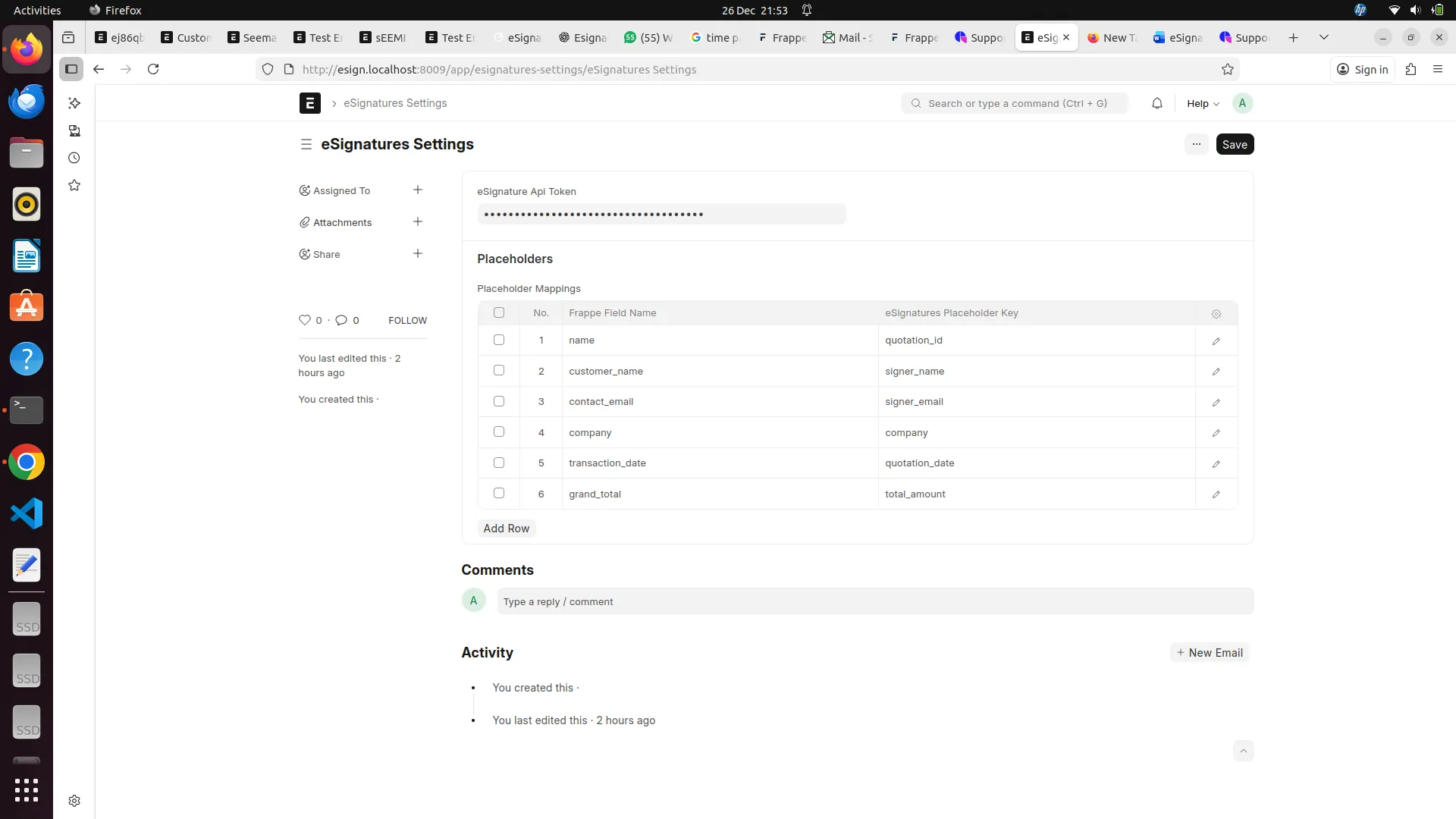
→ Go to eSignatures Settings
→ Paste API token (Password field)
→ Add placeholders like {{quotation_id}}, {{signer_name}}, etc.
(these should match the fields you mapped in ERPNext)
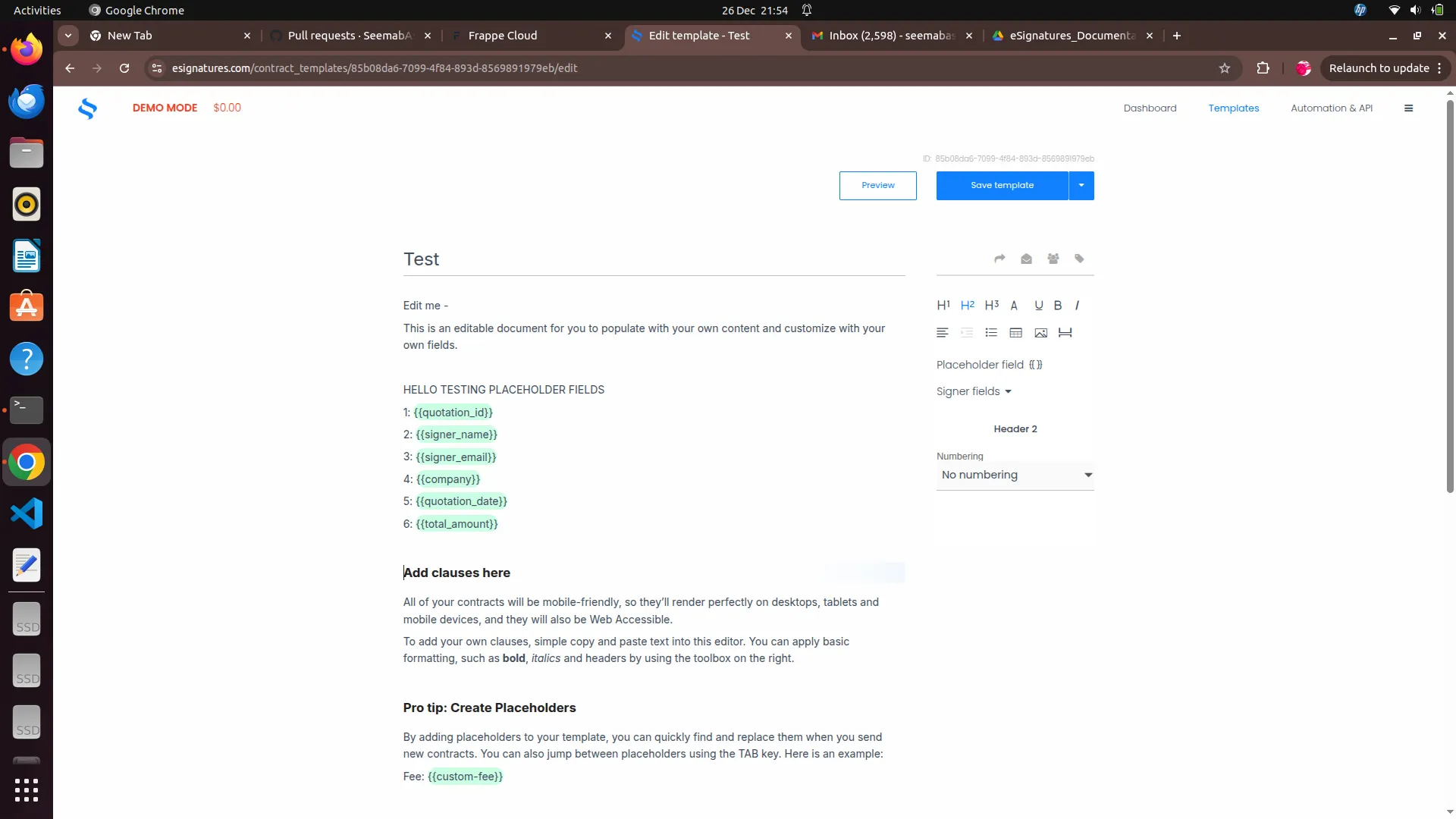
Create Template on esignatures.io
→ Templates → New Template
→ Add placeholders like {{quotation_id}}, {{signer_name}}, etc. (match your mappings with erpnext fields)
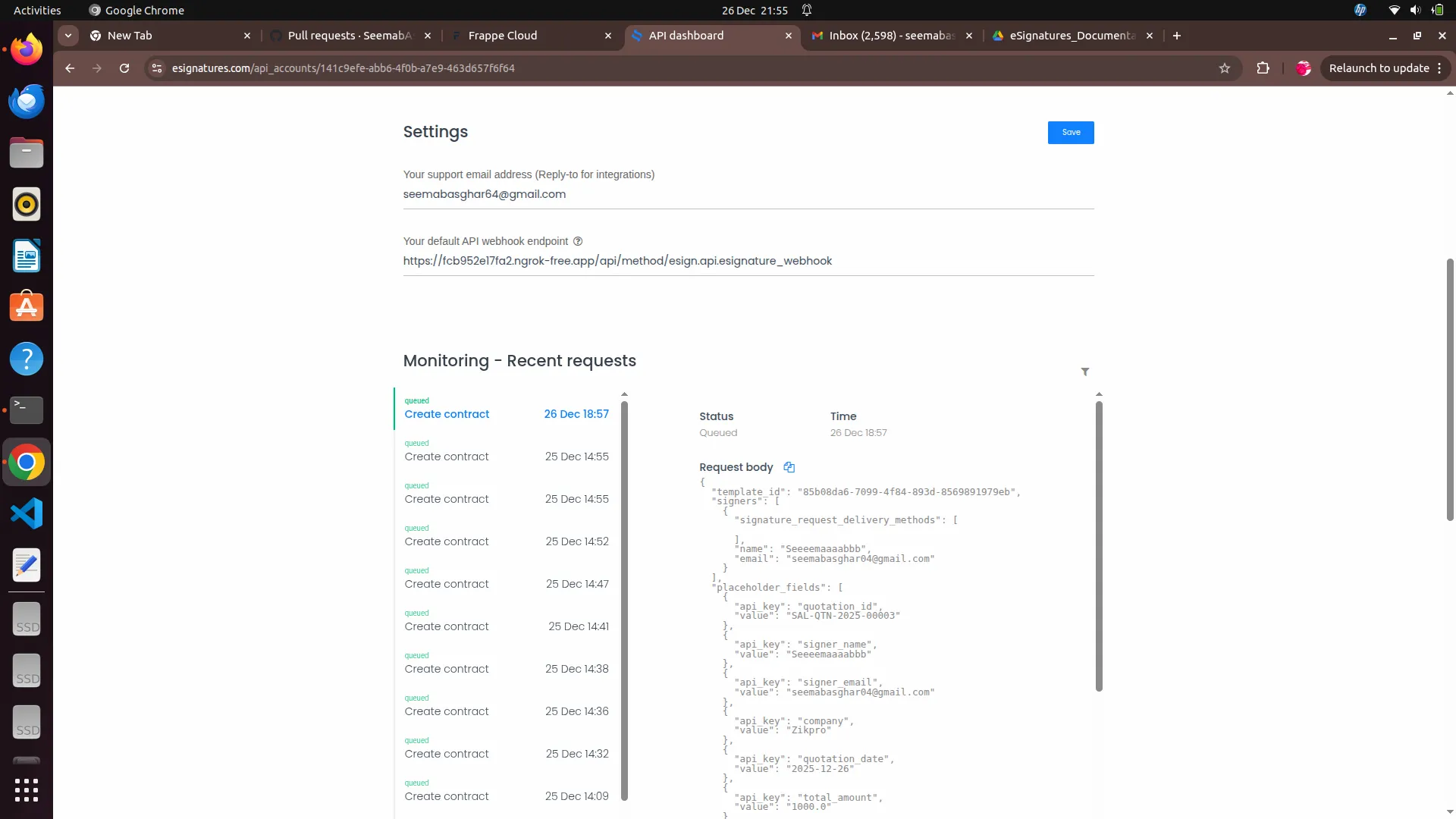
Set Webhook
→ esignatures.io Dashboard → Automation & API
→ "Your default website webhook"
→ https://your-site.com/api/method/esign.api.esignature_webhook
⚠️ Note: Make sure to replace your-site.com with your actual ERPNext site URL.
User Reviews
No reviews yet, be the first to review.
0.0
0 rating
More apps from


Explore more apps