Frappe
Cloud
Marketplace
Frappe
Products
Insights

Installation Guide
installs
Publisher
Supported versions
Categories
E-Commerce


About
Zikpro AI Invoice OCR is an intelligent ERPNext extension that automates invoice processing using AI.
It extracts structured data from invoices (PDFs and images), validates financial data, matches suppliers, and automatically creates Purchase Invoices inside ERPNext.
How It Works
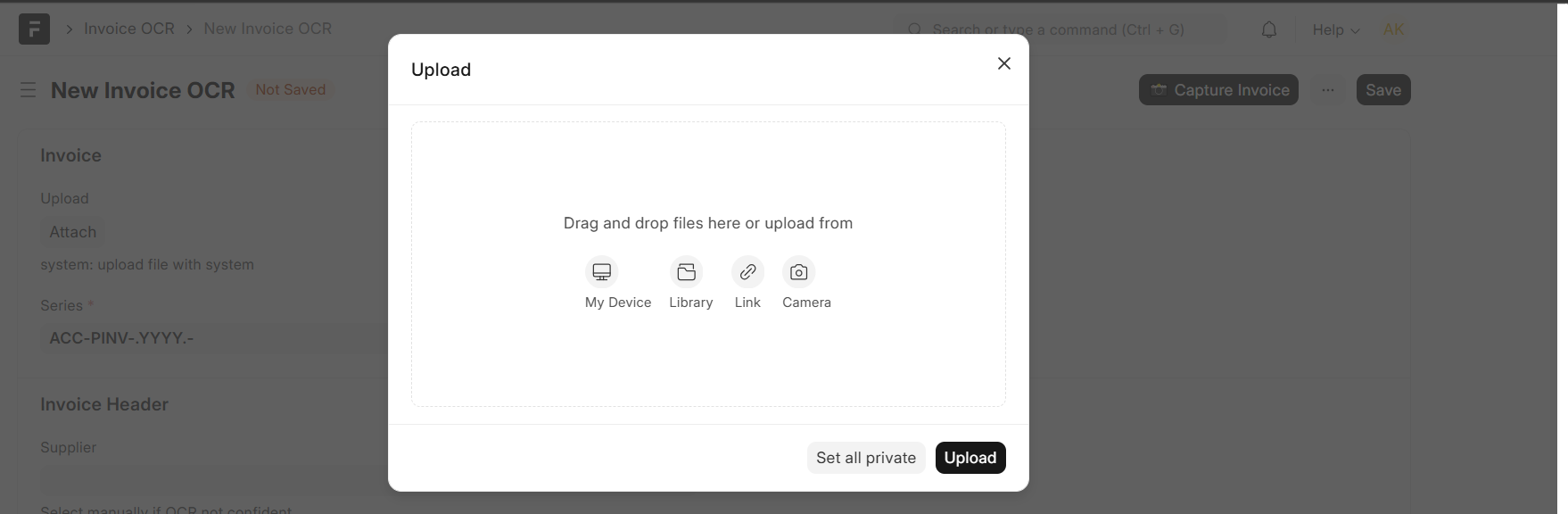
- Upload invoice (PDF or image)
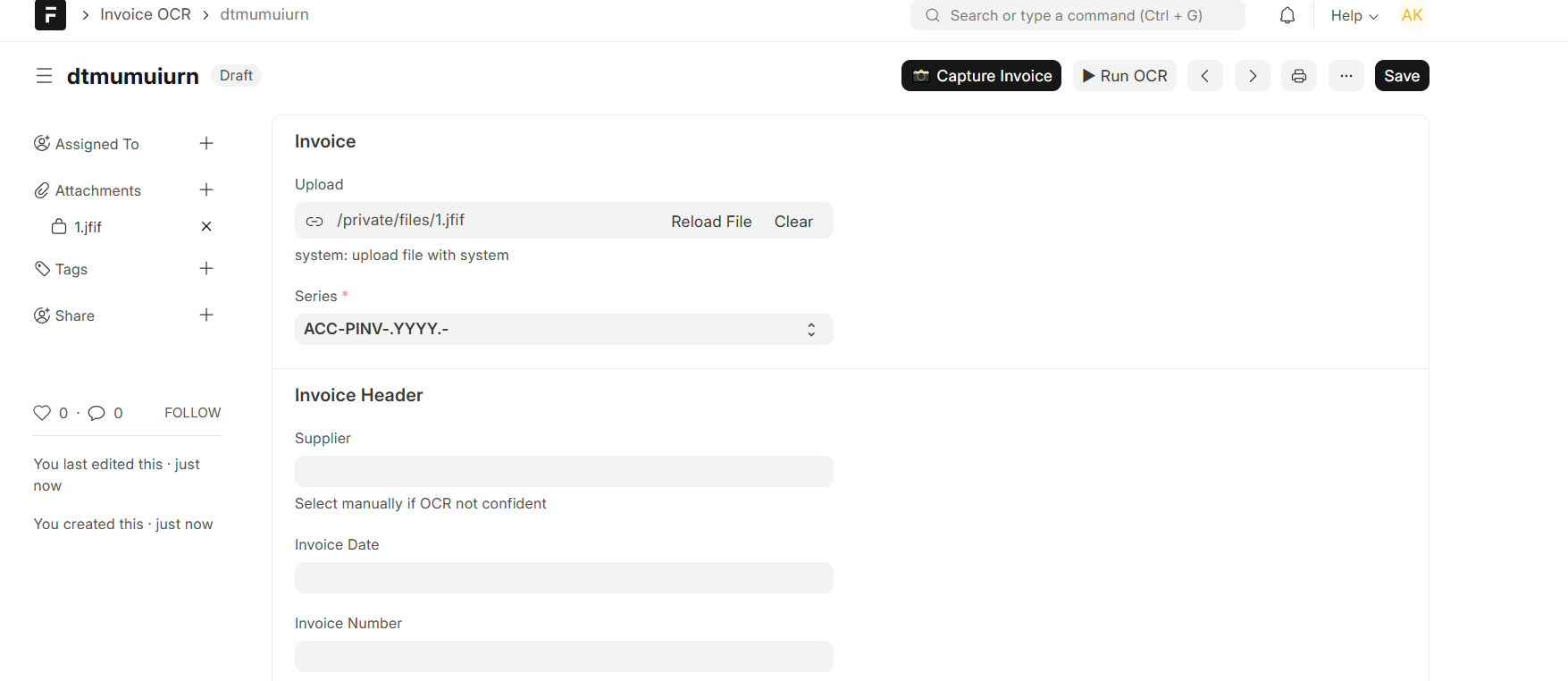
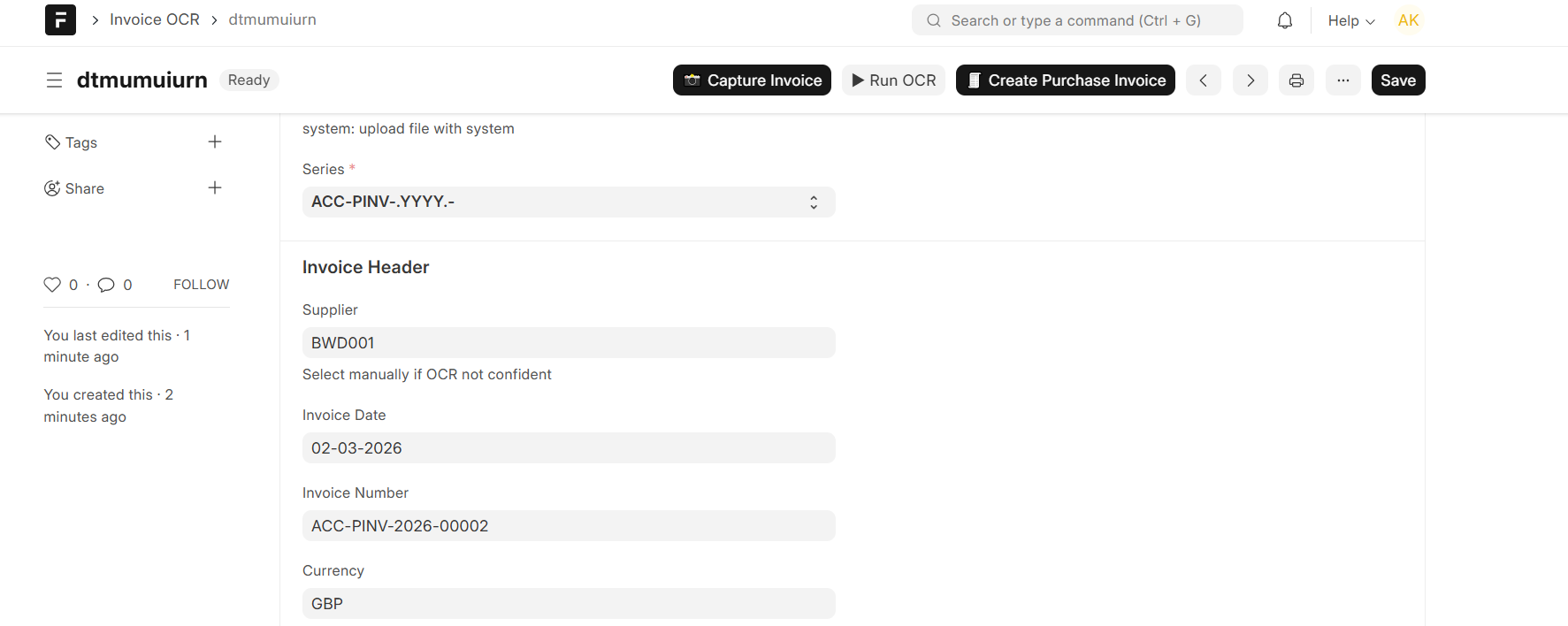
- AI extracts invoice data
- System validates totals and taxes
- Supplier is matched automatically
- User reviews extracted data
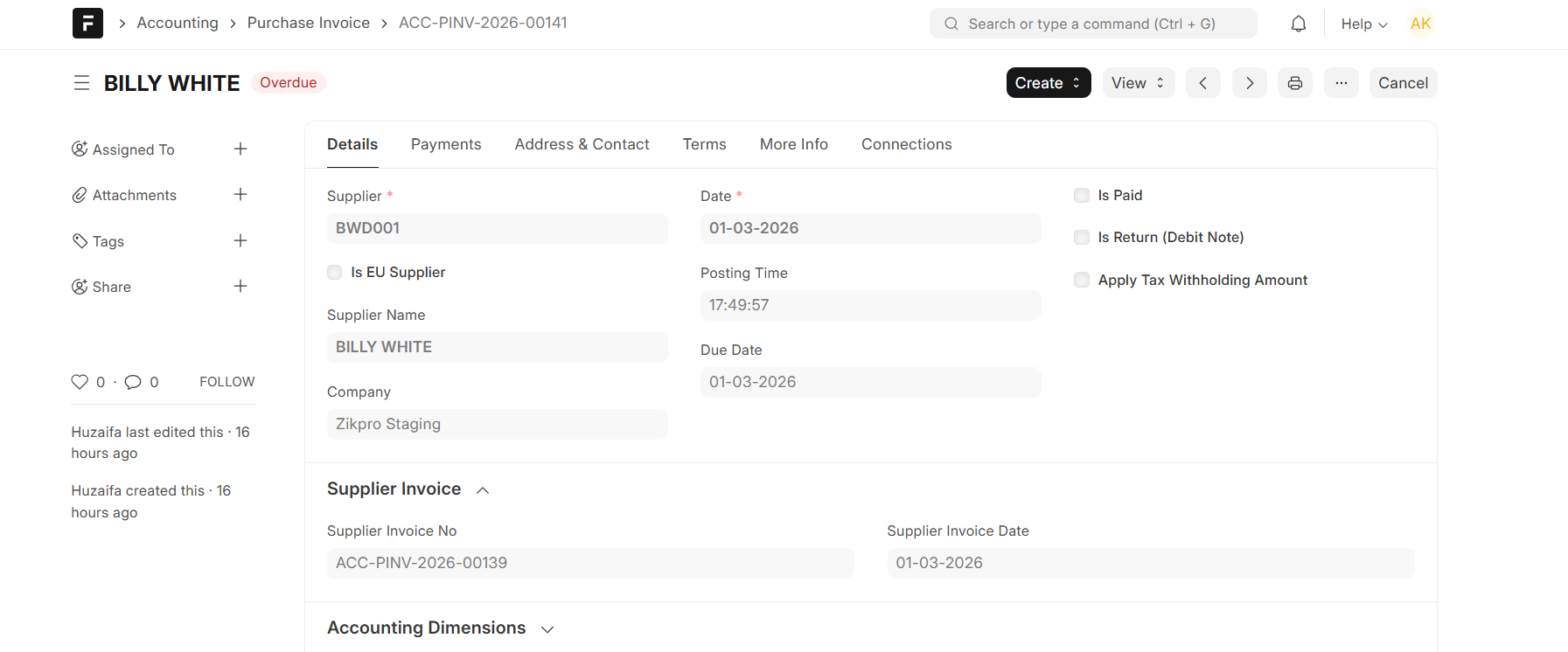
- Purchase Invoice is created
Key Features
• AI-powered invoice data extraction
• Support for PDF and image invoices
• Automatic supplier detection
• Line items and tax extraction
• Financial validation and error detection
• Automatic Purchase Invoice creation in ERPNext
• Mobile camera invoice upload
• Duplicate invoice protection
Use Cases
• Automate manual invoice entry
• Reduce accounting errors
• Speed up procurement workflows
• Digitize paper invoices
• Improve financial accuracy
Benefits
• Save time on data entry
• Reduce human errors
• Faster invoice processing
• Seamless ERPNext integration
• Scalable AI-based automation
Setup
- Install the app in ERPNext
- Add your DeepInfra API key in settings
- Upload an invoice and run OCR
FAQs
Q: What file types are supported?
A: PDF, PNG, JPG, JPEG
Q: Does it work on mobile?
A: Yes, mobile camera upload is supported
Q: Is data secure?
A: Yes, files are stored securely and API keys are protected
User Reviews
No reviews yet, be the first to review.
0.0
0 rating
More apps from


Explore more apps