Frappe
Cloud
Marketplace
Frappe
Products
Insights

Installation Guide
installs
Publisher
Supported versions
Categories
E-Commerce
About
Frappe WhatsApp
WhatsApp integration for Frappe/ERPNext. Use Meta's WhatsApp Cloud API directly without any third-party integration.


Note: If you're not using live credentials, follow step no 2 to add the number on Meta to which you are sending messages.
Features
Multi-Account Support - Manage multiple WhatsApp Business accounts
Two-way Messaging - Send and receive messages with full conversation tracking
Template Management - Create and sync WhatsApp templates with Meta
WhatsApp Notifications - Automated notifications triggered by DocType events
Bulk Messaging - Send campaigns to recipient lists with variable substitution
Webhook Support - Real-time message delivery and status updates
Media Support - Send and receive images, documents, videos, and audio files
ERPNext Integration - Native integration with Frappe/ERPNext DocTypes
Quick Setup
1. Get WhatsApp Credentials
Visit Meta Developer Portal to set up your WhatsApp Business API.
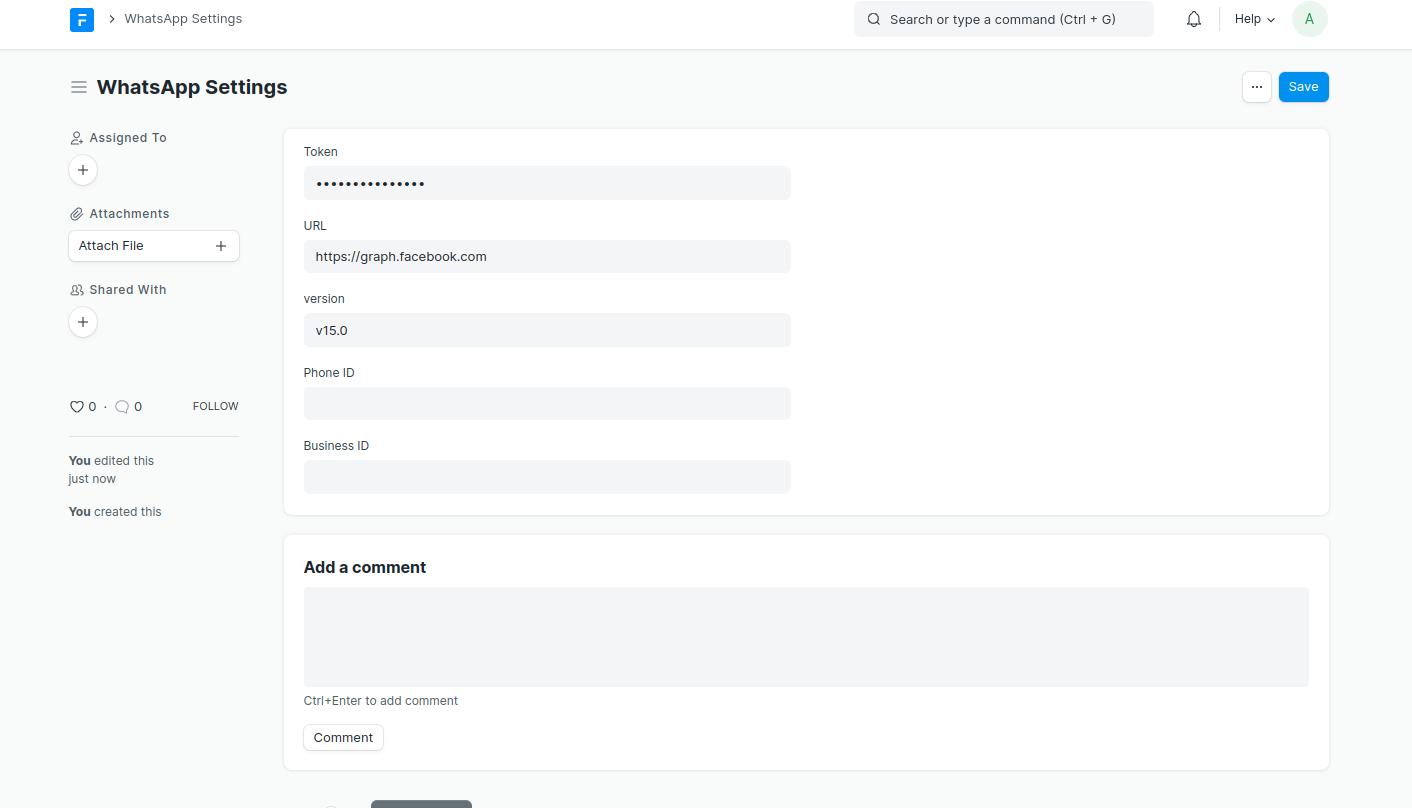
2. Configure WhatsApp Account
Go to WhatsApp Account in Frappe and enter your credentials:
Account Name
Access Token
Phone Number ID
Business Account ID
App ID
Webhook Verify Token
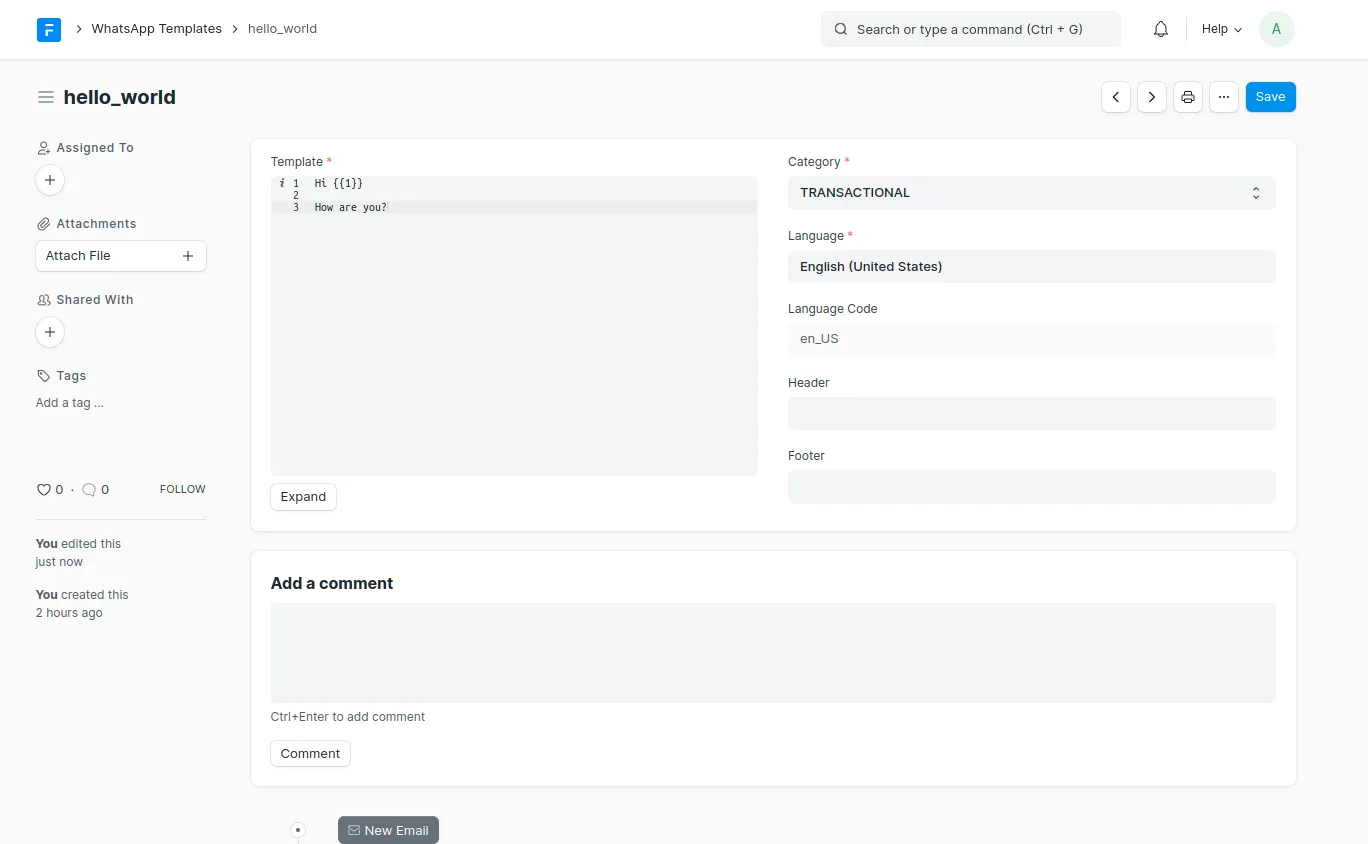
3. Create Templates
Create WhatsApp templates that are approved by Meta:

Core Features
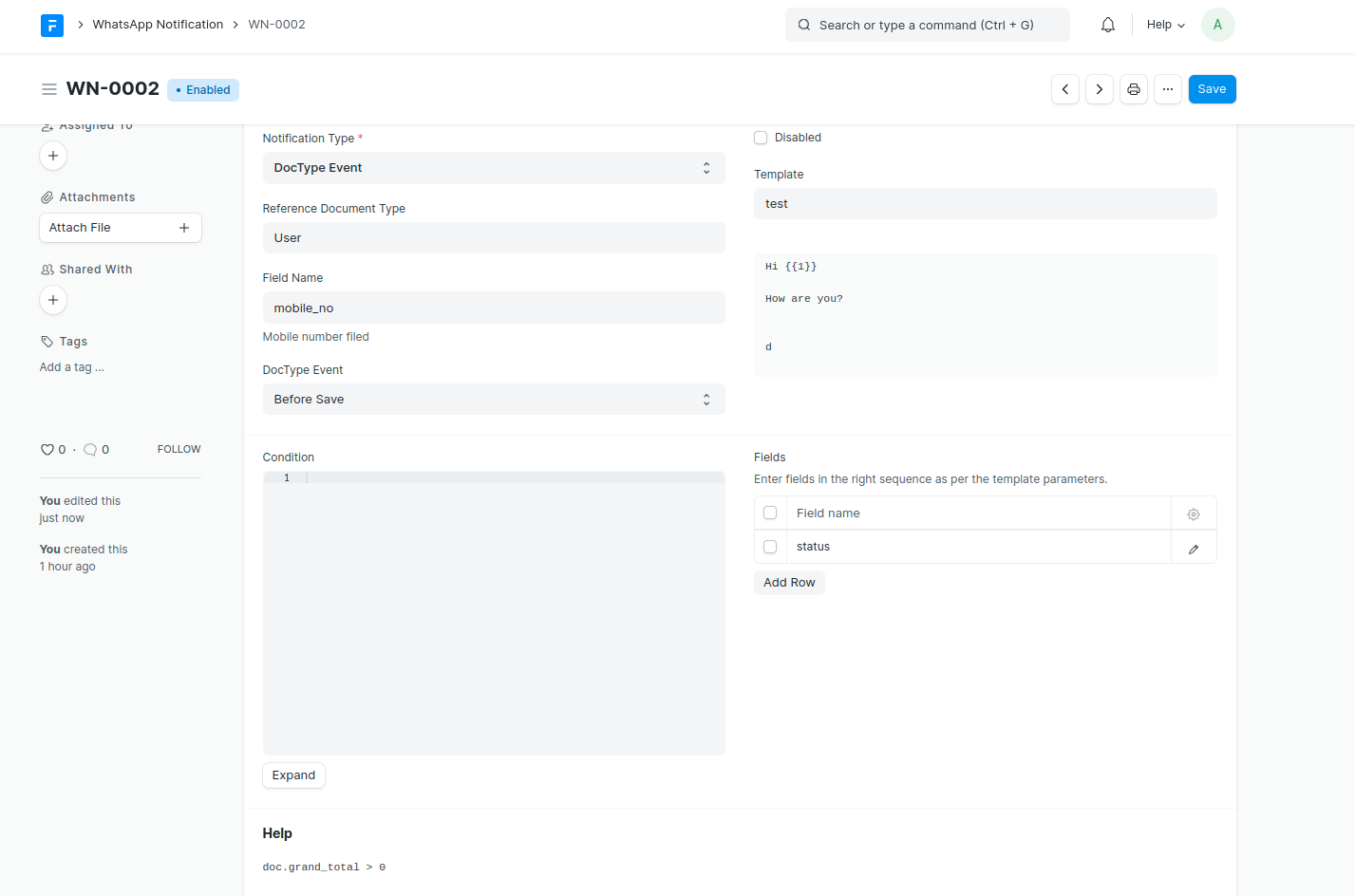
WhatsApp Notifications
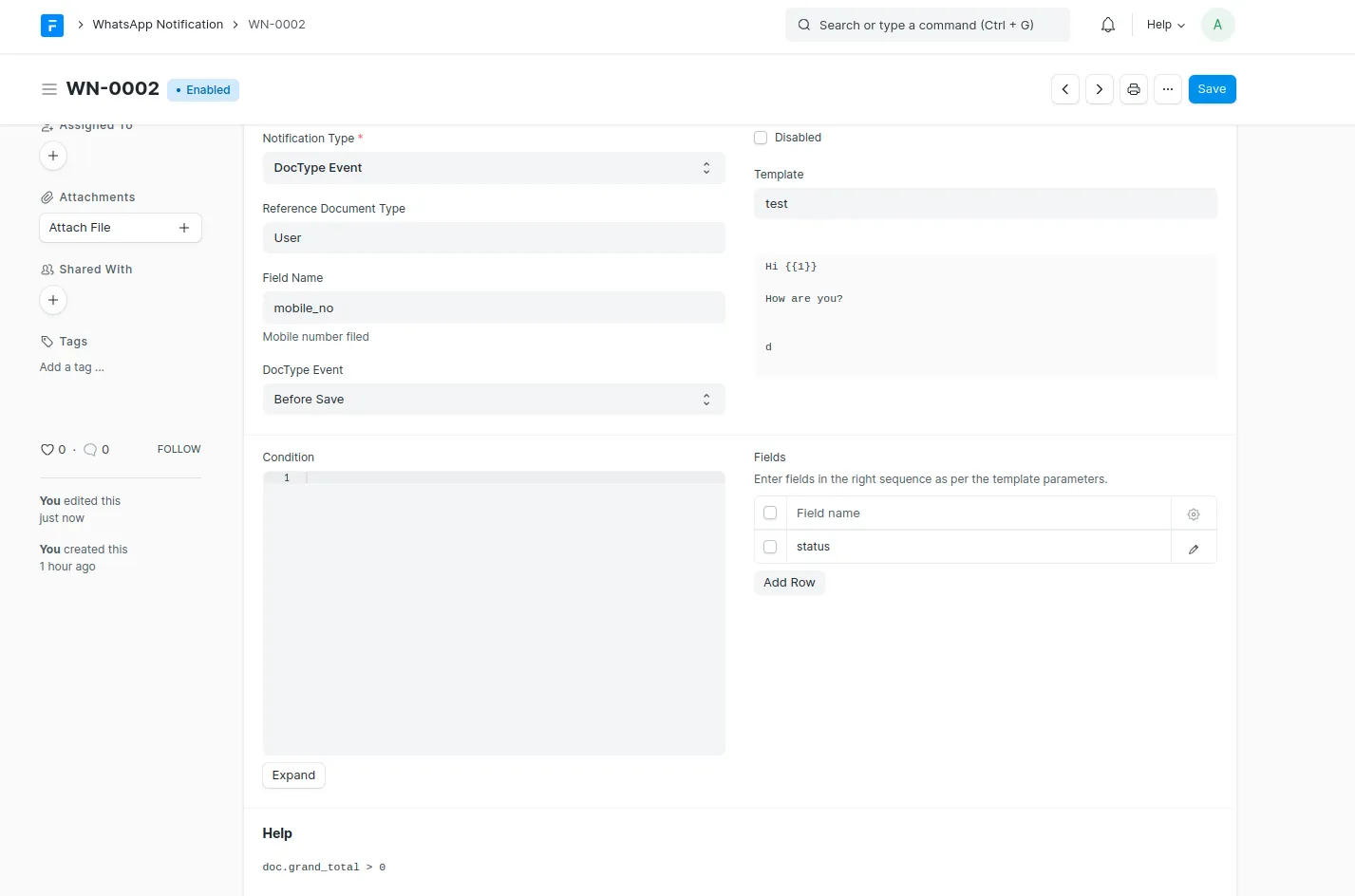
Automatically send WhatsApp messages based on DocType events.
Supported Triggers:
DocType Events: Before/After Insert, Validate, Save, Submit, Cancel, Delete
Scheduler Events: Hourly, Daily, Weekly, Monthly
Date-based: Days Before/After a specified date field
Features:
Map template parameters to DocType fields
Add conditions using Python expressions
Attach document print PDFs or custom files
Set DocType field values after sending (e.g., mark as notified)
Support for interactive buttons with dynamic URLs
Bulk WhatsApp Messages
Send WhatsApp messages to multiple recipients at once.
Features:
Import recipients from any DocType (Customer, Contact, etc.)
Create recipient lists for reuse
Variable substitution from recipient data
Background processing with progress tracking
Retry failed messages
Select specific WhatsApp account for sending
Recipient Types:
Individual Recipients - Add recipients directly with their phone numbers
Recipient List - Use a pre-configured WhatsApp Recipient List
Variable Types:
Common - Same values for all recipients
Unique - Different values per recipient (from recipient data)
Direct Messaging
Send messages without templates (within 24-hour window):

Custom Data Templates
Send templates using custom data instead of DocType fields:
doc.set("_data_list", [
    {"phone": "+1234567890", "name": "John", "order_id": "ORD-001"},
    {"phone": "+0987654321", "name": "Jane", "order_id": "ORD-002"}
])
Webhook Setup
Configure Webhook on Meta
Go to your Meta Developer App
Set Webhook URL:
<your-domain>/api/method/frappe_whatsapp.utils.webhook.webhookAdd Verify Token (same as in WhatsApp Account settings)
Subscribe to webhook fields:
messages- to receive incoming messagesmessage_template_status_update- for template status updates
Incoming Messages
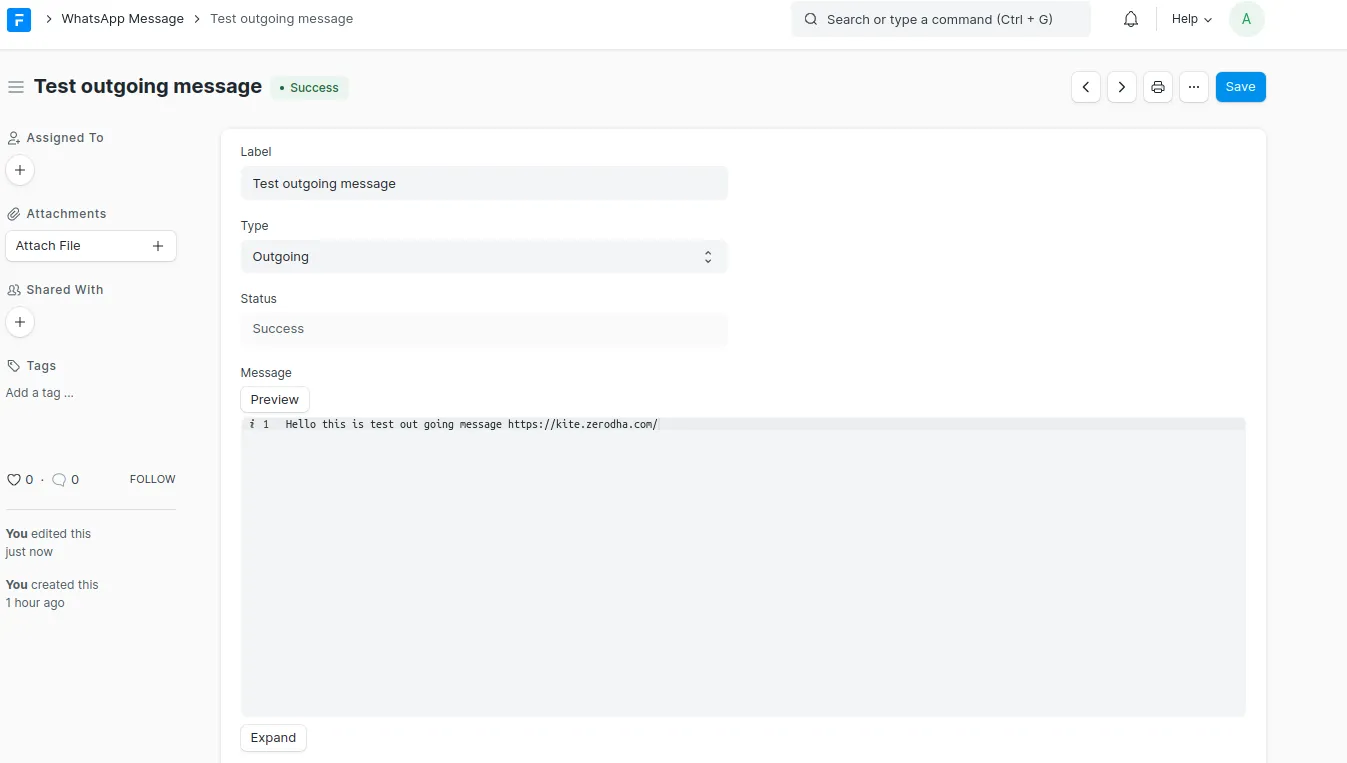
Messages received via webhook are automatically created as WhatsApp Message documents:

Multi-Account Support
Manage multiple WhatsApp Business accounts for different use cases:
Set default accounts for incoming and outgoing messages
Select specific accounts when sending bulk messages
Route notifications through designated accounts
Auto-read receipts per account
Chat Integration
Install whatsapp_chat for a messenger-like chat interface.
Documentation
For detailed documentation, visit https://shridarpatil.github.io/frappe_whatsapp/
Contributing
Contributions are welcome! Please feel free to submit a Pull Request.
License
MIT
User Reviews
5 stars
%
4 stars
%
3 stars
%
2 stars
%
1 star
%
•
Reply
•
Reply
•
Reply
•
Reply
•
Reply
•
Reply
•
Reply
•
Reply
•
Reply
•
Reply
•
Reply
•
Reply
•
Reply
3.3
13 rating
More apps from




Explore more apps