Frappe
Cloud
Marketplace
Frappe
Products
Insights
3e7db7.webp)
Installation Guide
installs
Publisher
Supported versions
Categories
E-Commerce

About
Overview
This app extends the standard Request for Quotation (RFQ) functionality in ERPNext by introducing enhancements to streamline the procurement process. It enables committee bid openings and the creation of committee notes based on predefined templates.
Configuration
Navigate to RFQ Opening Settings and configure the necessary parameters.
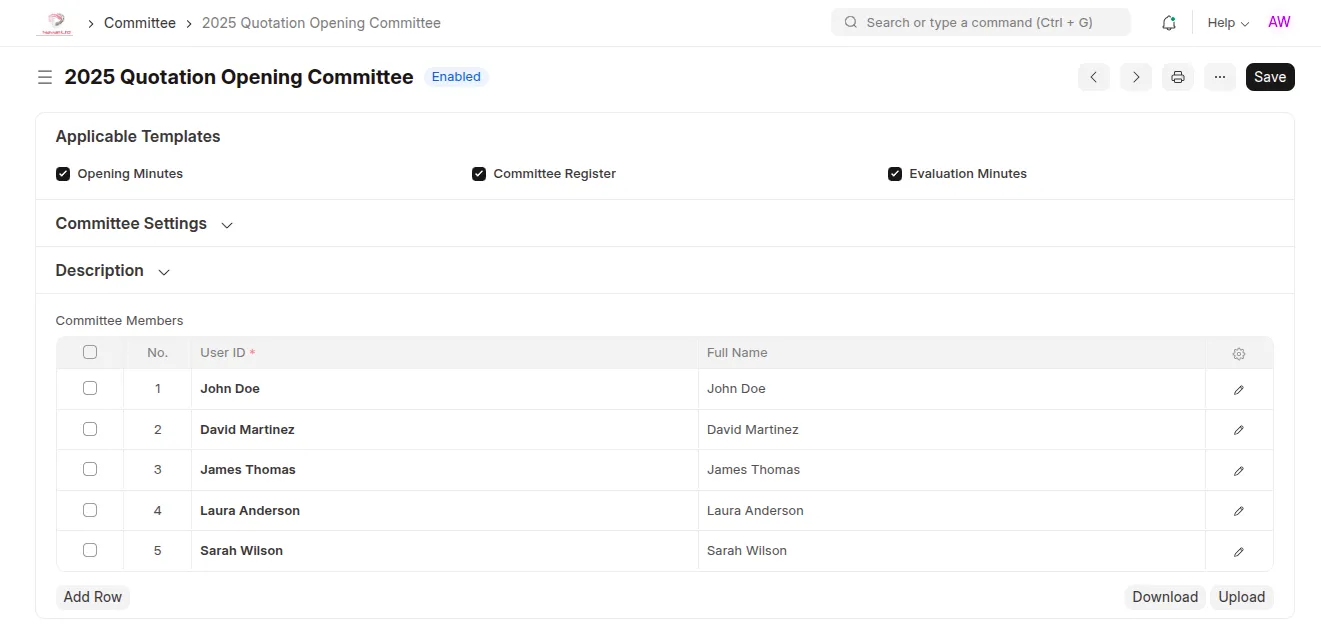
Set up the Quotation Opening and Evaluation committees under the Committee DocType, and select the templates to which the committees apply by ticking the necessary checkbox.
Usage
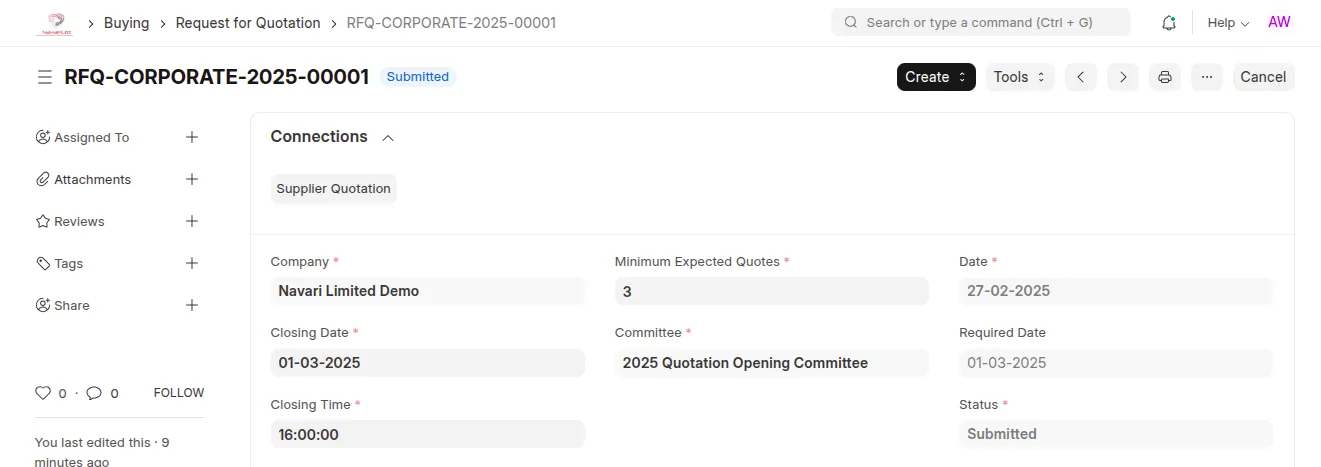
Create an RFQ
Go to Request for Quotation and create a new RFQ. Select the Quotation Opening Committee, specify the closing date, closing time, and minimum expected quotes. Add the suppliers who will receive the RFQ, include the items, then save and submit. When RFQs are sent to suppliers, a ToDo record is created for each committee member. On the opening date and time, committee members can access their ToDo records and open the submitted quotes against the RFQ.
Supplier Quotations Opening
Once the closing date and time for the RFQ are reached, committee members can access the RFQ and open the submitted quotes. Supplier quotations become accessible only after the minimum required number of members has opened them, as set for the RFQ.
Create Committee Note
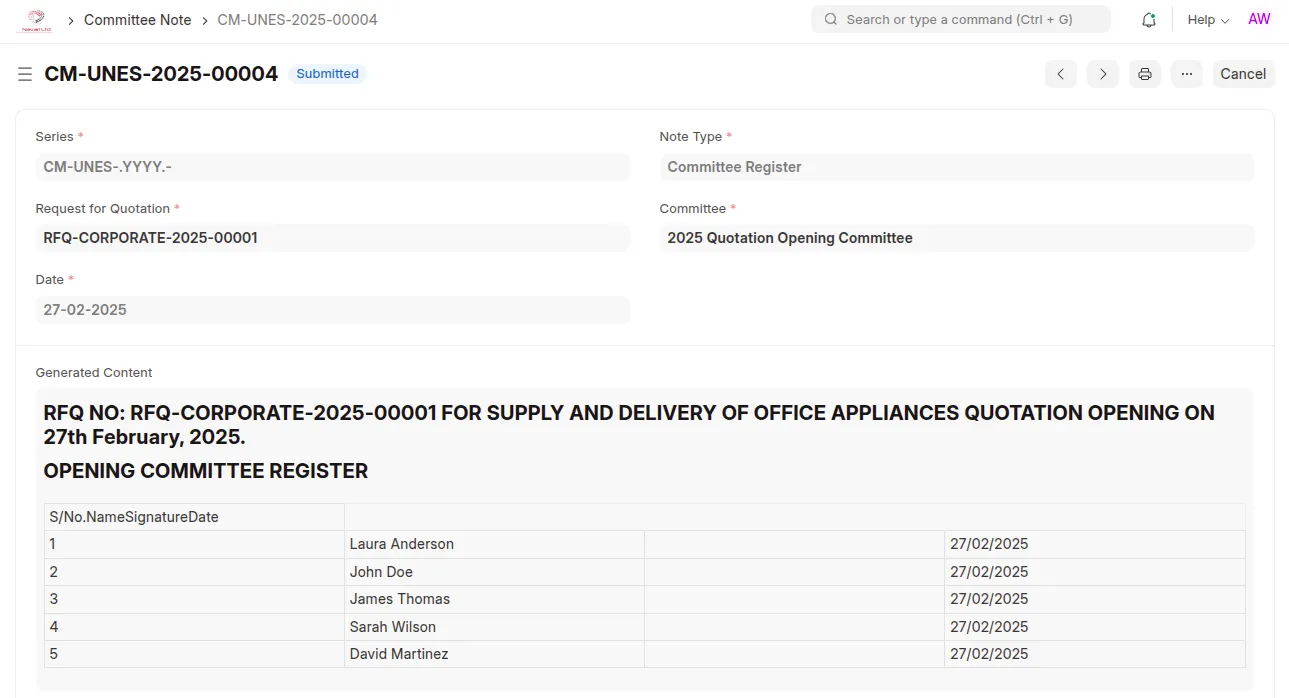
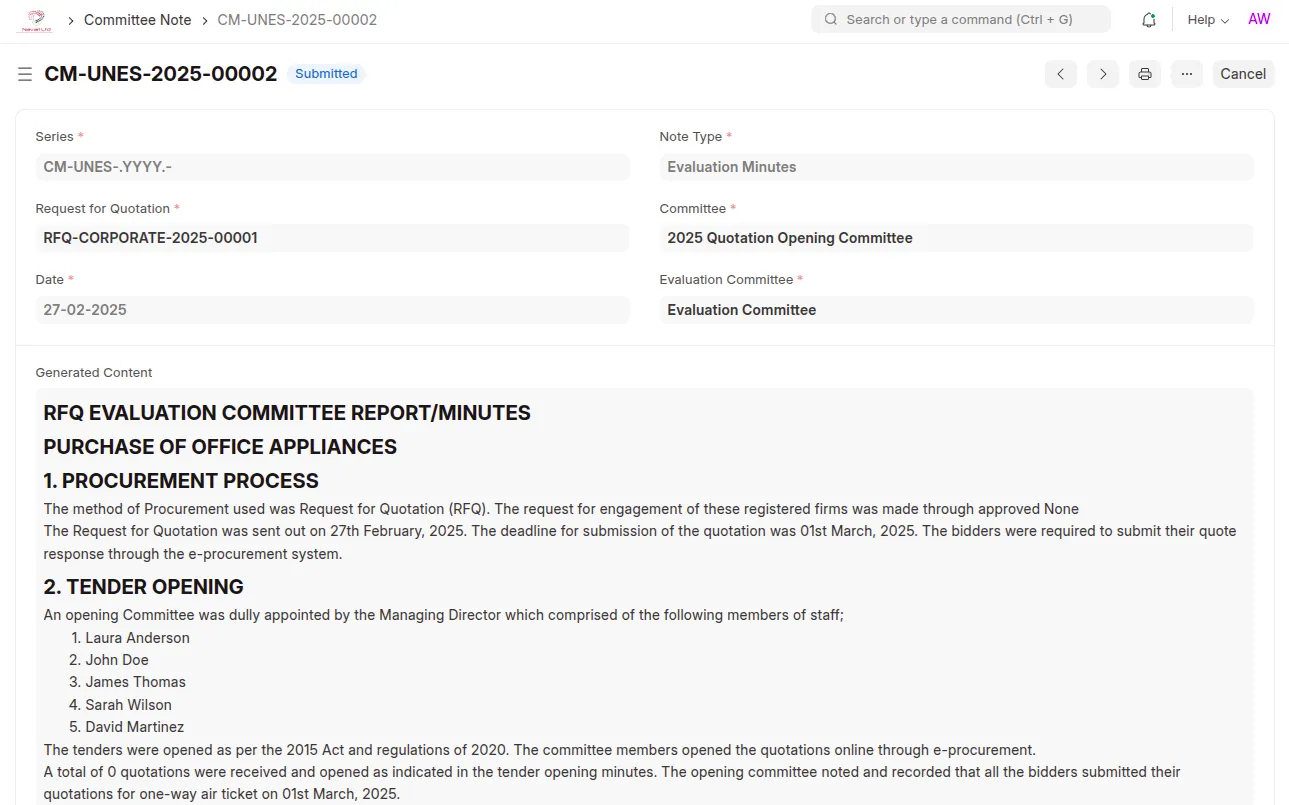
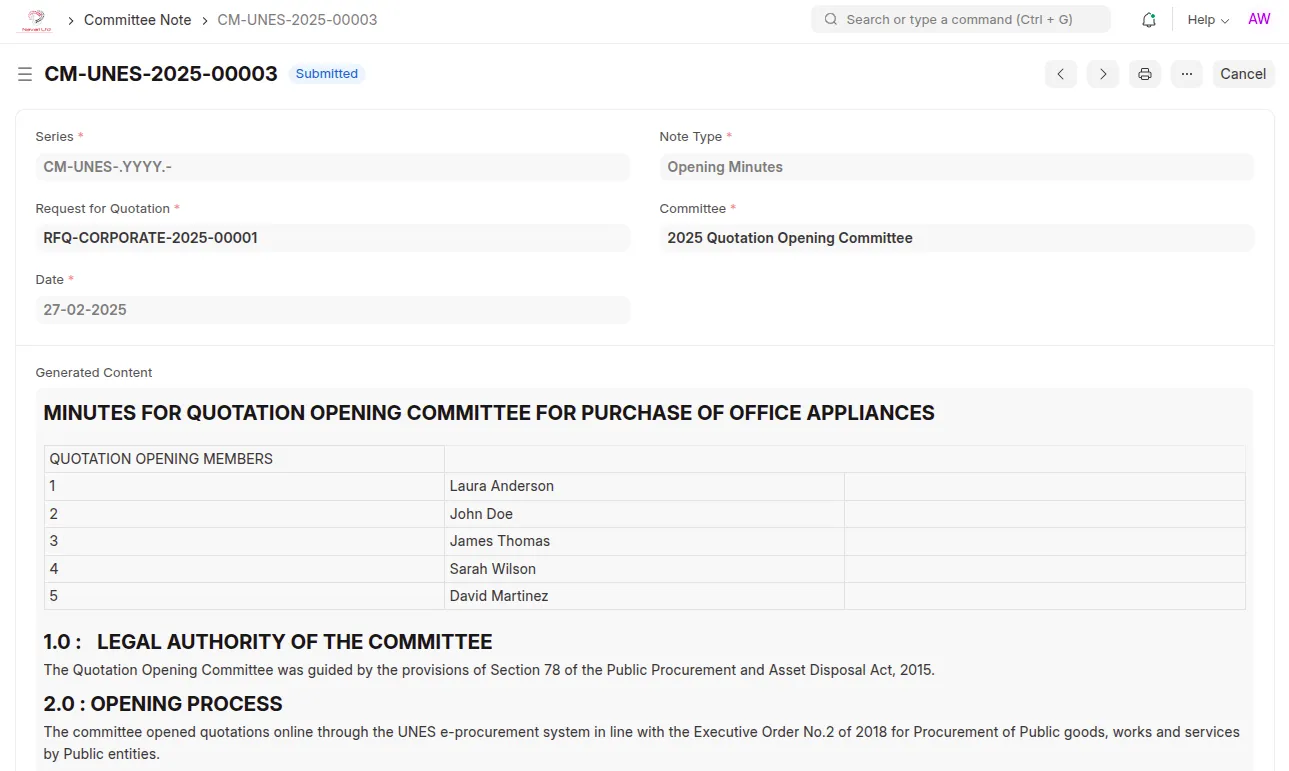
Navigate to the Committee Note and create a new entry. Select the specific RFQ for which you want to create the Committee Note, choose the note type, and set the date (which defaults to today). The quotation opening committee will be fetched automatically from the selected RFQ. Three types of committee notes can be created from predefined templates:
Opening Minutes: Records of the quotation opening committee's proceedings.
Committee Register: A register of members present during the evaluation.
Evaluation Minutes: Minutes documenting the evaluation of supplier quotations.
User Reviews
No reviews yet, be the first to review.
0.0
0 rating
More apps from





Explore more apps