Frappe
Cloud
Marketplace
Frappe
Products
Insights

Installation Guide
installs
Publisher
Supported versions
Categories
E-Commerce
About
📦 Bulk Import Export Template
Bulk Import Export Template is a powerful Frappe app designed to streamline and turbocharge your data import/export workflows. By allowing you to create, save, and reuse custom field selection templates, it eliminates the frustration of manual field mapping for repetitive tasks. 🚀
✨ Key Features
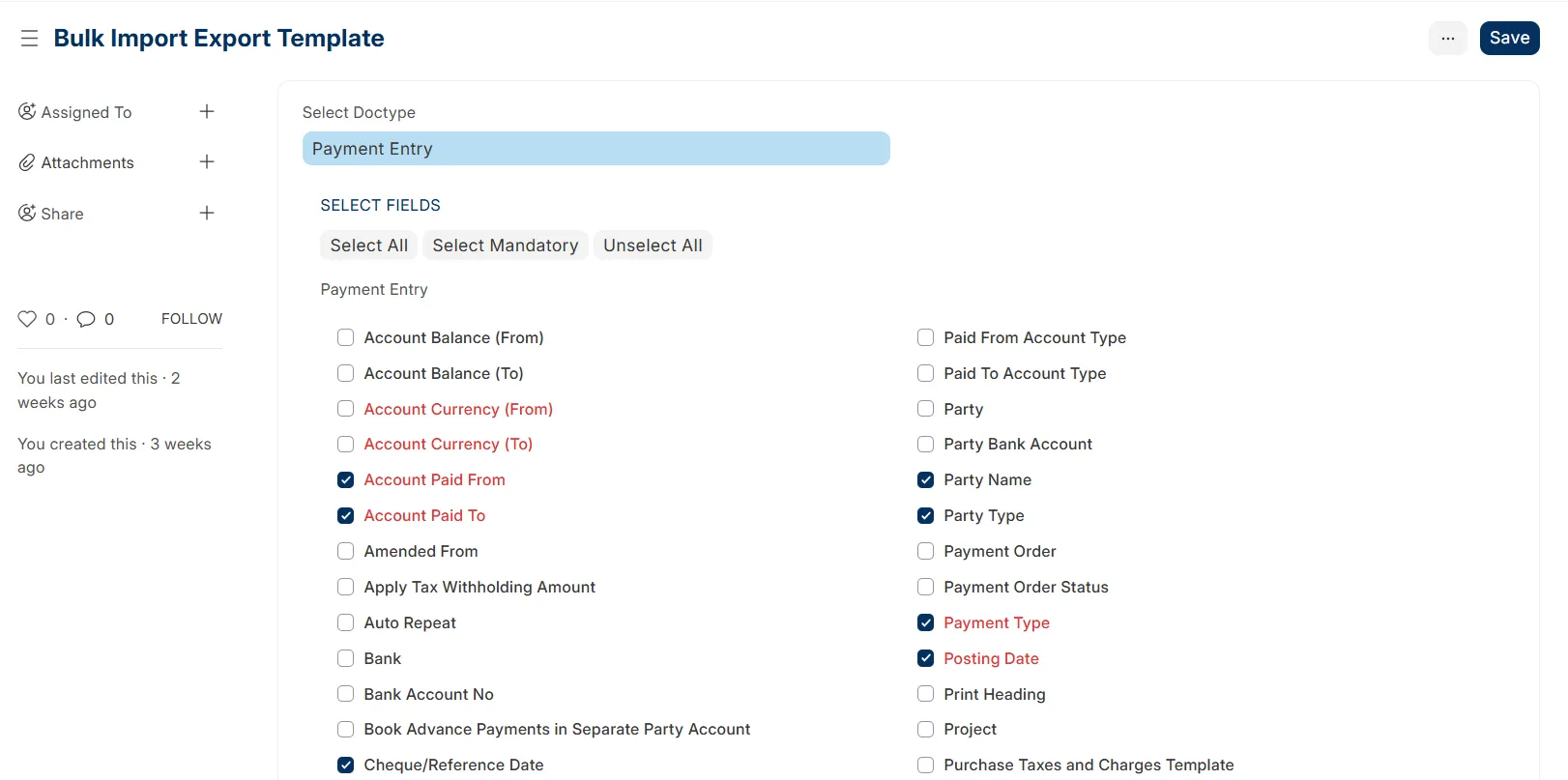
🎯 Customizable Templates: Precision-select fields for any DocType, including full support for nested child table fields.
💾 Template Persistence: Save your perfectly tuned configurations as "Favourite" templates for instant reuse.
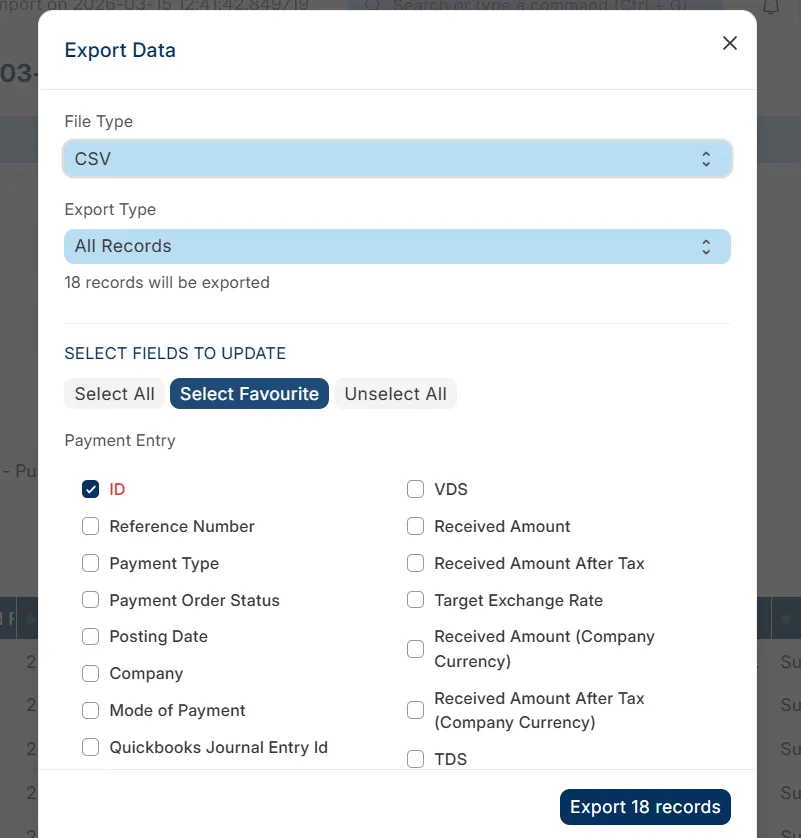
🔌 Seamless Integration: Plugs directly into Frappe's native Data Import tool, adding a convenient "Select Favourite" button.
⚡ Boosted Efficiency: Drastically reduce the time and effort spent on manual field selection and data mapping.
🛠 Usage
Create a Template: Navigate to the Bulk Import Export Template DocType and select the DocType you want to create a template for.
Select Fields: Use the interactive field selection area to pick the fields (and child table fields) you need.
Save: Save the document.
Import/Export: Go to the standard Frappe Data Import tool. When selecting fields for export or import, click the Select Favourite button to instantly apply your saved template. 🪄
🛡 Support
If you encounter any issues or have suggestions for improvements, please feel free to:
🌟 Star the repository if you find it helpful!
🐞 Open an Issue on GitHub.
🏢 Contact Invento Software Limited at [email protected] for professional support.
User Reviews
No reviews yet, be the first to review.
0.0
0 rating
More apps from




Explore more apps