Frappe
Cloud
Marketplace
Frappe
Products
Insights

Installation Guide
installs
Publisher
Supported versions
Categories
E-Commerce
About

Frappoint
Smart Appointment Management
Frappoint
Frappoint is an appointment management system designed for service providers. It allows users to manage appointments, providers, and associated services. This system includes functionalities for booking, confirming appointments, managing slots, and handling customer interactions.
Key Features
Appointment Handling - Manage appointment statuses, rescheduling, and cancellations, with support for booking past appointments when enabled in settings.
Booking Desk - Manage bookings and appointments through card and calendar views, with dates grouped by month and available slots grouped into morning, afternoon, and evening.
Customer Portal - Browse services and service details, build a booking cart, assign guests, review pricing, complete checkout, and view bookings.
Provider Management - Manage provider availability, shifts, and unavailability, with provider preferences, gender filters, and reassignment options.
Resource and Slot Management - Allocate providers and service units using capacity-aware availability checks that account for appointment durations and buffers.
Couple Bookings - Book two linked guest appointments at the same start time in a shared service unit, with independent service choices and coordinated rescheduling and cancellation.
Customer Interaction and Booking Tracking - Capture customer details, preferences, and appointment notes, and track who created each booking through the Booked By field.
Flexible Billing and Payments - Create and view Sales Invoices on demand, link invoices and payment entries to bookings, and confirm eligible bookings without immediate payment as an authorized user.
Coupons and Complimentary Services - Apply booking-level coupon codes during checkout, including complimentary coupons selected directly in the Booking Desk.
Custom Branding - Configure company names, logos, favicons, and theme colors across the Booking Desk and customer portal, with configurable 12-hour or 24-hour time display in the Booking Desk.
Service Availability Report - Review provider availability and service unit capacity to support scheduling and resource planning.
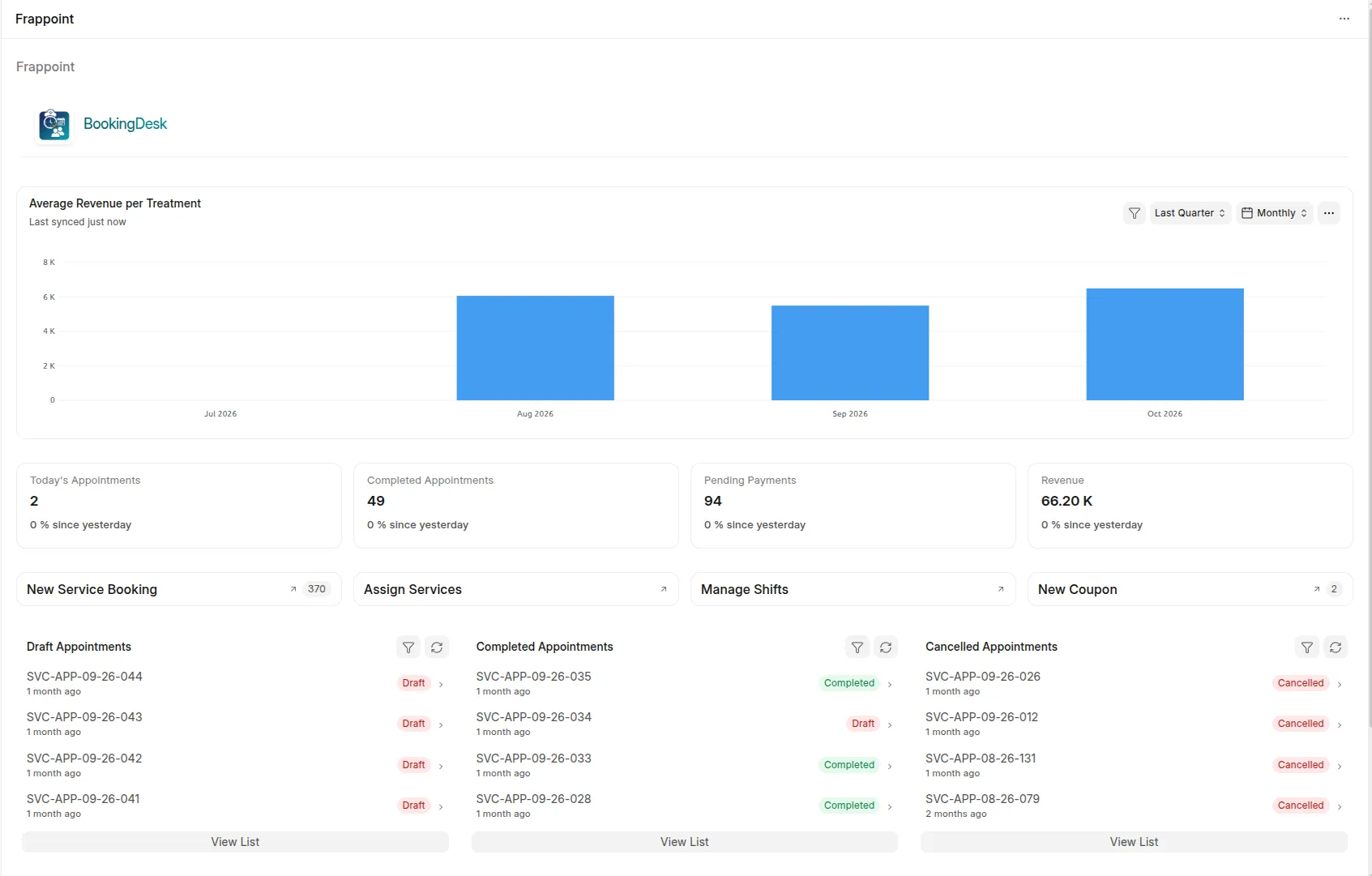
Treatment Revenue Analytics - Track completed appointments, total revenue, and average revenue per treatment across weekly, monthly, quarterly, or yearly periods, with Company, Service Type, and Item Group filters and summary totals.
Service Provider Performance Report - Compare confirmed and completed appointment counts and revenue by provider and currency, with Company, Date Range, and Service Provider filters.
Service Demand Report - Review weekly and monthly appointment demand by service type, with Company and Service Type filters.
Dashboard Insights - Monitor completed appointments and average revenue per treatment through workspace number cards and charts.
Google Calendar Integration - Sync appointments with Google Calendar for easy management and reminders.
Automated Notifications - Send SMS confirmations for appointments, ensuring that customers are kept informed.
Basic Usage
Booking an Appointment
Navigate to the Service Appointment form.
Fill in required details including:
Customer Information
Appointment Provider
Appointment Date and Time
Confirm the appointment by saving or submitting the form.
Checking Available Slots
On the Service Appointment form, click the Show Available Slots button to view your options based on the service type and optionally provider, appointment date.
Configuration
Appointment Settings: Adjust appointment settings such as default slot lengths and maximum advance booking days through the Service Appointment Settings document in ERPNext.
Provider Shift Types: Define shifts for providers detailing their working hours, breaks, and holiday schedules.
Under the Hood
Frappe Framework: A full-stack web application framework written in Python and Javascript. The framework provides a robust foundation for building web applications, including a database abstraction layer, user authentication, and a REST API.
Frappe UI: A Vue-based UI library, to provide a modern user interface. The Frappe UI library provides a variety of components that can be used to build single-page applications on top of the Frappe Framework.
Production Setup
Managed Hosting
You can download the app from Frappe Cloud, a simple, user-friendly and sophisticated open-source platform to host Frappe applications with peace of mind.
It takes care of installation, setup, upgrades, monitoring, maintenance and support of your Frappe deployments. It is a fully featured developer platform with an ability to manage and control multiple Frappe deployments.

Learning
Contributing
This app uses pre-commit for code formatting and linting. Please install pre-commit and enable it for this repository:
cd apps/frappoint
pre-commit install
Pre-commit is configured to use the following tools for checking and formatting your code:
ruff
eslint
prettier
pyupgrade
CI
This app can use GitHub Actions for CI. The following workflows are configured:
CI: Installs this app and runs unit tests on every push to
developbranch.Linters: Runs Frappe Semgrep Rules and pip-audit on every pull request.
License
agpl-3.0
User Reviews
No reviews yet, be the first to review.
0.0
0 rating
More apps from





Explore more apps