Frappe
Cloud
Marketplace
Frappe
Products
Insights

Installation Guide
installs
Publisher
Supported versions
Categories
E-Commerce
About
LumenPOS
A point of sale for ERPNext that feels like it was built for the counter, not the back office.
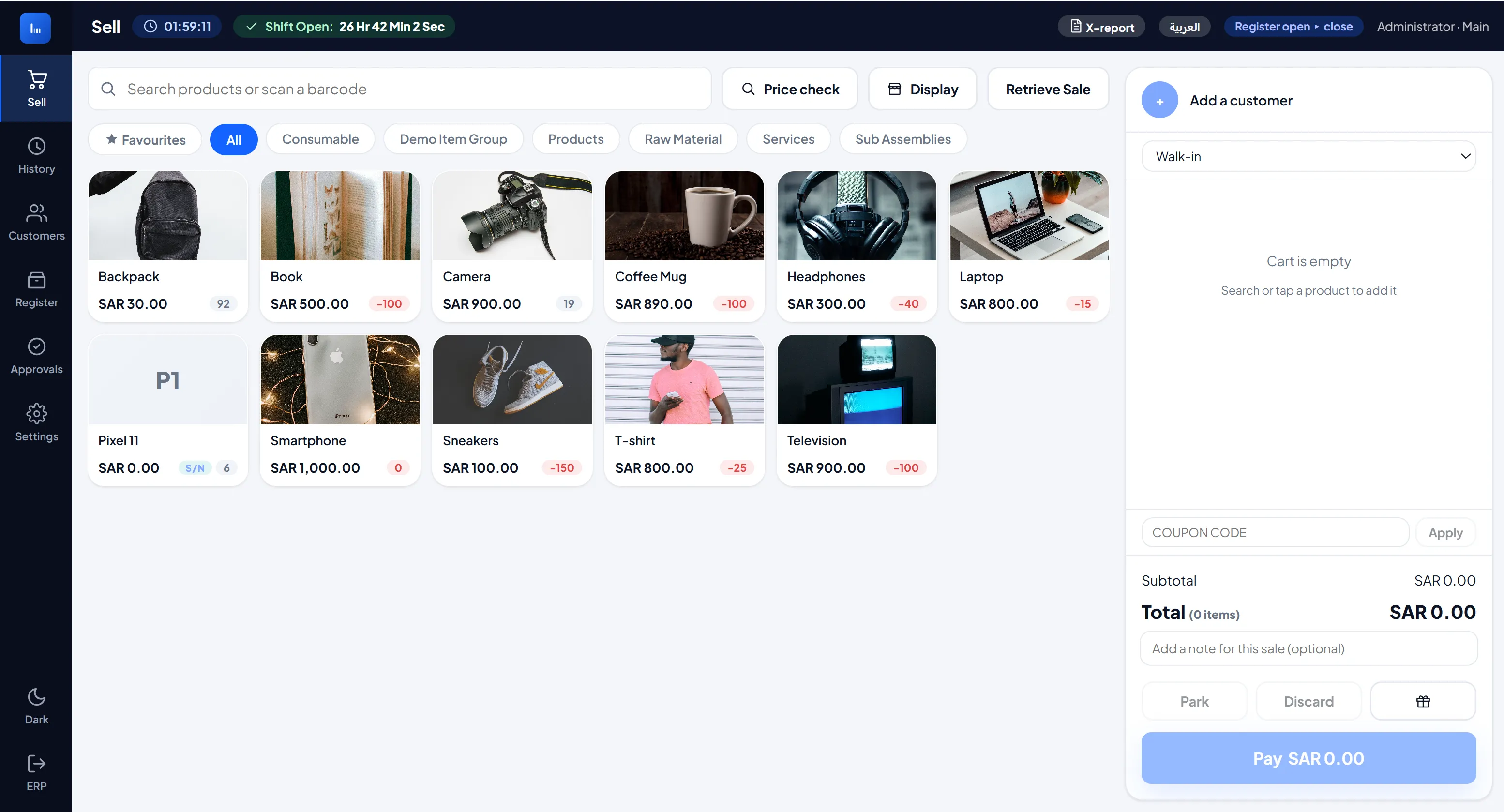
If you run ERPNext and you've ever watched a cashier fight with the stock POS during a queue, this is the fix. LumenPOS is one fast screen: search or scan, tap to add, take the payment, print, next customer. No page reloads, no digging through menus, no waiting on the network between keystrokes.
And it's not a separate silo. Every sale posts straight into ERPNext as real invoices, real stock movements and real ledger entries, so your accounts stay exactly where they belong. LumenPOS just makes the selling part quick and pleasant.
Ready for shops anywhere. The till speaks thirteen languages, Arabic and Persian right to left included, and sells in other currencies while your books stay in yours.
Thirteen languages at the till
Every cashier works in their own language. LumenPOS runs in English, Arabic, Spanish, German, Chinese, French, Thai, Indonesian, Vietnamese, Portuguese (Brazil), Persian, Russian and Turkish, the languages ERPNext sites use most. A cashier picks one from the top bar and the whole till follows, settings included. Arabic and Persian read right to left, with fonts made for them.
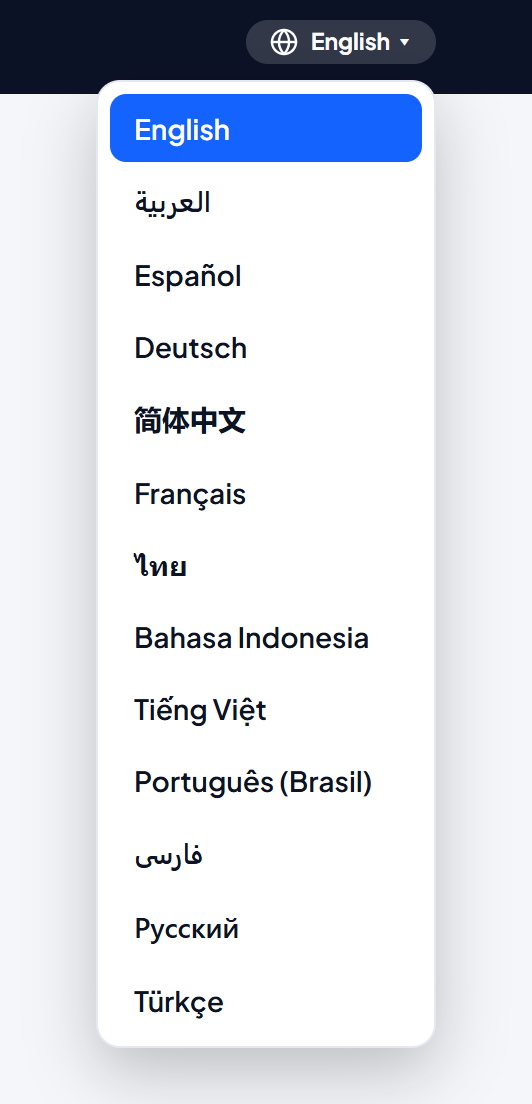
It goes deeper than the screens. ERPNext's own messages, a stock warning or a sale it refuses, come back in the cashier's language too, so nobody has to decode an English error in the middle of a queue. You choose which languages your tills offer, and LumenPOS leaves the way ERPNext itself is translated for the rest of your team untouched.
Help on every screen, in the same thirteen languages. A ? button opens the help of the screen in use, and short tours light up the real buttons one at a time, so new staff learn the till by using it. After an update, each person sees once what is new for them.
Sell in other currencies
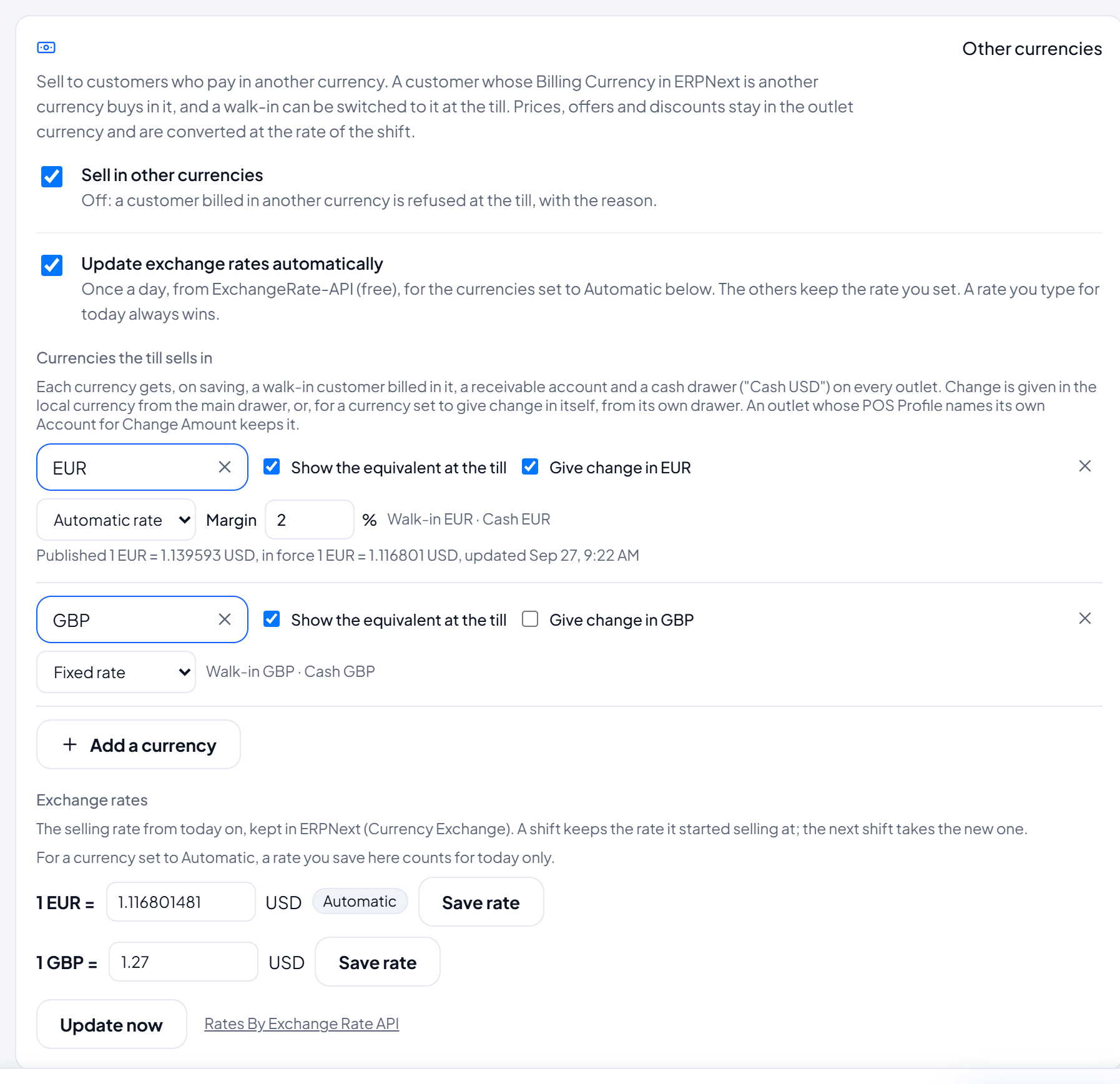
Your customer pays in their money, your books stay in yours. Switch on other currencies in Settings, pick the ones you take, and LumenPOS sets each one up for you: a walk-in customer, a receivable and a cash drawer in that currency on every outlet. A customer billed in dollars in ERPNext buys in dollars, and a walk-in tourist is switched to dollars with one tap at the till. The cart can also show the total in the currencies you pick, so the cashier quotes a visitor in their own money at a glance.
You keep one price list. Prices, offers and discounts stay in your currency and are converted at the shift's rate, or give a customer their own price list in their currency. One sale can be paid part in dollars and part in local cash, change comes back in local money or, if you prefer, in the customer's currency from its own drawer, and every drawer is counted in its own currency when the shift closes. The rate is fixed for the whole shift, and ERPNext merges the shift in that currency, balanced, so the ledger comes out right without anyone touching it. It keeps working offline too: with the connection down, the till still sells to a walk-in in another currency at the shift's rate, and posts the sale at that same rate once the network is back.
Exchange rates that keep themselves up to date, if you want them. Keep a fixed rate for a currency, or let LumenPOS read the day's published rate every night from a free rates service (about 160 currencies, the Saudi riyal, the UAE dirham and Zimbabwe gold among them) and save it in ERPNext for you. Add a margin for a currency whose market rate runs ahead of the official one, press Update now whenever you need to, and a rate you type yourself for the day always wins.
Built for the way shops actually sell
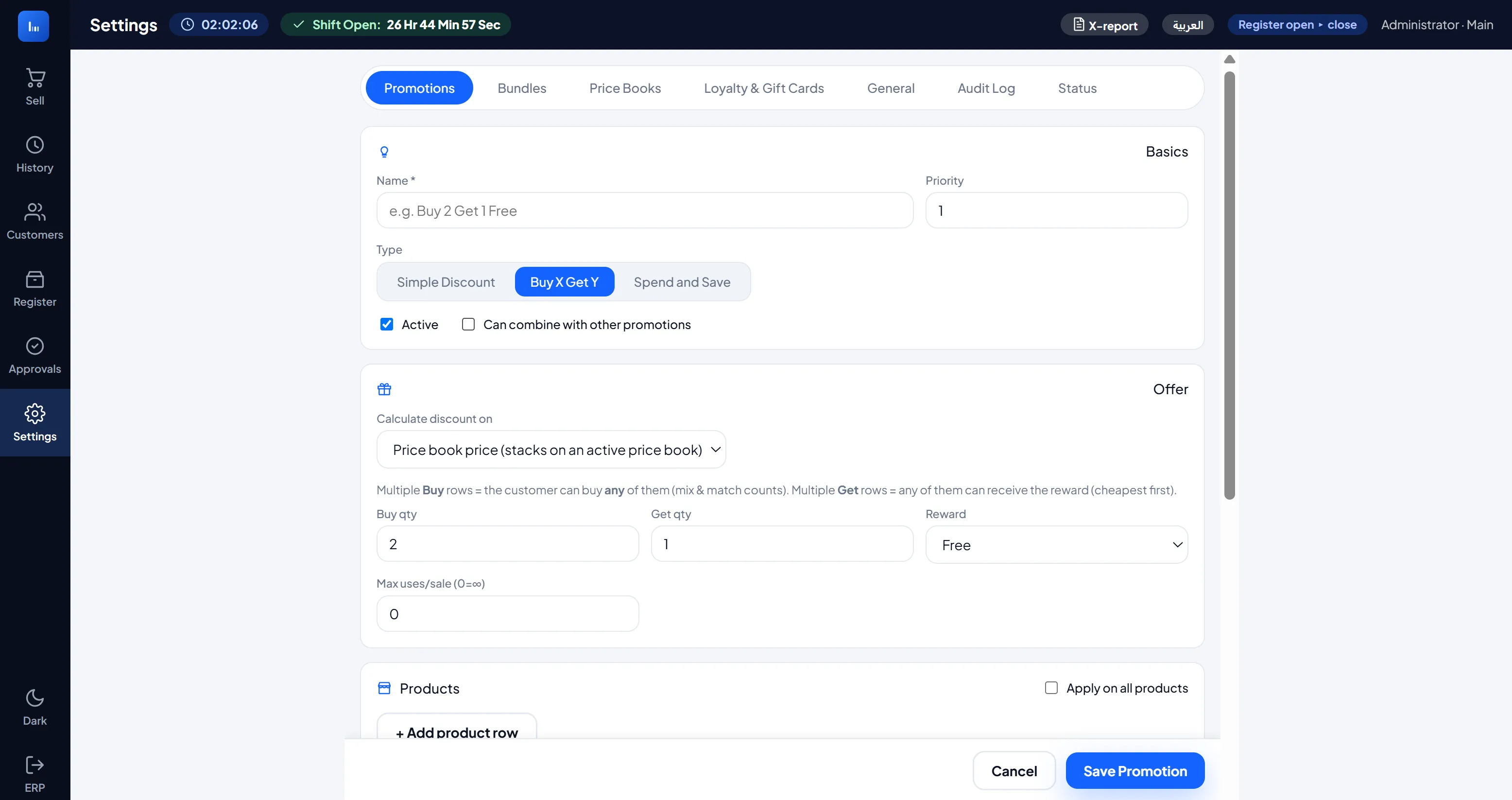
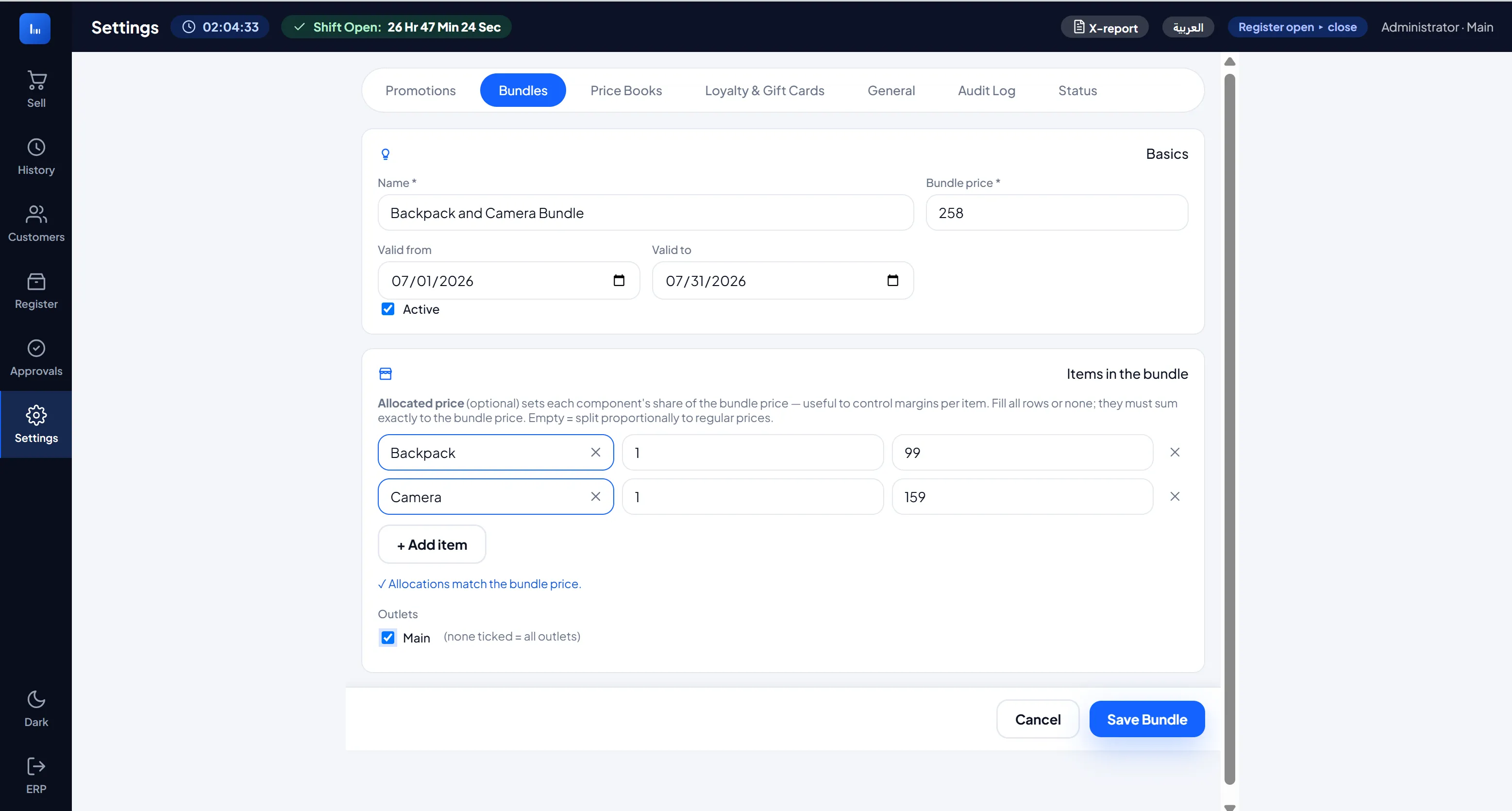
Promotions that make sense. LumenPOS brings its own promotions engine, so you're not bending ERPNext Pricing Rules to fit a shop counter. Set up a straight discount, a Buy X Get Y offer, a "spend 200, take 20 off" basket deal, or a fixed-price bundle, and the cart works out the price the instant items go in. Offers can stack or stay exclusive, run on a schedule, and hide behind a coupon code when you want them gated. The cart even nudges the customer: add one more to get the deal.
Because LumenPOS handles pricing itself, it automatically ignores ERPNext Pricing Rules at the till, so your price books, promotions and bundles are always exactly what the customer is charged, with nothing to switch on or off. Your existing ERPNext Pricing Rules keep working everywhere else.
It keeps selling when the internet doesn't. Products, prices and promotions are cached on the device. If the connection drops mid-shift, the till carries on. Sales queue locally and upload themselves the moment you're back online. A plain-English log shows the cashier exactly what's synced and what's still waiting, so nothing quietly disappears. Returns work offline too: the till takes back a sale from its own shift without a connection, refunds exactly what ERPNext will post, and sends it once the network is back. Waiting sales go out in the background, even with the till closed, and a sale whose answer got lost on the way never posts twice.
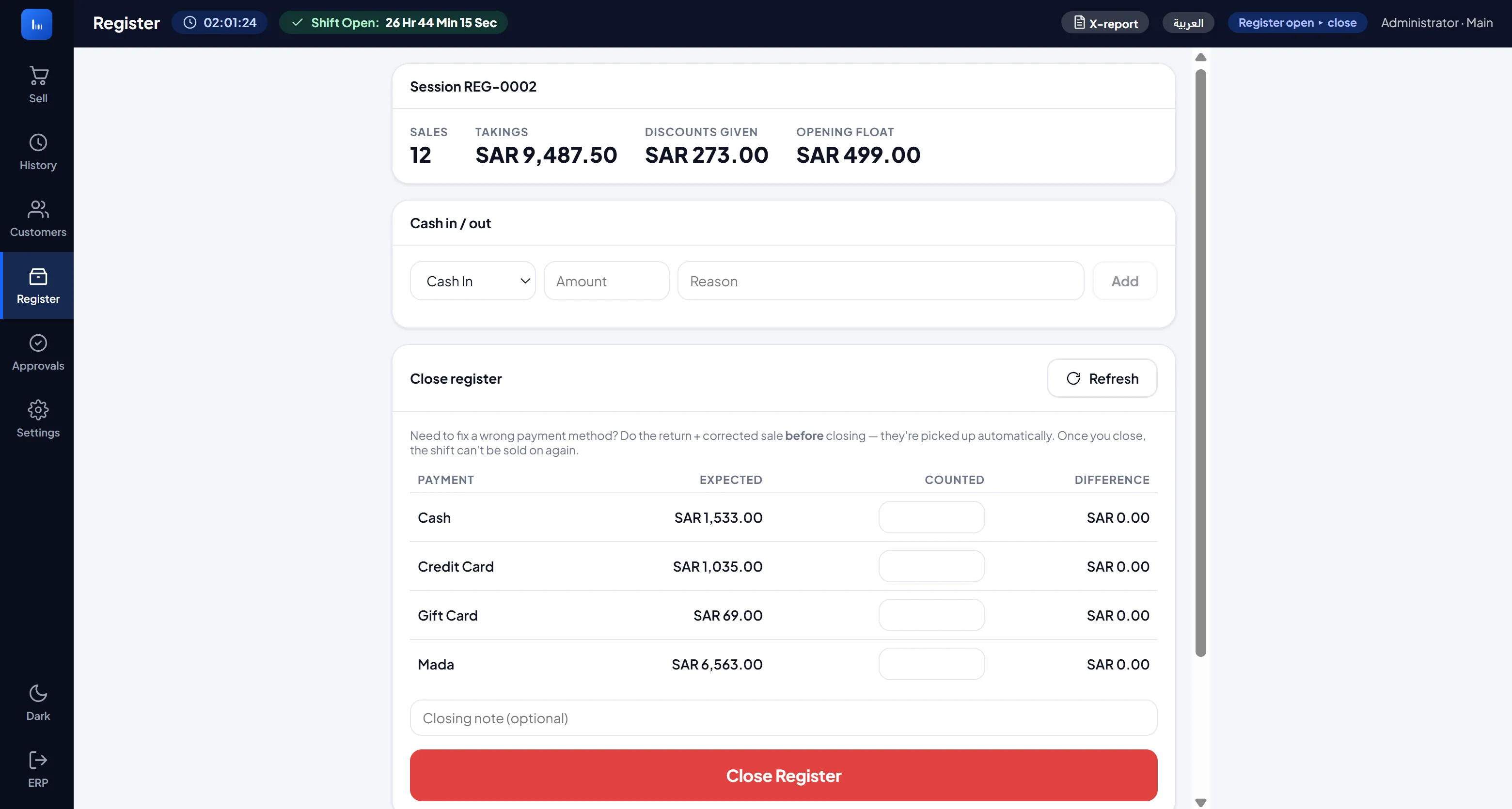
The money side is handled. Open a register with a float, ring the shift, and close with a blind count that's checked against what the system expected, Z-report included. Take cash, card, split tenders, gift cards or store credit, and give change. Do returns and refunds back to the original payment method or to store credit. Decide what the shop will not take back at all, by item, group, brand or tag, and whether an approver can still let a return through. Pull a mid-shift X-report any time you want a read without closing the drawer. Run several outlets from one login and switch between them. Each keeps its own drawer and shift, and a slow or failed end-of-day close never blocks the next shift from opening. A returned item is back on sale at once, ready for the next customer in the same shift. On ERPNext 16 a shift can run past midnight, and you choose whether one person may hold more than one open shift, with a manager able to close anyone's from the register page.
Gift cards, store credit and loyalty are all in the box. Sell and redeem gift cards, keep per-customer store-credit balances, and award loyalty points customers can spend at the till.
Cashback that brings customers back, and adds up properly in the books. Give a percentage or a fixed amount back on qualifying sales, cap it, ask for a minimum spend, and pick the products, outlets, days and hours it applies to, then set how long it lasts before it expires. The till shows what a sale earns, the customer spends their balance as its own payment method next time, and a return takes back whatever they have not spent yet. Behind the counter it is real accounting: each company picks a cashback liability and expense account, or lets LumenPOS create them, and the earned, expired and returned cashback is booked every night as one summary Journal Entry per company, day and outlet. Once the shifts are closed, the liability account matches what your customers are holding.
A full sales dashboard, right in the till. Managers get an Insights page with net sales, invoices, average basket and returns at the top, and sales by day, by outlet and by cashier, the payment mix, top items and the busiest hours underneath. Filter everything by date range, outlet, customer, payment method or item. The dashboard comes from our separate Lumen Reports app: install it, and one tap builds the dashboard inside the POS, in the till's own language and theme. The page is for managers only and can be switched off in Settings. Without Lumen Reports, the rest of LumenPOS works exactly the same.
Know who sold what. Pick the salesperson at the till, or make it required, and LumenPOS saves it on the invoice with the commission rate you keep in ERPNext. The Salespeople tab of the Insights page shows each person's sales, returns, net and commission for any period, for one outlet or all of them, with a CSV download, and the shift report lists them too. ERPNext's own salesperson reports leave POS invoices out, so it is built in.
A system check for the manager. One screen in Settings says what may stop the till on your site and what to do about it: a shift stuck while closing, sales not yet in the books, an ERPNext setting that refuses POS invoices, how each outlet's prices carry tax, background jobs that stopped, and the errors of the last week. Copy it as text and send it to support, and most questions are answered before anyone has to ask.
Receipts your way
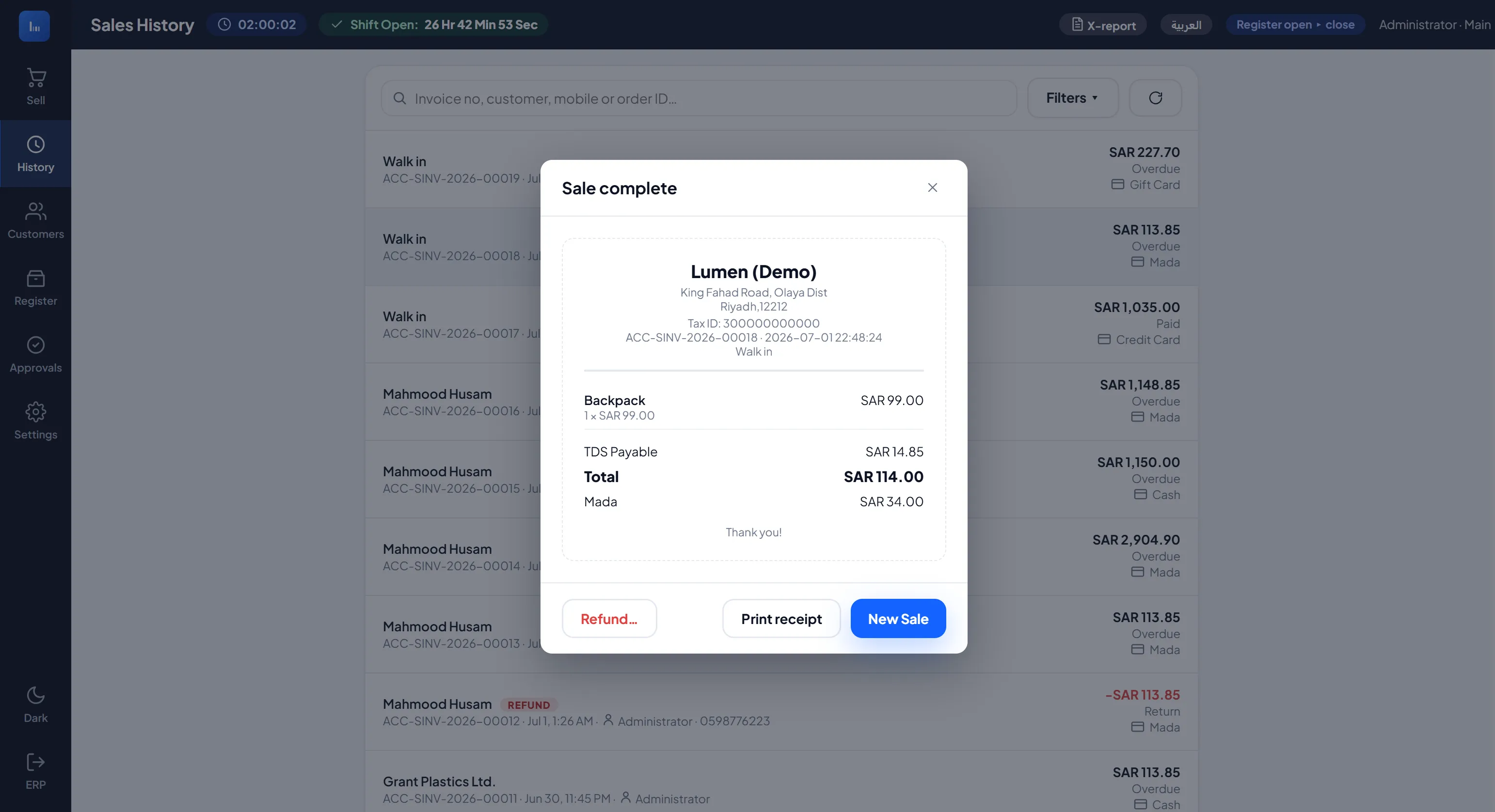
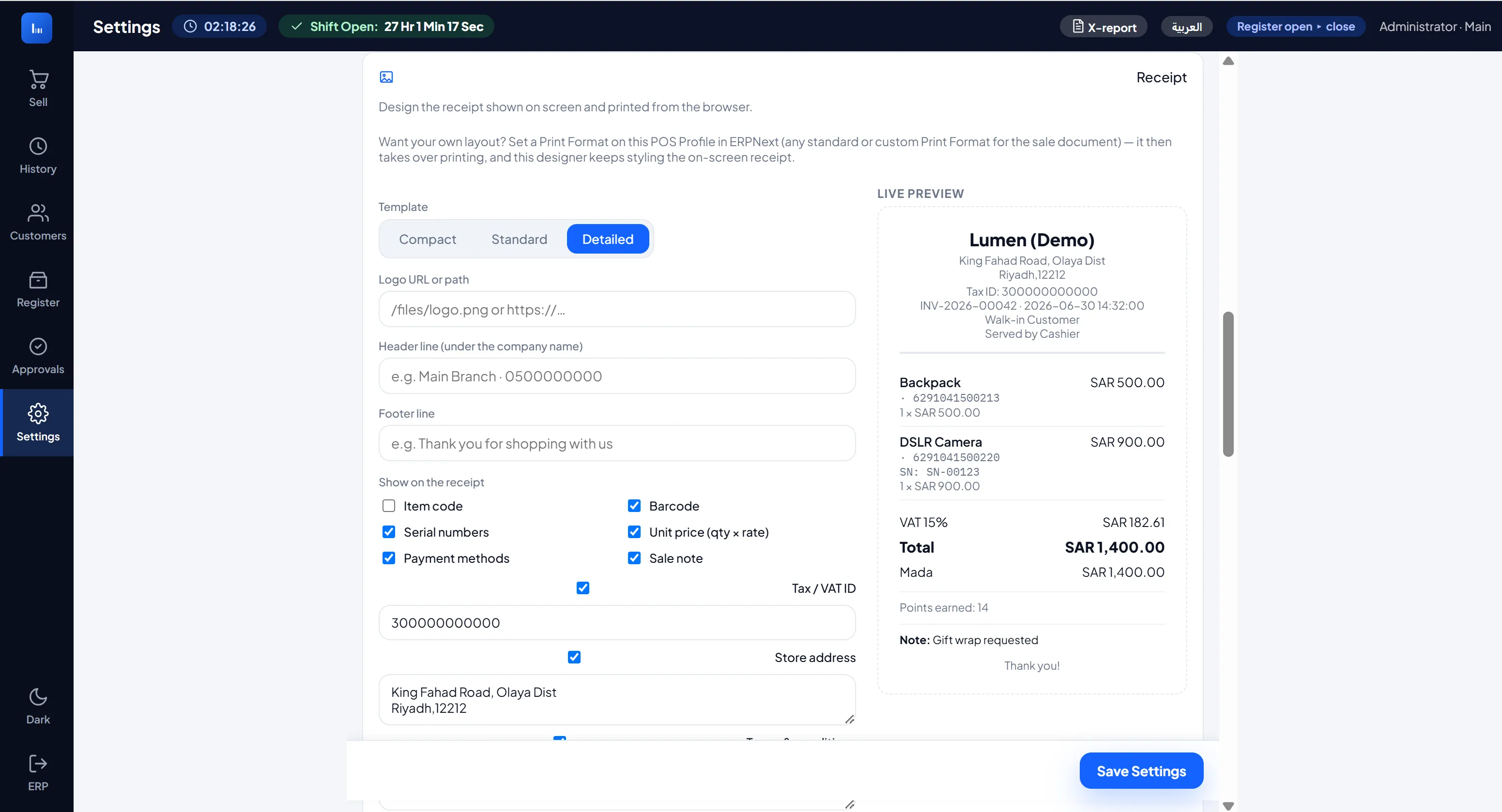
Design the on-screen and browser receipt right in Settings: pick a layout, choose what shows (barcode, serial number, tax ID, notes, and the rest), drop in your logo and footer, and watch a live preview as you go.
Then make it yours. Give each outlet its own receipt, and pull any field from the POS Profile or the sale onto it (a ZATCA QR image, a CR number, a country-specific line) as text or an image, in the header or footer. So the same app fits Saudi, the Gulf, or anywhere with its own receipt rules, without a code change.
Want full control instead? Point the POS Profile at any ERPNext Print Format and it takes over. Running a thermal printer? LumenPOS talks to network ESC/POS printers directly and kicks the cash drawer.
Fits your setup, not the other way round
One company or many. Accounts are scoped per company, so a multi-company site never posts to the wrong ledger. Gift cards, cashback and store credit can be shared by the companies of a group that use the same currency, or kept per company, and a balance spent at a sister company is settled with ERPNext's own Inter Company Journal Entry, so every company's books stay right. Promotions, cashback rules, bundles and price books apply to the whole group, one company or chosen outlets.
Many outlets, one login. Choose which outlet you're operating from the open-register dialog. Each runs its own shift, prices and receipt, and you can switch between them freely.
POS Invoice or Sales Invoice. Choose per outlet how sales post: the consolidated POS flow, or direct Sales Invoices when that suits your accounting.
Your team, your rules. Decide who can give a discount or type a new price at the till, run a return, approve one past the return window, move cash, reprint, open or close the register, hold goods and see the reports, by role or by named person. Every override lands in an audit log.
Serial numbers done properly. A serialised item won't enter the cart until a real, active serial from this register's warehouse is scanned. No silent auto-pick.
What you need
Frappe / ERPNext v13, v14, v15 or v16, every release tested on real installations of all four
A configured POS Profile (company, price list, warehouse, payment methods) with your cashier added to it
Optional, for the sales dashboard: Lumen Reports on Frappe v14 or newer (1.2.2 or newer on v14, 1.1.0 or newer on v15 and v16)
The front end ships pre-built, so there's no Node or build step. It installs like any other Frappe app.
Actively developed
LumenPOS ships improvements most weeks, and what used to be on this roadmap is here now: holds and deposits (put goods aside for a customer, take instalments and hand them over once paid, with the money kept in a liability account until then), a till that opens with no connection at all, even after a reload or a restart (Frappe v14 and newer), selling in other currencies with exchange rates that update themselves, customer balances shared across the companies of a group, and now eleven more languages, help and tours on every screen, salespeople with their commission and a system check for the manager. Everything described above works now.
Built by Lumen Solutions · [email protected]
User Reviews
No reviews yet, be the first to review.
0.0
0 rating
More apps from


Explore more apps