Frappe
Cloud
Marketplace
Frappe
Products
Insights

Installation Guide
installs
Publisher
Supported versions
Categories
E-Commerce
About
Your documents, finally printed the way you designed them.
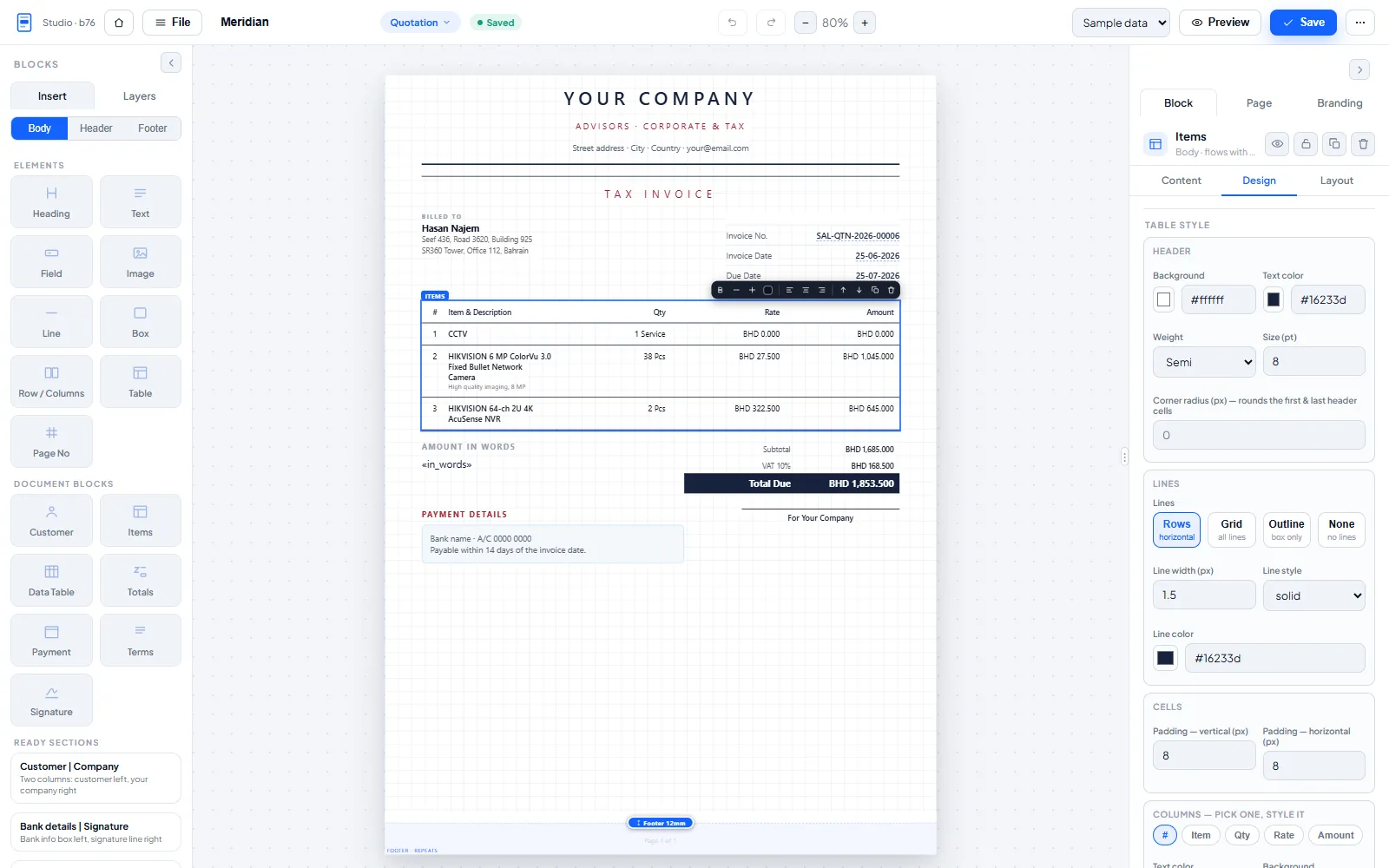
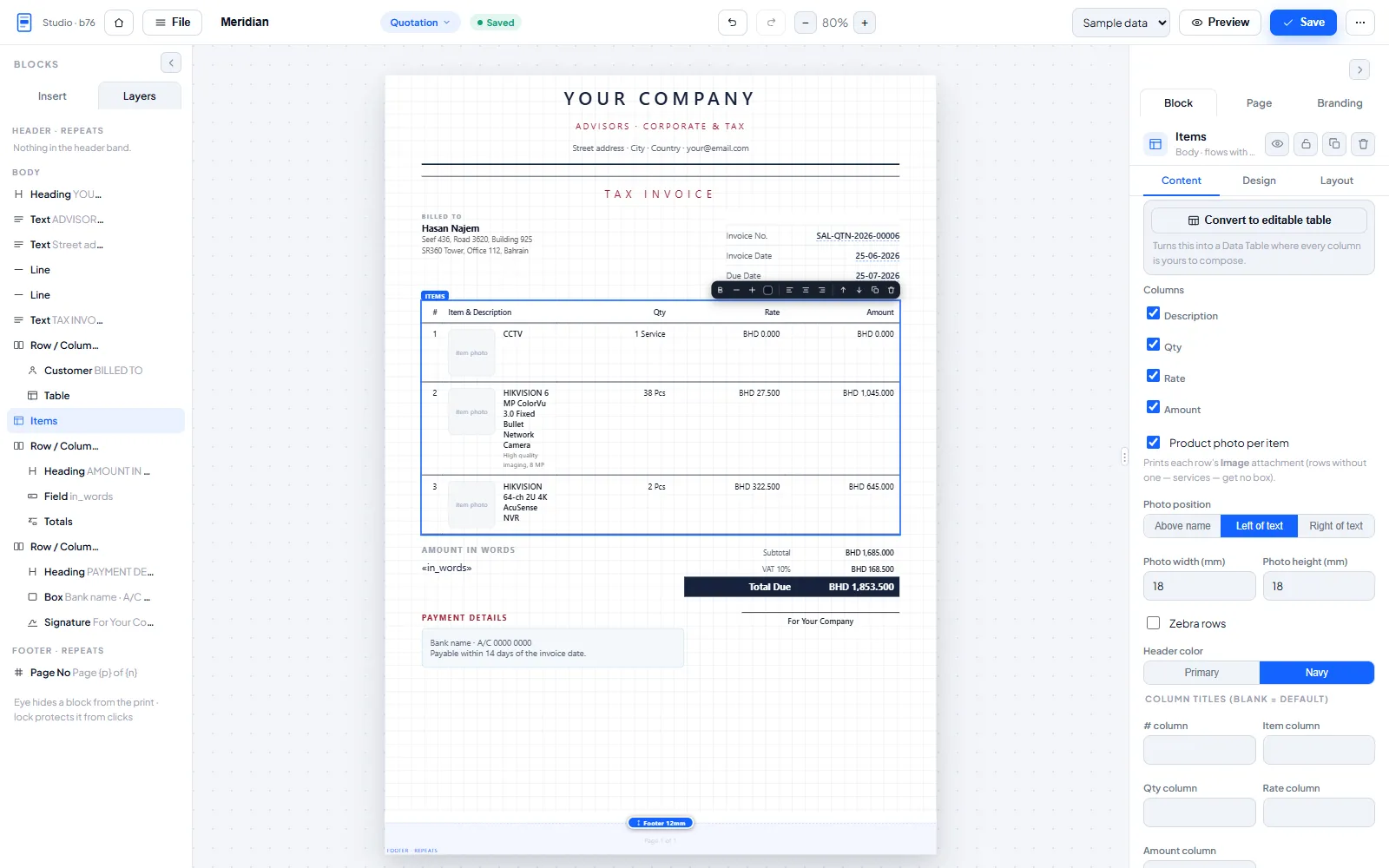
LumenPDF Studio puts a real design surface inside ERPNext. Drag blocks onto an A4 canvas, bind live document fields, and print pixel-perfect branded PDFs for quotations, invoices, payment vouchers and full financial reports. No Jinja, no CSS fights, no code.
Why teams install it
Stock print formats fight your brand. Full-bleed letterheads, exact margins, repeating headers and footers with real page numbers, and printed backgrounds all misbehave.
Every change needs a developer. Hand-edited Jinja per format, again for each revision.
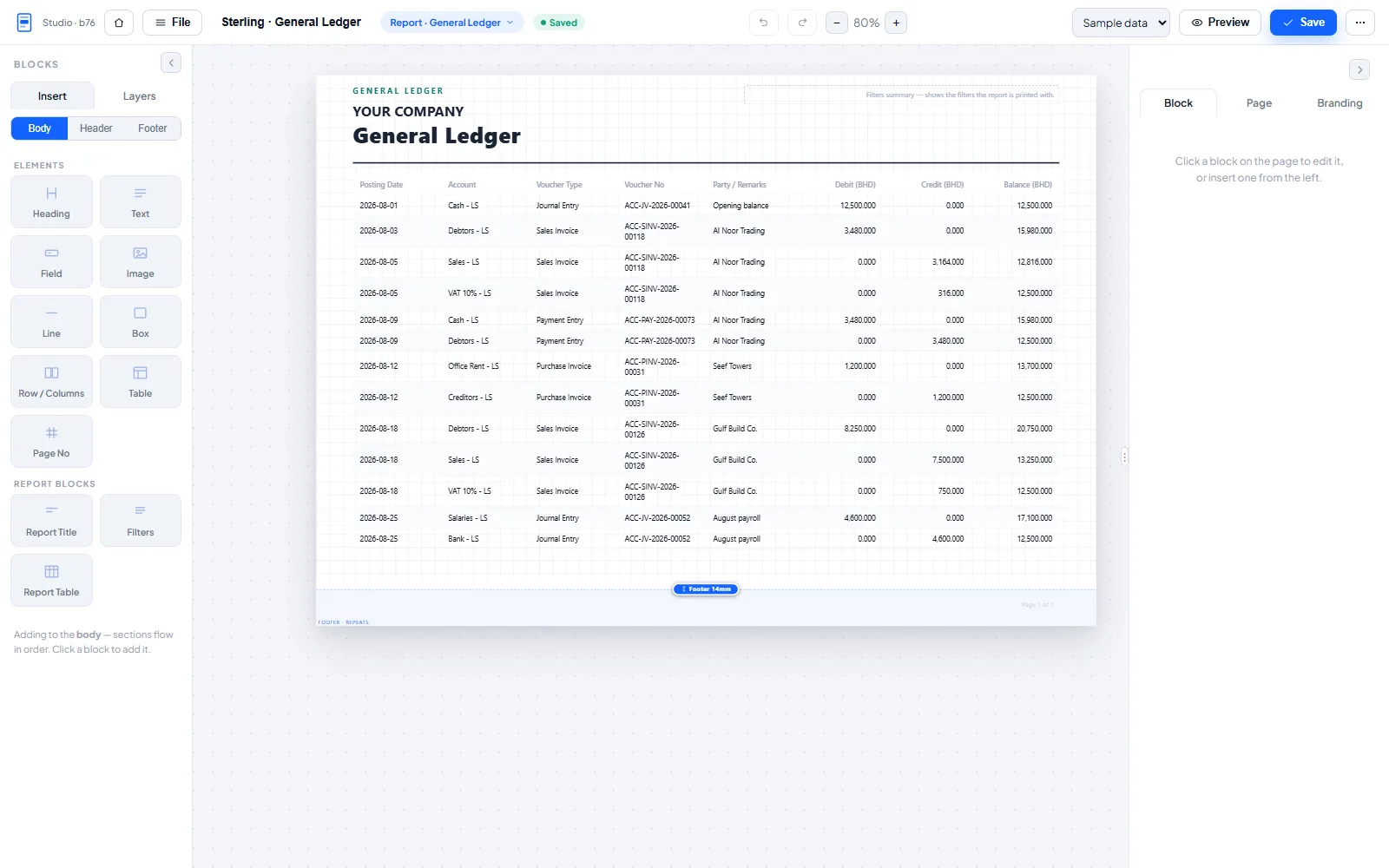
Reports are worse. Try getting a branded General Ledger in landscape.
What you get
A real builder. Drag-and-drop blocks (headings, text, images, rows, tables, page numbers) plus smart blocks that know ERPNext: items, totals, taxes, payment schedule, customer, terms and signature. Undo and redo, keyboard shortcuts, autosave, a Layers panel with hide and lock, dark mode, and a multi-page canvas where every page stays editable.
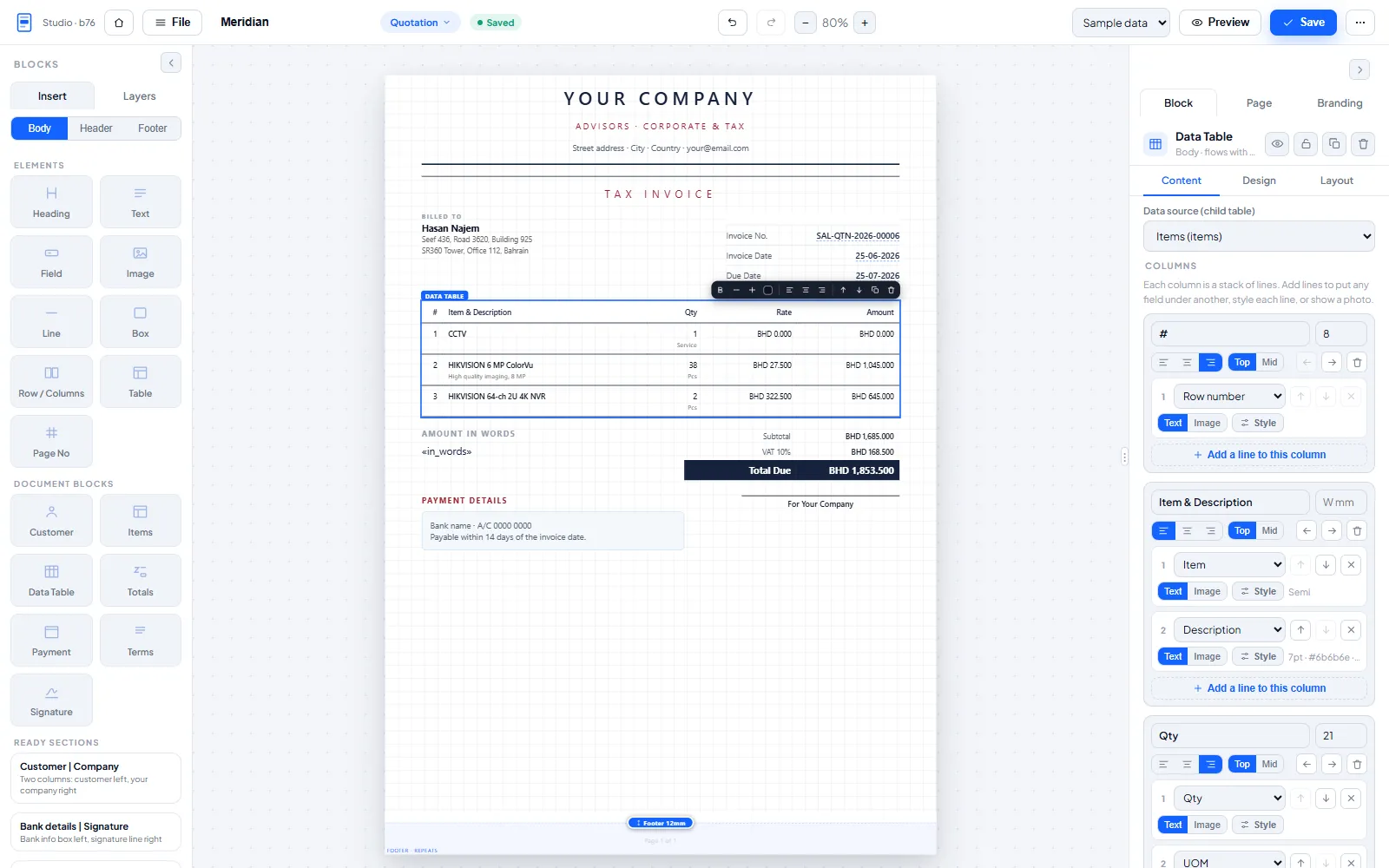
Compose any table cell. Every column in a Data Table is a stack of lines you build: any field under any other, each line with its own size, weight, colour and prefix, or a product photo. Start from the ready-made Items table and convert it into a fully editable one in a click.
Everything customizable. Every colour, font, size, border and spacing, per block, per column and per row. Editable labels everywhere. Conditional blocks and watermarks (status = Paid → "PAID"). A reusable block library: save a configured block once, insert it in any format.
Documents and reports. Brand any DocType print format and any Query or Script report, portrait or landscape, with a one-click Branded PDF button on every report that honours the filters on screen.
Deep data binding. Any field including custom fields, one-hop linked fields (the customer's email on an invoice), any child table, amount in words.
Branding that scales. Per-company colours, fonts and banner images set once and inherited everywhere, with per-format overrides. Curated Latin and Arabic Google Fonts, RTL-aware blocks, bilingual EN/AR layouts.
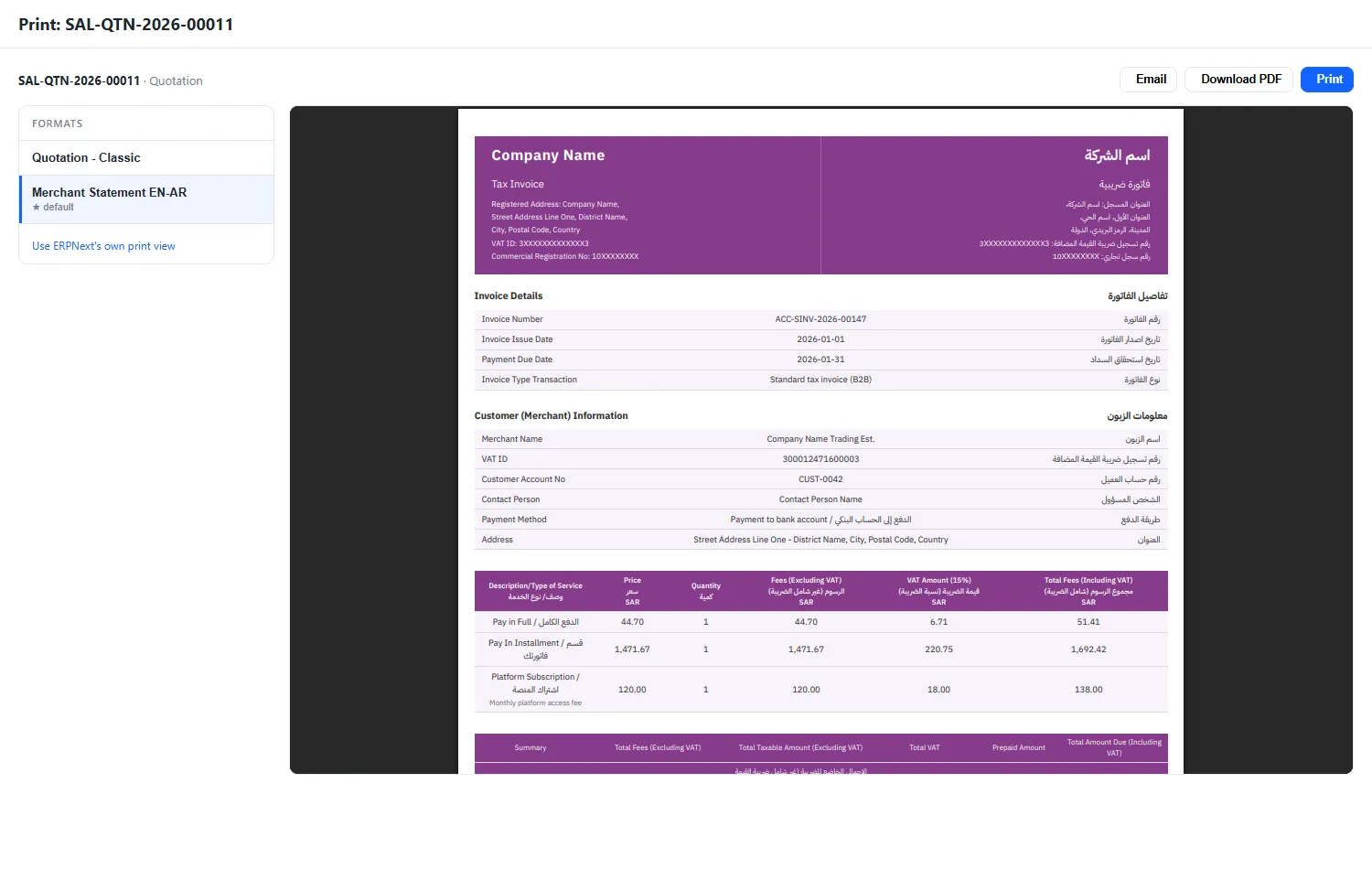
Print from a screen of your own. Every document gets a Print with LumenPDF button that opens your formats side by side. Pick one, see the actual PDF rather than an approximation of it, then print it, download it, or email it with the file already attached. ERPNext's own print view stays one click away. The app also auto-attaches the branded PDF on submit, keeps per-company defaults and a template gallery, imports and exports formats as JSON, and can put your branded file behind the native Print PDF button for any doctype you choose.
Tax-invoice ready. A real QR code block that builds the ZATCA tax-invoice code from the document itself, table headers that stack Arabic over English, a page background colour and adjustable side margins for edge-to-edge designs.
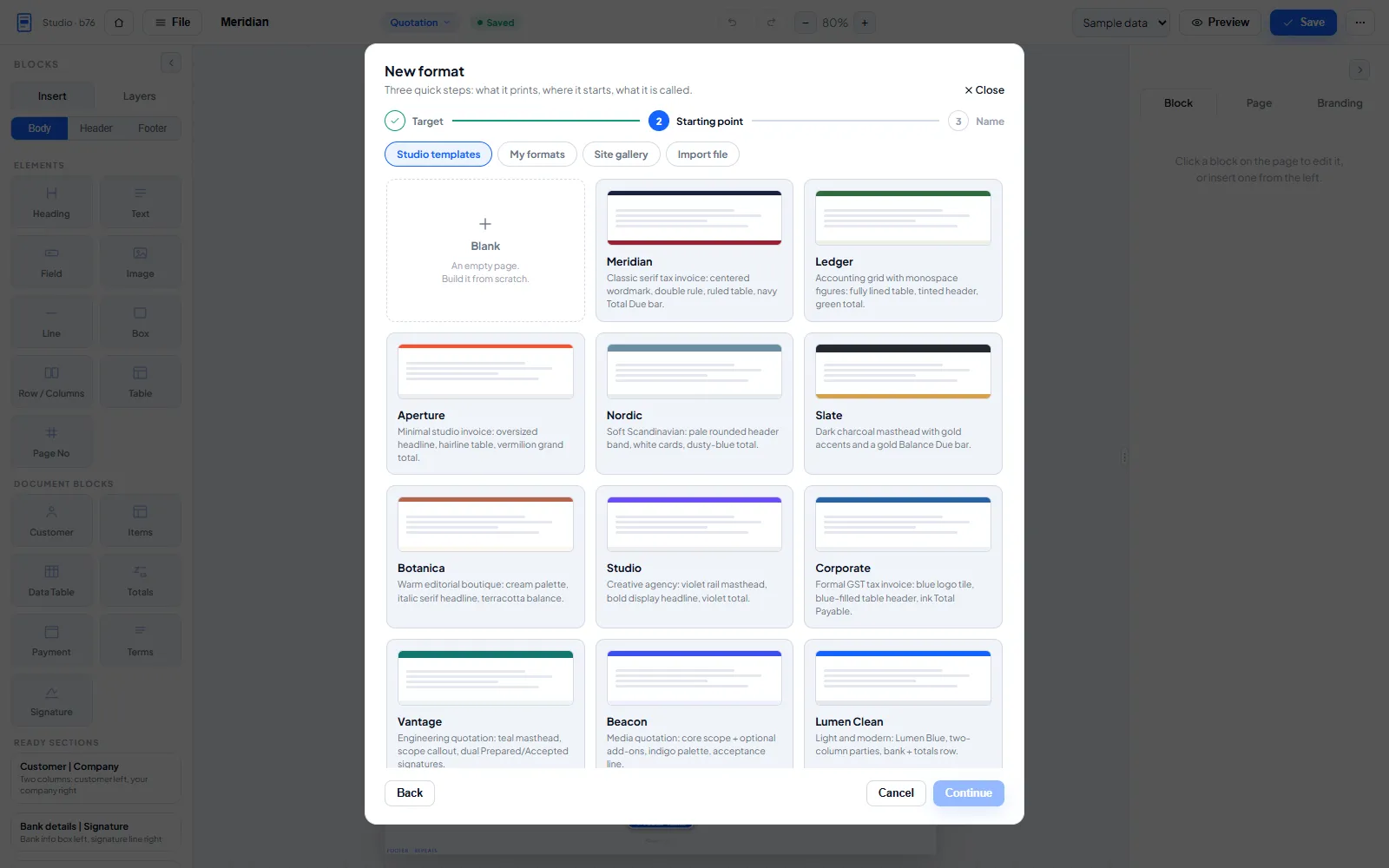
Ready-made templates. Invoice, quotation and financial report designs, now including a bilingual ZATCA-style tax invoice with QR and a bilingual merchant statement. Pick one, then change anything.
Design with AI
Describe it, get it. Ask for a change in plain language ("make the totals bar green and add a QR at the bottom") and the copilot rewrites the page for you.
Rebuild any document from a picture or PDF. Drop in a photo, screenshot, scan or PDF of an invoice you like, and the copilot reads it and rebuilds the design as an editable format bound to your own fields, with the sender's name, logo and tax numbers removed.
Or start from nothing. Describe the document you need and get a complete first draft to refine.
Safe by design. Everything the AI returns is checked against the builder's own rules before it touches the page, and one Ctrl+Z puts the previous page back. Powered by Google Gemini with your own API key, stored encrypted on your site.
Zero-setup engine
Renders through the site's own PDF generator, with no extra services and no Python dependencies. Hosts that cannot produce landscape pages are detected automatically and rerouted through wkhtmltopdf. Blocks never split across pages unless they are long tables, and what you see on the canvas is what prints.
Security by default
Building formats is limited to System Managers, and standard templates are read-only.
Formats reference uploaded site files only, never remote URLs.
Permission-gated fields never render, not through linked fields and not through child tables. Report renders enforce the report's own permissions.
Requirements
Frappe v14, v15 or v16. Works with or without ERPNext (ERPNext unlocks the document smart blocks). Installs clean and configures itself, with zero manual setup.
Built by Lumen Solutions. We implement ERPNext and build mobile apps and retail POS. Send us feedback from the feedback button inside the builder.
User Reviews
No reviews yet, be the first to review.
0.0
0 rating
More apps from


Explore more apps