Frappe
Cloud
Marketplace
Frappe
Products
Insights
Installation Guide
installs
Publisher
Supported versions
Categories
E-Commerce
About
A desk your team will enjoy opening
Lumen Theme gives the Frappe and ERPNext desk a clean, modern look and makes it easier to find your way around. It changes how the desk looks and moves, never your data, workflows or print formats. Turn it off and you are back to standard Frappe exactly.
One app, one branch, works on Frappe v13, v14, v15 and v16. Arabic right to left and dark mode are built in, not added later.
Find your way in one click
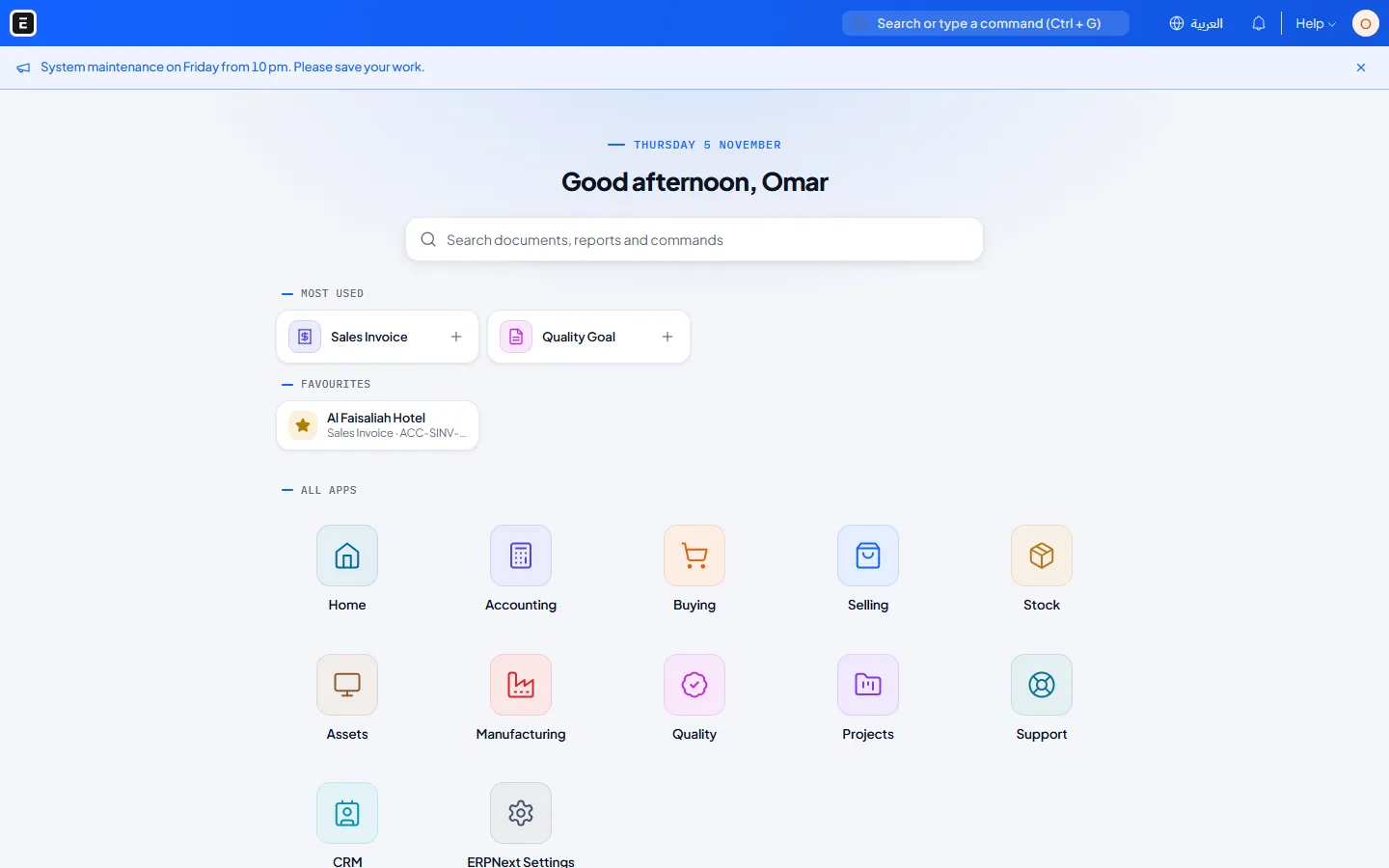
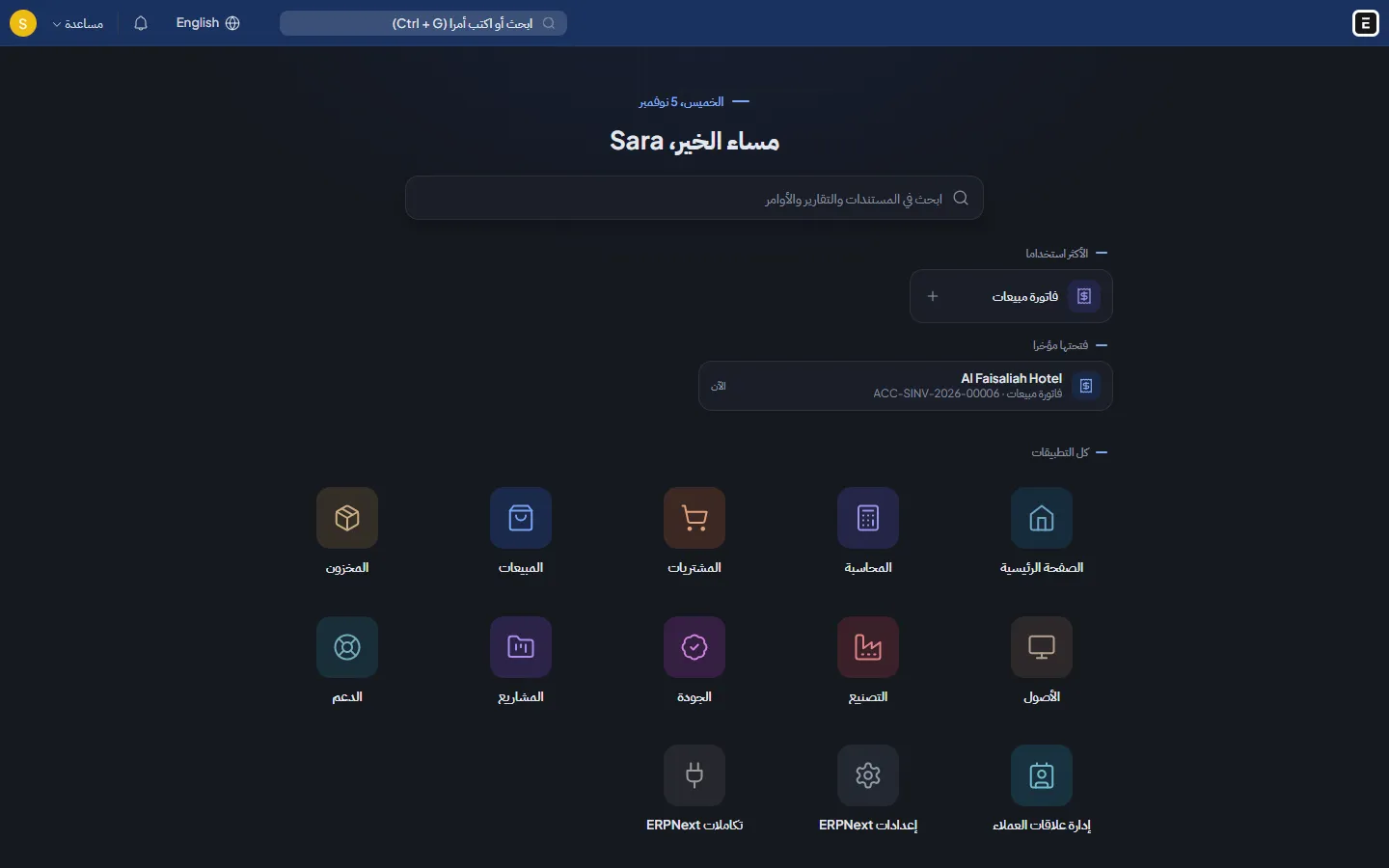
Apps home screen: today's date, a greeting, a search box and a coloured tile for every module you can use, with your favourites and recently opened documents under the search.
Top bar or side menu: each module's menus run across the top, or every module is listed on the side. Menus come from your own workspaces, so nothing is hard coded.
Landing page by role: after login the cashier opens the point of sale, the accountant opens Accounting, and so on. The administrator sets one row per role.
Favourites: a star on every form keeps it one click away, on any device.
Create from the menu: point at a document in a menu and press + to start a new one.
Search in any language
A user working in Arabic can type sales invoice in English and get فاتورة مبيعات, with the English name next to it. The search box on the apps screen searches in place, with the same results as the top bar.
Workspaces in one step
New workspace: one window for the name, icon and colour, the documents, reports and number cards it shows, and who sees it. Edit or delete it later from the same window.
Who sees this: show any workspace to everyone, or only to the people and roles you pick. Everyone else no longer finds it in the menus, the apps screen or search.
Clearer lists and forms
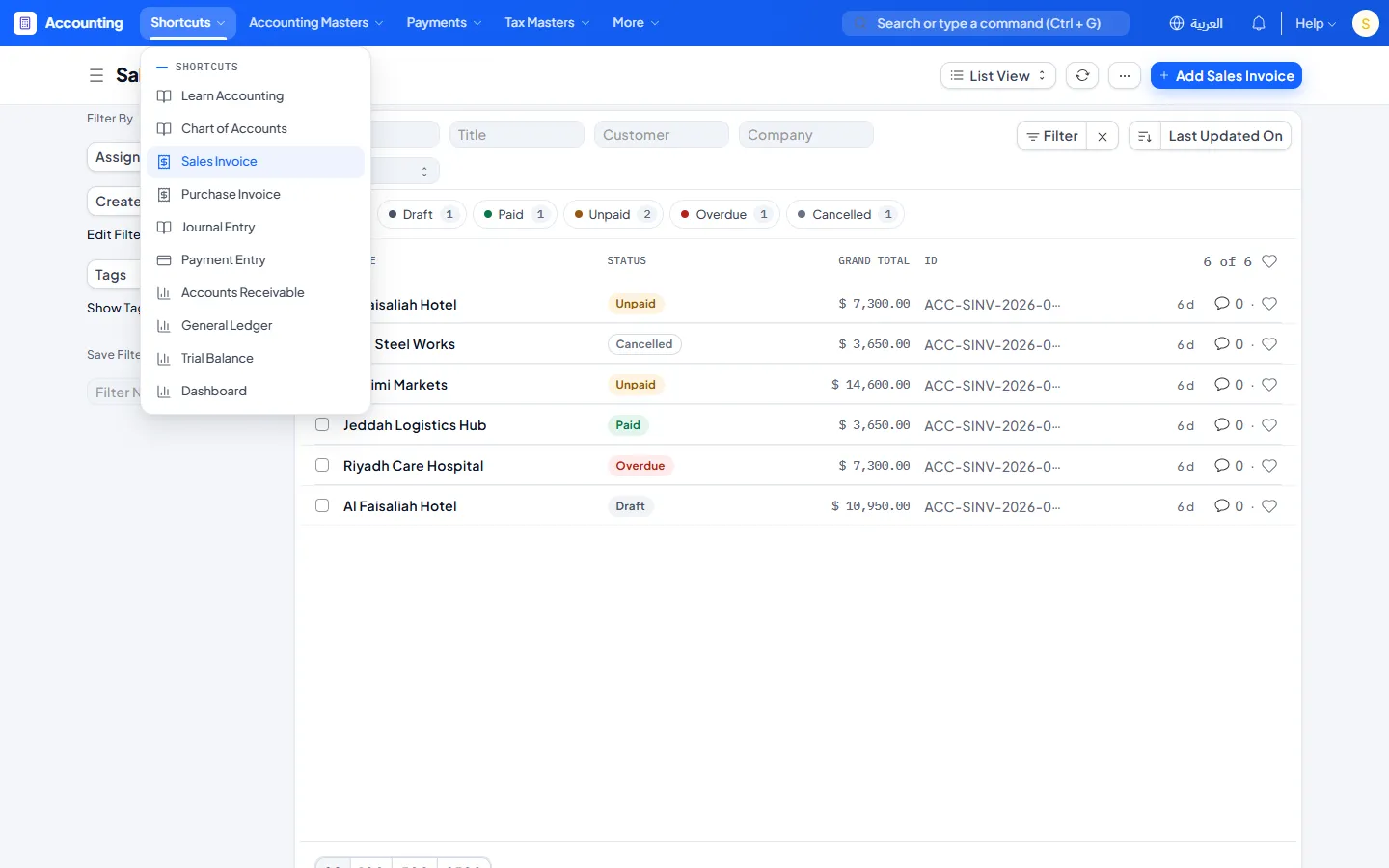
Status buttons above every list: All, Unpaid 2, Overdue 1 and so on. One click shows only that status, and the counts follow your other filters.
Clearer rows and badges: row lines, a highlight on hover, bold titles and a clear colour for each status.
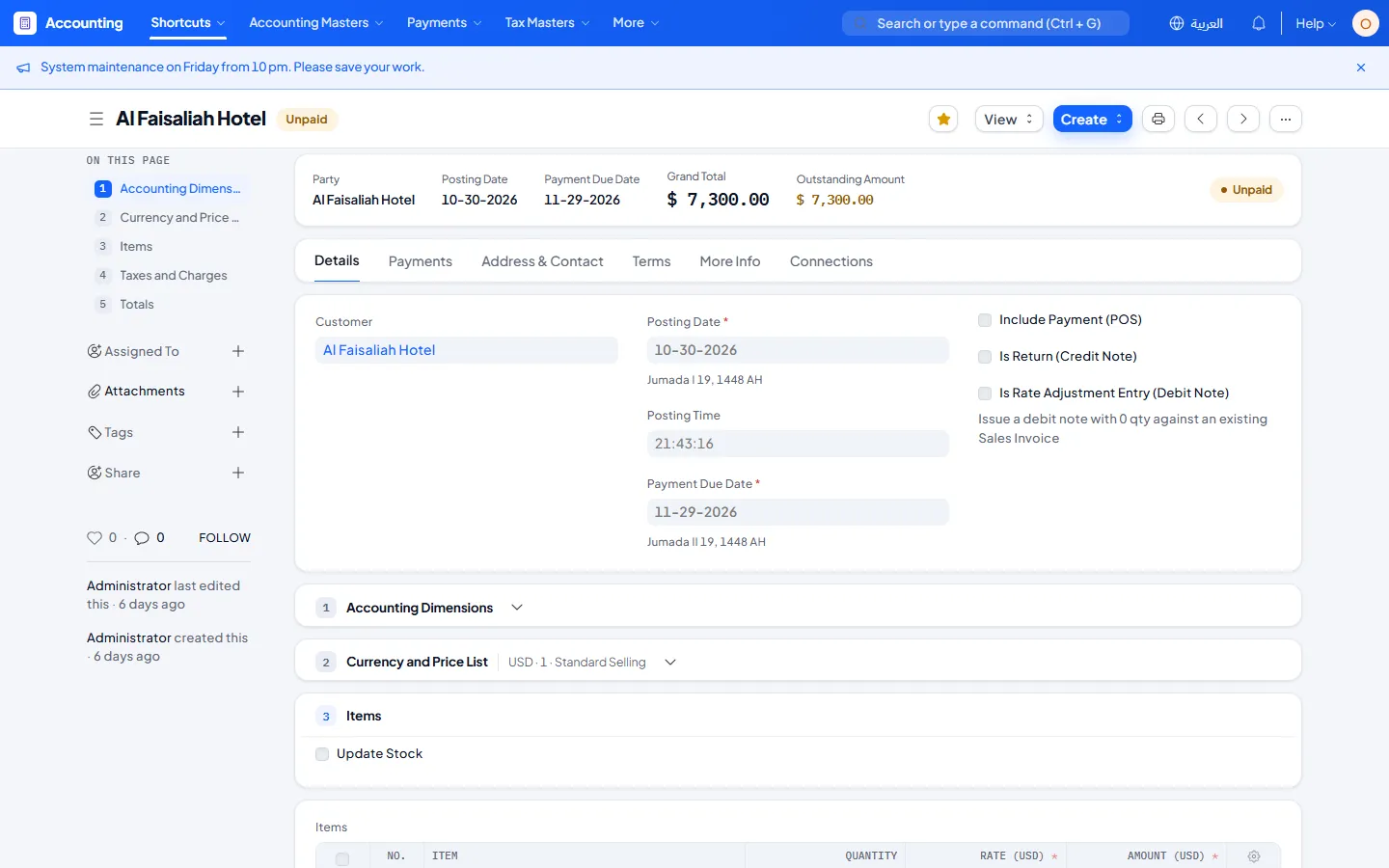
Forms in cards: numbered sections, each in its own card, with an On this page guide that stays in view while you scroll.
Summary card: invoices, orders and quotations open with the party, the dates, the total, what is still due and the status.
Simpler forms by role: hide the fields people do not need, for example tax fields for salespeople. It changes only what the form shows, never what anyone may read or change.
Clearer empty lists: a short explanation and a button to create the first record.
Your brand
The Lumen look: a gradient top bar with your own logo, app tiles, and amounts in a mono font so figures line up.
Each user picks their look: layout, colour, a coloured or white top bar, and light or dark mode, with a live preview. Administrators set the company defaults and can lock any option.
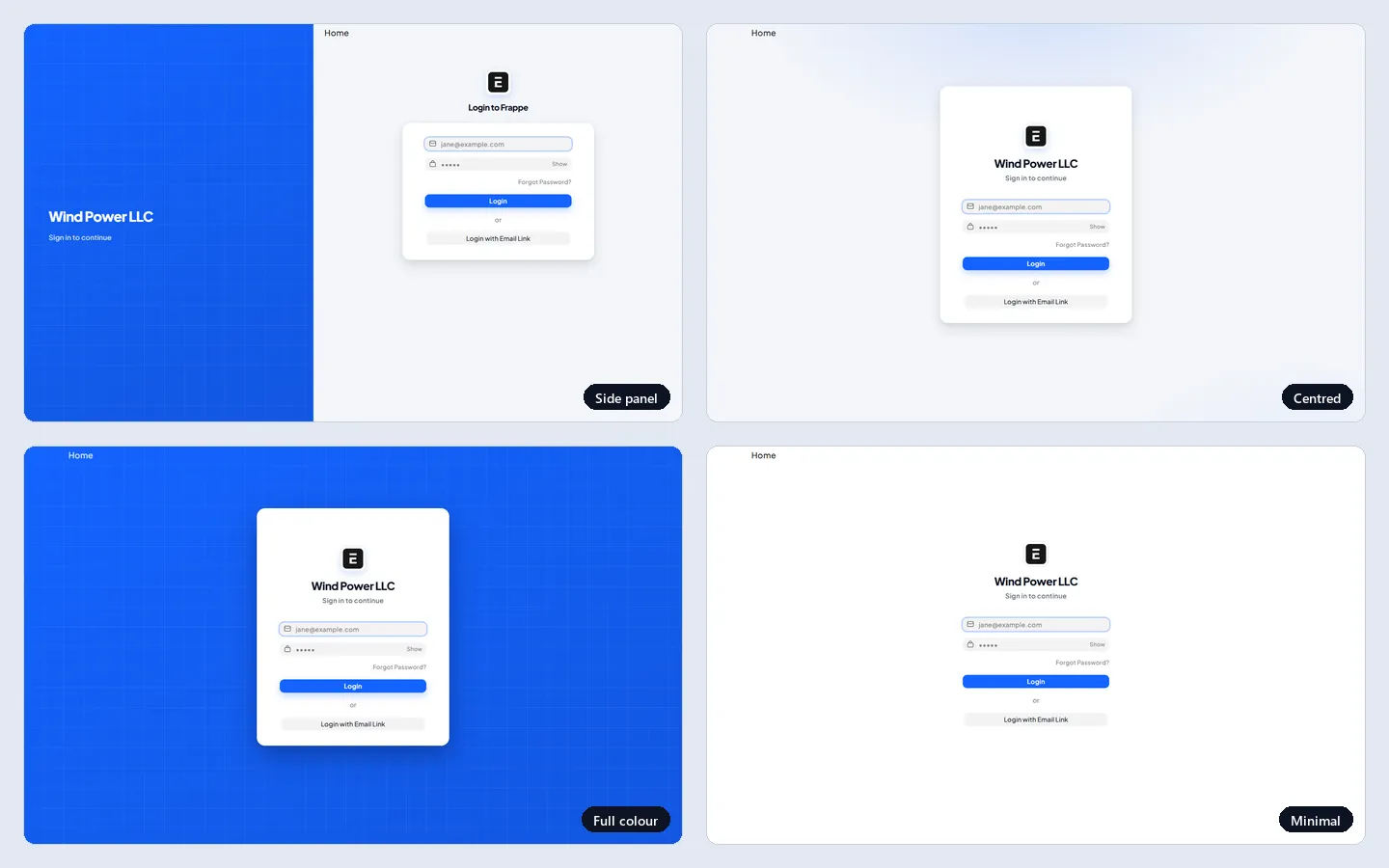
Branded login page: your brand colour, your company name and a welcome line beside the sign in box.
Notice bar: a message from the administrator to everyone, such as maintenance times or a new procedure, with an end date.
Made for Arabic
The whole desk follows right to left, including the top bar, menus and side menu.
IBM Plex Sans Arabic, Plus Jakarta Sans and IBM Plex Mono are bundled with the app, so there are no requests to outside font services.
Hijri date (Umm al-Qura) under every date on forms, optional. The saved date stays Gregorian.
A language switch in the top bar: one click between Arabic and English, or a list when you offer more languages.
Improved Arabic Translation (optional): about 1,430 reviewed corrections to Frappe and ERPNext Arabic, using one consistent accounting glossary. Corrections you made yourself are always kept, and switching it off removes only what Lumen added.
Safe to try
Every feature has its own switch in Lumen Theme Settings. Nothing in Frappe or ERPNext is modified, and all styling is scoped to the theme, so turning it off restores the standard desk.
User Reviews
No reviews yet, be the first to review.
0.0
0 rating
More apps from


Explore more apps