Frappe
Cloud
Marketplace
Frappe
Products
Insights
Installation Guide
installs
About
Features
Dual provider: Amazon S3 and Google Cloud Storage; switch via single configuration.
Enable/disable: All upload, delete, and migrate behaviour runs only when Cloud Storage Configuration is enabled.
Automatic upload: New File attachments (via Attach or image fields) are uploaded to the configured bucket; local file is removed and
file_urlis updated to the cloud URL.Two buckets: Separate private and public buckets. Private bucket: no public ACL; all access via signed URL. Public bucket: objects get public-read (S3) or make_public (GCS); direct URLs. Avoids permission errors when the bucket blocks public access.
Private files: Uploaded to the private bucket; served via time-limited signed URLs only.
Public files: Uploaded to the public bucket with public read;
file_urlis the bucket’s public URL.Delete from cloud: Optional “Delete file from cloud when File is deleted”; when enabled, deleting a File document also deletes the object from the bucket.
Test connection: Toolbar button on Cloud Storage Configuration to verify bucket access.
Migrate existing files: Toolbar button to upload all existing local File records to the configured cloud (skips files already on cloud).
Configuration
Go to Cloud Storage Configuration.
Field | Description |
|---|---|
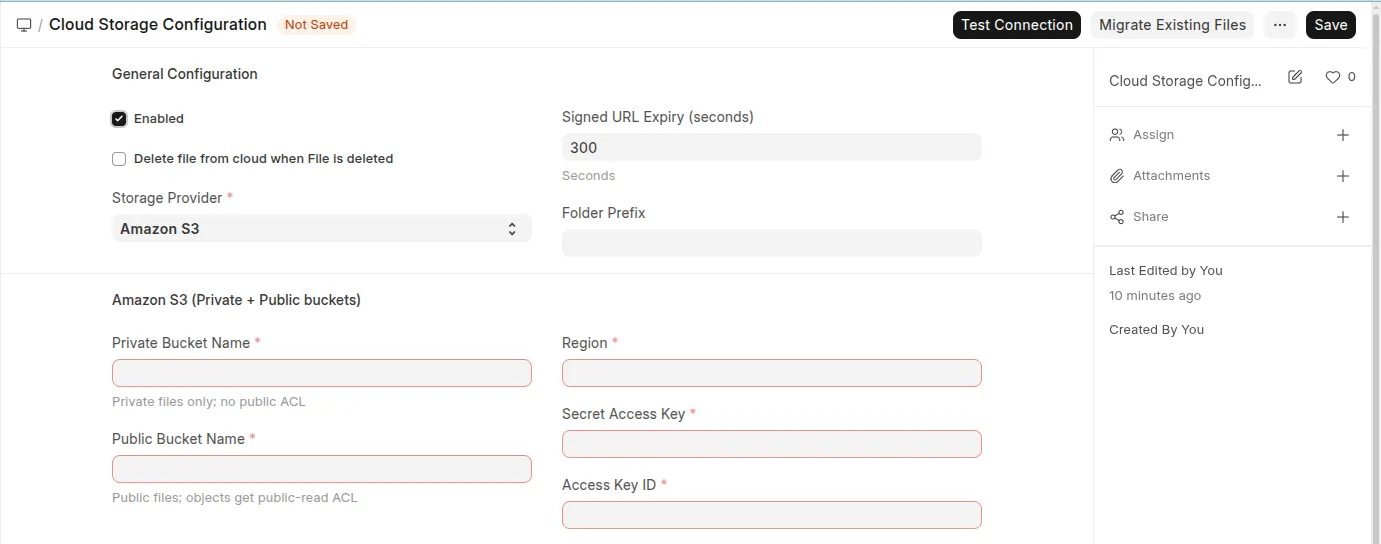
Enabled | Turn cloud storage on/off. When off, no upload/delete/migrate runs. |
Delete file from cloud when File is deleted | If enabled, deleting a File document also deletes the object in the bucket. |
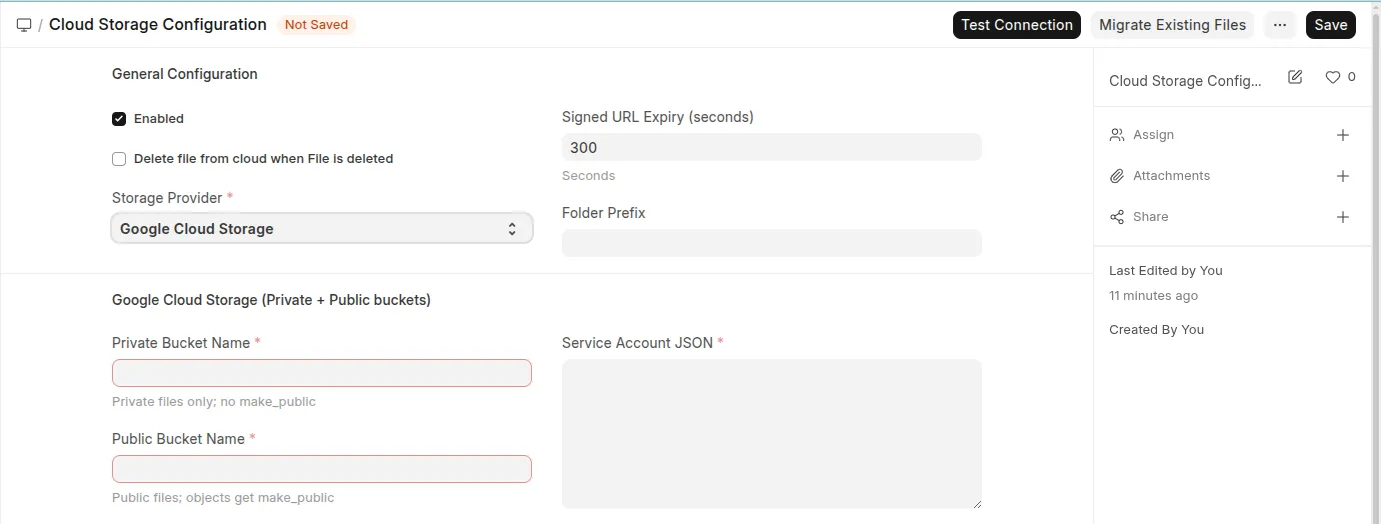
Storage Provider |
|
Signed URL Expiry (seconds) | Expiry for private-file signed URLs (default 300). |
Folder Prefix | Optional prefix for object keys (e.g. |
Amazon S3
Field | Description |
|---|---|
Private Bucket Name | Bucket for private files (required). No public ACL; use signed URLs only. |
Public Bucket Name | Bucket for public files (required). Objects get public-read ACL. |
Region | AWS region (e.g. |
Access Key ID | Optional; omit to use IAM role or env credentials. |
Secret Access Key | Optional; required if Access Key ID is set. |
Google Cloud Storage
Field | Description |
|---|---|
Private Bucket Name | Bucket for private files (required). No make_public; signed URLs only. |
Public Bucket Name | Bucket for public files (required). Objects get make_public. |
Service Account JSON | Full JSON key for a service account with access to both buckets. |
You can use the same bucket for both by setting the same name for Private and Public Bucket; private files will still be served only via signed URL (no public ACL). Use Test Connection after saving to confirm access.
User Reviews
No reviews yet, be the first to review.
0.0
0 rating
More apps from
.webp)
.webp)


.webp)
Explore more apps